
Search & filter
Pinpoint relevant messages with filters for subject, sender, dates, body text, and attachment details.
Email examination · Windows desktop
Windows job-based email examination—add evidence, browse and search indexed mail, review communication patterns, then export scoped packages from one workspace.
Bring intake, review, analysis, and reporting into one focused workspace for analysts, IT teams, and investigators. Examine data only with proper authorization.
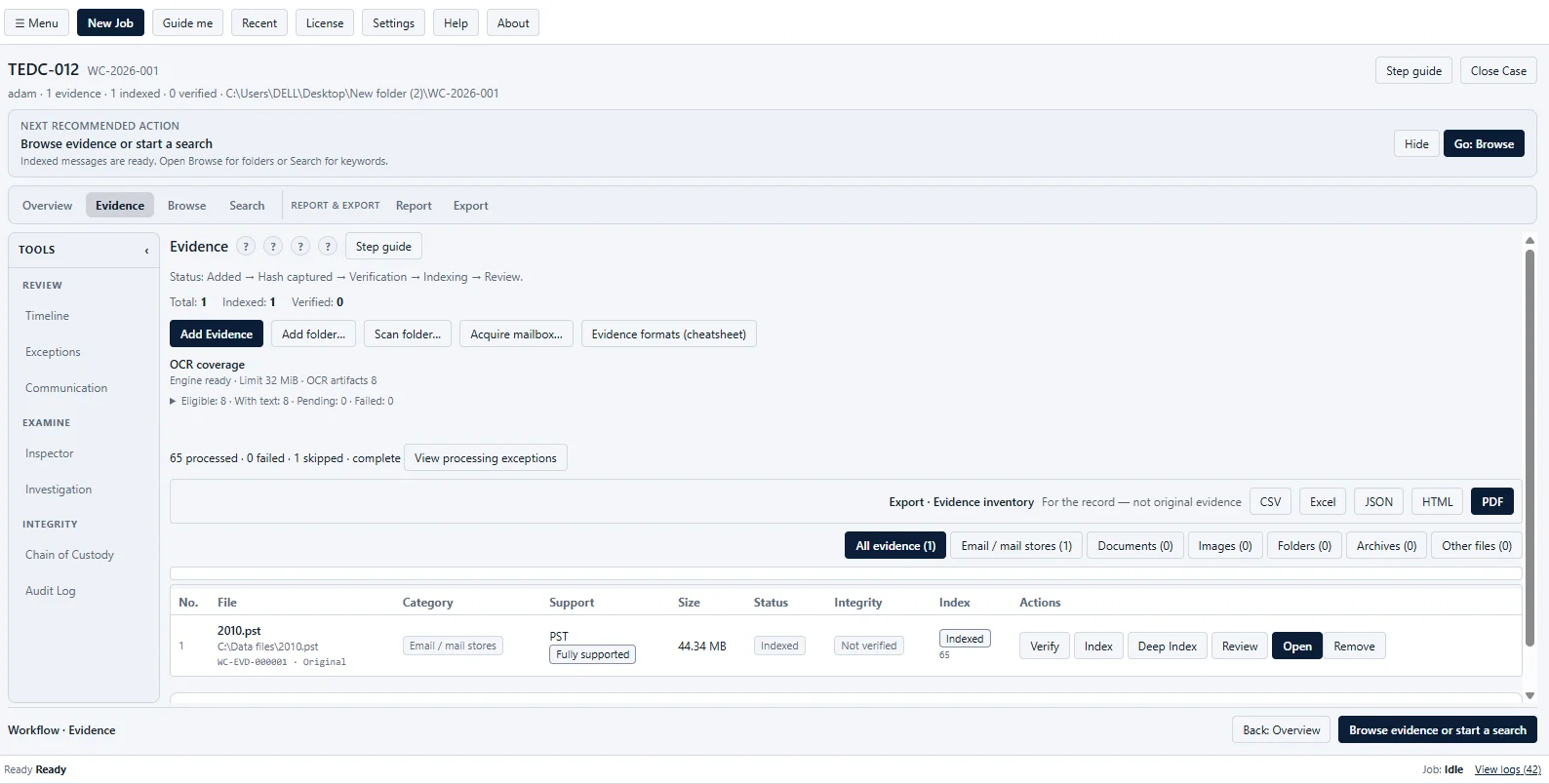
Pinpoint relevant messages with filters for subject, sender, dates, body text, and attachment details.
See the message body, headers, properties, and attachments together before making a finding.
Turn selected messages and artifacts into clear reports or structured export packages.
Work with authorized data in a Windows desktop workspace designed for controlled review.
Start with a case, follow the evidence trail, and keep every important review step in one place.
Keep the case brief, evidence list, processing status, notes, findings, reports, and exports together.
Bring in mail files, folders, or an acquired mailbox and see what has been registered, verified, and indexed.
Capture and recheck SHA-256 values, follow application handling events, and review the operation history.
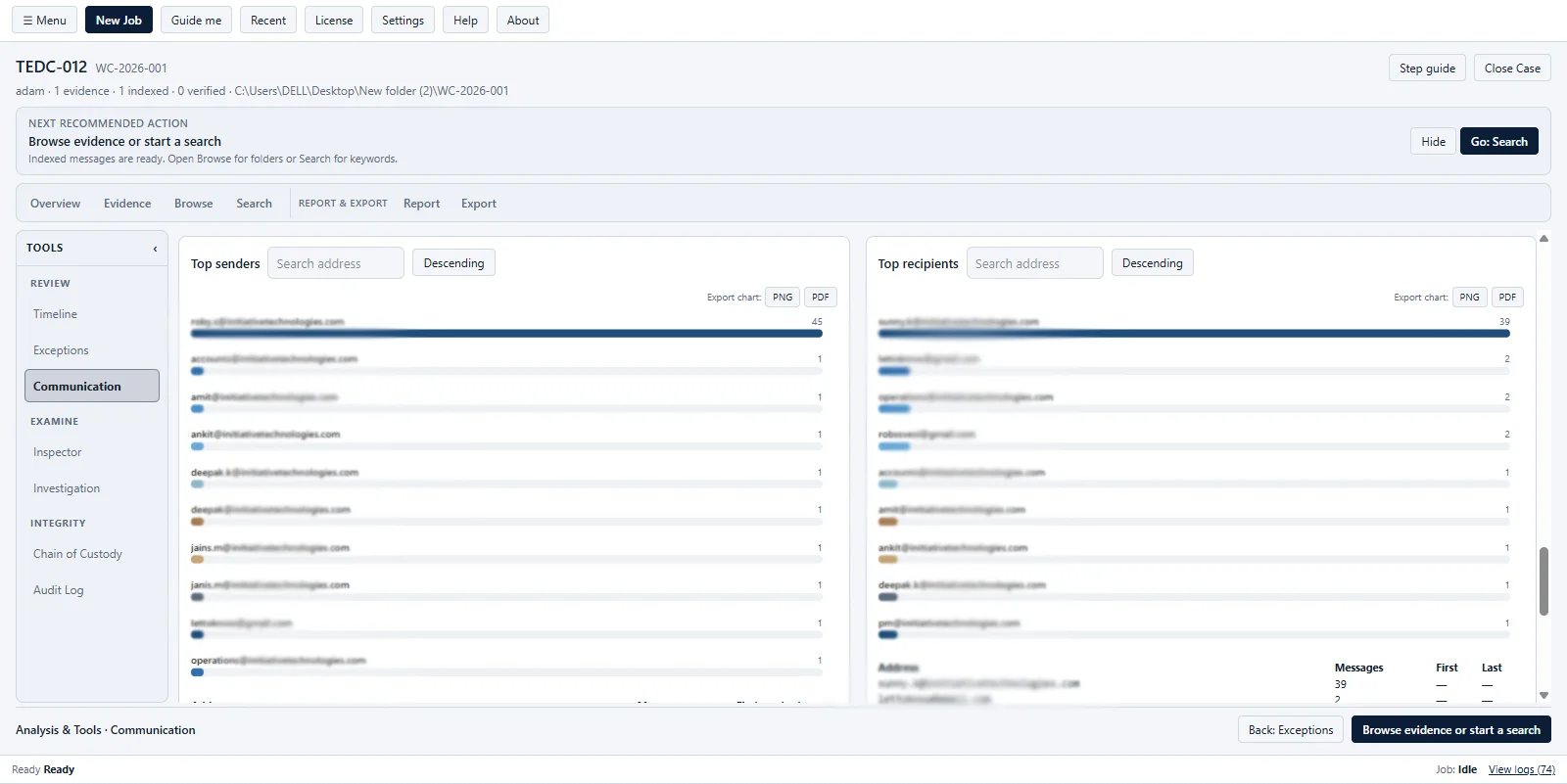
See activity over time, compare sender and recipient relationships, and focus on the communication pairs that matter.
Mark important artifacts, add context, and turn your review into a focused case report.
Share structured CSV or JSON data and selected-artifact packages with the context needed for review.
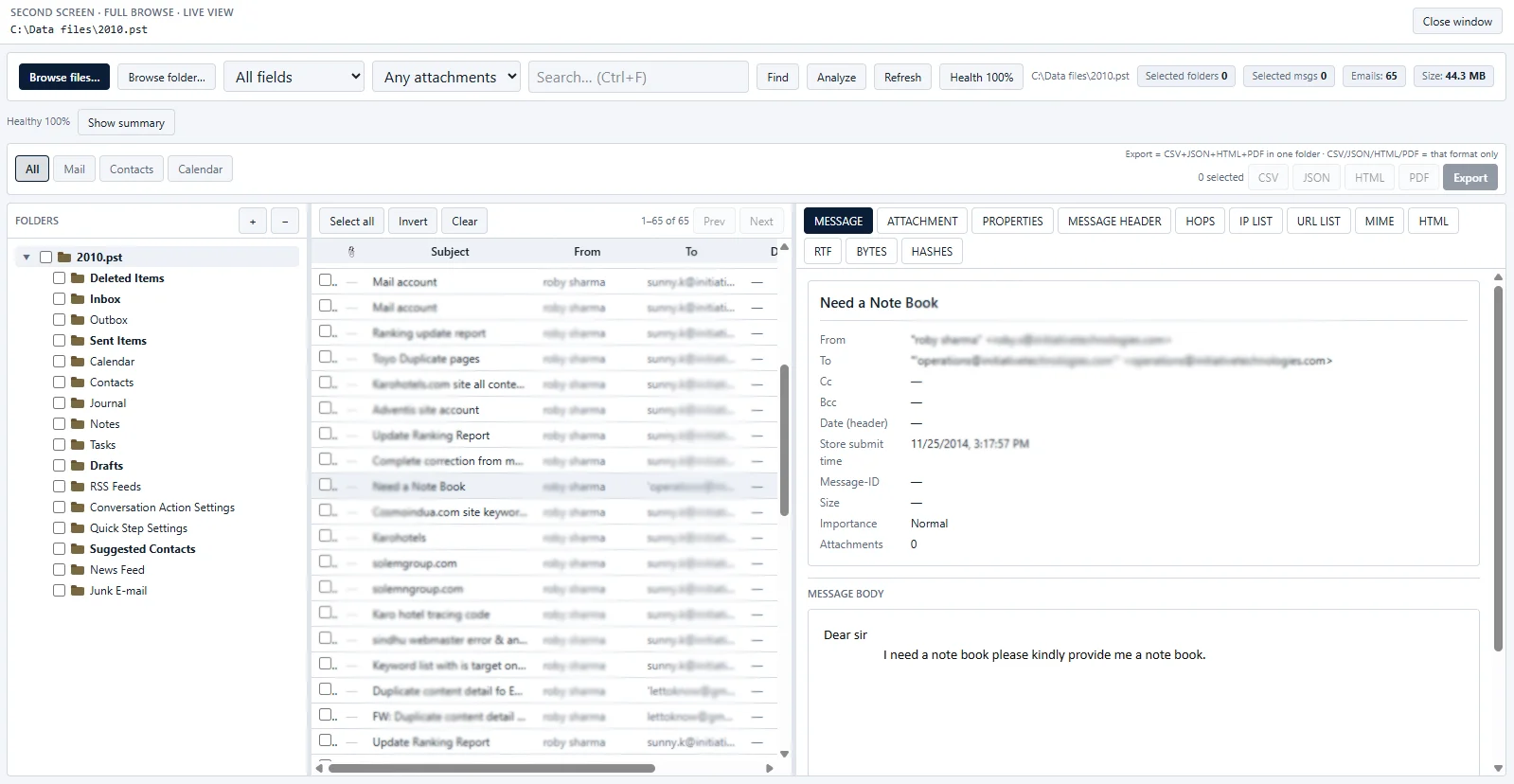
Open an indexed mail store, move through its folders, and inspect the message details without losing the surrounding context.
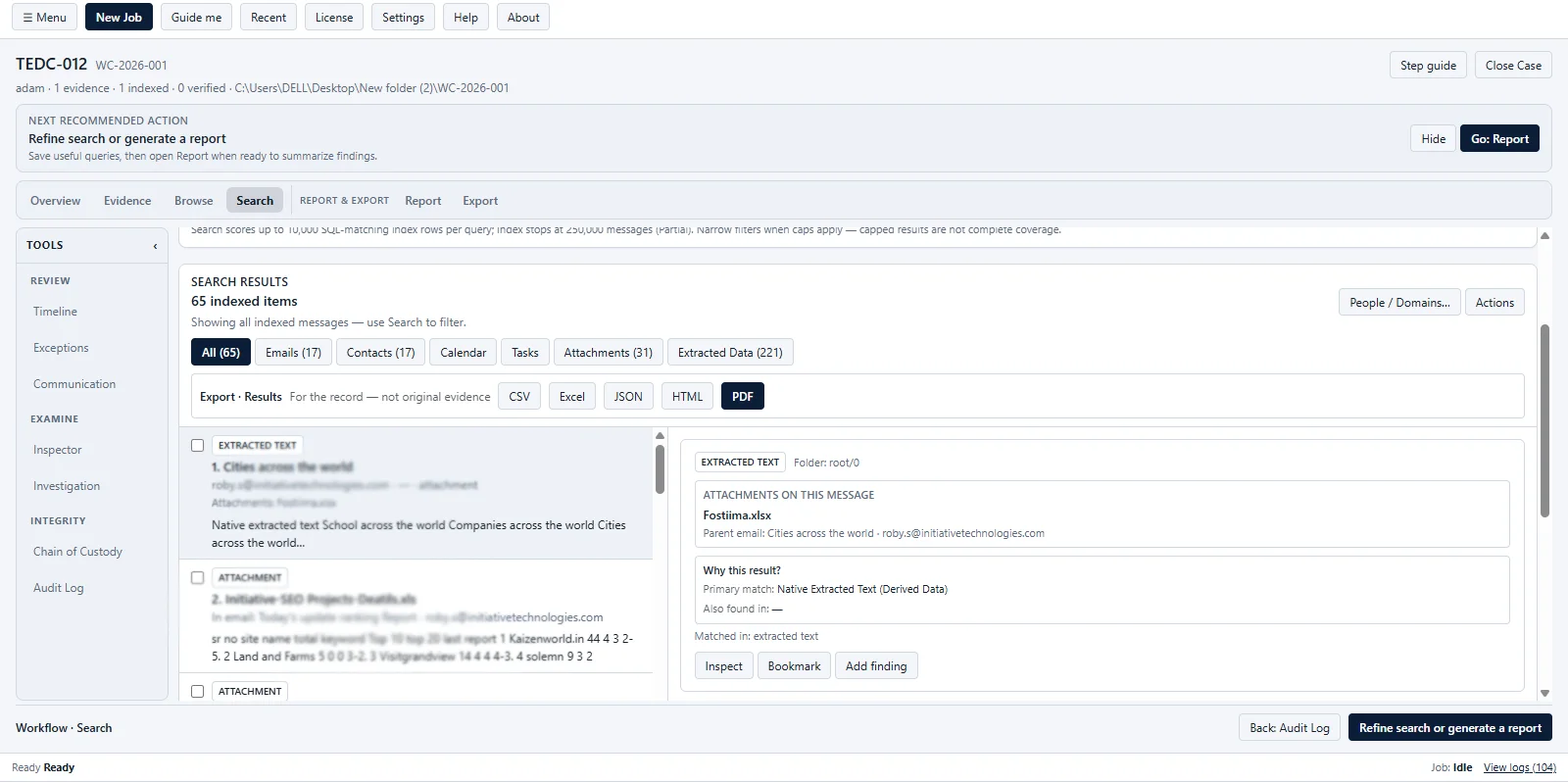
Start broad, narrow the results with practical filters, and open the exact item that needs attention.
Send a useful result set to CSV, Excel, JSON, HTML, or PDF output for the next stage of review.
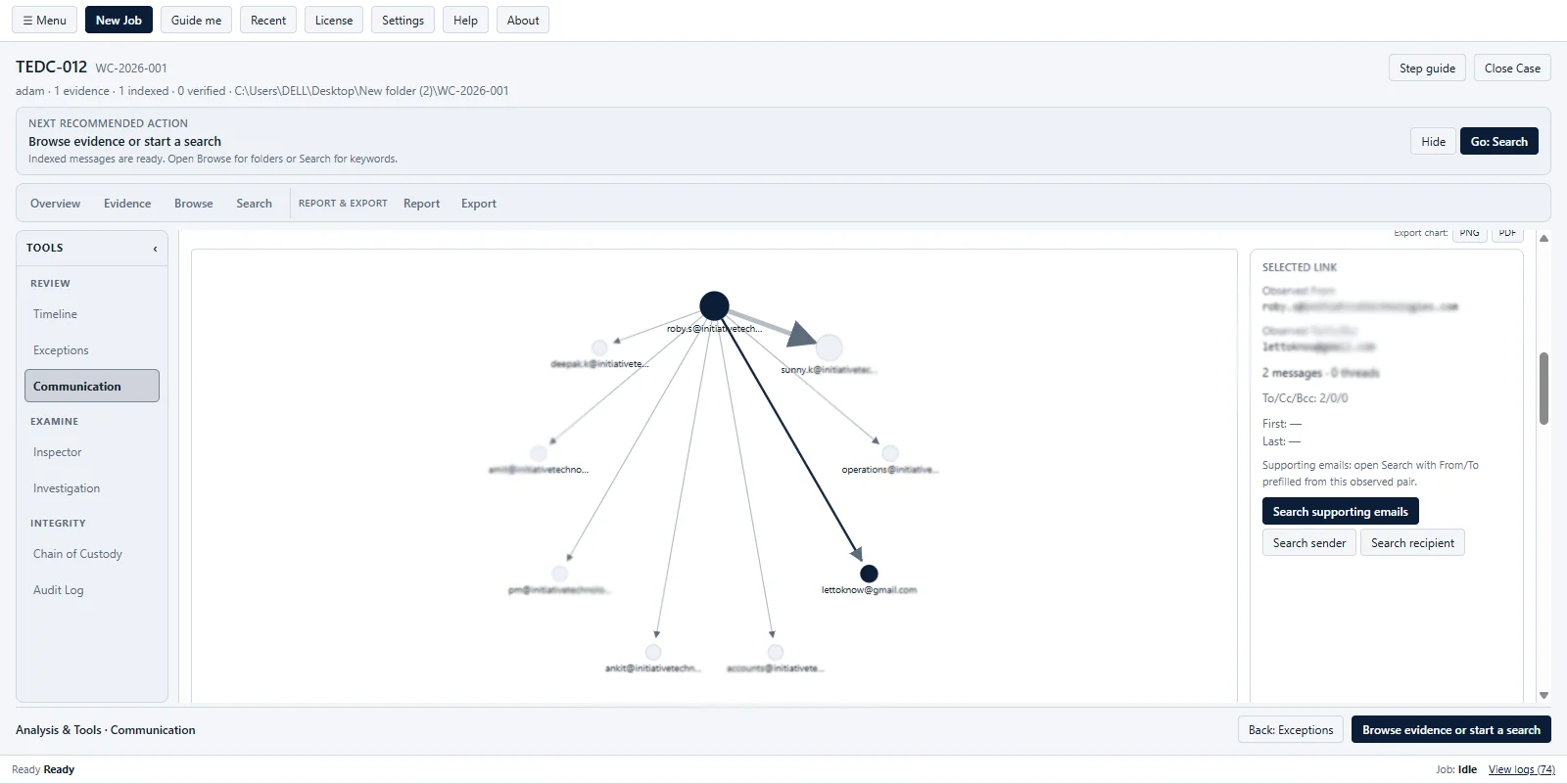
Turn a large mailbox into a readable picture of people, pairs, and message activity. The view reflects loaded evidence, not live monitoring.
Visualize observed traffic between addresses in the indexed job.
Rank senders and recipients with message counts and date ranges.
Use the rankings to decide where to look next, then validate the pattern against the underlying messages.
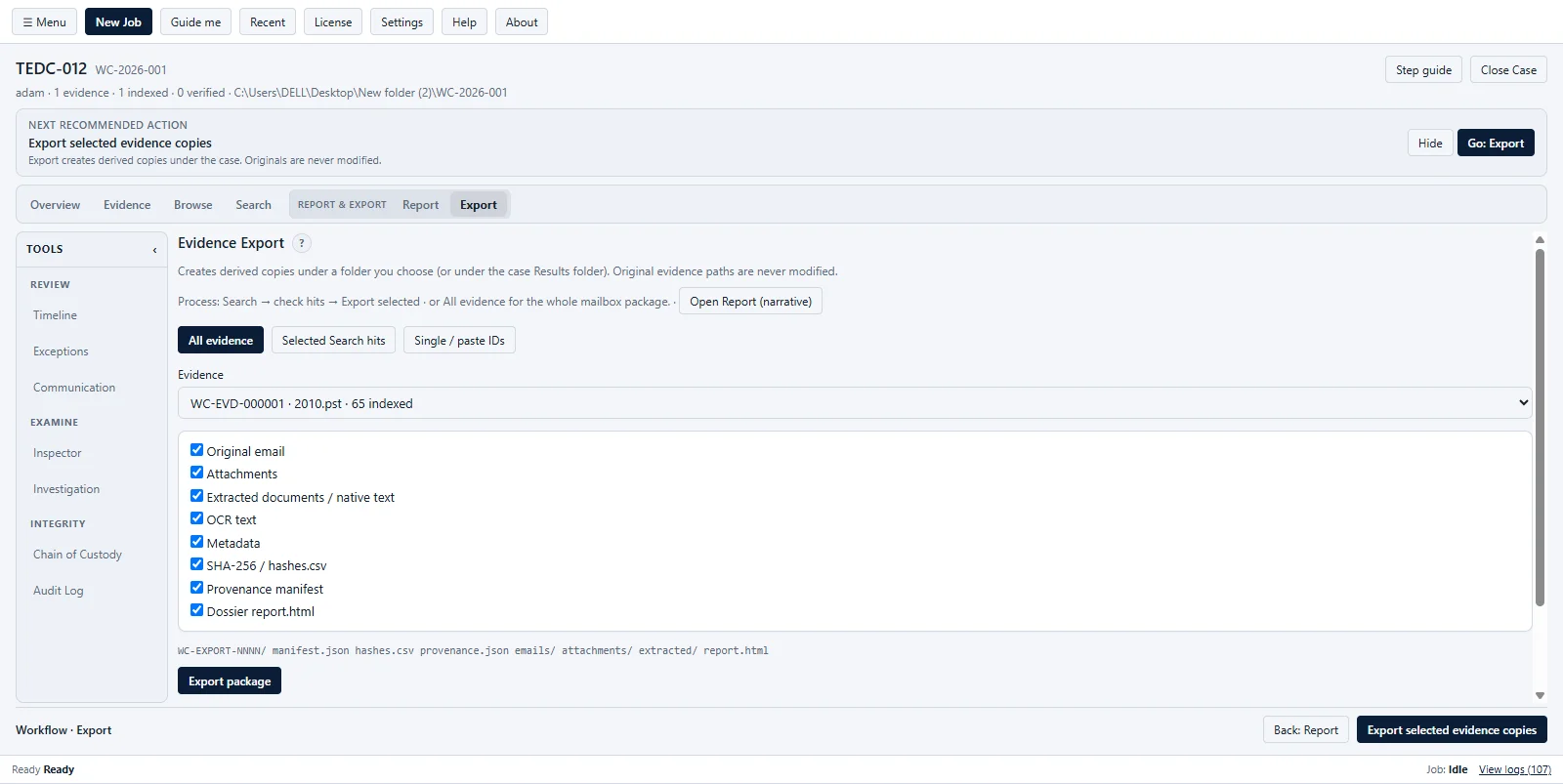
Choose the evidence scope, select the artifacts, and create a package that another reviewer can open and understand.
Package a complete source, selected search hits, or a short list of artifact IDs.
Keep the original email, attachments, extracted text, OCR text, metadata, hashes, manifests, and dossier HTML together.
Use these official resources for installation, licensing, support, and evaluation requests.
Use Examiner when a mailbox or document collection needs more structure than manual folder-by-folder review can provide.
Review an authorized mail collection for policy, incident, data-loss, or internal-risk questions.
Connect headers, dates, attachments, URLs, and IP references while building an incident timeline.
Preserve the evidence inventory, record observations, and give reviewers a clear report trail.
Inspect PST, OST, EML, MSG, MBOX, EMLX, or mail folders before an approved migration or handoff.
Bring PDFs, Office documents, and images into the same review process and inspect their metadata.
Move from search hits to a clean package containing the messages and supporting artifacts a reviewer needs.
Click any capture to enlarge.
Coverage and requirements
Here is what the application is built to handle across intake, review, analysis, and reporting. Confirm edition-specific limits before a production examination.
A practical comparison for teams moving from manual mailbox review to a repeatable examination process.
| Task | Manual review | Softaken Examiner |
|---|---|---|
| Find by sender or keyword | Per-folder client search | Search and filter in one workspace |
| Headers and attachments | Varies by client | Dedicated preview panes |
| Export subset | Manual copy | Scoped export package workflow |
| Review record | Separate notes and copied files | Case notes, findings, reports, and export manifest |
| Legal certification | Requires your procedures | No built-in legal certification |
Clear answers before you begin
Straight answers to the questions teams usually ask before starting an examination.
Softaken Examiner is a Windows desktop case workspace for registering authorized email and related evidence, indexing supported content, searching and reviewing artifacts, documenting findings, and creating reports or exports.
Create a case, add evidence, capture or verify hashes when required, index supported sources, browse or search the indexed content, review findings, and create a report or export. Check exceptions and coverage before relying on a result.
No. Examine only data you are authorized to access. Softaken Examiner supports technical review of supplied or acquired data and does not bypass authentication or organizational access controls.
Examiner works with EML, EMLX, MSG, MBOX or MBX, PST, OST, mail folders, common PDF and Office documents, images, and selected container or legacy formats. Support level varies by source type; contact Softaken for your edition.
Examiner can extract text from supported images and scanned PDFs through OCR. OCR output is automated text, so compare important wording, names, and numbers with the original source.
An empty result does not always mean the content is absent. Confirm that the relevant evidence is indexed, review Partial or Skipped statuses and Exceptions, check OCR coverage, and broaden filters before drawing a conclusion.
When enabled, the application can capture and re-check SHA-256 values for registered source files. Chain of Custody and Audit Log record application-level handling and operations; they do not replace external custody procedures.
No. Communication views and message counts reflect the evidence loaded into the case. They are for reviewing indexed material, not for live mailbox monitoring or ongoing traffic capture.
Yes. Browse or search the indexed evidence, open the detail view, inspect the message and related artifacts, and then select the evidence scope for a report or export.
Review the Partial or Skipped statuses and Exceptions, confirm which sources and artifacts were indexed, and manually review any material that was not processed before reaching a conclusion.
You can create CSV or JSON data exports, HTML or PDF reports, and selected-artifact packages containing attachments, metadata, hashes, provenance, and dossier output. Available formats depend on the selected workspace and license.
No. Softaken Examiner provides technical review and reporting support. Legal admissibility, authenticity, authorship, identity, custody requirements, and investigation conclusions require qualified professional judgment and applicable procedures.
Use the Request Evaluation form on this page to ask Softaken about licensing, evaluation access, or the user guide for your edition.
Ask Softaken for Examiner licensing, demo access, or the user guide for your edition. We respond using the contact details you provide.
Request access, licensing details, or the user guide and see how Examiner fits your review process.