
Version

15.0

Size

12.6 MB

Starting Price

$49

Supported OS

Windows 11,10,8.1,8,7

Language

English,Afrikaans,French,Dutch,Japanese,Portuguese,Spanish,Chinese,German,Italian,Russian,Indonesian,Danish,Hungarian,Norwegian,Polish,Swedish,Turkish,Vietnamese,Czech,Thai

Softaken NSF to MHTML Converter
Directly export emails of Lotus Notes NSF to MHTML file format

  • 100% smart and secure tool to convert Lotus Notes to MHTML
  • Scan and show live preview of NSF data items
  • No disturbance to folder hierarchy
  • Support Lotus Notes 6.0,7.0,8.5,9.0,10.0,11.0,and others
  • Keep Email headers and formatting intact
  • Preservation of attachments while converting NSF emails to MHTML
  • Freedom to convert any large size NSF file
  • Available in demo version for evaluation
  • Quality conversion and easy handling UI
  • Filtered email messages conversion from NSF 2 MHTML
Features
Specifications
Faq
Review

Remarkable Features of NSF to MHTML Converter


feature

Smartly convert Lotus Notes emails to MHTML

The software comfortably converts emails from Lotus Notes application to MHTML web page format. It keeps all attachments embedded within emails during the conversion. Taking a few minutes,the conversion is smoothly performed by the tool.

feature

Generate Preview of NSF data

The utility has the capability to scan NSF data items and preview the data. By this,users can cross-check the details and get an idea of NSF file internal structure. Also,desired emails can be marked by users to convert to MHTML from NSF file.

feature

Designed for Windows platforms

Users have the full freedom to download and install IBM Notes to MHTML Converter on any Windows version. The program is capable to run smoothly on Windows 10,8.1,8,7,XP,Vista,and others. There is no disturbance to already running tasks on the system.

feature

Needs Lotus Notes installation

Prior you commence the conversion,Lotus Notes installation is must on your system. Without proper installation and configuration of Lotus Notes,the conversion task can’t be completed. The software supports all major editions of Lotus Notes such as 11.0,10.0,9.0,8.5,etc.

Tools Faq's


With Softaken NSF to MHTML Converter,follow the steps to create MHTML file from NSF file –

  1. Install and start the software.
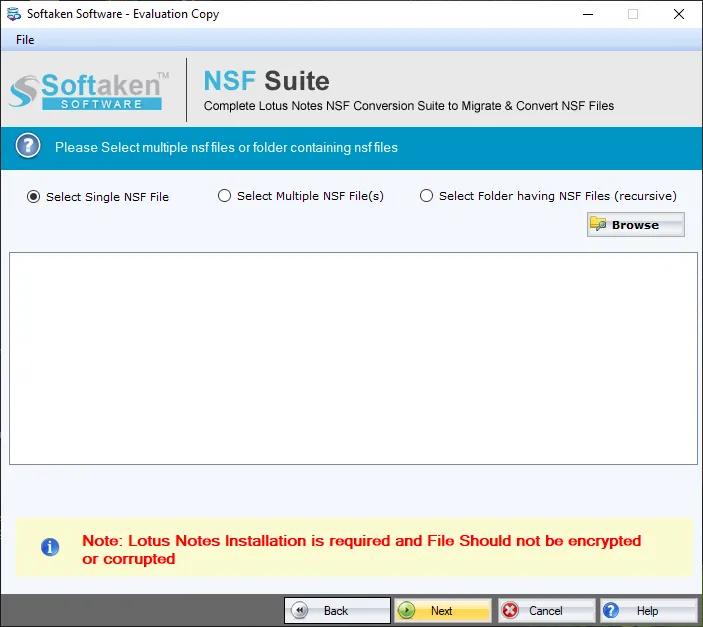
  2. Add NSF file.
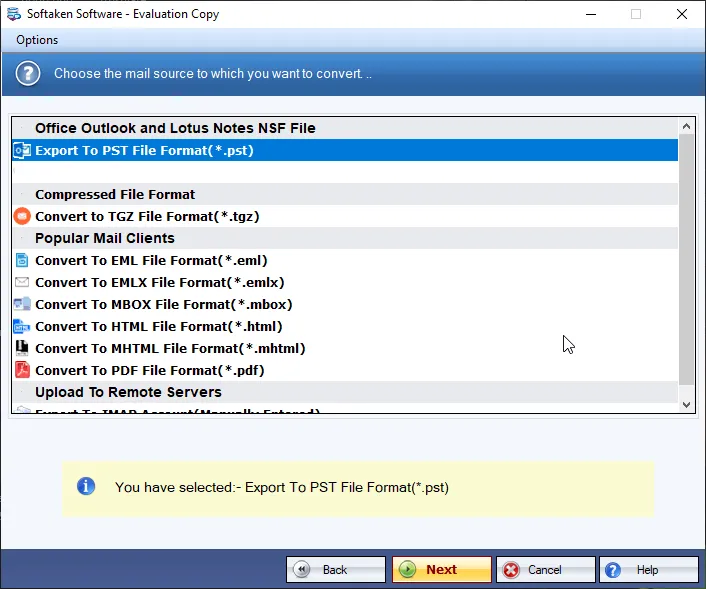
  3. Choose MHTML file format.
  4. Provide output file location.
  5. Press the Convert Now button.
The software is compatible with all versions of Lotus Notes like 11.0,10.0,9.0,8.5,8.0,7.0,6.0,and below versions.
With the trial version,users can convert only 10 items from each NSF folder to MHTML format.
No,the software is capable to convert any over-sized NSF emails to MHTML file format without any complications.
No,the software needs Lotus Notes installation for the conversion of NSF file to MHTML file format.

Software Specifications


System Requirement

ProcessorAny Pentium Class

Operating SystemWindows 10,8.1,8,7 &Other

Memory512 MB Minimum

Hard Disk100 MB of free space for software installation

Software Delivery

ElectronicVia Email

Minutes15

Interface Available

Language SupportedEnglish

Support OptionEmails,Chat &Skype

Client Reviews


Fabian Bucur

Romania

  Feeling blessed to get this powerful application with outstanding performance. Thank You Softaken Team.  

Rüya Akgül

Turkey

  The software smoothly exported a heavy NSF file to MHTML file format in just a few simple steps that I never expected. A brilliant tool with quality features.  

Noel Demian

Brazil

  After checking the demo edition,I purchased your tool and I am happy that I invested in it.  

László Linda

Hungary

  I was little hesitant to use this program but under the guidance of support staff,It was so easy to convert Lotus Notes file to MHTML file format.
