Softaken OST to TGZ Converter

Softaken OST to TGZ Converter

Simplified Utility to Export OST Mailbox Items to Zimbra

100% Standalone Conversion — convert OST to TGZ without installing Microsoft Outlook or configuring Zimbra on the conversion machine.
  • Assist to convert OST emails, contacts, calendars, attachments to Zimbra TGZ
  • Selective emails or folder conversion from OST 2 TGZ format
  • No requirement of any third-party app like Outlook, Exchange Server, Zimbra, etc.
  • Easy to support any large Zimbra TGZ file export
  • Facility to avoid empty folders before the conversion process
  • User-chosen selected destination path
  • Provision to stop, pause and resume the conversion task
  • Export both ANSI & UNICODE OST files
  • Preview complete OST mailbox items
  • Convert email properties without losing data
  • Flexible with every Outlook and Windows OS versions
OST → TGZZimbra DesktopZCS Web ClientDate Range
Native Zimbra TGZ output — generate standard .TGZ archives for Zimbra Desktop and Zimbra Collaboration Suite (ZCS). Import via Preferences > Import/Export (or your Zimbra Desktop Import workflow).
Preserves emails with attachments, contacts, calendars, notes & journals, and folder hierarchy. Date Range filter and multiple OST via Folder option. Demo: 10 items; full license $49.

Watch OST to TGZ Demo


Export OST mailbox items to Zimbra TGZ

See Softaken OST File Exporter add OST files, preview the mailbox, and export to TGZ for Zimbra — without Microsoft Outlook or Zimbra installed.

  • Browse Offline OST files (ANSI & UNICODE)
  • Preview complete mailbox folders before export
  • Apply Date Range and selective folder filters
  • Save standard Zimbra .TGZ archives to your path

See the OST to TGZ Interface


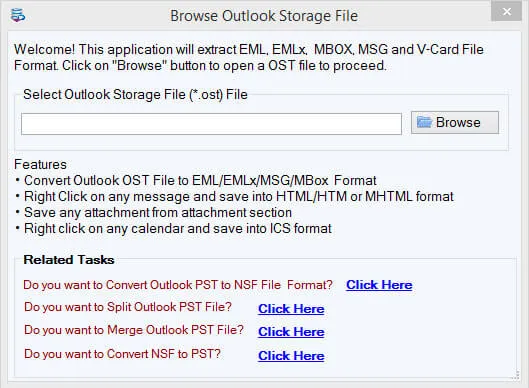
Browse and add OST files
1

Add OST Files

Browse Offline OST files — including multiple files via Folder option — without Outlook.

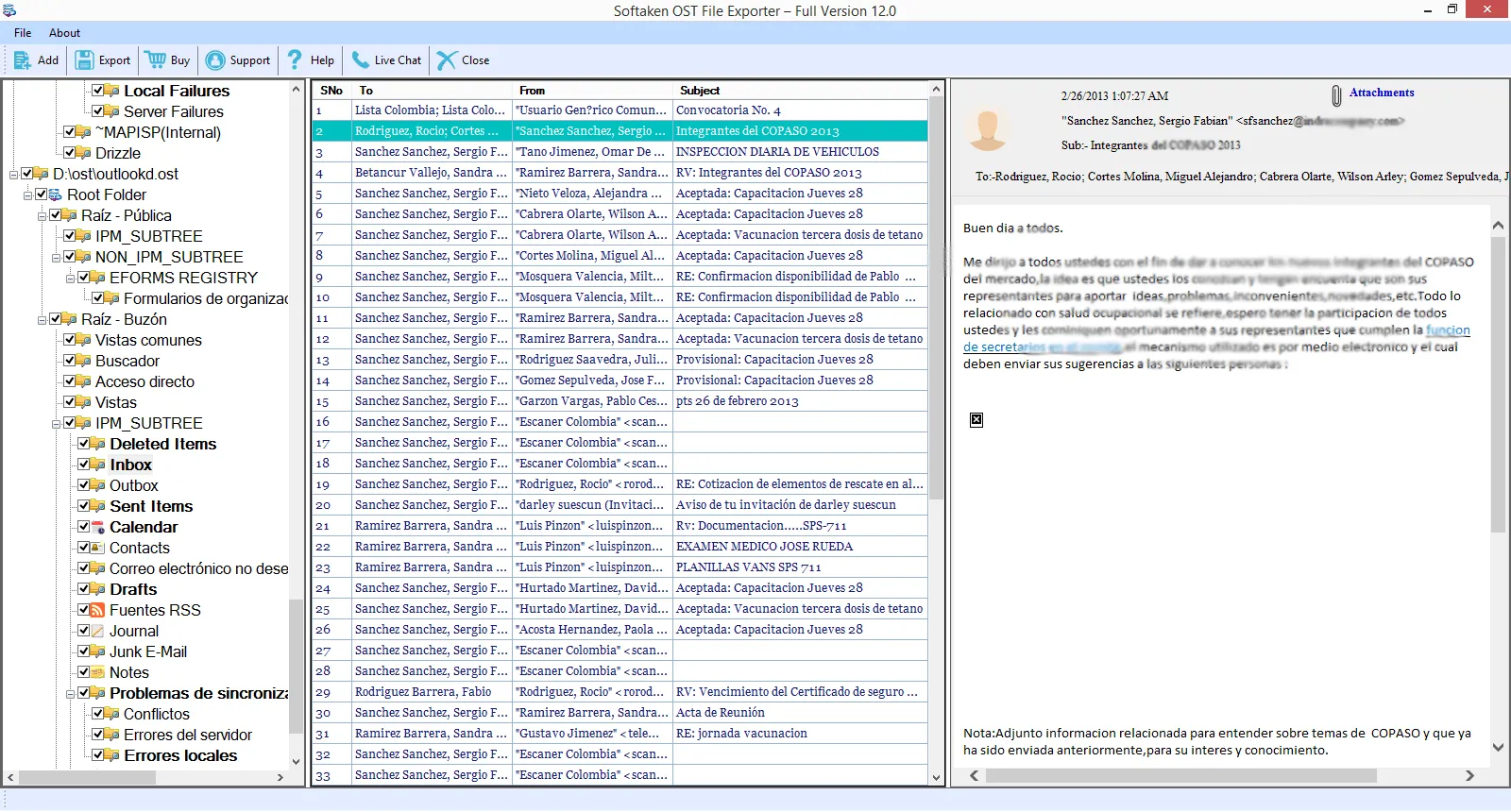
Preview OST mailbox folder tree
2

Preview Mailbox

Preview complete OST mailbox items and folder details before exporting to TGZ.

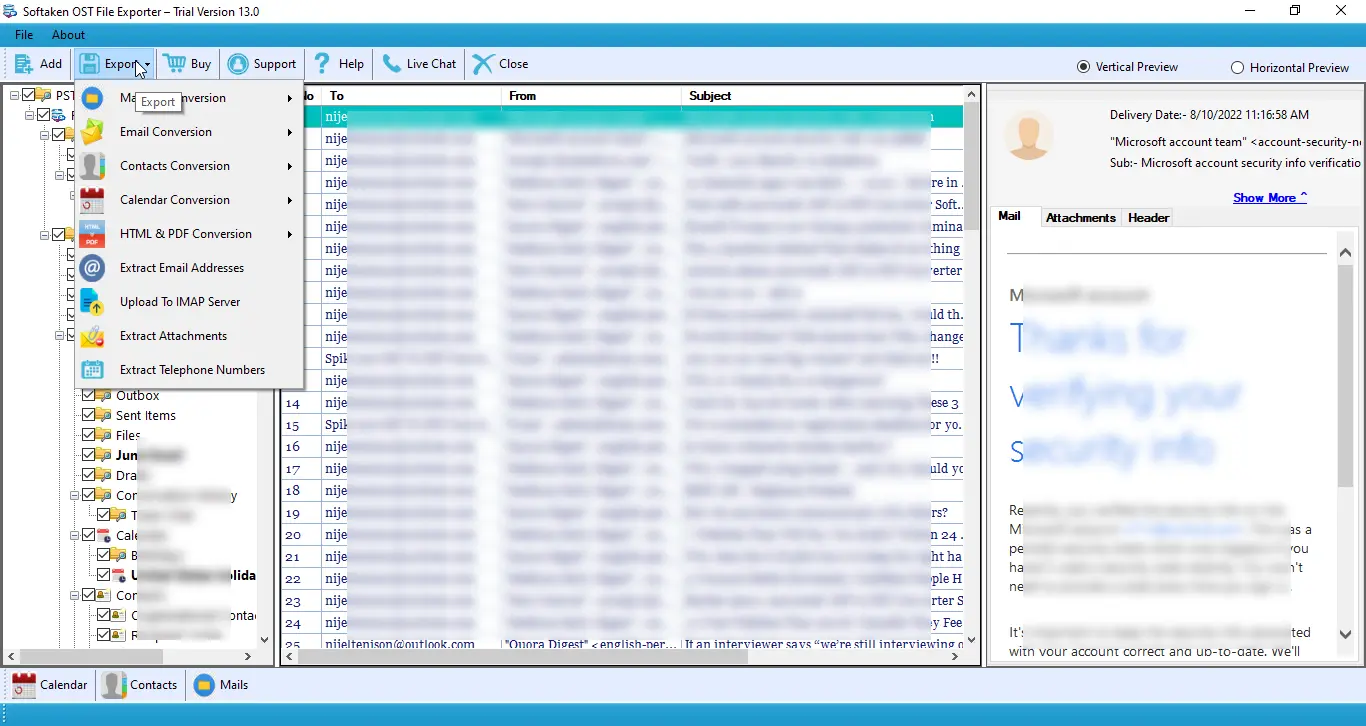
Export OST mailbox to Zimbra TGZ
3

Export to TGZ

Choose TGZ output, set destination path, and convert selected OST items to Zimbra format.

Demo exports 10 items. Full license is $49. Walkthrough: demo video · user guide.

Salient Features of OST 2 TGZ Converter


Native Zimbra Support

Generates standard .TGZ archive files directly importable into Zimbra Desktop and Zimbra Collaboration Suite (ZCS Web Client) via Preferences > Import/Export.
Complete Items Conversion From OST to Zimbra

OST to TGZ Converter application exports complete email messages, contacts, notes, journals, calendars, and attachments in a seamless manner. The application effectively converts folders and subfolders of OST file.

Export Selective or Filtered Database

The software provides users with the facility to export the important database from Offline OST file. Users can check the required folders and export selected items from OST 2 Zimbra TGZ. With the filter option, users can deeply filter items to export.

Maintain Folder Structure

OST 2 TGZ Converter program maintains folders, subfolders, folder hierarchy completely. Users can simply export Zimbra mailboxes by preserving all email meta attributes. It is a safe program to convert OST emails to TGZ.

No File Size Constraints

OST 2 Zimbra software has been well-tested for every size OST file and it performs safe conversion of Outlook OST file to Zimbra TGZ. No difficulties are faced by users with any large size OST file and there is no effect on the working of the utility with large size file.

Preview OST Mailbox Items

OST to Zimbra Converter generates a complete preview of the complete OST file. Once OST files are loaded on the software panel, users can get complete folders details in a systematic manner before the OST files are exported to TGZ format.

Support Multiple OST File Export at One go

The application provides users the facility to export multiple OST files using the Folder option. By this, users can save a lot of time and effort in Outlook OST to Zimbra conversion. The tool assures 100% data safety during the conversion.

Feature Comparison of OST to TGZ Converter – Trial and Licensed Version

Features
  • Convert OST mailbox to Zimbra TGZ
  • Emails, contacts, calendars, notes & attachments
  • Date Range filter & selective folders
  • Multiple OST export via Folder option
  • Standalone — no Outlook / Zimbra required
  • Support Windows 11/10/8/7 & others
  • Limitation
  • Price
DEMO Version
  • 10 items
  • FREE
FULL Version
  • Unlimited
  • $49

The free demo previews the mailbox and exports 10 items so you can test OST to TGZ conversion. The full license is unlimited. Personal license is $49.

Frequently Asked Questions Regarding OST to TGZ Converter


Convert your OST mailbox to a standard .TGZ archive with Softaken OST to TGZ Converter. Then import the file into Zimbra Desktop via Import, or on Zimbra Collaboration Suite (ZCS Web Client) use Preferences > Import/Export (or your admin / mailbox import workflow).
No, neither you need Outlook nor Zimbra application to use the software for OST to TGZ Conversion. Softaken runs as a standalone Windows utility — Exchange Server is not required either.
Softaken converts Offline OST files to Zimbra TGZ without an active Exchange Server, Outlook profile, or Zimbra installation. For damaged OST files, Softaken OST File Exporter includes recovery / deep scan options so you can continue extracting available mailbox data before exporting to TGZ.
Yes. Softaken maintains folders, subfolders, and folder hierarchy completely, and preserves email meta attributes. Softaken OST to Zimbra Conversion Tool is capable to convert attachments from Offline OST file to TGZ.
Softaken exports complete email messages, contacts, notes, journals, calendars, and attachments in a seamless manner, along with folders and subfolders of the OST file. Preview the mailbox in the software panel before export to confirm the items you need.
Yes. Softaken provides the facility to export multiple OST files using the Folder option, so you can save time and effort in Outlook OST to Zimbra conversion. You can also apply Date Range and selective folder filters for controlled migration.
Softaken OST 2 Zimbra software has been well-tested for every size OST file and performs safe conversion of Outlook OST to Zimbra TGZ. There are no file size constraints stated for the utility — large OST files export without affecting the working of the tool.
Softaken demo lets you preview complete OST mailbox items and exports 10 items so you can test OST to TGZ conversion. The full license unlocks unlimited export. Personal license is $49.

OST to TGZ Converter Specifications


100% Standalone — Microsoft Outlook, Exchange Server, and Zimbra are not required. Windows desktop migration tool.
Convert Offline OST to Zimbra TGZ. Date Range filter. Multiple OST via Folder option. Demo: 10 items. Full license $49.
OST → TGZZimbra Desktop / ZCSNo OutlookDate RangeWindows$49

System Requirement

ProcessorAny Pentium Class

Operating SystemWindows 11, 10, 8.1, 8, 7 & Other

Memory512 MB Minimum

Hard Disk100 MB of free space for software installation

Software Delivery

ElectronicVia Email

Minutes15

Demo10 items

Full License$49

Interface Available

Language SupportedEnglish

Support OptionEmails, Chat & Skype

PlatformWindows only

ProductOST to TGZ Converter

OST to TGZ Converter Reviews