
Dörthe Aumann Verified
Germany
Outlook to Zimbra Converter took a few minutes to export PST emails to TGZ file format with attachments. It provided very easy steps through which I could easily convert PST files to Zimbra TGZ format. Thanks a lot!!

Messages with attachments and folder hierarchy restore into the Zimbra mailbox after TGZ import.
Outlook contacts convert into the TGZ archive and appear in the Zimbra Address Book on import.
Meetings and calendar items are included so they restore into Zimbra Calendar after import.
See Softaken PST Suite browse PST files, preview folders, choose TGZ export, and save the archive — without installing Microsoft Outlook.

Add ANSI or UNICODE PST files — including orphaned / archive stores — without Outlook installed.

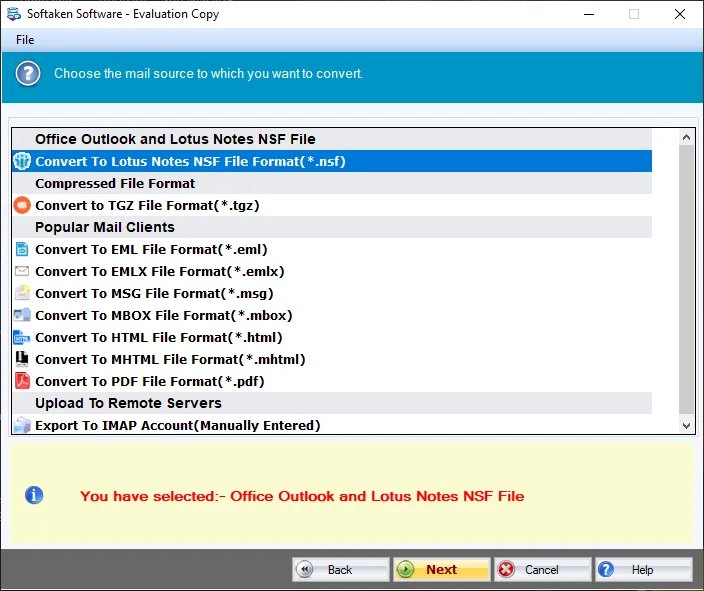
Select Zimbra TGZ as the export format and configure folders / filters before conversion.

Pick where to save the generated .TGZ archive, then run Convert Now.
Click any screenshot to enlarge. Full gallery: PST Suite screenshots.
The software is designed to export all items from Outlook like emails, contacts, briefcase, calendars, etc. to Zimbra TGZ file format. Users can comfortably export all data in a few simplified clicks. There are no hurdles faced by users to carry out the conversion of PST mailboxes to TGZ format.
If you don’t want to export all items from Outlook to TGZ file format, the software offers you to mark desired items and export them effortlessly. Without any restrictions on file size, users can export selective items or complete Outlook data to Zimbra TGZ format.
The application scans every item of PST file and generates an instant preview. This will help users to check all the items and export selected items from Outlook to TGZ file format. Along with attachments, email attributes and formatting is well preserved meanwhile the conversion.
File and Folder two modes are available by which users can easily convert single as well as multiple PST files at once to TGZ file format. This bulk conversion feature is very helpful in case users have a huge amount of Outlook PST files to export into TGZ file format.
Demo version converts first 10 items per folder to TGZ format. Full license unlocks unlimited conversion.
First convert PST to TGZ with Softaken PST to TGZ Converter, then import the archive into Zimbra:
System Requirement
ProcessorAny Pentium Class
Operating SystemWindows 11, 10, 8.1, 8, 7 & Other
Memory512 MB Minimum
Hard Disk100 MB of free space for software installation
Software Delivery
ElectronicVia Email
Minutes15
Interface Available
Language SupportedEnglish
Support OptionEmails, Chat & Skype
Download Guides
Convert PST to TGZ with Softaken, then import the .TGZ archive into Zimbra Desktop via Import, or use your Zimbra Collaboration Suite admin/mailbox import workflow.
No. Softaken PST to TGZ Converter is standalone — Outlook and Zimbra Desktop are not required to create the TGZ file.
Yes. It exports emails, contacts, calendars, notes, briefcase, and related items to TGZ. After Zimbra import, mail, Address Book, and Calendar restore accordingly.
Yes. Both ANSI and UNICODE PST files are supported, including older and modern Outlook editions.
Yes. Enter the correct password when prompted. Orphaned, archive, and active PST files are also supported.
Yes. Folder structure, attachments, email attributes, and formatting are preserved during PST to TGZ conversion.
Yes. File and Folder modes support converting one or many PST files to TGZ in bulk.
The free trial converts 10 items from each PST folder to TGZ. The full license unlocks unlimited conversion (from $69).
| Item | Details |
|---|---|
| Product | PST to TGZ Converter |
| Publisher | Softaken Software |
| Platforms | Windows 11, 10, 8.1, 8, 7 & others |
| Demo | 10 items per PST folder |
| Page | https://www.softaken.com/pst-to-tgz-converter |