1. Home interface
Launch the converter and start from the clean main window.
Export Thunderbird emails in batch to PST, EML, MSG, HTML, and EMLX formats
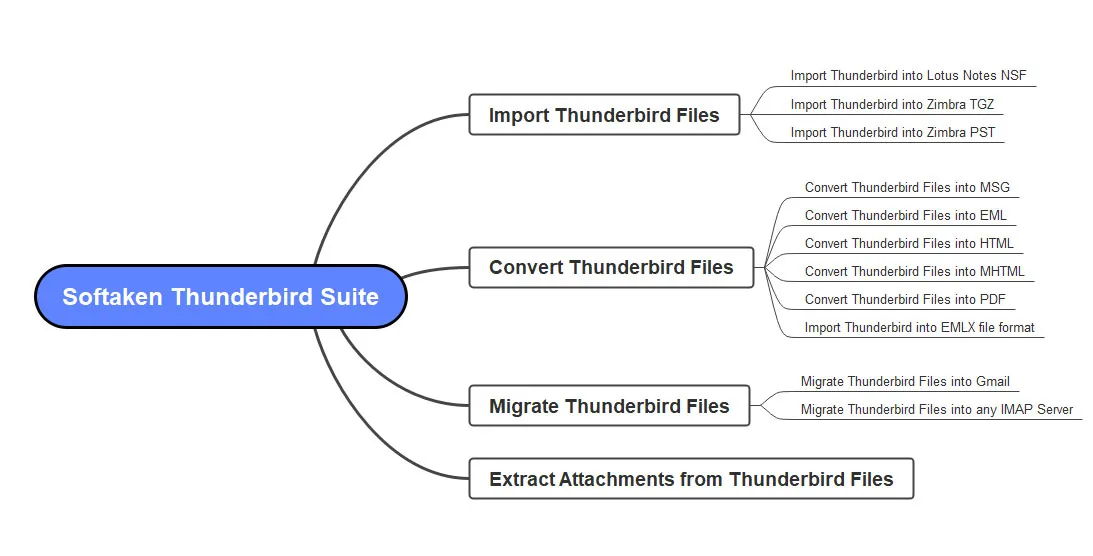
Dual Ingestion Modes: Automatically detect and load configured Mozilla Thunderbird mailbox profiles from the default directory (%appdata%\Thunderbird\Profiles) in one click, or manually browse and batch-import extracted Thunderbird MBOX files and local mail store folders. Multi-Format Export Options: Export Thunderbird messages into modern Microsoft Outlook (.PST), standalone single-message (.MSG), standard RFC 822 (.EML), macOS Mail (.EMLX), universal mailbox (.MBOX), or document archive (.HTML) formats. 100% Standalone Processing: Parses raw mail stores and generates healthy UNICODE .PST files directly on your Windows PC without requiring Mozilla Thunderbird or Microsoft Outlook installed.

Thunderbird Profile Converter program is advanced solution to migrate Thunderbird emails in batch mode. Multiple Thunderbird files are exported at a time without any hassles. This will save your time and efforts of processing files one by one as it can take load of unlimited Thunderbird files to export into desired format.
With this Thunderbird File Converter, one can export Thunderbird emails into various known formats such as Thunderbird to PST, Thunderbird to EML, Thunderbird to MSG, EMLX, HTML, and MHTML formats. With these formats, users can switch from Thunderbird to MS Outlook, Apple Mail, Windows Live Mail and others.
This Thunderbird Database Converter smoothly convert all email messages from Thunderbird with maintained hierarchy. It has been developed with advanced algorithms that takes care of data integrity throughout the migration. You will get data in resultant file as it is as it was in source data file.
When exporting Thunderbird mailbox data to other email formats, you don’t need any kind of supported tool installation. Even Thunderbird email client installation is not required to perform the conversion. It is designed in a manner that it standalone exports mailbox items from Mozilla Thunderbird account.
Thunderbird Export Tool has a smart and easily executable interface. Due to this, tyro users won’t face a single issue in handling this program. Without any hindrances, Thunderbird mailboxes smooth conversion is performed by this application. And, in just few simple mouse clicks, Thunderbird data is exported.
This application preview Thunderbird profile data before exporting into other email format. Basically, the conversion process starts from scanning added Thunderbird data files and showing preview for checking accuracy. Then, users can mark items or export complete Thunderbird mailbox items to selected file format.
Real working screens — auto-detect Thunderbird profiles or browse MBOX folders, preview mailbox hierarchy, and export to PST, MSG, EML, EMLX, MBOX, or HTML.
Launch the converter and start from the clean main window.
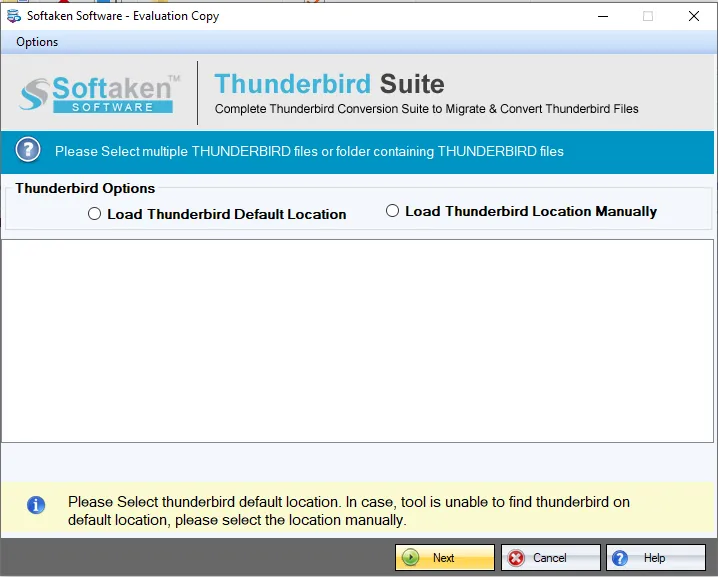
Load default Thunderbird profiles or manually select MBOX files and local mail store folders.

Review folder hierarchy, headers, message body, and companion attachments before export.
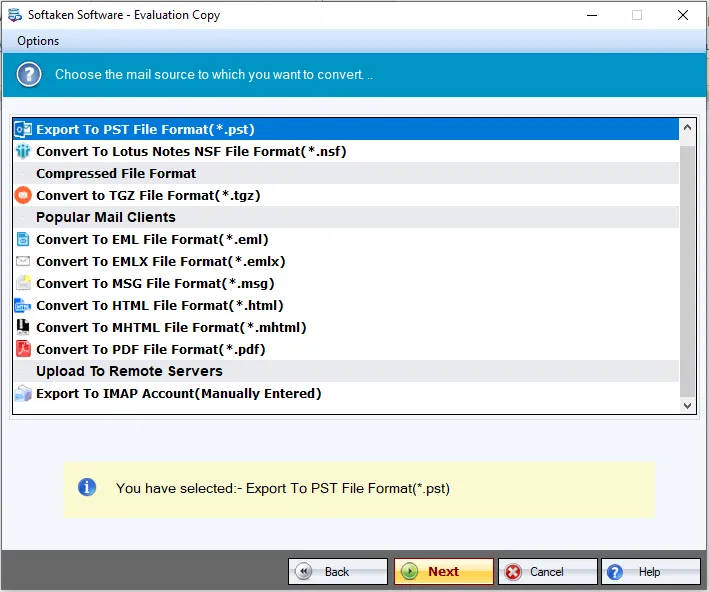
Choose PST, MSG, EML, EMLX, MBOX, HTML, and related export settings.
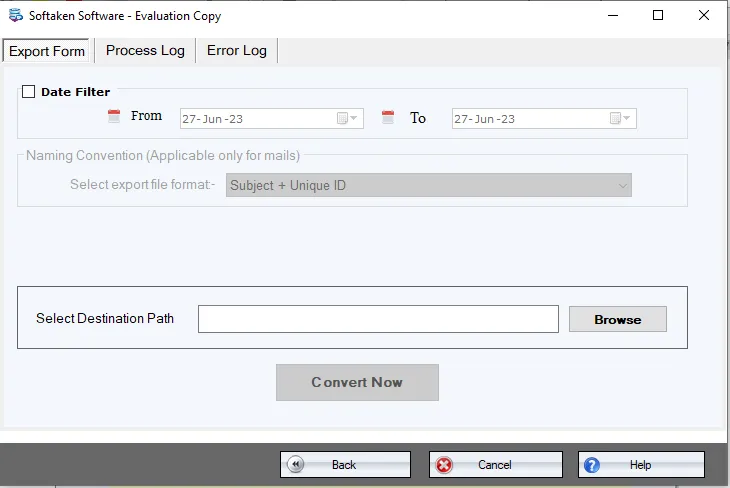
Set the output folder where converted PST, MSG, EML, or other files will be saved.
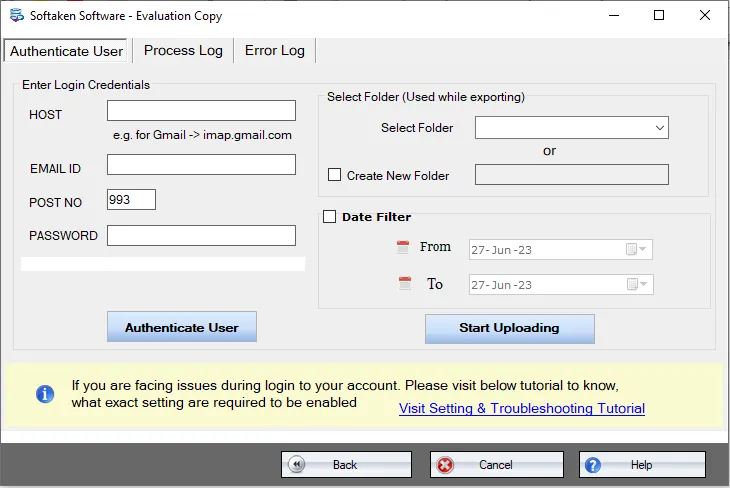
Configure account-related options when your migration workflow requires authentication settings.
Watch the Softaken Thunderbird Suite tutorial, then follow these steps:
Yes, below-mentioned steps will make you aware of complete Thunderbird data conversion process:
%appdata%\Thunderbird\Profiles) and load mailbox data in one click. You can also manually browse and batch-import extracted Thunderbird MBOX files and local mail store folders.Can I convert multiple Thunderbird mail accounts or local MBOX folders simultaneously in batch mode?
Free Demo version auto-detects unlimited Thunderbird profiles, displays 100% full email preview with companion attachments, and converts up to 10 to 25 emails per folder into PST/MSG/EML format to evaluate conversion fidelity before purchasing a license.
| Capability | Free Demo | Licensed Version |
|---|---|---|
| Auto-detect / browse Thunderbird profiles & MBOX | Yes | Yes |
| Full preview with attachments | Yes | Yes |
| Export to PST, MSG, EML, EMLX, MBOX, HTML | Yes (limited) | Yes (unlimited) |
| Emails converted per folder | Up to 10–25 emails | Unlimited |
| Batch multiple accounts / MBOX folders | Limited by demo | Full |
| Offline local processing | Yes | Yes |
| Price | Free | From $69 |

Werner Fröhlich
This is well-suitable program for all users to export Thunderbird data items. I was facing issues in exporting Thunderbird emails to Windows Live Mail but once I opt your software, I could get all Thunderbird emails with associated details to WLM.
Finn Buddicom
Thanks, Softaken to support me to give exact conversion solution without any inconvenience. The entire conversion process is too simple to understand.
Michel Lefebvre
I don’t have much technical knowledge so I never picked any manual way. On my friend’s suggestion, I used this Thunderbird Converter program and now, I can proudly say this is the best program.
Chrys Moorer
Exporting Thunderbird emails with all attachments and data integrity was the biggest challenge for me. I check out a lot of ways for exporting Thunderbird data items with proper safety but unable to find out such a solution. But, a week ago, I found your tool on a forum site. After testing its with demo edition, I purchased the license and I am truly happy with its amazing performance & results.
