Version

1.0

Size

32.6 MB

Starting Price

$29

Supported OS

Windows 11,10,8.1,8,7

Language

English

Free XML Converter - Tool to Convert XML to Multiple Formats

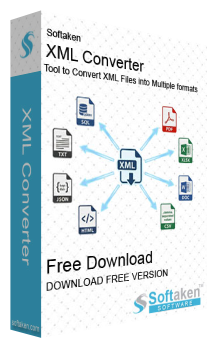
XML Converter is an advanced product that can convert your XML document into 8 different popular formats with complete accuracy. It can transform your XML file into PDF,XLSX,DOC,CSV,HTML,TXT,SQL and JSON with just a few clicks. It offers support for batch processing,including WordPress support and systematically converting XML to structured sources and many more features.

Outstanding Key Features of XML Converter
  • Easy Conversion– It quickly moves XML files into multiple formats within a few minutes.
  • 8 Output Formats– PDF,Word,CSV,JSON,SQL,TXT,HTML,and Excel are the formats supported by this utility.
  • Batch Processing– It can handle a large number of XML files all in one go with ease.
  • One-Click Conversion– with the help of this simple tool you can transfer all your data with just a single click without any hassle.
  • WordPress Support– a special WordPress design tool that auto-detects posts,pages,categories,authors,tags and comments.
  • Structured Data Extraction– it turns complex XML data into clear and well-structured tables smartly.
  • Human-Readable Output– with advanced features,it provides neatly formatted output that's easy to understand.
  • Modern GUI– it comes with a clean,modern,and user-friendly GUI.
  • Error Handling– has smart error detection features with clear messages to guide you.
  • Progress Tracking– You can watch your progress in real time and get updates about your data.
  • Unlimited Records (Full Version)– no limits on record conversion in the full version;you can process as many records as you want.
  • Demo Version Available– Try the software for free with the demo edition before purchasing the full one.
  • 100% Data Integrity– it makes sure that all your data is completely protected throughout and after the conversion process without any modification.
  • Cross-Industry Use– It's ideal for business analysts,content managers,database admins,WordPress users,students,and developers,which makes it a very versatile tool.
  • Fast and Reliable– a tool that delivers safe,fast,and precise results while keeping your data and its structure intact without any corruption.

By providing an easy-to-use interface that does not require any technical expertise this tool eliminates the time-consuming,costly nature of manual XML conversion and enables accurate conversion of data with full integrity. Additionally because of its easy-to-use interface it is ideal for people who utilize and create content through WordPress,developers,students,researchers and businesses. The wizard within this tool will allow all users access to its functionality easily.


Features
Specifications
Faq
Review

Reasons to Use Softaken XML Converter


8

One Tool,8 Formats All Solutions in One Place!

XML Converter is a multi-functional application designed to convert XML files into 8 different file formats such as PDF,Excel,Word,CSV,HTML,JSON,TXT and SQL. With this app you can have PDF reports,export information to an Excel spreadsheet,HTML for web display,TXT for simple viewing,JSON for APIs create Word documents or SQL statements for importing into a database with this one easy-to-use app. With it you can accomplish all conversions from XML files with one tool while eliminating the need to use different software for different task requirements.

BATCH

Bulk Files? Convert All in Just One Click!

The ease with which XML Converter can handle multiple XML files allows you to convert entire folders,including subfolders of XML files at the same time instead of having to convert each XML file individually. This ability to convert multiple XML files in one process saves time and increases productivity as it can handle hundreds or thousands of XML files with a click of a button without putting any manual effort.

Notable Features of XML Converter


WordPress Support

This feature of this tool makes managing WordPress exports simple and easy as it automatically extracts posts,pages,categories,tags,authors and comments from your site for you and it can be used for analyzing content found within your sites or migrating blogs into a new site or backing up data in a readable format. With this tool moving posts from one WordPress site to another becomes a very simple and easy process.

Structured Data Extraction

When it comes to extracting structured data it doesn't get any easier than this tool. No matter how complex or deeply nested your XML Files is this tool can extract the data intelligently with clear structure and convert the extracted data into tables accurately without any loss of data or formatting. It's perfect for developers and data analysts who require clean,usable extracted structured data.

Human-Readable Output

By using this conversion capability your data will be easy to read no matter whether you wish to output your XML in PDF,Excel,Word or HTML. Each of these formats includes clearly formatted tables,an easy-to-follow structure and a professionally laid-out presentation of the data which makes it a perfect solution for all scenarios where there needs to be an easy-to-read format for reporting,analyzing,and distributing your information to non-technical users.

Multiple Format Support

With a total of 8 different formats available to choose from you can easily determine what best fits the type of information you need. You may generate PDF reports,Excel files for analysis,Word documents,CSV files for importing data,HTML files for posting to the Web,JSON files for API integration,TXT files for easy access to the information or SQL files for import into a database. You just have to select the one that meets your requirements.

AUTO

Error Handling

With an advanced Error Handling functionality it actively scans all XML documents prior to conversion and if any errors are detected it will provide you with comprehensive,easy-to-read messages about each error. Consequently by eliminating invalid XML from processing it ensures that all files are scanned through this tool to provide accurate results. This feature is useful when you are converting numerous XML documents in batches with larger projects.

Wizard Interface

This tool guides you through the conversion process in simple steps and no technical expertise is required to successfully utilize it you only need to follow the instructions outlined in the Wizard Interface. The easy-to-use nature of XML Converter encourages quick turnaround time and provides access to even the most novice users and making the conversion from XML to other formats easy every time for beginners and experts alike.

Unique File Names

This XML conversion tool uses unique file names to generate output files so there is no risk of renaming existing files during batch conversions as this feature helps to streamline the process of transforming multiple XML files into one or more output files at the same time by eliminating the fear of overwriting duplicate file naming mistakes.

CLI

Fast and Efficient

It comes with multithreaded processing to maximize the speed and efficiency while maintaining a responsive interface even when processing large XML files. It includes real-time progress bars that show the latest status of each file as it is being converted making the XML Converter an extremely reliable tool for professionals. The combination of speed,efficiency,reliability and ease-of-use means that XML Converter will allow you to run your workflow in a smooth timely manner without any complexity.

LIGHT

Batch Processing

You can upload multiple XML files all in one go with this professional tool's ability to select either individual XML files or entire directories of XML files. By enabling batch file processing it saves valuable time when compared to processing each file individually while maintaing the integrity of the data being processed by enabling you to receive regular updates of the conversion process. With all this it lets you process large quantities of XML files easily.

XML Converter Faq's


Follow these simple and easy steps for the conversion process:
1. Download and open this XML Converter on your computer.
2. Add a single or multiple XML files with the help of file or folder mode.
3. Choose the Output Format of your desire.
4. Browse the location for your resultant file and click the Convert Now button.
5. Monitor the process in the Progress bar and click Finish once the conversion is done.
This smart and versatile utility can be used by every user,be it a tech or non-tech person such as WordPress users,data analysts,business analysts,content managers,and more,as it comes with a simple and intuitive GUI which makes every step so easy and hassle-free.
HTML,SQL,JSON,TXT,CSV,PDF,XLSX and DOC are the formats that you can export your XML file into.
Yes this tool is specially designed to handle batches and bulk of XML files all in one go without any trouble so it's absolutely possible to convert multiple files at once.
It completely secure and trustworthy tool as it guarantees to maintain the structure and data integrity of the original file during and after the conversion process.
In the Free demo version the conversion is limited to 10 records per XML file and for unlimited access you can purchase the full version.
You don't have to worry about a tech expert or guide. This tool is developed with a modern GUI,one-click conversion,progress tracking,with a simple and easily self-explanatory interface,you can easily handle this tool as a beginner without any issue.

Software Specifications


System Requirement

ProcessorAny Pentium Class

Operating SystemWindows 10,8.1,8,7 &Other

Memory2 GB Minimum (4 GB Recommended)

Hard Disk50 MB of free space for software installation

Software Delivery

ElectronicVia Email

Minutes15

Interface Available

Language SupportedEnglish

Support OptionEmails,Chat &Skype

Client Reviews


Customer Review

  Its interface is straightforward,and non-technical users also use the software easily.   

Customer Review

  I was facing some trouble with one conversion and I reached out to this tool Support Team for assistance and they responded instantly and guided me through the entire process via chat as well as email. The staff was very skillful and patient with me and they resolved my issue very quickly and now I am confident that if I need assistance with the tool I can get it from them. Thank you Softaken!  

Customer Review

  I've been using this tool for a couple of weeks now and absolutely love it! It is so easy to use and I was able to convert my XML files into PDF,Excel and CSV formats in just a few clicks and its smart features and filter options are amazing. It even lets me monitor the conversion process which is quite helpful to know. I would definitely recommend this tool!  

Customer Review

  Before downloading this conversion tool I was concerned about the possibility of losing my data but this software was able to handle all of my complex XML files without losing any information. By extracting structured data and giving me a human-readable output it has made my reports clear and professional. The tool has proven to be accurate and fast while retaining all of my original data which is exactly what I needed!