Softaken eM Client to Outlook Converter
Safe & Secure Download

Independently scanned with multiple antivirus engines.

100% Safe

Softaken eM Client to Outlook Converter

Convert eM Client EML and EMLX mailboxes to Microsoft Outlook PST

Load exported eM Client EML (and EMLX) files or folders—File Mode or Folder Mode—then convert to Outlook PST with Softaken’s EML 2 PST Converter. Softaken lists bulk or selective folders, Search + tree preview, preserve structure/formatting, To/CC/BCC/From and attachments, plus notes, tasks, contacts, messages and journals. Demo: 10 items; from $29. Windows only.
  • The process is really simple if you have the advanced eM Client to PST Converter. You all know that PST is the most common file format of Outlook for Windows. Choose EML Converter to migrate data at high speed. This is a safe conversion program equipped with multiple advanced features.
  • Migrating all email properties including name, email address, subject, date etc… to achieve conversion task successfully.
  • It is capable to export other important data of Outlook like notes, tasks, contacts, messages and journals.
  • The size of the file doesn’t matter. It is capable to migrate all sized files—Megabytes to Gigabytes.
  • EML 2 PST Conversion is an intelligent tool. It handles data quality by preserving structure of the data. It doesn’t cause any damage or loss to the data. Conversion of files holding non-English characters is also possible with this program.
  • Migrated only those files that users have selected. It gives users “Search” option to browse the file they want to export. It also shows preview of converted items in a tree structure format.
  • Compatible with all the latest versions of Windows including XP, Vista, 8 and 10 and Outlook 2003/2007/2013/2016
From $29Demo: 10 itemsWindows onlyEML + EMLX → PSTBulk & selectiveNo extra utility
EMLEMLXOutlook PSTFile / Folder modeNew or Existing PST

Softaken eM Client to Outlook Converter helps you move eM Client mail to Microsoft Outlook by converting exported EML (and EMLX) data into Outlook PST using Softaken’s EML 2 PST Converter. Softaken lists email properties (name, email address, subject, date), To/CC/BCC/From with attachments, notes, tasks, contacts, messages and journals, Megabytes to Gigabytes, Search + tree preview, selective folders, and preserve structure/formatting including non-English characters. Softaken FAQ: free demo available; no additional utility required. Softaken EML to PST docs: File/Folder mode, New PST or Existing PST, and demo up to 10 EML or EMLX files.

Software interface

Real Softaken EML Converter UI screenshots (same engine as EML to PST Converter).


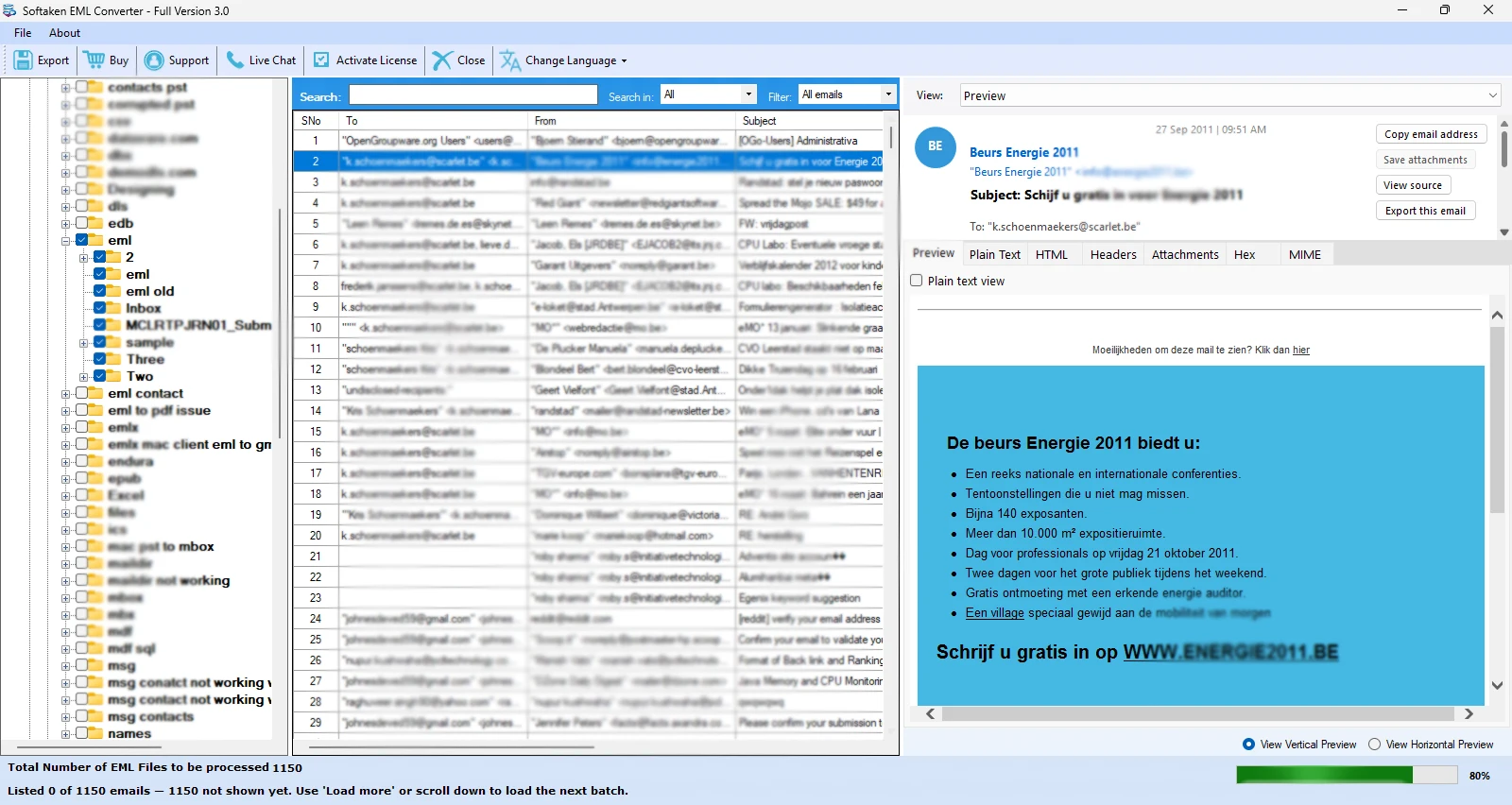
Softaken EML Converter - browse folders and vertical preview layout1

Browse & load EML

Three-pane UI: folder tree, email list with Search/Filter, and vertical preview (Preview, HTML, Headers, Attachments, MIME).
Softaken EML Converter - mailbox hierarchy checklist and live email preview2

Hierarchy & live preview

Select folders with checkboxes, scan the email list (To/From/Subject), and preview messages before export.
Softaken EML Converter - Export Options including Convert to PST3

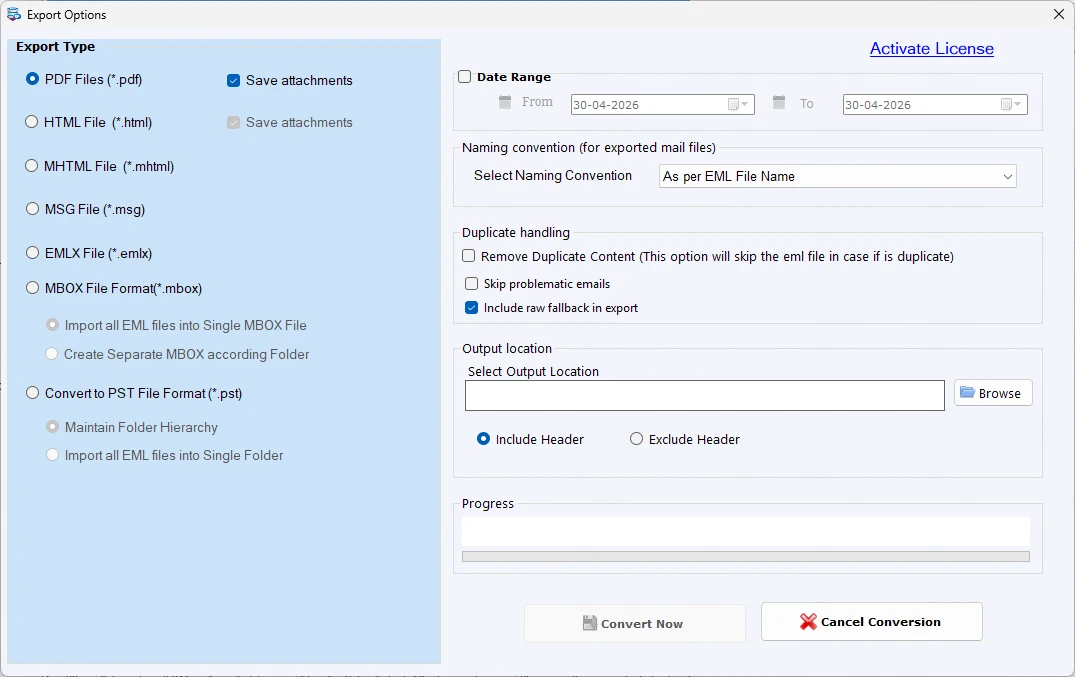
Export to PST

Export Options include Convert to PST (maintain folder hierarchy or single folder), date range, duplicates, and Browse destination.
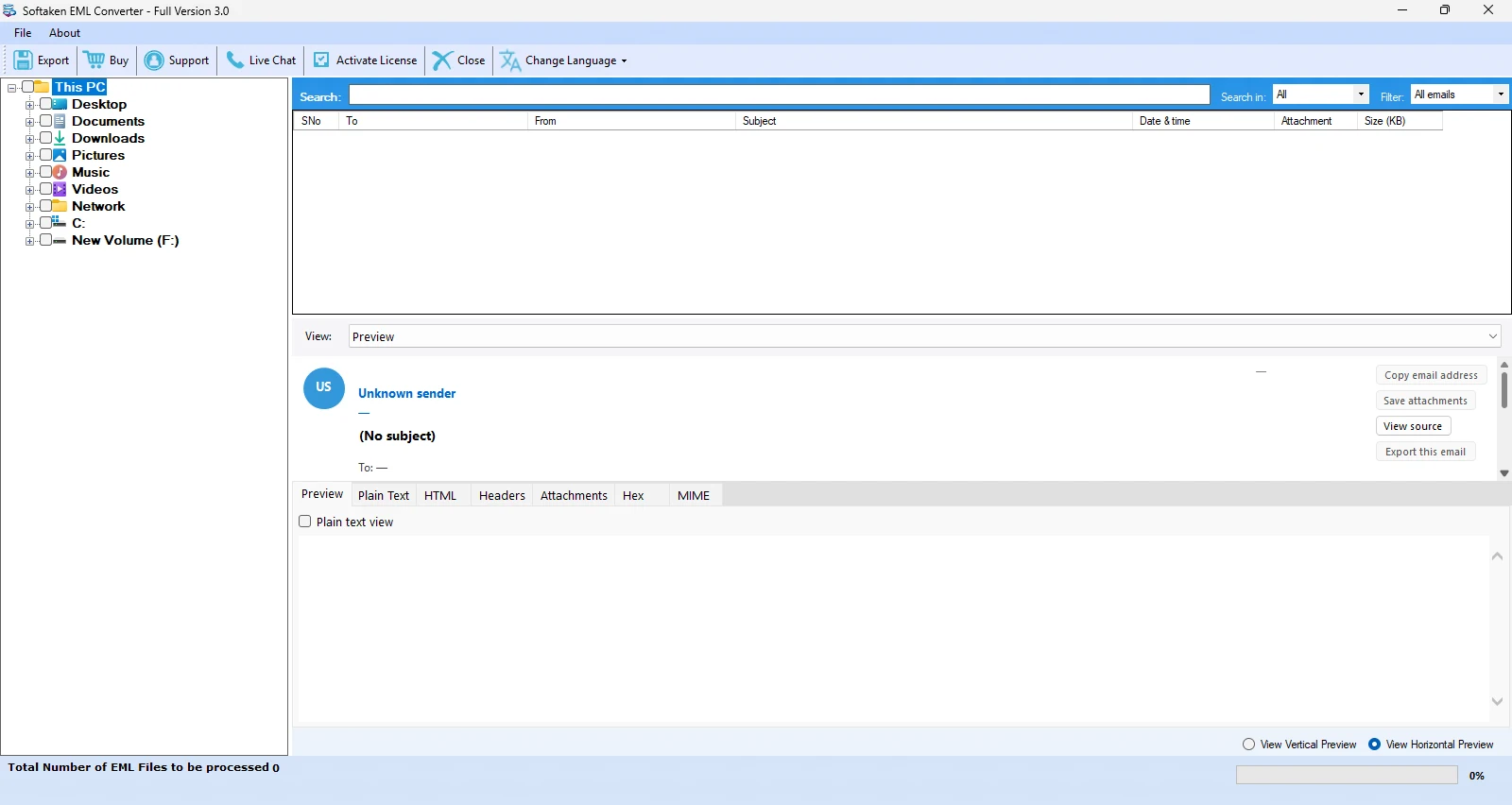
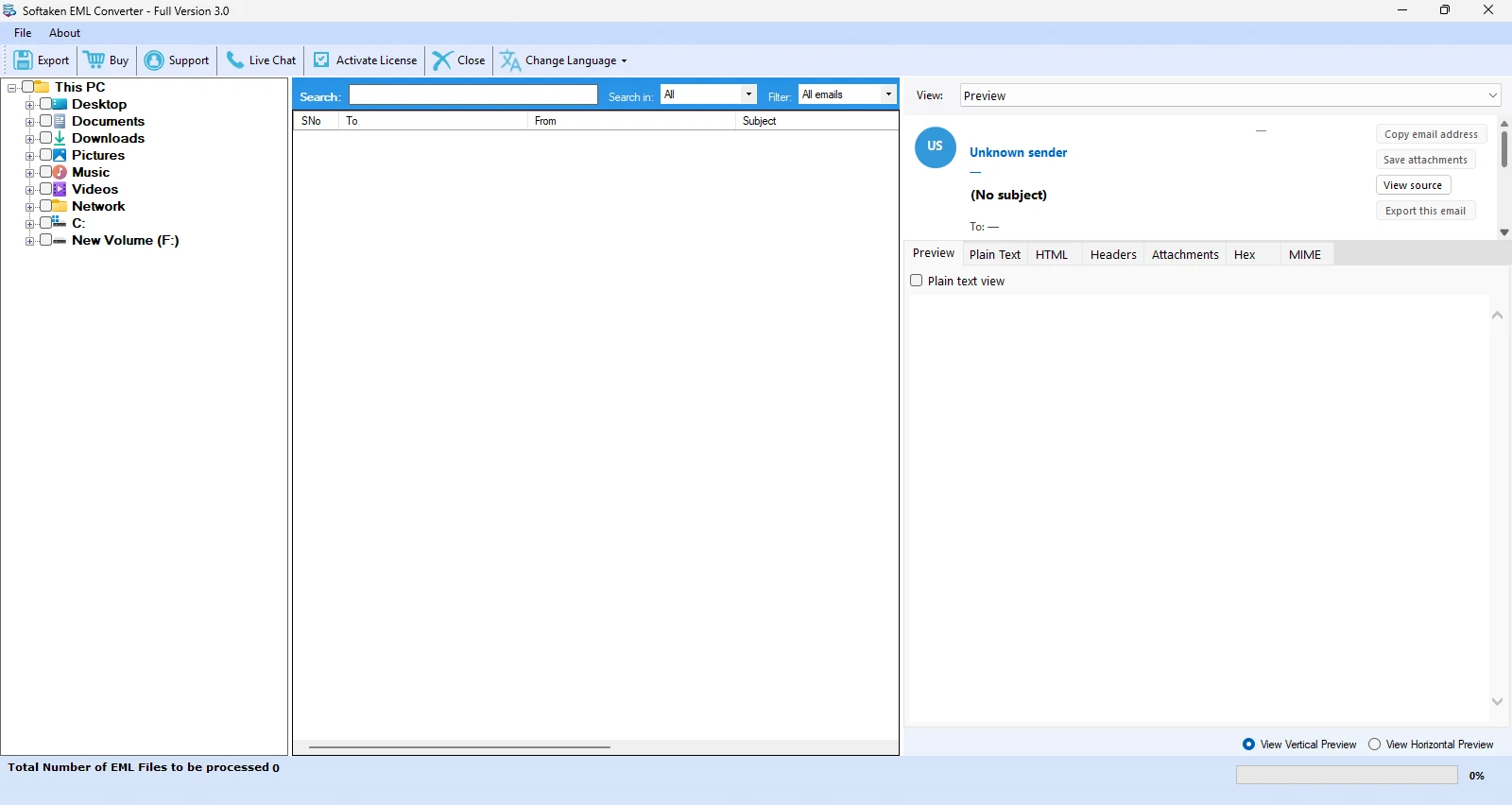
Softaken EML Converter - horizontal preview layout4

Horizontal preview layout

Switch to horizontal preview to review list and message body before converting eM Client EML/EMLX to Outlook PST.

Click a screenshot to enlarge. Guides: how-to steps · screenshots · EML to PST page.

How to convert eM Client data to Outlook PST


Step-by-step

Softaken workflow for eM Client → Outlook via EML/EMLX to PST:

  1. In eM Client, export the mailbox (or folders) you need as EML files.
  2. Download, install, and launch Softaken EML to PST Converter.
  3. Choose File or Folder mode and Browse to add your EML/EMLX files.
  4. Preview items; optionally remove duplicates; select New PST or Existing PST.
  5. Choose the output location and start the conversion.

Key Features of eM Client to PST Conversion


Convert whole EML data to Outlook PST

Convert whole EML data to Outlook PST

With eM Client Converter, all emails and attachments along with their components like to, cc, bcc, from etc. are safely exported from eM Client to Outlook. The whole conversion is done with full accuracy.

Wanted folders migration facility

Wanted folders migration facility

If you have selected EML files for migration, the software works fluently to provide selective conversion. This will avoid the unnecessary files and smoothen the migration process without any data corruption.

Bulk migration feature

Bulk migration feature

Bulk migration feature is supported by EML 2 PST Converter. With the help of it, you can load multiple EML files at a single click and perform the conversion with no interruption in the whole migration.

Preserve structure and formatting

Preserve structure and formatting

The application executes the task maintaining full data integrity. The formatting applied to files and the folder structure is entirely maintained with eM Client Conversion. Not a single change is done to the original database.

Windows-based software

Windows-based software

eM Client to PST Converter works with all Windows versions. You can simply download the software on every Windows edition including XP, Vista, 7, 8, 10 and others. Other tasks of your system keep running normally.

Convert EMLX to PST

Convert EMLX to PST

The software not only convert EML 2 PST but also convert EMLX to PST without much efforts. Only few clicks are required to perform the migration. The entire process is gained with full precision and quality.

Feature Comparison of Softaken eM Client to Outlook Converter – Trial and Licensed Version

Features
  • Add Multiple EML and EMLX Files
  • Export in PST Format
  • Batch EML/EMLX Conversion
  • Remove Duplicate Items
  • Support Plain Text, RTF & HTML Formats
  • Support Outlook 2016/13 & Lower Versions
  • Support Windows 11/10/8/7/others
  • Limitation
  • Price
DEMO Version
  • 10 items
  • FREE
FULL Version
  • Unlimited
  • $29

Softaken’s free demo converts up to 10 EML or EMLX files into PST (EML to PST docs) / 10 items (feature comparison). A “10 to 25 items per folder” range is not stated. Full unlimited from $29.

eM Client to Outlook Converter FAQs


Softaken’s workflow for this page is EML → PST (EML 2 PST Converter): export your eM Client mailbox or folders as EML files, then add those files or folders in Softaken using File Mode or Folder Mode. Softaken also supports EMLX → PST. Named auto-scan of eM Client’s default SQLite store / mail_data.dat dual-loading is not listed on Softaken.
No additional utility required: Softaken FAQ states EML 2 PST Converter is self-sufficient and there is no requirement of any additional utility. Softaken EML to PST docs also describe converting EML to PST without Outlook. You do not need eM Client running during conversion once you have exported EML/EMLX files. Softaken does not list a Mac edition for this product.
Softaken states it is capable to export other important data of Outlook like notes, tasks, contacts, messages and journals. Dedicated vCard/vCal pipelines, contact photos, or calendar recurrence slogans beyond that Softaken wording are not listed on this Softaken page.
Softaken’s eM Client page lists Outlook 2003/2007/2013/2016. Softaken’s EML to PST Converter (same download engine) also lists PST for Outlook 2019, 2016, 2013, 2010 & lower, and Softaken EML to PST marketing/specs mention Outlook 2021 and Microsoft 365 / Office 365. Softaken does not specifically list Outlook 2024 on this eM Client page.
Attachments and properties: Softaken states emails and attachments with components like to, cc, bcc, from are safely exported, email properties (name, email address, subject, date), preserve structure and formatting, and non-English characters. Softaken EML to PST also lists Plain Text, RTF & HTML. Named full RFC 822 header inventories or “inline graphics / embedded PDF/DOCX” slogans beyond Softaken’s wording are not listed on this Softaken eM Client page.
Yes for bulk and size: Softaken lists bulk migration of multiple EML files, selective wanted folders, Megabytes to Gigabytes, Search + tree preview, and preserve folder structure. Softaken EML to PST docs list Folder Mode for EML folders. A reviewer (Thomas Riess) reports converting thousands of EML files. Named nested multi-subfolder auto-detect beyond Folder Mode wording is not listed.
Softaken lists MB-to-GB migration and New PST or Existing PST on the EML to PST engine. Named PST auto-split size limits (for example 2 GB, 5 GB, 10 GB, 20 GB) or password-protect PST options are not listed on Softaken’s eM Client or EML to PST pages for this product. Softaken offers a separate Split PST product for splitting PST files after conversion if needed.
Softaken’s eM Client FAQ: a free demo is available so you can check every feature before taking a license. Softaken EML to PST feature comparison lists demo limitation as 10 items; Softaken EML to PST FAQ states the free demo converts up to 10 EML or EMLX files into PST. A “10 to 25 items per folder” range is not stated. Full unlimited from $29.

Software Specifications


Engine Note

Softaken eM Client to Outlook Converter uses Softaken EML to PST Converter (buy-eml-to-pst-converter). Softaken documents EML/EMLX → PST for eM Client migration with File/Folder mode, Search + tree preview, selective folders, New or Existing PST, and preserve structure. Named mail_data.dat auto-detect, PST size split (2/5/10/20 GB), password-protect PST, RFC 822 inventories, and “100% offline / zero telemetry” slogans are not listed (see FAQs). Demo: 10 items / 10 EML or EMLX files.

Product Info

Version3.0

Size12.6 MB

Starting Price$29

Full licenseUnlimited

Demo & License

Free demo: Softaken lists 10 items (feature comparison) / up to 10 EML or EMLX files into PST (EML to PST FAQ) so you can evaluate conversion before purchasing. A “10 to 25 items per folder” range is not stated. Full unlimited from $29.

Demo limit10 items / 10 EML or EMLX files

Output optionsNew PST or Existing PST

PST auto-splitNot listed

Licensed editionUnlimited from $29

Input & Output

InputEML / EMLX (exported eM Client mail)

OutputOutlook PST

ModesFile / Folder; selective; Search + tree preview

PlatformWindows only (not Mac)

Outlook Versions

This pageOutlook 2003 / 2007 / 2013 / 2016

EML to PST engine2019 / 2016 / 2013 / 2010 & lower

Also listed (engine)Outlook 2021 · Microsoft 365

Outlook 2024Not listed on this page

System Requirement

ProcessorAny Pentium Class

Operating SystemWindows 11, 10, 8.1, 8, 7 & Other

Memory512 MB Minimum

Hard Disk100 MB of free space for software installation

Software Delivery

ElectronicVia Email

Minutes15

PrerequisiteNo additional utility

Interface Available

Language SupportedEnglish

Support OptionEmails, Chat & Skype

What Our Users Say