| Version | 8.0 (latest) |
| Installer Size | 12.5 MB |
| License From | 29 USD |
| Size Support | Up to 150GB+ (Tested) |
| Outlook Versions | Microsoft 365,New Outlook for Windows,Outlook 2024,2021,2019,2016,2013,2010,2007,2003,2002,2000 |
| EML File Types | EML and EMLX (ANSI/Unicode,compressed/encrypted where supported) |
| Conversion Speed | Approx 1GB per minute (standard speed) |
| Primary Source Clients | Thunderbird,Windows Live Mail,Apple Mail,Outlook Express,eM Client |
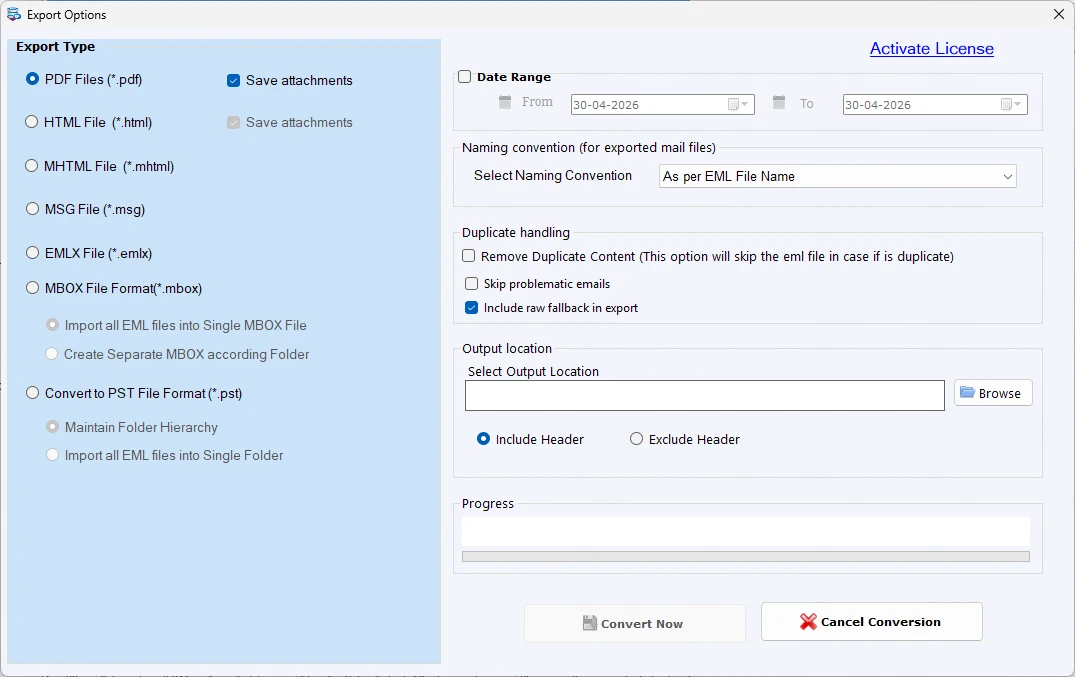
| Export Controls | Duplicate handling,folder hierarchy mode,naming behavior,and output location |
| OS Supported | Windows Server 2000/2003/2008,Windows XP,Vista,7,8,8.1,10,11 |
| Supported Email Clients | Windows Live Mail,MS Outlook Express,Apple Mail,Thunderbird,and other EML/EMLX-based clients |
| Format Supported Support | Simple Text,Plain Text,HTML,and Rich Text email content |
| Complete Mail Data Coverage | To,CC,BCC,sender,recipient,date,inline images,hyperlinks,message body,and attachments from each selected email |
| Data Integrity | Seamless conversion with no data loss;original structure and item properties preserved |