 1
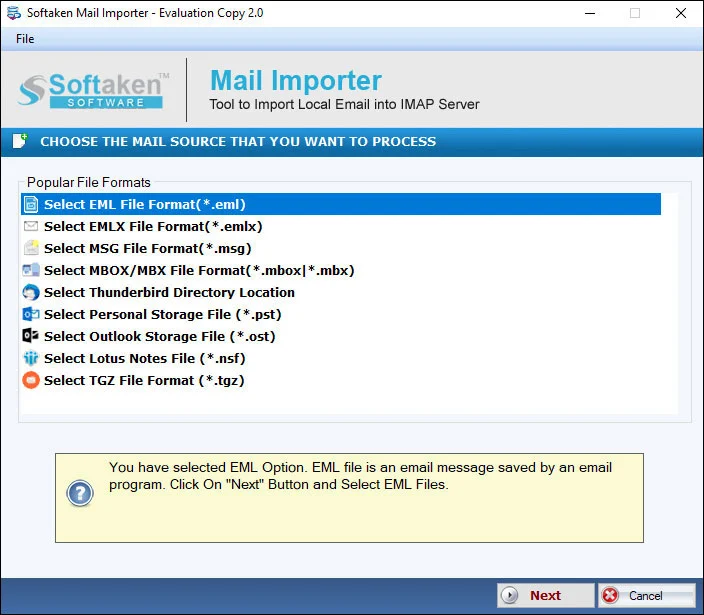
1Choose EML / EMLX
Select the desired file extension (EML or EMLX) to import into Office 365.
Independently scanned with multiple antivirus engines.
100% SafeA simple, safe & easy to configure program to export EML to Office 365
Upload EML and EMLX to a selected Office 365 account using Softaken-documented username and password. Softaken lists bulk or selected/filtered EML migration, Apple Mail / WLM / Thunderbird and other EML sources, attachments exported safely, and (via Softaken Mail Importer, same download) a standalone tool with new or existing cloud folder options—login details are not saved. Named OAuth 2.0 / MFA / Azure App Registration, Inbox/Sent/Archive auto-mapping beyond choose-or-create folder, Zoho Mail as a source client, and “zero intermediary cloud staging” slogans are not listed on this page.EML to Office 365 conversion is now no more a difficult task. With this Softaken application it is easy to export any size EML file to Office 365. The converter reads all file sizes with ease. With this conversion program, you can easily view your Apple Mail or Thunderbird data to Office 365. Softaken documents connecting with correct Office 365 username and password, bulk and selected EML migration, and attachments exported safely.
Add local files (EML/EMLX), preview, enter Office 365 login details, then choose or create a folder (Softaken Mail Importer UI).
1Select the desired file extension (EML or EMLX) to import into Office 365.
 2
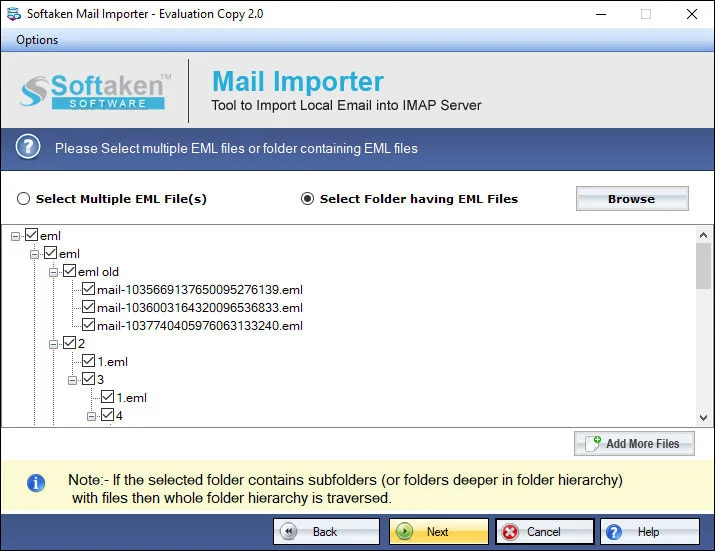
2Browse and filter required EML files; the tool scans them to export safely.
 3
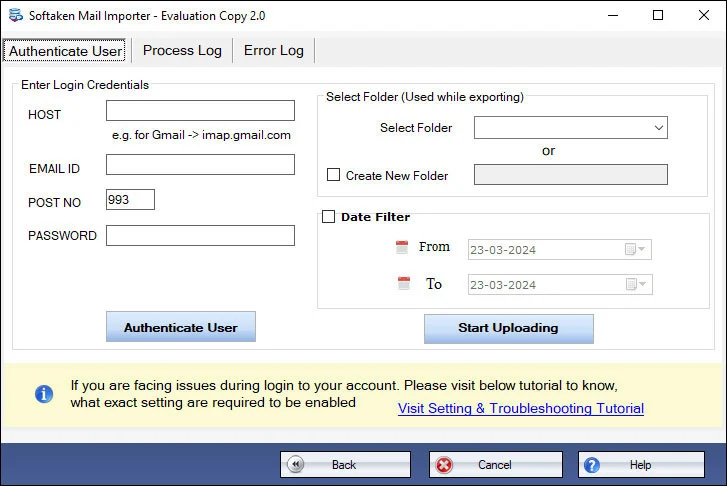
3Provide correct username and password of the Office 365 account (as documented on this Softaken page).
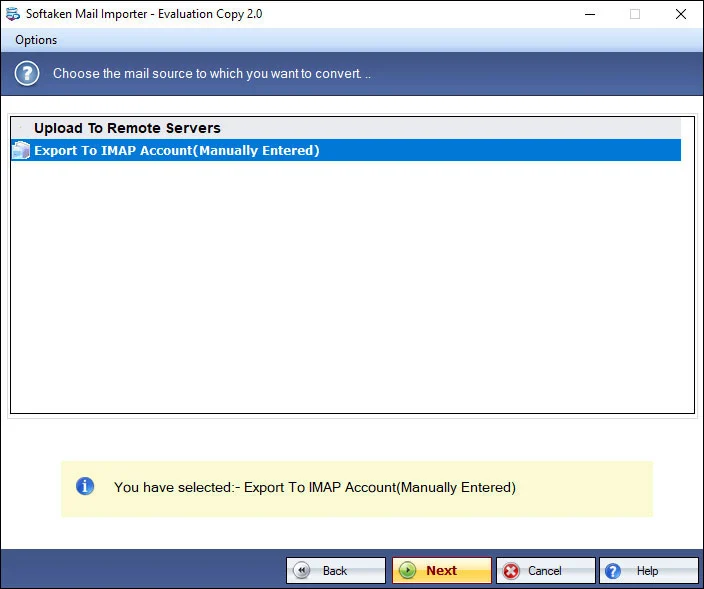 4
4Mail Importer lists selecting an existing cloud folder or creating a new folder, then Upload Now.
Click a screenshot to enlarge. Guides: how-to steps · screenshots.
Softaken Mail Importer steps adapted for EML/EMLX → Office 365:
Users have better control over conversion because the software exports only filtered EML files. The browse tab allows you to filter required EML files and scans them to export safely. Whenever you launch the program, the users let you select your choice EML databases.
With this application, import EML files to Office 365 in bulk. This feature makes conversion task hassle free. It saves time. Users have complete freedom to select 2, 3 or more EML files to convert them at once. The result of conversion is not exploited.
With this converter program, users can connect any office 365 account data to store EML files. For this they have to provide correct username and password of the account. The utility automatically connects with the particular account to convert data swiftly.
The app is available with lifetime validity. Whenever you launch it, the conversion result is accurate. No EML files get corruption. It keeps data intact. The tool manages accuracy of each email by retaining its originality. All email components including attachments exported safely.
There is no rocket science to handle the program. The interface is self-expressive, explaining you the steps to follow. It doesn't need additional technical assistance. Users can run the program with full of confidence. It holds 3-4 simple steps for migration.
Softaken offers a free trial so you can examine software performance before purchase. Softaken Mail Importer docs (same download) state the trial imports the first 25 local files; older features table lists 10 items.
This Softaken page offers a free trial for evaluation (no numeric limit stated here). Softaken Mail Importer docs (same download) state the trial imports the first 25 local files; older features table — 10 items. A “10 to 25 emails per folder” range is not stated. Full: unlimited from $99. Softaken documents Office 365 username and password—named OAuth 2.0 / MFA / Azure App Registration slogans are not listed.
Engine Note
This landing page uses the Softaken Mail Importer download and docs (EML/EMLX among sources → Office 365 among destinations; buy-mail-importer). Primary focus here is EML & EMLX → Office 365. Softaken documents username & password login—not OAuth 2.0 / MFA / Azure App Registration. Zoho as a named source, Inbox/Sent/Archive auto-mapping beyond new/existing folder, multi-mailbox admin bulk runs, RFC 822 header inventories, and “zero proxy staging” slogans are not listed (see FAQs).
Product Info
Version2.0
Size19.4 MB
Starting Price$99
Full licenseUnlimited
Demo & License
Free demo: Free trial for evaluation on this page. Softaken Mail Importer docs (same download) state the trial imports the first 25 local files; older features table lists 10 items. A “10 to 25 emails per folder” range is not stated. Full unlimited from $99.
Docs trial limitFirst 25 local files
Older features table10 items
10–25 per folderNot stated
Licensed editionUnlimited from $99
Input & Output
InputEML & EMLX (Apple Mail, WLM, Thunderbird, etc.)
OutputOffice 365 mailbox
ModesBulk / selected files
AuthUsername & password
System Requirement
ProcessorAny Pentium Class
Operating SystemWindows 11, 10, 8.1, 8, 7 & Other
Memory512 MB Minimum
Hard Disk100 MB of free space for software installation
Software Delivery
Interface Available
This page documents Office 365 username and password login. OAuth 2.0, MFA, and Azure App Registration slogans are not listed here.
No. Softaken Mail Importer works standalone without Outlook or Thunderbird installed.
Yes. Softaken lists EML and EMLX upload to Office 365 from Apple Mail, WLM, Thunderbird and other EML clients.
Yes via Mail Importer: existing folder or create a new folder with the desired name.
Softaken preserves attachments and keeps data intact. Named RFC 822 or inline graphics slogans beyond that are not listed.
Bulk upload to a selected Office 365 account is listed. Multi-mailbox admin bulk runs are not listed.
Mail Importer docs: Softaken does not save login details. Proxy-staging slogans are not listed.
Free trial for evaluation. Mail Importer docs: first 25 local files; older table: 10 items. Full from $99. A 10–25 per folder range is not stated.
| Item | Details |
|---|---|
| Product | Softaken EML to Office 365 Importer |
| Publisher | Softaken Software |
| Platforms | Windows |
| Version | 2.0 |
| Size | 19.4 MB |
| License | Free demo: first 25 local files (Mail Importer docs); older features table 10 items; 10–25 per folder not stated; full unlimited from $99 |
| Scope | Import EML/EMLX to Office 365 with attachments |
| Auth | Office 365 username and password (as documented) |
| Page | https://www.softaken.com/eml-to-office-365-importer |
