Version Control
Compare document versions to see changes. Perfect for tracking changes between different versions of PDF documents. Ideal for maintaining version history and identifying what changed between versions.
Compare PDFs is a powerful feature of PDF Champ that allows you to compare two PDF documents and identify differences with detailed reports. Perfect for version control, document review, and change tracking. This professional tool helps you compare PDFs with visual difference highlighting, detailed change reports, page-by-page comparison, text and layout comparison, HTML and text reports, and easy change identification, making it ideal for document managers, quality control professionals, and anyone who needs to track changes between PDF versions.
Note: Compare PDFs is part of PDF Champ, a portable solution that opens directly by double-clicking PDF Champ.exe without any installation or complex setups.
See Softaken PDF Champ Compare PDFs load an original and a modified file, choose text, layout, and image options, set a page range, and generate a highlighted comparison report — without installing Adobe Acrobat.
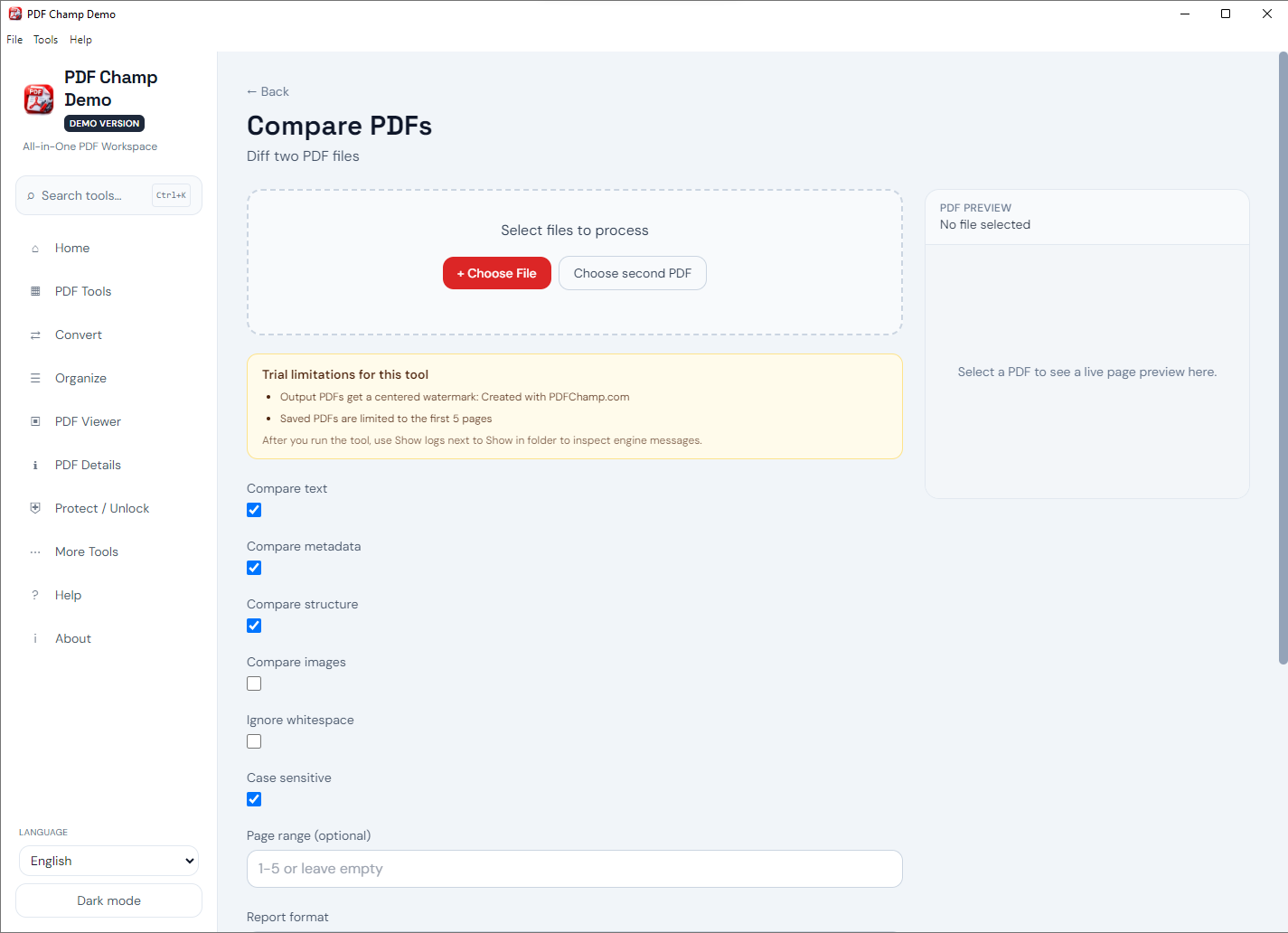
Launch Compare PDFs in PDF Champ and browse to select the original PDF file.
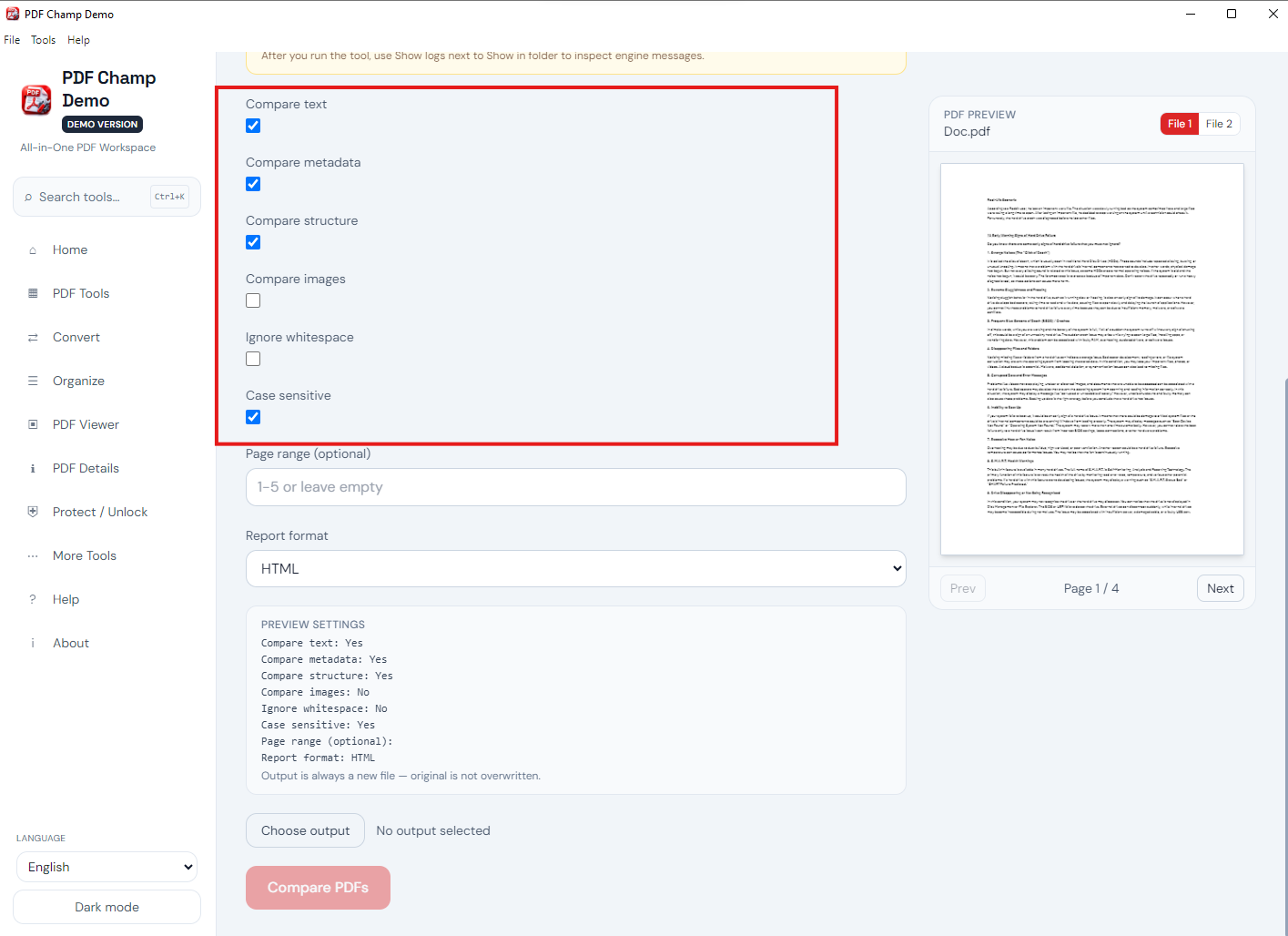
Choose the modified PDF version you want to compare against the original.
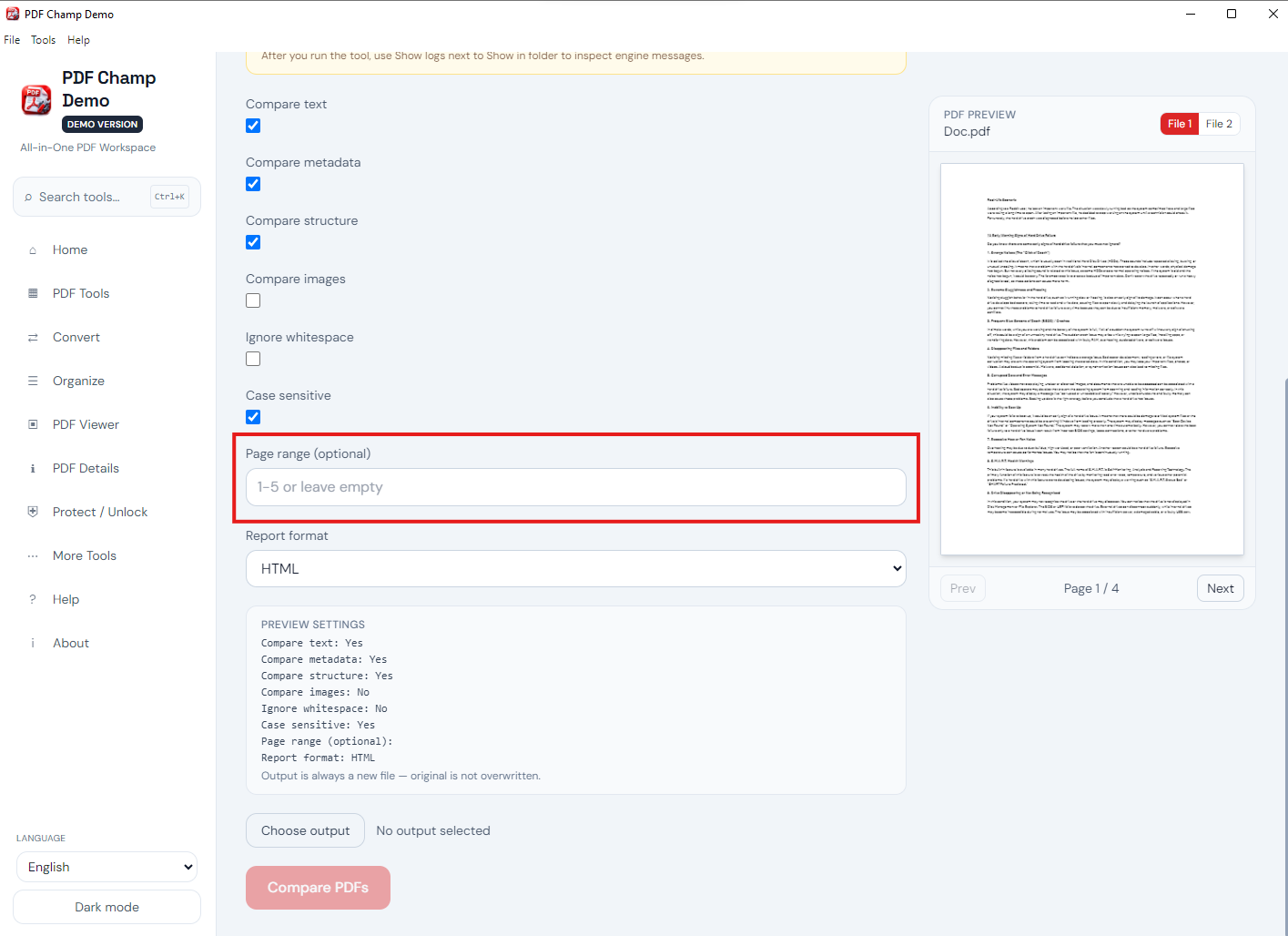
Set Compare Text, Compare Layout, Compare Images, page range, and sensitivity as needed.
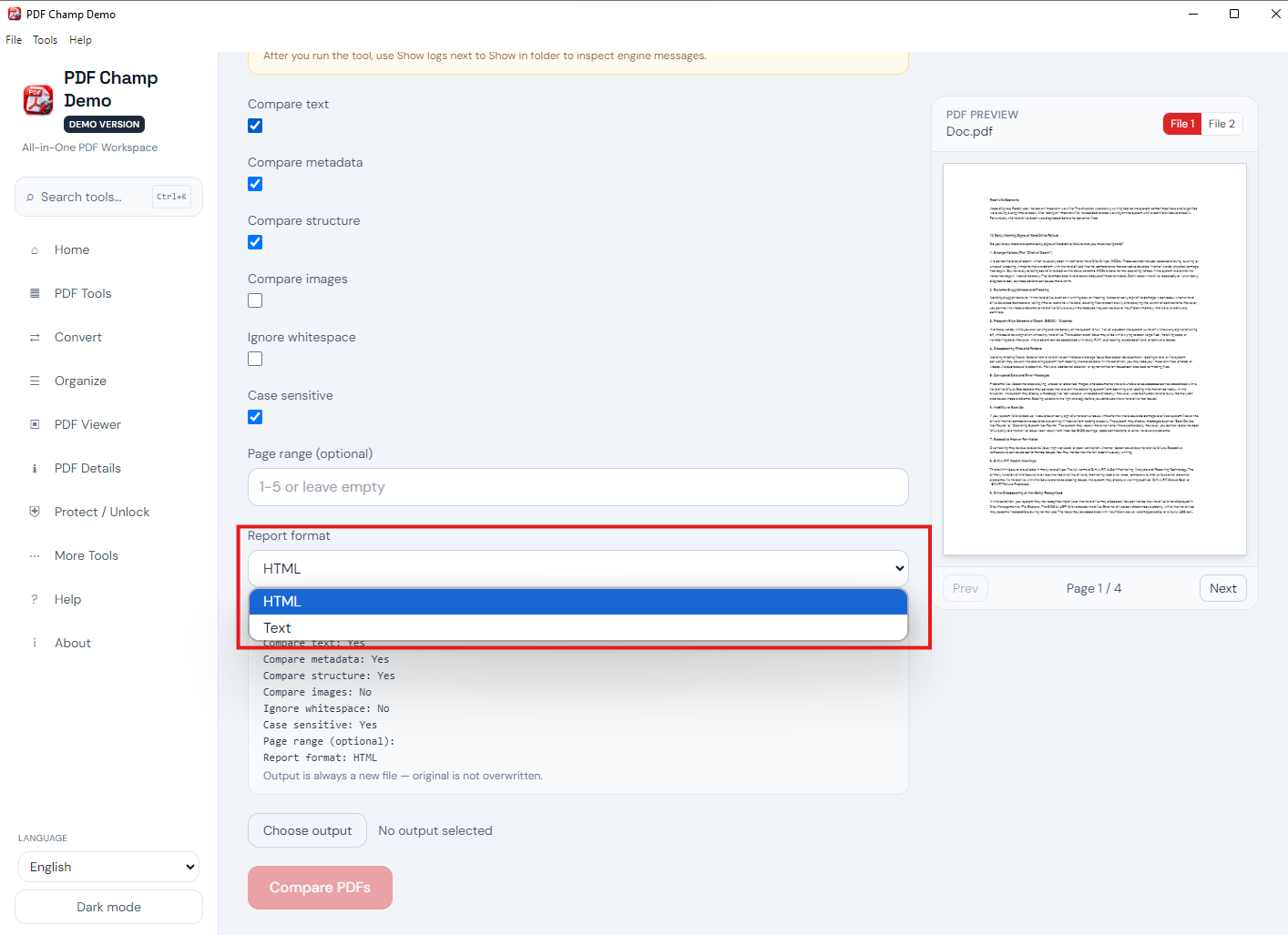
Run the comparison to scan both PDFs and prepare a detailed difference report.
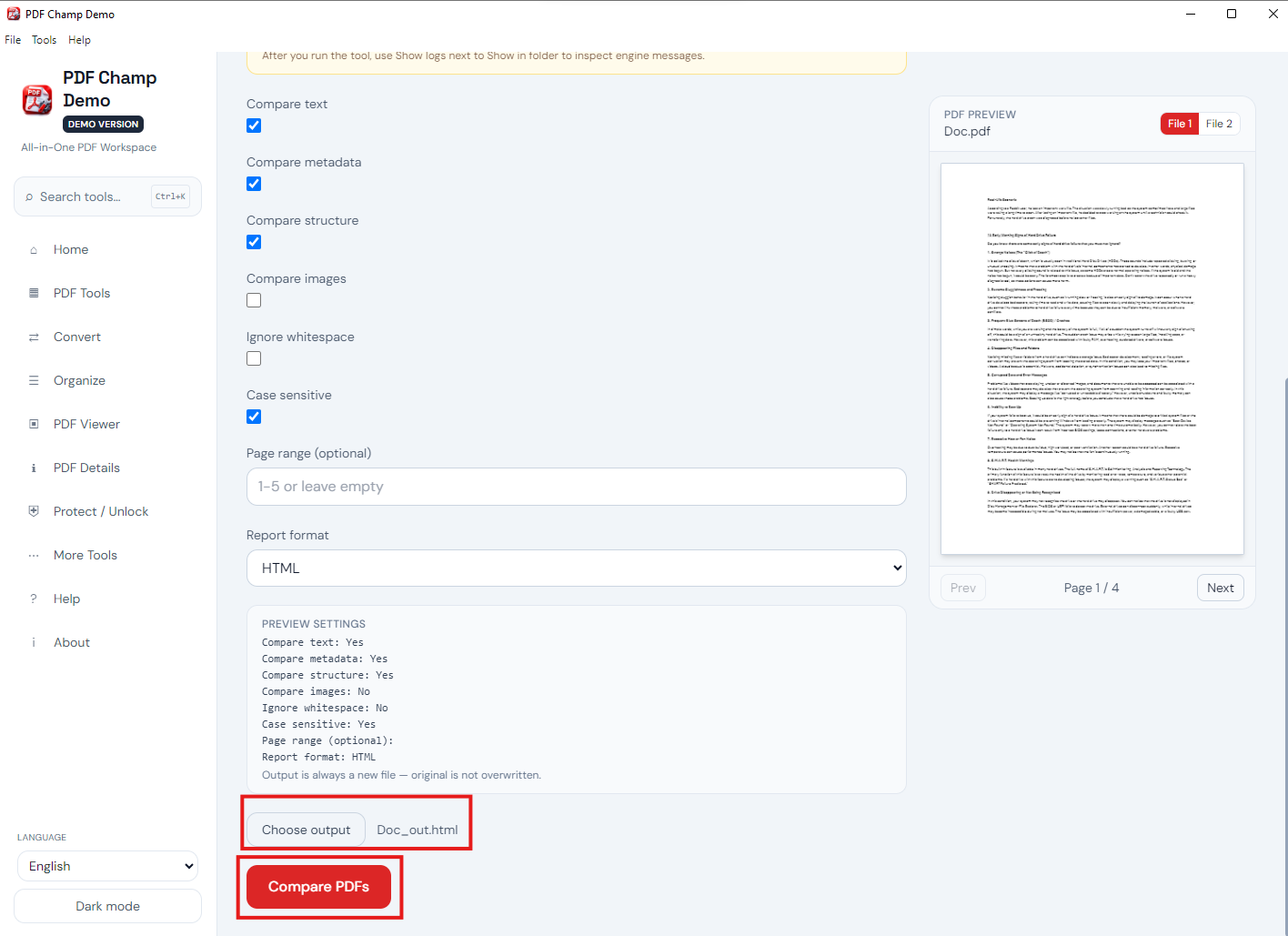
View highlighted differences page by page, then save an HTML or text report. Demo: first page + PDF Champ watermark; full license $49.
See the Compare PDFs interface above. Walkthrough: demo video · user guide · more screenshots.
Compare document versions to see changes. Perfect for tracking changes between different versions of PDF documents. Ideal for maintaining version history and identifying what changed between versions.
Review changes in updated documents. Perfect for reviewing modifications made to PDF documents. Ideal for quality control and ensuring all changes are identified and verified.
Track changes between document versions. Perfect for tracking modifications, additions, and deletions between PDF versions. Ideal for maintaining change logs and documenting document evolution.
See differences highlighted visually in comparison reports. Changes are clearly marked and easy to identify. Perfect for quickly spotting modifications between PDF versions.
Generate comprehensive reports showing all differences. Get detailed information about changes including text modifications, layout changes, and page differences. Perfect for thorough document analysis.
Compare PDFs page by page for thorough analysis. Review each page individually to identify all differences. Perfect for detailed document review and change tracking.
Compare both text content and layout structure. Detect changes in text, formatting, images, and page layout. Perfect for comprehensive document comparison.
Export comparison results in HTML or text format. Save detailed reports for documentation and sharing. Perfect for maintaining change logs and sharing comparison results.
Try Compare PDFs feature completely free with the demo version. Test all functionality, compare PDF documents, and experience the tool's capabilities before purchasing. The free trial allows you to evaluate the feature and ensure it meets your needs. No credit card required - download and test immediately. Demo: first page with a “PDF Champ” watermark; the full license is $49.
The demo version compares the first page and adds a “PDF Champ” watermark to comparison reports. The full version compares all pages without a watermark. Full license is $49.
System Requirement
Processor1 GHz or faster
Operating SystemWindows 7 or later (64-bit)
Memory2 GB minimum
Hard Disk500 MB free space
Software Delivery
ElectronicVia Email
Minutes15
DemoFirst page + watermark
Full License$49
Interface Available
Language SupportedEnglish
Support OptionEmails, Chat & Skype
PlatformWindows only
FeatureCompare PDFs
Download Guides
Recent Blogs

Customer Review Verified
Compare PDFs is exactly what I needed! I regularly work with PDF documents that need version comparison, and this feature has been a lifesaver. The comparison works perfectly - I can see all differences highlighted, and the detailed reports are great. The ability to compare page-by-page makes it perfect for my needs. Highly recommended!
Customer Review Verified
The Compare PDFs feature is fantastic! I work with PDF documents that need version comparison regularly, and it preserves document quality perfectly. The visual difference highlighting and detailed reports let me identify changes efficiently. The comparison is fast and easy, making it simple to track changes between document versions. Great tool!
Customer Review Verified
As a document manager who handles PDF documents daily, Compare PDFs has been invaluable. It helps me track changes between document versions. The comparison is fast, and the quality preservation is excellent. The page-by-page comparison and detailed reports let me identify all changes perfectly. This feature alone makes PDF Champ worth it!
Customer Review Verified
Compare PDFs is incredibly easy to use! The interface is intuitive, and I love being able to see differences highlighted visually. I use it regularly to compare document versions and track changes, and it always works perfectly. The quality preservation is excellent, and the comparison is fast. Excellent feature!
