Softaken
PDF Page Remover

Quickly remove or delete page numbers from PDF files.

Total Ratings:65- Average Rating:4.8 out of 5

Softaken PDF Page Remover is a powerful tool that removes pages from PDF files users donโ€™t want. This program can quickly delete undesired pages from PDF files and save the document as a new file. With this free PDF Page Deleting Tool,unwanted pages from different PDF files can be easily removed. In a few clicks,the software can delete unwanted pages without any harm to the content.


Free Live Demo:-Demo version of PDF Page Remover will help you to Remove First Page of PDF File

Safe &Secure Download

Independently scanned with multiple antivirus engines.

View VirusTotal Report

Features of Softaken PDF Page Remover

Delete unwanted PDF pages by number or range,preview results,process multiple files,and keep original layout intact โ€” no Adobe Acrobat required.


01

Remove any pagesโ€” easily delete unnecessary pages from any PDF file.

02

No restrictionsโ€” remove as many pages as needed without limits.

03

Guided interfaceโ€” simple steps that anyone can follow.

04

No Acrobat neededโ€” standalone tool,no Adobe installation required.

05

Safe &secureโ€” tested solution with no risk of data loss.

06

Free trialโ€” try the software before purchasing a license.

07

Instant removalโ€” delete unwanted pages from PDFs in seconds.

08

Output previewโ€” preview the PDF before saving the final file.

09

Layout preservedโ€” original formatting stays unchanged in the output.

Major Characteristics

Explore the core capabilities that make Softaken PDF Page Remover a reliable choice.


Remove undesired pages from PDF

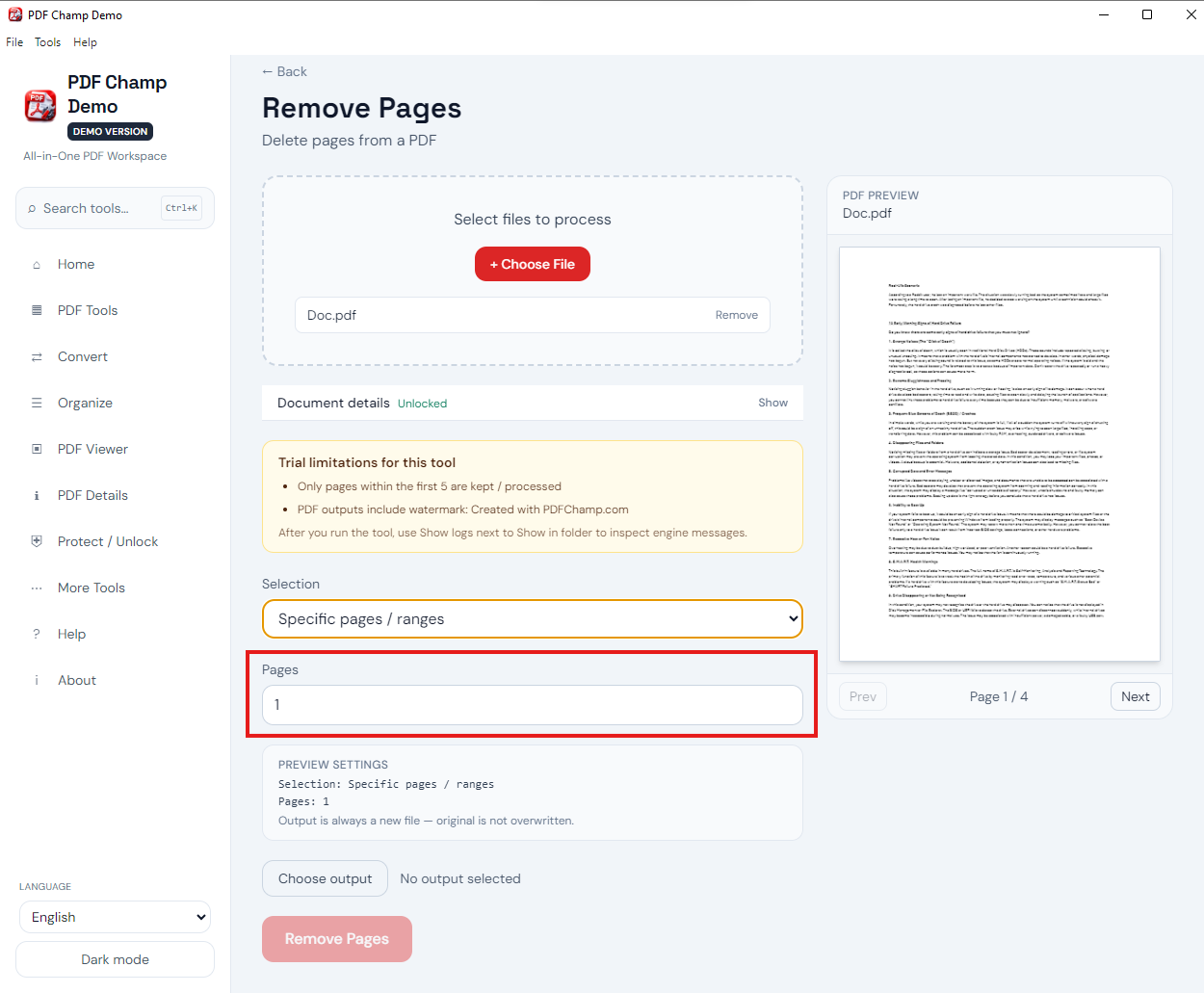
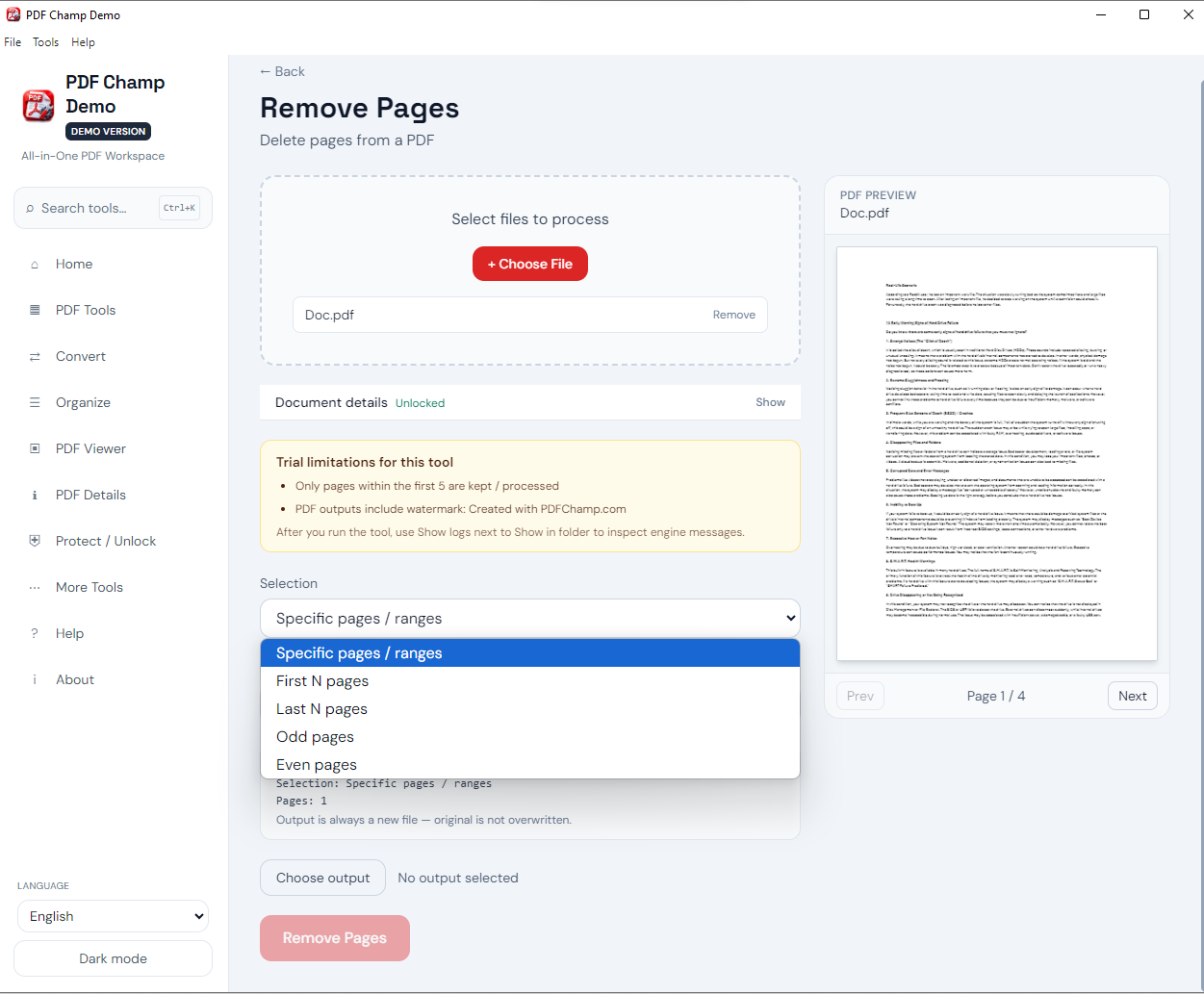
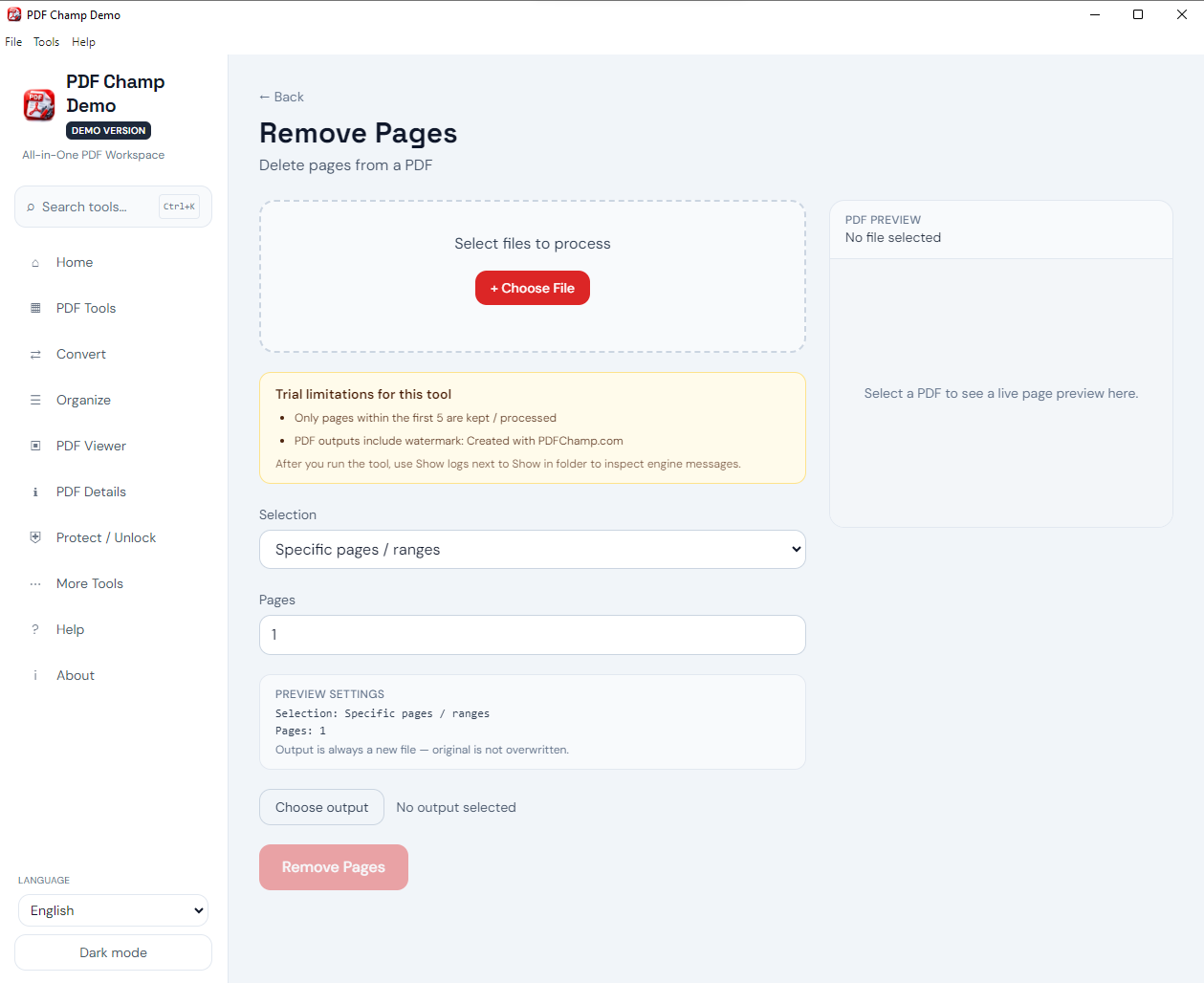
This marvelous application allows removing undesired pages from PDF files. Users can comfortably add any PDF file and delete those pages that users donโ€™t want. You need to provide only pages that you wish to delete. This app smartly performs this task and provides you with a fresh PDF file.
Secure and tested solution

This utility is fully tested by our team hence there is no chance of losing data items. It safely deletes unwanted pages from PDF files without harming its content and properties. You can completely trust this app if you are looking for the best method to remove unwanted pages from PDF documents.

Delete any number of pages

Without any inconvenience,users can assign the pages that they want to remove. The software is smart enough to quickly delete any number of pages from PDFs as per the userโ€™s instructions. With this professional tool,the task becomes effortless and time saviour for users.

Remove pages from PDF for free

With Softaken Free PDF Page Remover Software,users can delete PDF file pages for free. You can install the demo version for free which assists you in testing the program but provide you the resultant PDF file with watermark. To get a PDF with a watermark,invest in the license of this tool.

Easy to understand
Easy to understand

The layout and steps of this software are too simple. No prior expertise is necessary to use it to remove unnecessary pages from PDF files. The entire process of deleting pages from PDF is too simple with this app. Simply add the desired PDF,pick pages to remove,and set path for the output PDF file.

Work without Adobe Acrobat

Unlike manual workarounds,you donโ€™t need to depend on Adobe Acrobat or other supported apps to use this application. This is a completely standalone app. However,after getting the resultant PDF file,you need Adobe Acrobat to view and open the output PDF file.

Save new PDF at desired path

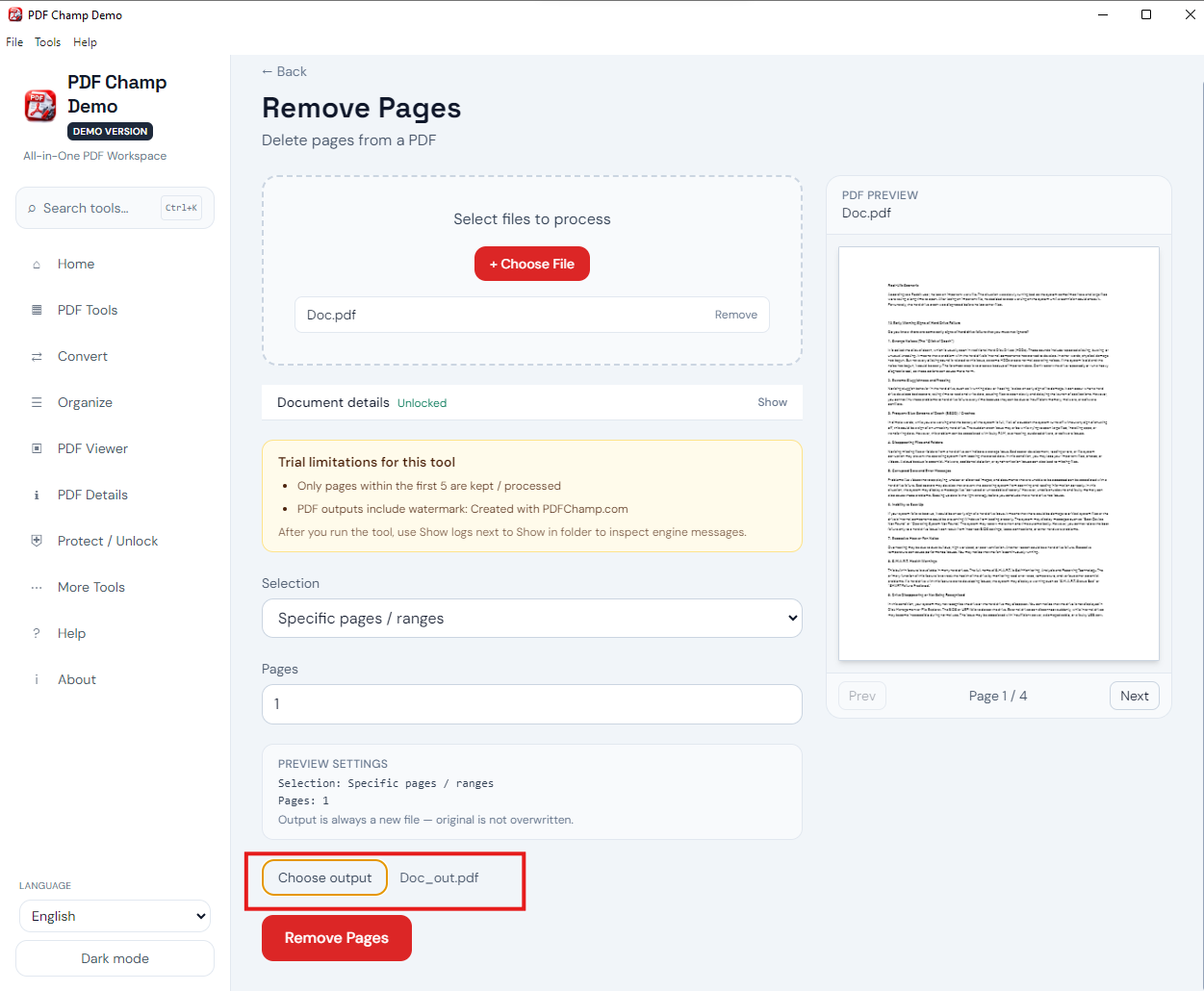
Users are free to mention any path of their Windows system to save the new PDF file after removing pages. With the โ€˜Browseโ€™ button available on this program,users can freely mention any folder or any path with desired name to export the new PDF file (after deleting pages).

Add one or more PDFs at once

This app comes with two modes โ€“ File & Folder for adding PDF files. Users can freely add any number of PDF files at a time to delete pages. Also,this app is not for one-time use. Once you took its license,itโ€™s completely yours to use for a lifetime without any hassle.

When to use PDF Page Remover Tool?

To Generate Bates Numbers
To delete unwanted pages from PDF

Sometimes,users have multiple unwanted pages in their PDF files and they want to get rid of them. At that time,Softaken PDF Page Delete Software helps them by removing unwanted pages. This application rapidly deletes unwanted pages from your PDF files and provides you with a fresh PDF file in a few seconds.

To Add Page Numbers to Encrypted PDF
To remove PDF file pages without Acrobat

Unlike manual methods where Adobe Acrobat is a must for removing pages from PDF files,this software does not ask for Adobe Acrobat. It independently removes unwanted pages from PDF files. Hence,this software is a gem for those who donโ€™t have Adobe applications but need to remove undesired pages from PDF documents.

To Generate Bates Number for File Series
To organize PDF files

PDF files with blank pages or unwanted pages look unorganized and unpresentable. Thus,to make PDF files presentable and organized,one can utilize Softaken PDF Page Delete Program. This app enables users to delete extra or additional pages that users donโ€™t need longer. As a result,users get a new PDF file.

Frequently Asked Question Regarding PDF Bates Numbering
QuestionAnswer
Q:

How does this software remove pages from PDF files?

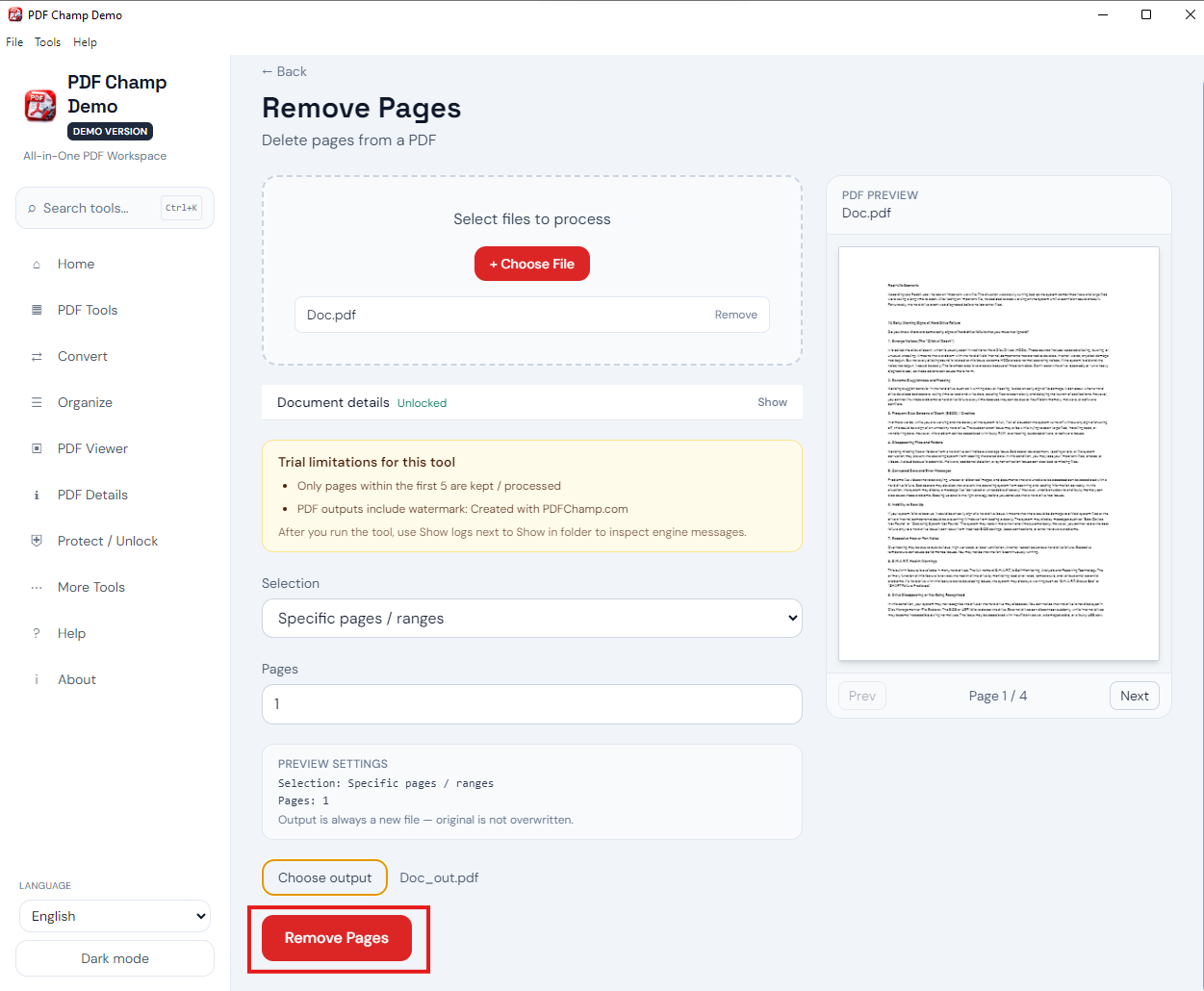
Here are the simple steps to remove unwanted pages from PDF files:
  1. Install and launch Softaken PDF Page Delete Software.
  2. Add your PDF file(s).
  3. Enter the pages you need to remove.
  4. Set the desired location to save the output PDF file.
  5. Press the ‘Remove’button to successfully remove PDF files.
Q:

Does this utility support corrupted PDF files?

No,this advanced app considers only non-corrupted PDF files. If you have corrupted PDF files,first repair them.
Q:

Can I use this software on Windows 7?

Yes,this utility smartly runs on Windows 7 and other versions.
Q:

Does the software add multiple PDF files at a time?

Yes,this utility can easily add multiple PDF files to remove or delete unwanted page numbers.
Q:

Will the program support PDF file of any version of Adobe?

Yes,this utility fully supports any version of PDF file.
Q:

Is there any chance of data loss while removing PDF files using this app?

No,the software is well-tested and 100% safe. Hence,there is no chance of data loss while removing PDF file pages.
Q:

What are the limitations of free PDF Page Remover?

The free version is same as the licensed one but will provide you the output PDF file with a watermark.
Q:

Does this app need technical assistance to use it?

No,with its friendly steps,any user can use it conveniently without any technical assistance.

Download Softaken PDF Page Remover Software


Software Download

  • Size:12.6MB
  • Version:6.0

Trial Limitations

Demo Version of Softaken PDF Page Remover will help you to Remove First Page of PDF

System Requirement

ProcessorAny Pentium Class

Operating SystemWindows 11,10,8.1,8,7 &Other

Memory512 MB Minimum

Hard Disk100 MB of free space for software installation

Software Delivery

ElectronicVia Email

Minutes15

Interface Available

Language SupportedEnglish

Support OptionEmails,Chat &Skype

Softaken PDF Page Remover - Free & Premium Comparison


FeaturesDEMO VersionFULL Version
Add PDF File & Folder
Remove unwanted pages from PDF files
Support encrypted PDF files
Work without installing Adobe Acrobat
Support Windows 11,10,8.1,8,7,etc.
Remove pages from PDF without watermark
LimitationAdd WatermarkNo Watermark
Pricefree$29
Clients Reviews About Softaken PDF Page Remover Software