Rotate PDF Pages by 90, 180, or 270 Degrees - Rotate one or multiple pages in your PDF with live preview.
(Average Rating 4.6 Based on 247 rating)
Permanent page rotation at 90°, 180°, or 270° — standalone PDF Champ module; Adobe Acrobat is not required.
This application is a built-in feature of the PDF Champ tool that allows users to rotate PDF pages by 90, 180, or 270 degrees with live preview. This application is perfect for all these tasks, such as correcting orientation, adjusting scanned documents, or preparing pages for viewing. It is a professional software that rotates one or multiple pages in your PDF. This tool performs multiple tasks like selective page rotation, multiple angle options, and quality preservation, making it ideal for document managers, office workers, and anyone who needs to fix PDF page orientation.
This tool works to rotate PDF pages by 90°, 180°, or 270° effortlessly
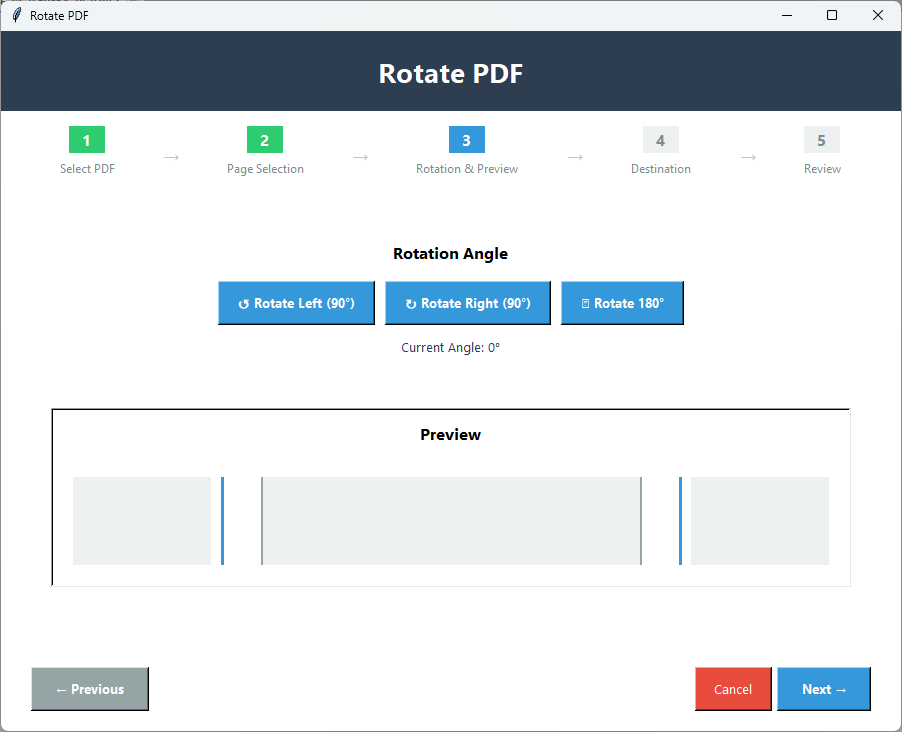
The user can also preview the PDF pages and adjust them before saving
The user can also selectively rotate pages — rotate all, specific pages, or a range of pages according to the requirement
This tool rotates your PDF pages by 90°, 180°, or 270° (270° clockwise equals 90° counter-clockwise)
It preserves original PDF quality after rotation and processes pages quickly
No setup or installation needed; it works directly from the EXE file
It is supported with Windows 7 and a more recent version of it.
This tool is perfect for correcting the orientation of a scanned document
The user can adjust the pages accordingly for a better viewing experience
By using this application, users can prepare pages for printing and proper orientation
This software uses open-source libraries, and it is allowed to use them for business or commercial purposes.
The user can test its features by using its demo version
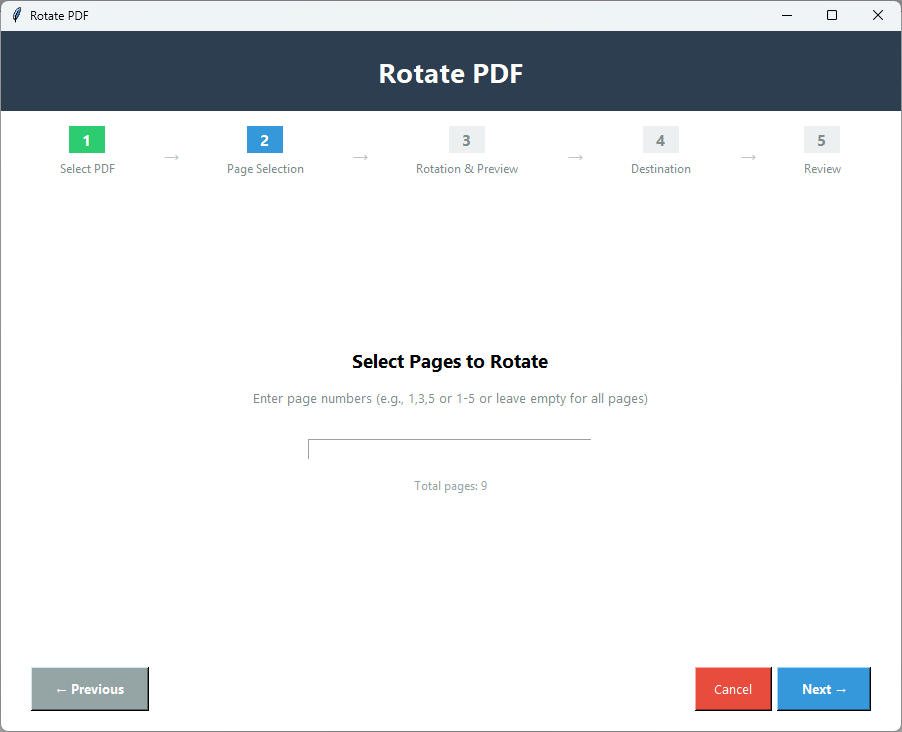
Page selection modes: All Pages, Specific Pages (e.g. 1, 3, 5), or Page Range (e.g. 1-10). Even/odd-only radios are not listed.
Permanent once saved: rotation is written into the output PDF — not a temporary viewer-only flip.
90°180°270°All PagesSpecificPage Range
Note: This application is a part of PDF Champ, a portable solution that doesn't require installation or complicated setup and launches by simply double-clicking PDF Champ.exe.
100% Standalone — Adobe Acrobat and other PDF viewers are not required. Independently scanned: View VirusTotal Report.
Permanent rotation, not viewer-only: once you save, page orientation is written into the PDF file. Page modes are All Pages, Specific (e.g. 1, 3, 5), and Page Range (e.g. 1-10) — even/odd-only selection is not listed. Multi-page rotation inside one PDF is supported; batching many separate PDF files in one job is not. A password field is not listed on the Rotate wizard — use an unprotected PDF. Demo output includes a “PDF Champ” watermark (not a “first 3–5 pages only” cap); full license is $29.
No Adobe Acrobat90° · 180° · 270°All / Specific / RangeLive previewPermanent after saveDemo: watermarkWindows
Watch Rotate PDF Demo
Rotate PDF pages by 90°, 180°, or 270°
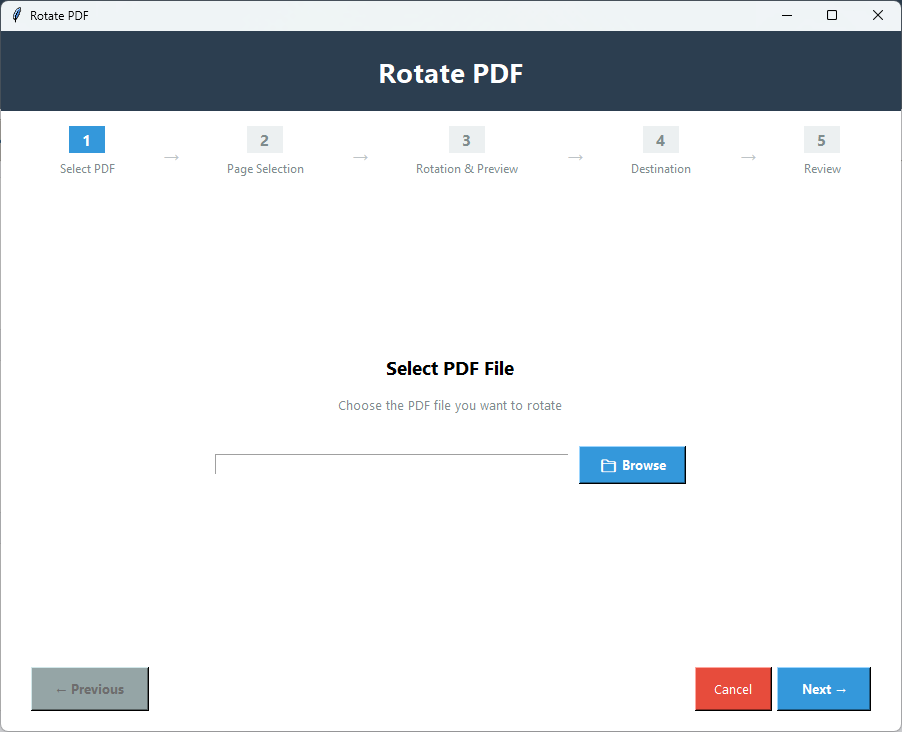
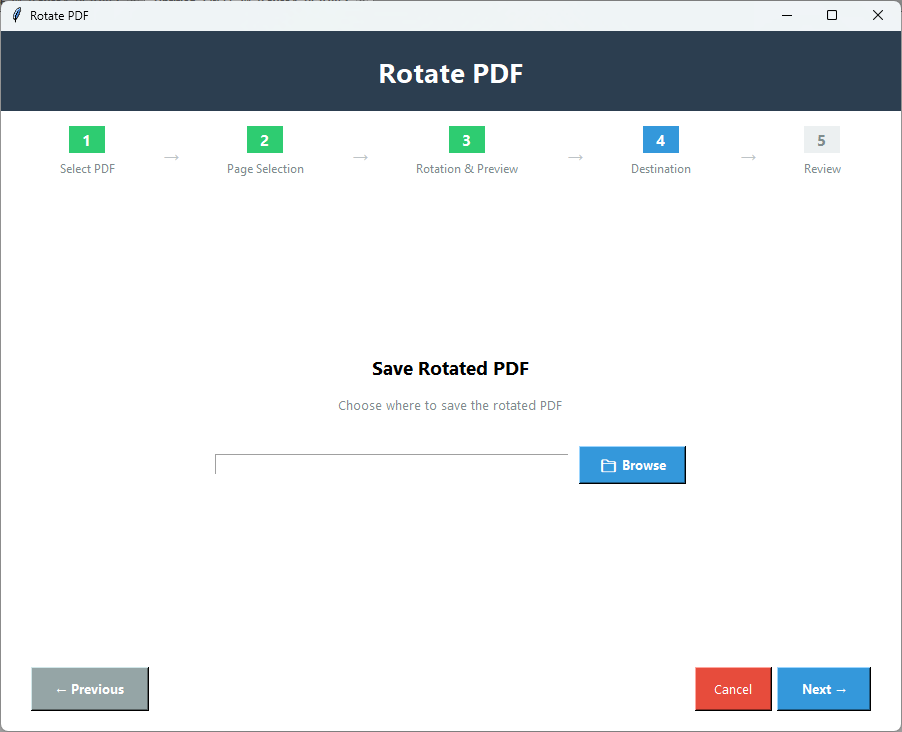
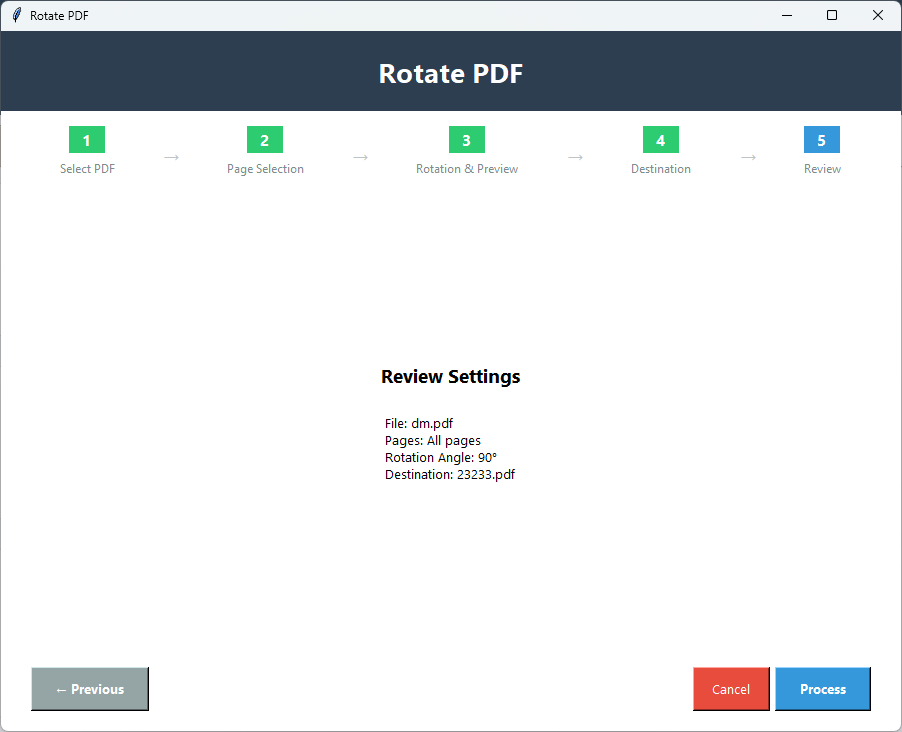
See Softaken PDF Champ Rotate load a PDF, choose an angle and page mode, preview, and save — without Adobe Acrobat.
Open Rotate PDF in PDF Champ
Browse one PDF and pick 90°, 180°, or 270°
Choose All Pages, Specific Pages, or Page Range
Use live preview, then save the rotated PDF locally
This tool is perfect for those pages that are in the wrong orientation; it can perfectly fix all sideways or upside-down pages. Ideal for correcting document orientation issues and ensuring all pages are properly aligned — especially after scanning.
Orientation Fix
Viewing Optimization
This tool rotates pages and gives a better rotating experience to its users. It adjusts all the PDF pages according to the user's requirements. It is an ideal tool for optimizing document display on different devices.
Viewing Optimization
Print Preparation
You can adjust the orientation according to the printing. By using this application prepare perfect PDF pages with correct orientation and print them. This application is best for printing the data, and it also matches your printing requirements.
Print Preparation
Key Features of Rotate PDF
Selective Page Rotation
You can also rotate pages like — rotate all, specific, or a range of pages. The user can also rotate all the pages together, or the user can rotate only specific pages. The user can customize the rotation according to their requirement.
Multiple Angle Options
You can rotate the pages into different angles, like 90, 180, 270 degrees. You can choose the angle according to the requirement. This application is perfect for correcting the orientation of the scanned pages.
Live Preview
It provides a live preview before rotation, so users can see exactly how their PDF pages will look after the rotation. It ensures that it provides a correct preview of data to the users. And it gives the output in the same way as it appears in the preview.
Quality Preservation
It preserves the quality of the PDF after the rotation. Text remains clear and images remain sharp. This tool performs its work without dropping original PDF quality. Best application for rotating misaligned PDF pages.
Fast Processing
This application quickly rotates all the pages without creating any technical issues. It can easily handle and rotate large files. It takes just a few seconds, even if it's a large document or has multiple pages.
Free Trial to Test
This software offers a free demo version so users can check productivity and performance before buying. Test the features, rotate pages, and then commit. Demo output includes a “PDF Champ” watermark. Just download and try it instantly.
Feature Comparison of Rotate PDF – Trial and Licensed Version
Features
Rotate PDF pages by 90°, 180°, or 270°
Rotate All Pages
Rotate specific pages (e.g. 1, 3, 5)
Rotate page ranges (e.g. 1-10)
Live preview before saving
Permanent orientation after save
Quality preservation
Portable PDF Champ — no Adobe Acrobat
Limitation
Price
DEMO Version
"PDF Champ" watermark on output
FREE
FULL Version
Save Without Watermark
$29
Demo version rotates PDF pages with a “PDF Champ” watermark on the output. The full license ($29) saves without that watermark. A “first 3–5 pages only” demo limit is not documented for Rotate PDF — the watermark is the stated trial restriction.
Yes. After you save, the new page orientation is written into the output PDF permanently. This is not a temporary flip that only appears while a viewer is open.
The Rotate PDF module supports 90°, 180°, and 270°. Turning a page 270° clockwise is the same result as 90° counter-clockwise, so those three angles cover typical orientation fixes for sideways or upside-down pages.
Yes. Documented page modes are All Pages, Specific Pages (for example 1, 3, 5), and Page Range (for example 1-10). You can fix only the misaligned pages instead of rotating every page in the file.
No. Rotate PDF is part of Softaken PDF Champ, a standalone / portable Windows utility. Adobe Acrobat and other third-party PDF viewers are not required. Double-click PDF Champ.exe to launch — no traditional setup is required.
Docs describe quality preservation for this feature — original PDF quality is preserved so text stays clear and images remain sharp after rotation. Separate claims about hyperlink preservation or “zero compression” are not listed on the Rotate documentation, so they are not claimed here.
You can rotate multiple pages inside one PDF (all, specific, or a range). Batching many separate PDF files in one job is not documented for Rotate — rotate one PDF, save, then load the next file.
The demo lets you try Rotate PDF; output includes a “PDF Champ” watermark. The full license ($29) saves without that watermark. A “first 3 to 5 pages only” demo limit is not documented for this module — the watermark is the stated trial restriction.
This application has helped me a lot in correcting the wrong orientation of my pages. This tool scanned all the documents and rotated them perfectly, like 90, 180, and 270 degrees. It also previews the data before converting it.
Customer Review Verified
★★★★★
This tool works fantastically. I scanned some pages in the wrong orientation, but this application creates the perfect orientation of these pages, and it's also showing the live preview of the selected page. It is very easy to operate.
Customer Review Verified
★★★★★
My work is to handle scanned documents daily. The Rotate image Tool is invaluable for me. It fixes all the wrong orientation pages very quickly without creating any issues. This tool is worth it for me.
Customer Review Verified
★★★★★
This is an incredibly useful tool that can be operated very easy to operate; even a non-technical user can easily operate it no need for any technical knowledge required to operate it. Its preservation quality is also excellent.
We use cookies to enhance your browsing experience, analyze site traffic, and personalize content. By clicking "Accept All", you consent to our use of cookies. You can customize your preferences or learn more in our Privacy Policy.
Cookie Consent Preferences
Manage your cookie preferences. You can enable or disable different types of cookies below. Essential cookies cannot be disabled as they are necessary for the website to function properly.
Essential Cookies
These cookies are necessary for the website to function and cannot be switched off. They are usually set in response to actions made by you such as setting your privacy preferences, logging in, or filling in forms.
Analytics Cookies
These cookies help us understand how visitors interact with our website by collecting and reporting information anonymously. This helps us improve our website's performance and user experience.
Marketing Cookies
These cookies are used to track visitors across websites to display relevant advertisements and measure campaign effectiveness. They help us show you ads that are more relevant to your interests.
Functional Cookies
These cookies enable enhanced functionality and personalization, such as remembering your preferences and settings. They may be set by us or by third-party providers whose services we use.
Performance Cookies
These cookies collect information about how you use our website, such as which pages you visit most often. This data helps us optimize our website's performance and improve user experience.