
Customer Review Verified
★★★★★
I was completely hopeless for conversion of 50 pages to JPEG within an hour. One of my colleagues recommended this app that fixed my need within a few minutes. Lifesaver.
A well-recommended application for individuals and commercial users to export PDFs to images in batch, for any number of pages, and without a watermark. The utility has an interactive interface that requires a little technical competency to perform the conversion.
Note: An independent conversion app to export unlimited PDFs without Adobe Acrobat and any other applications.
See the Windows utility browse a PDF, pick an image format, and convert pages — without Adobe Acrobat.
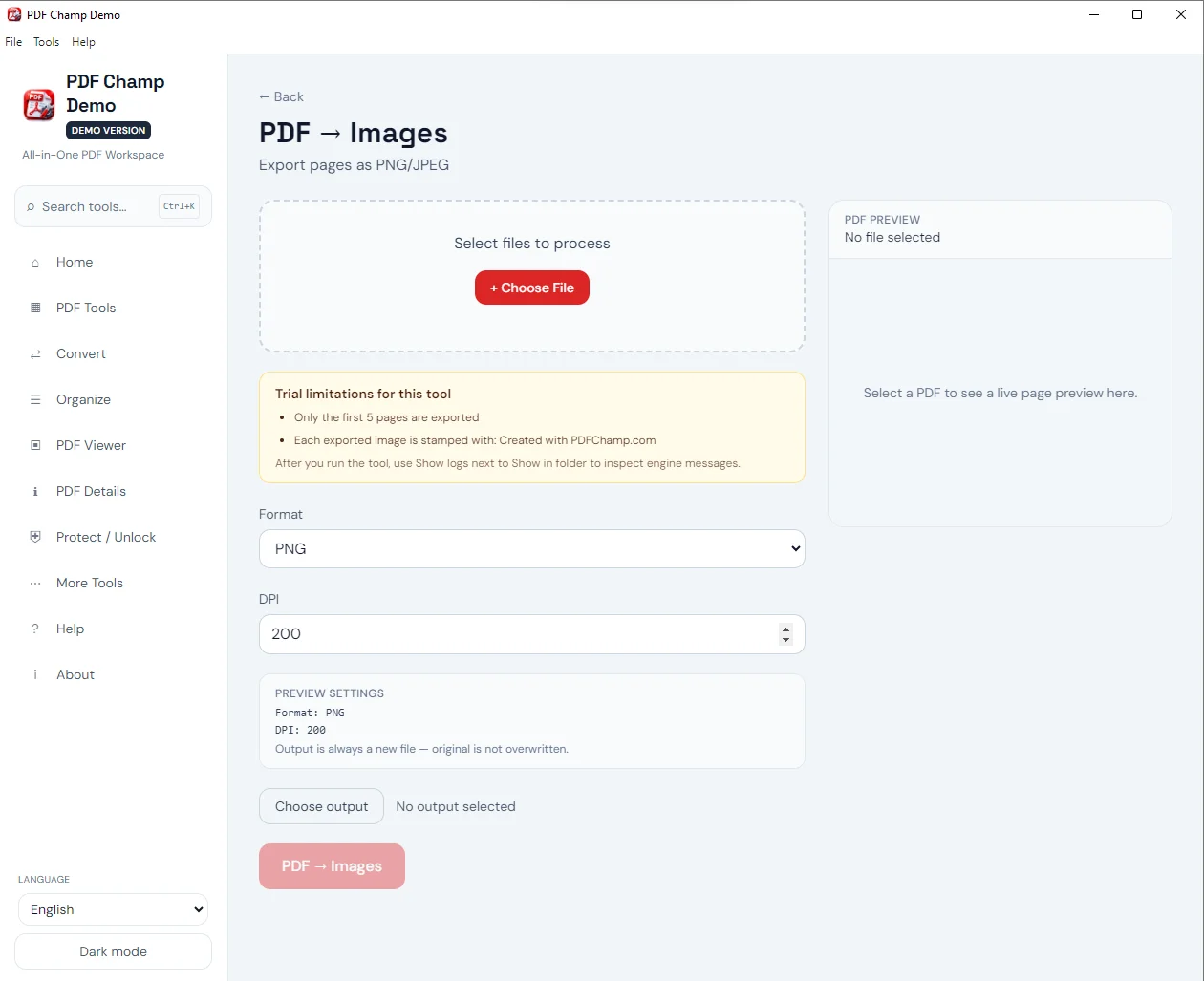
From the PDF Champ main screen, choose Convert PDF to Images to open the conversion panel.
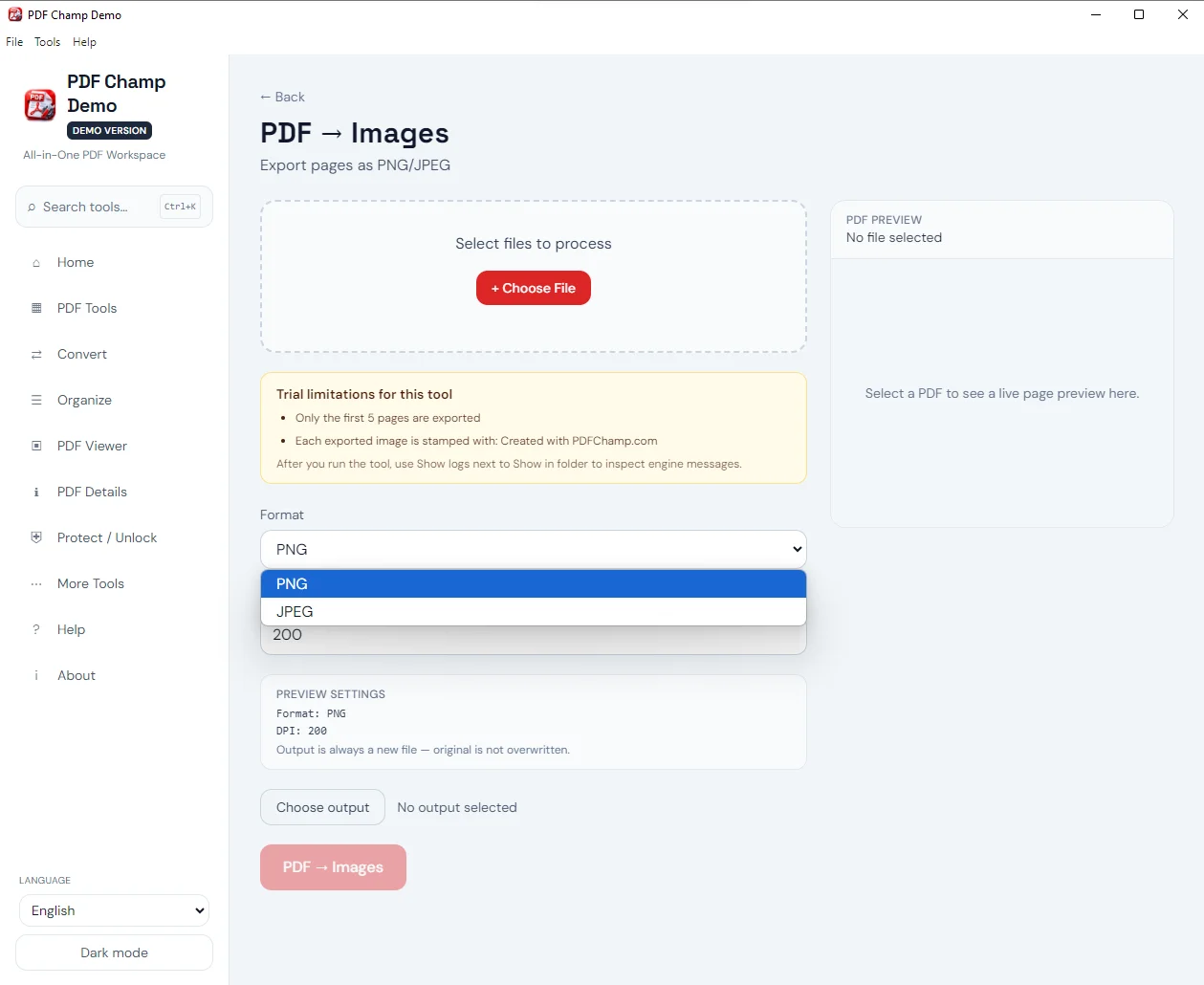
Select the PDF file, set the output folder, choose BMP, JPG, or PNG, then click Convert PDF to Image.
Full walkthrough: demo video · user guide · more screenshots.
Sharing images on social media is a more user-friendly approach than PDFs. When it comes to share reports, flyers, or brochures, PDF to image conversion is the best idea.
PDFs don't always render properly on mobile screens or older devices. In this situation, conversion of PDF into standard JPEG or PNG formats can preserve layouts, fonts, and alignments.
Conversion from PDF to image requires only four easy steps. At first, you upload a PDF file of your choice, then choose the image format and next destination folder to export data without facing complex technical problems.
Choose between two of the most widely accepted image formats: PNGs for text clarity or JPEG for smaller file sizes. You have control for getting the best results. The conversion panel also lists BMP alongside JPG and PNG.
The program saves the exported data to the user-defined location in the system. It can be any local folder of your choice, whether new or existing.
For PNG format, you have options to set the resolution. Choose 150 DPI for faster conversion, 200 DPI for balanced output, or 300 DPI for print-ready graphics.
Demo version can convert PDF to JPG/PNG with DPI control, exports with a watermark, and exports limited pages. The full license ($29) exports without a watermark and without that page limit. A specific “first 3 or 5 pages” count is not listed.
System Requirement
Processor1 GHz or faster
Operating SystemWindows 11, 10, 8.1, 8, 7 (64-bit) & Other
Memory2 GB minimum (4 GB recommended)
Hard Disk500 MB free space
Software Delivery
ElectronicVia Email
Minutes15
DemoWatermark + limited pages
Full LicenseFrom $29
Interface Available
Language SupportedEnglish
Support OptionEmails, Chat & Skype
Output formatsBMP, JPG, PNG
Adobe AcrobatNot required
Download Guides
Recent Blogs
Customer Review Verified
I was completely hopeless for conversion of 50 pages to JPEG within an hour. One of my colleagues recommended this app that fixed my need within a few minutes. Lifesaver.
Customer Review Verified
This application has successfully met our PDF-to-image conversion requirements. However, I would appreciate additional image format options to support conversion to more modern image formats.
Customer Review Verified
I like that the tool is user-friendly and affordable. It would be even better if a Linux-supported version were available for Linux users.
Customer Review Verified
A friend recommended this application to me, and I am glad I tried it. I appreciate both the Softaken team and my friend for introducing me to a reliable tool at an affordable price.
BMP, JPG, and PNG. Choose one format per run. TIFF, GIF, and SVG are not listed on the Convert PDF to Image panel.
This converter renders entire PDF pages as images. Extract Images is a separate PDF Champ option for embedded photos.
Yes for PNG: 150, 200, or 300 DPI. 72 DPI and 600 DPI are not listed.
No. It is a standalone Windows utility. Adobe Acrobat is not required.
A page-range filter is not listed on the Convert PDF to Image panel. The loaded PDF is converted.
The description supports single and multiple PDF files. The conversion panel browses one PDF file per run.
A password field is not listed on the Convert PDF to Image panel. Use an unprotected PDF, or unlock first with PDF Champ security tools.
Demo exports with a watermark and limited pages. Full license ($29) is unlimited without watermark.
| Item | Details |
|---|---|
| Product | Softaken PDF to Image Converter |
| Publisher | Softaken Software |
| Platforms | Windows 11, 10, 8.1, 8, 7 (64-bit) |
| Output | BMP, JPG, PNG |
| Demo | Watermark on images + limited pages |
| Page | https://www.softaken.com/pdf-to-image-converter |
