
Marcus Somerville Verified
Australia
★★★★★
It is a fantastic software for exact TGZ file conversion. It is a wise investment in my opinion.
A remarkable solution to transfer single or multiple TGZ files to a range of platforms including desktop-based email clients,cloud tools,and web pages. It is an interactive solution for seamless and effortless conversion of selective TGZ files.
It is a self-descriptive and well-examined application to convert specified Zimbra data to a range of platforms by exporting TGZ to PST,MSG,NSF,EML,EMLX,MBOX,HTML,MHTML,Gmail,&IMAP Server. The app is user-friendly and gives custom results.
See Softaken TGZ Suite load archives,preview the mailbox tree,and export to desktop formats or cloud / IMAP destinations — without Zimbra Server installed.
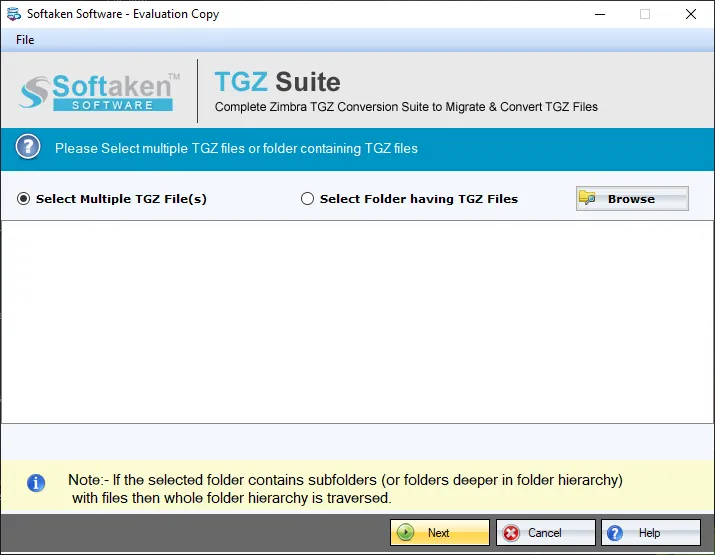
Add single or multiple .TGZ archives directly — no manual unzip step.
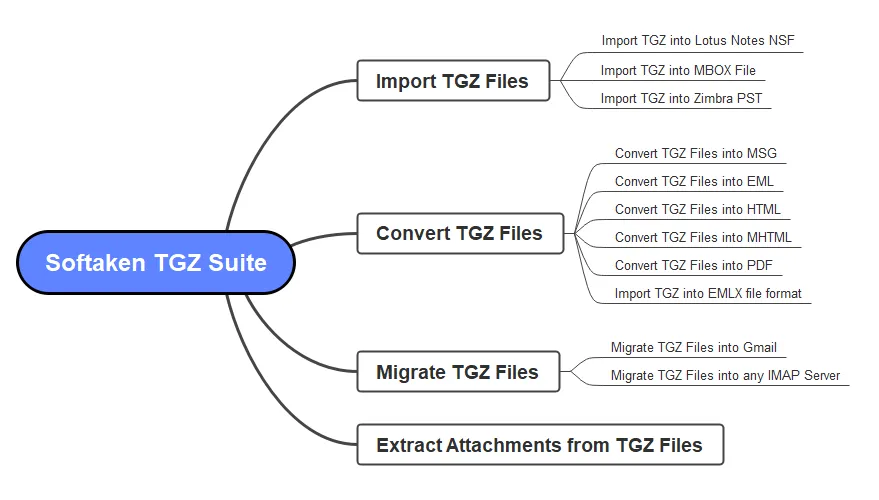
Scan folders and message list,then select only the data you want to migrate.
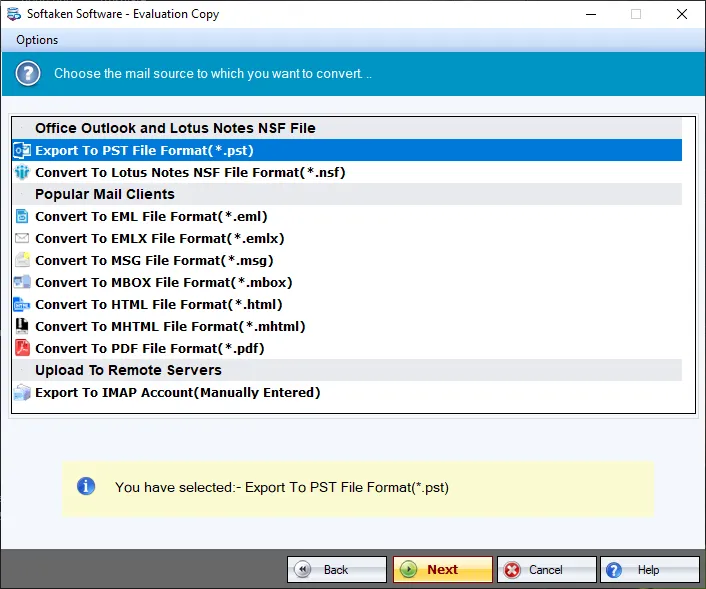
Pick the destination format or cloud / IMAP path and set the save location.
Full walkthrough:demo video· user guide· more screenshots.
A sophisticated application for effortless and seamless conversion selective TGZ files
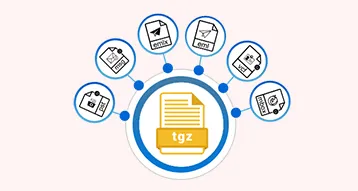
TGZ to Multiple Platforms
The application helps to meet the goal of conversion of Zimbra files to the desired file format because it exports TGZ files to several major email clients,such as Entourage,Eudora,Apple Mail,MS Outlook,Thunderbird,PDF,and IMAP-based applications. It makes Zimbra data storage convenient on Windows,Mac,and Linux.
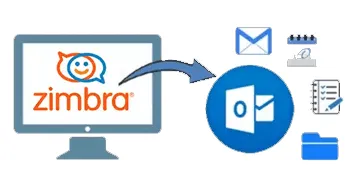
100% Accurate Conversion Results
It is a well-examined tool to provide 100% accurate results. During conversion,the app restores the original structure and content quality. Users will not get the problem of incomplete conversion. The app exports all email properties with attachments,contacts with all contact fields,events with all details,and complete data conversion.

Suitable for Everyone
The sophisticated application is for everyone,including individuals,small businesses and enterprises of any size. The user-friendly app is lightweight to install and run. It doesn't put load on the hard drive during conversion. Users experience seamless conversion of selective TGZ files to the desired file format.

The sophisticated TGZ Suite helps export single or multiple TGZ files to your specified file format. Users can export single,double,triple,or as many TGZ files as they want in one go. The batch conversion feature saves time and effort for users. It makes conversion effortless.
The remarkable app has two types of file filtration- File Mode and Folder Mode. The File Mode feature can select specific TGZ files one by one. The Folder Mode feature can select a specific TGZ folder for conversion. Thus,users have optimum control over the resultants.
The solution helps to filter and export specific folders of TGZ files. The advanced filtration mode help browse and select the targeted folders of a TGZ file to export to the desired file format. This feature gives users satisfaction with results.
The advanced utility comes with an added feature of generating a preview of the uploaded TGZ files. As a TGZ file upload,the preview pane provides a preview of the uploaded TGZ files automatically. This feature helps to filter folders and use them as a TGZ viewer.
During conversion,the app ensures to export TGZ emails with all its properties. The tool restores CC,BCC,To,From,Date,and attachments. All the converted attachments are in their original format and have no modification in the structure.
It is a highly interactive application. Each step is self-descriptive. The interface itself reveals the next step that users need to follow for conversion. From downloading to running,it is easy to operate the application. Its interface is interactive.
The license validity of this application is valid for an unlimited duration. Irrespective of the version you choose (personal or business),the app offers accurate results each time. It is a significant feature of this application.
The utility supports the conversion of Zimbra files to MS Outlook for Windows by converting TGZ to PST and TGZ to MSG. The app scans and exports unlimited TGZ files to PST or MSG at once,The exported data is supported with Outlook 2003,2010,2013,and its latest versions.
The high-end application allows users to access Zimbra files to Lotus Notes by exporting TGZ to NSF. Entire properties like emails,contacts,notes,and journals of TGZ files can share with Lotus Notes within a few clicks.
The conversion app enables users to export selective TGZ files to EML and TGZ to MBOX to access Zimbra files on various platforms,such as Thunderbird,Entourage,Eudora,WLM,and many other tools operating on Windows,Mac,and Linux.
For effortless conversion of Zimbra data to Apple Mail,the conversion program supports the migration of TGZ files to EMLX file format. The tool scans and exports TGZ files of any size to EMLX.
To make Zimbra files supported with every device such as laptops,desktops,and mobile phones,the app supports the conversion of TGZ to PDF. It scans and exports all email properties of TGZ files to PDF to provide effortless conversion.
The magnificent application supports the conversion of selective TGZ files to HTML and MHTML format to save data as web pages. A link to the web page makes sharing and archiving easy.
The export tool back up TGZ files to Gmail file format. All emails with attachments extract from TGZ files to save in Gmail. The tool automatically connects with the targeted Gmail account to transfer data and save it in a specified folder.
The backup tool exports specific TGZ files to any IMAP-based applications such as Gmail,Yahoo,AOL,Hotmail,and many others. It connects with the given account automatically as you provide the credentials with host and port details.
The app is lightweight,easy to install,easy-to-run,and bug-free. Hence,it is a suitable choice for individuals and businesses. A business of any size can consider this application to find effortless and seamless conversion of TGZ files.
Tools Faq's
Here are the general steps for TGZ Suite to follow.
Software Specifications
System Requirement
ProcessorAny Pentium Class
Operating SystemWindows 11,10,8.1,8,7 &Other
Memory512 MB Minimum
Hard Disk100 MB of free space for software installation
Software Delivery
ElectronicVia Email
Minutes15
Interface Available
Language SupportedEnglish
Support OptionEmails,Chat &Skype
Marcus Somerville Verified
Australia
It is a fantastic software for exact TGZ file conversion. It is a wise investment in my opinion.
Jari Mikkola Verified
Finland
I have bought the app for my business. After using it for months,I have suggested it to anyone looking for a secure and reliable conversion.
Maik Beich Verified
Germany
To be honest,this app is value for money. I discovered this programme as a one-stop solution for exporting Zimbra files to many platforms. Because of its mass conversion functionality,I can concentrate on my other important activities.
Oberto Giordano Verified
Italy
One line definition for this solution is - efficient and fast conversion. We like the capacity of the app to efficiently handle large TGZ files or batch conversions,and completing the process quickly without excessive resource usage or delays.
It is Softaken’s all-in-one TGZ suite:multi-format conversion (PST,MSG,NSF,EML,EMLX,MBOX,PDF,HTML,MHTML) plus Gmail and IMAP cloud destinations in one product.
PST,MSG,NSF,EML,EMLX,MBOX,PDF,HTML,MHTML;and Gmail / IMAP platforms including Microsoft 365,Google Workspace,Yahoo,and Hotmail.
No. Direct Processing — Softaken reads the TGZ archive without WinRAR or 7-Zip extraction.
Yes. Export to Gmail and IMAP-based accounts such as Yahoo,Hotmail,and Office 365 / Microsoft 365 with host,port,and credentials.
Emails,contacts,events,notes,and journals are supported as described on this page;other item types depend on the TGZ contents and export format.
No. The suite is standalone and does not require Zimbra,Outlook,or Lotus Notes for conversion.
No. There is no file-size restriction for large TGZ archives or batch conversion.
The demo lets you evaluate with a limited export. The full license (from $99) unlocks unlimited conversion.
| Item | Details |
|---|---|
| Product | Zimbra TGZ Conversion Suite |
| Publisher | Softaken Software |
| Platforms | Windows 11,10,8.1,8,7 &others |
| Demo | Limited export for evaluation |
| Page | https://www.softaken.com/tgz-suite |
