How to migrate Hotmail to IMAP account – Simple Tips and Tricks
There are various number of email services available online. Users compare them and move to the better one. A user decides to transfer messages to get better features and facilities. Here,we are talking about Hotmail to IMAP migration. Let us read this article and find simple tips & tricks to migrate Hotmail emails to IMAP with attachments and other details embedded within Hotmail emails.
Solution to migrate Hotmail mailboxes to IMAP
There is no direct solution that can export Hotmail mail folders to IMAP account. However,by using third-party tools,the migration of Hotmail emails to IMAP can be carried out including attachments and other details.
One such automated solution is IMAP to IMAP Migration Tool. This application comfortably migrates the database without any risk of data loss.
Pre-requisites for Hotmail to IMAP Migration
Before you utilize the software,certain tasks must be completed. These include –
- Generating a temporary password for Hotmail account for data migration
- Similarly,you should do the same for the targeted IMAP account.
How to generate a temporary password for Hotmail account?
Find the steps to generate a password for temporary use for Hotmail account –
- Login to your Hotmail account
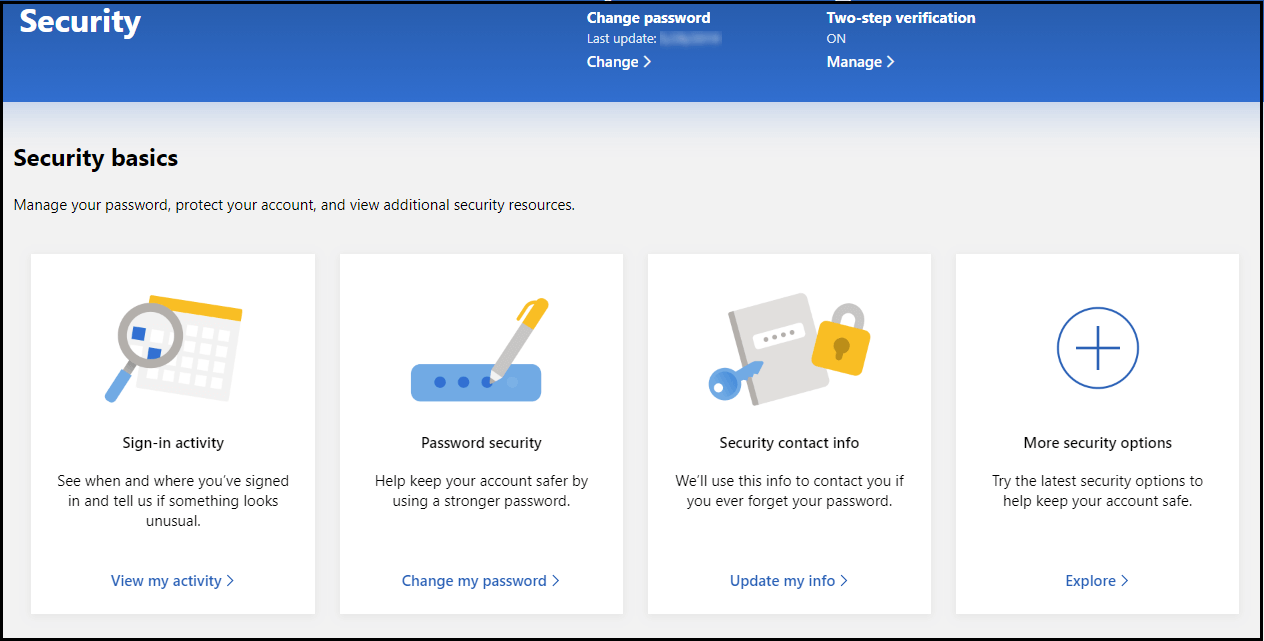
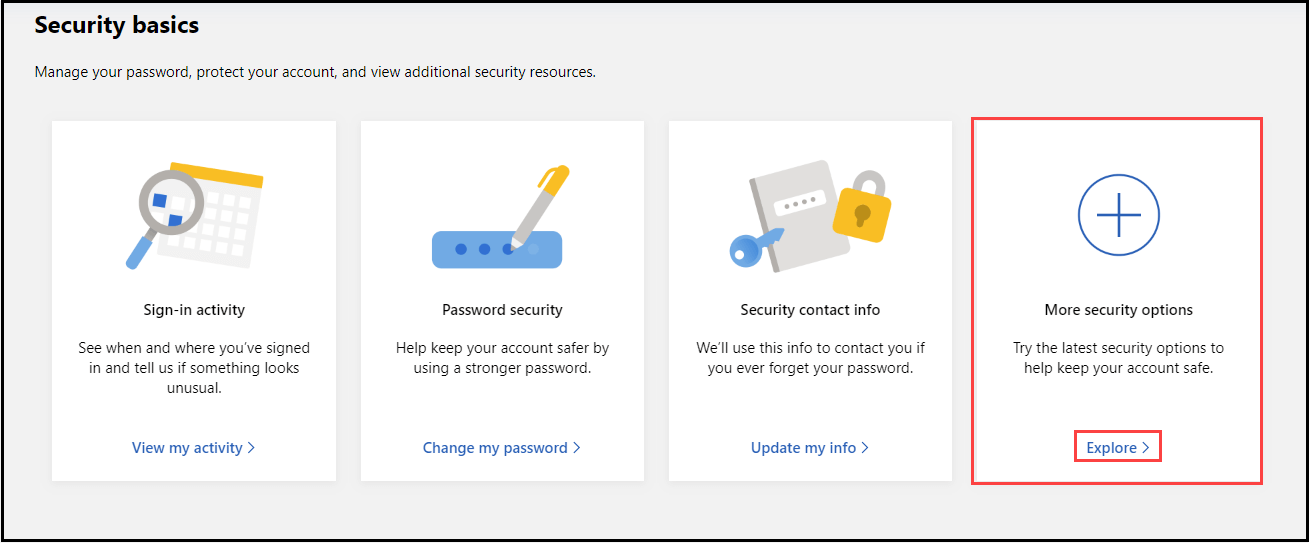
- Go to Security basics and click on Explore option under More Security options
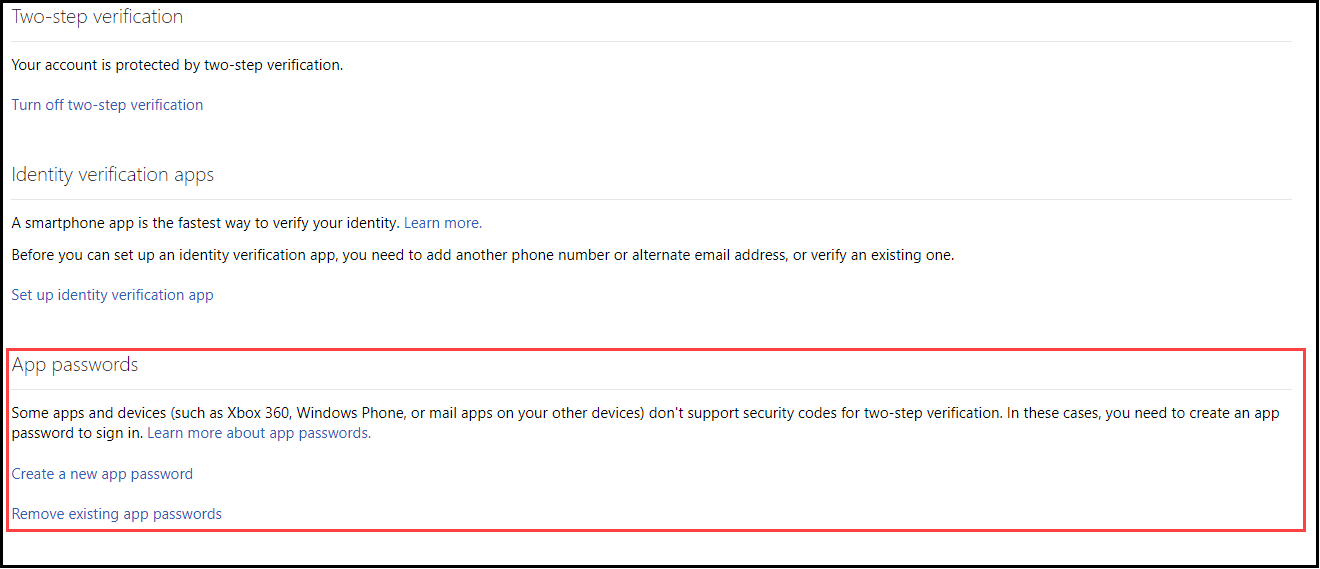
- Go to create a new password
- A temporary password is generated. Hit Done.
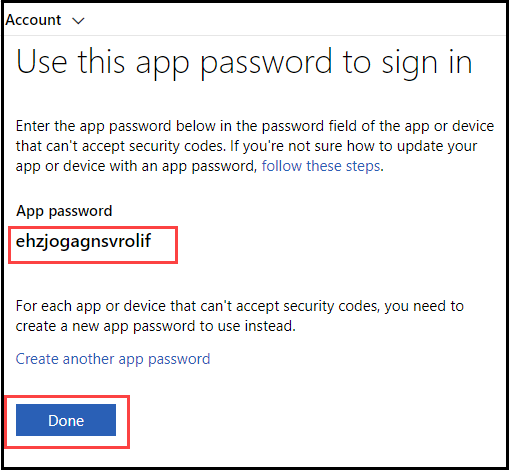
- Now,you can log in to Hotmail account with this app password for data migration.
Steps to migrate Hotmail mailboxes to IMAP
Once you get a temporary app password for Hotmail account. Download the Migration Tool. Then,follow the steps –
Step 1.Install the application on any Windows platform.
Step 2.Provide details of Hotmail account for authentication –
- Host address:imap.hotmail.com
- Username:email address of your Hotmail account
- Password:enter the app password generated earlier.
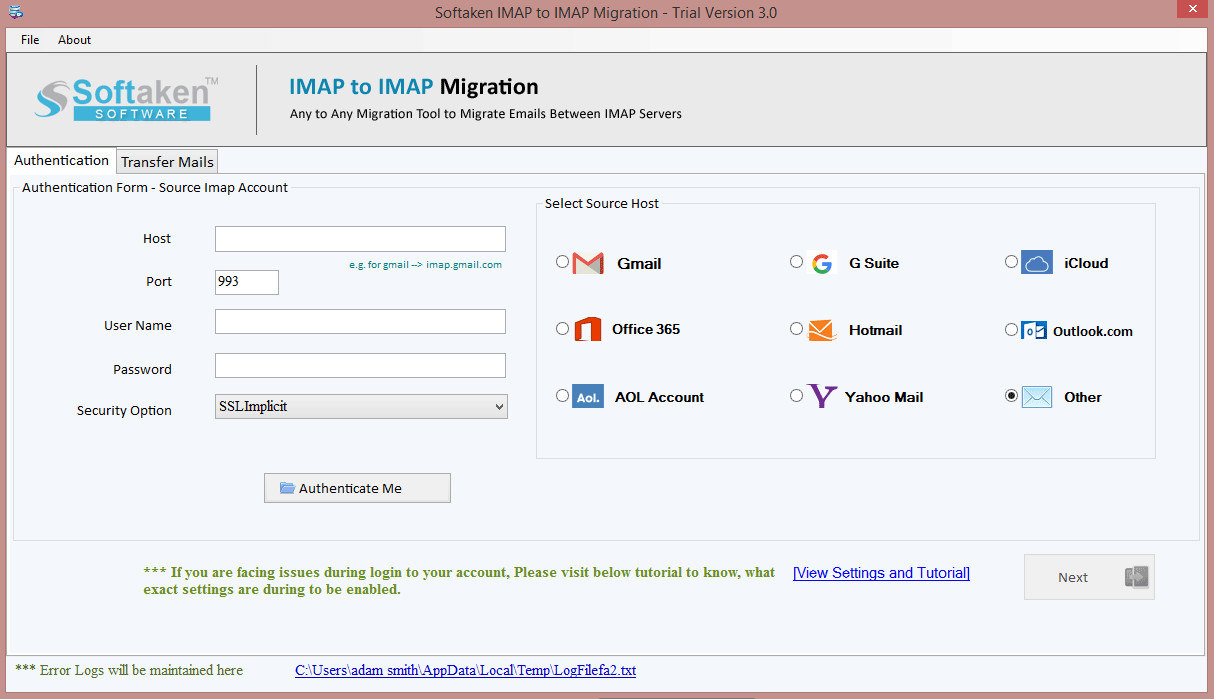
Step 3.Similarly,enter all the details for IMAP account and Click on Authenticate Me button.
Step 4.Now,select Hotmail account desired folder or all folder for migration.
Step 5.Mark Apply Filters to export filtered data from Hotmail account.
Step 6.Select a folder of IMAP account in which you want to import Hotmail mailboxes. Users can create a new folder with desired name.
Step 7.Finally,click on Start Transferring option and this export Hotmail emails to IMAP account.
Why the software is picked to migrate Hotmail to IMAP?
There are several benefits offered by the software that makes it preferable by professionals. Let us discuss a few major benefits of the software –
- Simplified and guiding interface to migrate to IMAP from Hotmail account
- Unlimited data migration at once without any risk and data alterations
- Migrate whole Hotmail account to IMAP or selected folders
- Deep filters to export data based on date range,subject,to,from,etc.
- No requirement on any additional program for the migration
- Direct migration without disturbing the hierarchy of mailbox folders
- Compatibility with all editions of Windows operating systems
Conclusion
Many times users switch to IMAP account from Hotmail account and they need an effective solution to migrate the mailboxes. All the necessary information to migrate Hotmail mailboxes to IMAP account is explained in this post so that users can transfer the data with full security and ease.
