 1
1File / Folder mode
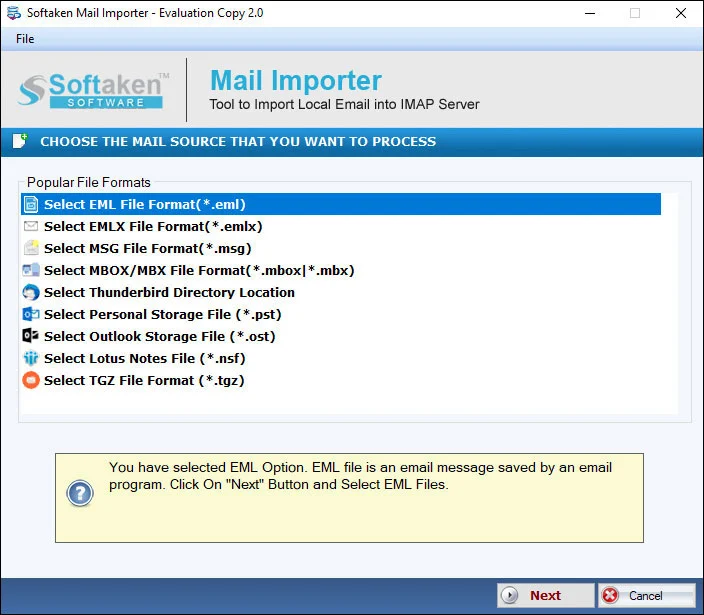
Select EML in File Type, then choose Folder or File mode in Input Type to browse files.
Independently scanned with multiple antivirus engines.
100% SafeExport desired EML data to Gmail swiftly & accurately
Upload EML and EMLX to Gmail with Softaken-documented username and password. Softaken lists folder hierarchy, CC/BCC/To/Date, attachments, File/Folder mode, and a free demo (10 items).How to Access Gmail Account with Third Party Apps or Software?
EML to Gmail Conversion can make your EML data accessible to any laptop and smart device. You can access Apple Mail, Thunderbird and several other email clients’ databases with ease if migration from EML to Gmail takes place. Our third tool supports you to achieve the task with less effort and so quickly. This is a highly interactive application to install in your Windows. Softaken documents Gmail username and password login, File Type plus Folder or File mode, select-or-create Gmail folder, maintained folder hierarchy, properties like CC, BCC, To, Date with attachments, and IMAP & Less Secure Apps as pre-setting requirements.
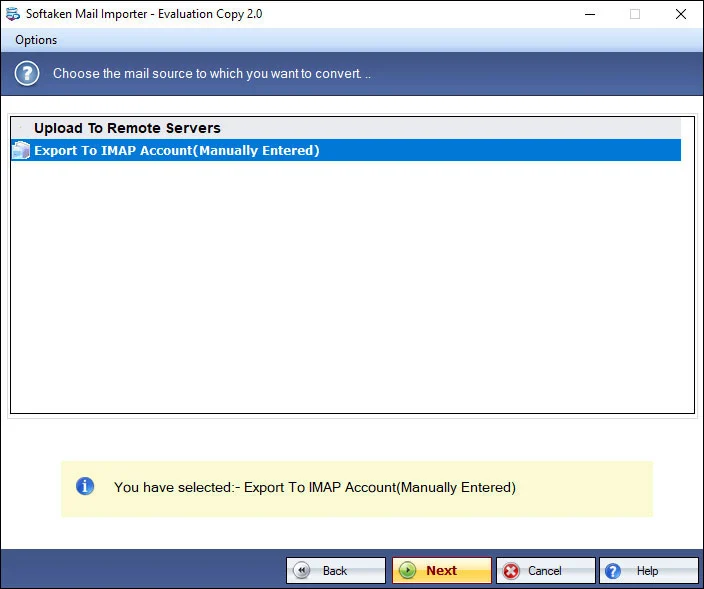
Add local files (EML/EMLX), preview, authenticate Gmail, then choose or create a folder (Softaken Mail Importer UI).
1Select EML in File Type, then choose Folder or File mode in Input Type to browse files.
 2
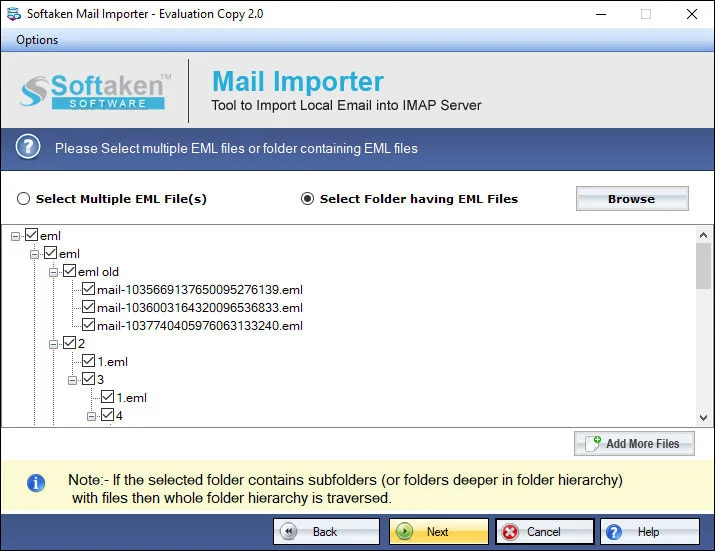
2Softaken scans and converts EML databases of any size and any date (healthy files only).
 3
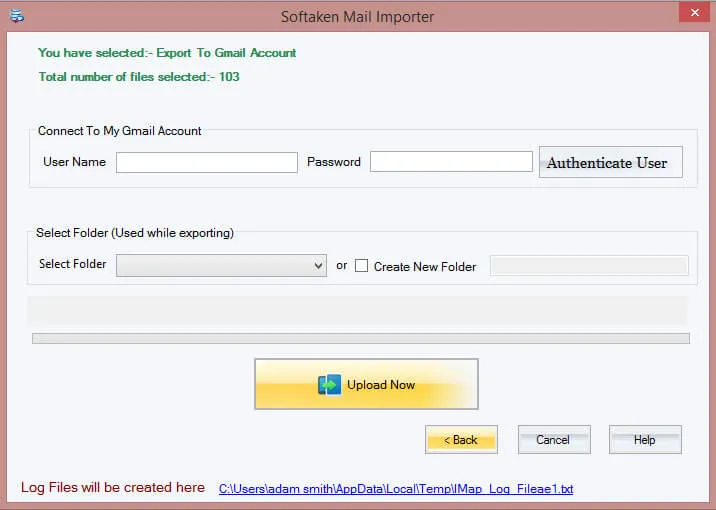
3Provide the right username and password of the particular Gmail account to connect in no time.
 4
4Select a folder of the Gmail account or create a new folder, then press Process Now.
Click a screenshot to enlarge. Guides: how-to steps · screenshots.
Follow the discussed Softaken steps to import EML files to Gmail:
EML files of any size can export with this program. The tool has capacity to import EML databases without considering its size. It means the file size doesn’t come in the way of conversion.
Import EML files into Gmail without any doubt of data loss with the help of this conversion program. It keeps the data intact by exporting entire properties of emails along with attachments. Original structure of EML file is not exploited.
You are looking a way to convert just only one EML file or multiple, choose the conversion program confidently because it has capacity to export EML files in bulk. The data quality is still not lose no matter how many files are exported.
The conversion feature is operated by users. So they have full control on the functionality of the app. It restores EML files to Gmail once you have selected the particular EML file. The file filter feature allows you to select and convert your desirable files.
Users just have to provide the right username and password of the particular Gmail account in which they want to export data. The utility establishes connection with the particular in no time to convert data.
With this app upload EML files to Gmail in no time and get ready to export. The tool contains 3–4 steps for migration. No special technical help is required to operate the app. Softaken’s feature comparison on this page lists demo limitation as 10 items.
This Softaken page’s feature comparison lists demo limitation as 10 items. Softaken Mail Importer docs (same download) also state the trial imports the first 25 local files. A “10 to 25 emails per folder” range is not stated. Full unlimited from $99. Softaken documents Gmail username and password plus IMAP & Less Secure Apps pre-settings. Named “16-digit App Password / TLS IMAP pipeline / OAuth” hero slogans are not listed on this page alone (see Softaken Gmail third-party apps KB and Gmail App Password KB).
Engine Note
This landing page uses the Softaken Mail Importer download and docs (EML/EMLX among sources → Gmail among destinations; buy-mail-importer). Softaken documents username & password plus IMAP & Less Secure Apps—not “16-digit App Password / TLS IMAP / OAuth” hero USPs (App Password guidance is in Softaken KBs). Explicit Gmail label mapping beyond new/existing folder, Zoho as a named source, RFC 822 inventories, and zero-proxy staging slogans are not listed (see FAQs). Older comparison tables that showed $29 are corrected to Mail Importer pricing $99.
Product Info
Version2.0
Size19.4 MB
Starting Price$99
Full licenseUnlimited
Demo & License
Free demo: Softaken lists 10 items on this page’s comparison table. Mail Importer docs also list trial of the first 25 local files. A “10 to 25 emails per folder” range is not stated. Full unlimited from $99.
Demo (this page)10 items
Demo (docs)First 25 local files
EngineMail Importer
Licensed editionUnlimited from $99
Input & Output
InputEML / EMLX (Apple Mail, WLM, Thunderbird, etc.)
OutputGmail account
AuthUsername & password
PlatformWindows only (not Mac)
System Requirement
ProcessorAny Pentium Class
Operating SystemWindows 11, 10, 8.1, 8, 7 & Other
Memory512 MB Minimum
Hard Disk100 MB of free space for software installation
Software Delivery
Interface Available
This page documents Gmail username and password plus IMAP & Less Secure Apps. Softaken App Password KB explains App Password for 2SV. 16-digit / TLS / OAuth hero slogans are not listed.
No. Softaken states no additional application is needed.
Yes. Softaken lists EML and EMLX into Gmail.
Yes for folders: select or create a new Gmail folder. Softaken also lists folder hierarchy. Explicit label wording is not claimed.
Softaken preserves CC, BCC, To, Date and attachments with folder hierarchy. RFC 822 / inline-image inventories are not listed.
Yes. Softaken lists bulk import and no effect from EML file count. Nested-subfolder slogans beyond that are not listed.
Mail Importer states login details are not saved. Zero-staging slogans are not listed.
Demo: 10 items (page); first 25 local files (docs). Full from $99. A 10–25 per folder range is not stated.
| Item | Details |
|---|---|
| Product | Softaken EML to Gmail Importer |
| Publisher | Softaken Software |
| Platforms | Windows |
| Version | 2.0 |
| Size | 19.4 MB |
| License | Demo 10 items (page) / 25 files (docs); full unlimited from $99 |
| Scope | Import EML and EMLX to Gmail account |
| Auth | Gmail username and password; IMAP & Less Secure Apps |
| Page | https://www.softaken.com/eml-to-gmail-importer |
