 1
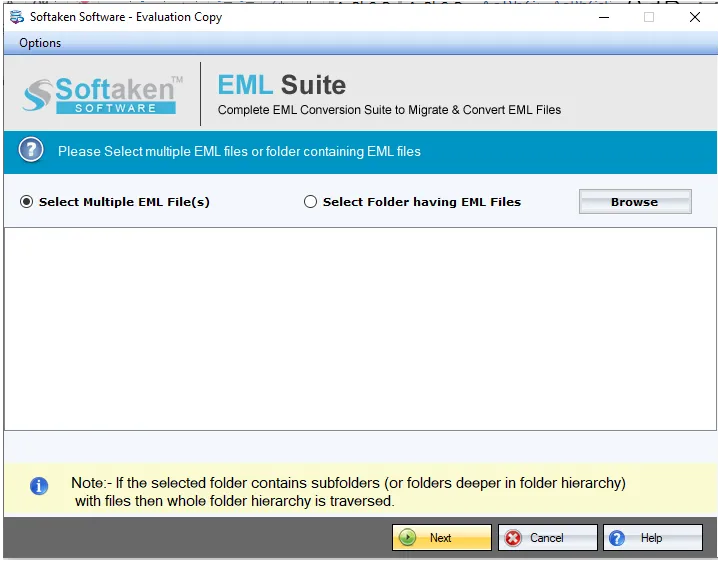
1Browse EML / Folder mode
Choose Folder mode to add multiple EML files for batch conversion to TGZ.
Independently scanned with multiple antivirus engines.
100% SafeSoftaken EML to TGZ Converter(also called Softaken EML to Zimbra Converter) converts EML emails to Zimbra TGZ file format on Windows in a few minutes with 4 easy steps. Softaken lists Folder mode for multiple EML files,including all attachments,complete preservation of on-disk folder hierarchy,email body,headers,and formatting,and a fully independent / standalone program with no supportive email client required.
Screenshots from the Softaken EML Suite steps guide(choose TGZ under export options).
1Choose Folder mode to add multiple EML files for batch conversion to TGZ.
 2
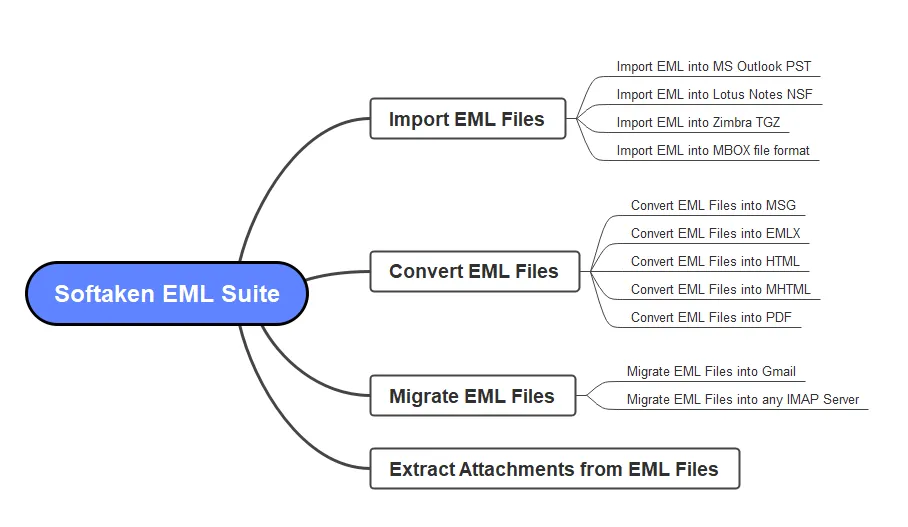
2Review loaded EML data in the Softaken EML Suite interface before export.
 3
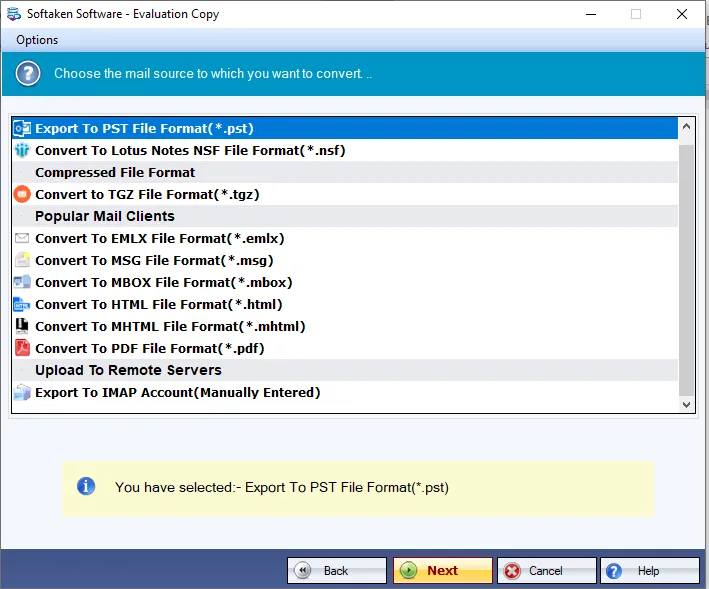
3Select TGZ file format for Zimbra desktop output.
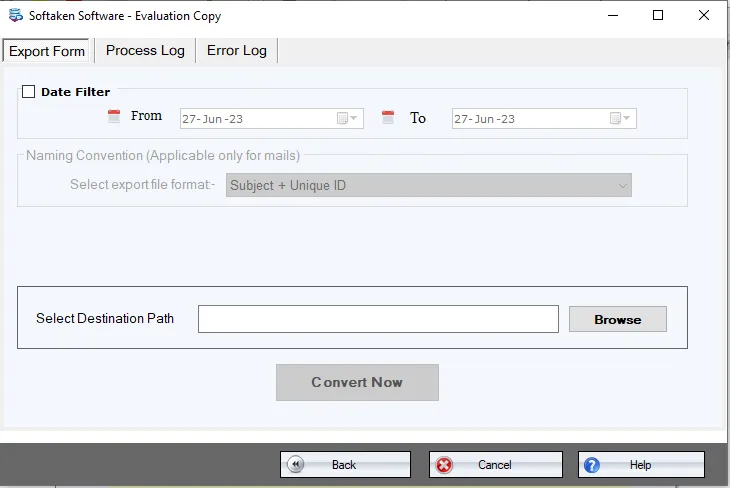 4
4Suggest a location to save the exported TGZ file,then hit Convert Now.
Click a screenshot to enlarge. Source:docs/eml-suite/steps· screenshots.
There are only a few simple steps that you need to follow to convert EML files to TGZ file –
To convert EML emails to TGZ file format smoothly and safely,Softaken EML to Zimbra Converter is one of the best tools that comes with 4 easy steps by which users can migrate complete EML data to Zimbra TGZ file format taking a few minutes.
Multiple EML files conversion to TGZ at once is performed by the software. Using the Folder mode,unlimited EML files are added to convert into Zimbra TGZ file format. By this,huge data from EML based email clients is exported to Zimbra in a short time.
Multiple applications and platforms supported EML files are smoothly converted to TGZ file format using this software. These email clients include Windows Live Mail,Outlook Express,Thunderbird,DreamMail,eM Client,The Bat,etc.
There is complete preservation of EML folders throughout the conversion. The software smartly maintains the exact folder hierarchy even after the conversion. Also,the email body,email headers,and email formatting are fully preserved during the conversion.
One can export EML emails to Zimbra TGZ file format on any Windows version. The EML to TGZ Converter can be installed on Windows 11,Windows 10,Windows 8.1,Windows 8,Windows 7,Windows XP,Windows Vista,and others without any interruptions.
You don’t need any supportive email client for the conversion of EML to TGZ. The software is fully independent and can be easily handled without any technical assistance. No errors and data loss issues are there throughout the conversion.
Free Demo converts only 10 EML filesto TGZ. A “10 to 25 emails per folder” range is not stated. Full unlimited from $69(Softaken EML Suite engine used on this page). Softaken lists a fully standaloneprogram (no supportive email client),attachments,on-disk folder structure,and all Zimbra desktop versions. Named Zimbra Collaboration Server (ZCS) / Web Client import menus,Apple Mail / Zoho EML sources,.emlx,and “100% offline / zero telemetry” slogans are not listed.
Engine Note
This landing page uses the Softaken EML Suitedownload and docs (TGZ / Zimbra among export options;buy-eml-to-tgz/ buy-eml-suite). Primary focus here is EML → Zimbra TGZfor Zimbra desktop. Softaken lists a fully standalone converter,attachments,folder hierarchy,and all Zimbra desktop versions. Named ZCS/Web Client import menus,Apple Mail/Zoho EML sources,.emlx,and “100% offline / zero telemetry” slogans are not listed(see FAQs).
Product Info
Version1.0
Size19.4 MB
Starting Price$69
Full licenseUnlimited
Demo &License
Free demo:Converts only 10 EML filesto TGZ. A “10 to 25 emails per folder” range is not stated. Full unlimited from $69(Softaken EML Suite).
Demo limit10 EML files
EngineEML Suite
10–25 per folderNot stated
Licensed editionUnlimited from $69
Input &Output
InputEML (WLM,OE,Thunderbird,etc.)
OutputZimbra desktop TGZ
ModesFile / Folder (batch)
Client installNot required
System Requirement
ProcessorAny Pentium Class
Operating SystemWindows 11,10,8.1,8,7 &Other
Memory512 MB Minimum
Hard Disk100 MB of free space for software installation
Software Delivery
Interface Available
Softaken documents EML to Zimbra TGZ conversion and save path. Exact Zimbra import menus are not listed on this page.
No. Softaken states the program is completely standalone with no supportive email client required.
Softaken supports all Zimbra desktop versions. Named ZCS version matrices are not listed.
Softaken lists WLM,Outlook Express,Thunderbird,DreamMail,eM Client,The Bat,etc. Apple Mail and Zoho are not listed on this page.
Softaken preserves attachments,email properties,body,headers,formatting,and on-disk folder hierarchy.
Yes. Softaken lists Folder mode for unlimited EML files and no size/number limits when licensed.
No size or number limitation on the licensed edition. Demo converts 10 EML files.
Demo converts 10 EML files to TGZ. Full unlimited from $69. A 10–25 per folder range is not stated.
| Item | Details |
|---|---|
| Product | Softaken EML to TGZ Converter |
| Publisher | Softaken Software |
| Platforms | Windows |
| Version | 1.0 |
| Size | 19.4 MB |
| License | Demo 10 EML files;full unlimited from $69 |
| Scope | Convert EML to Zimbra desktop TGZ with attachments |
| Prerequisite | Fully standalone;no supportive email client |
| Page | https://www.softaken.com/eml-to-tgz-converter |
