 1
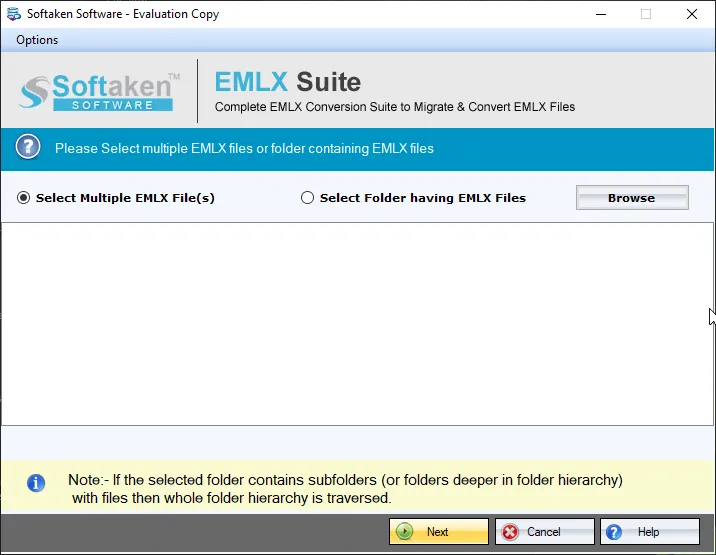
1Browse EMLX files
Load EMLX files;Folder mode adds an EMLX folder at once for batch conversion.
Independently scanned with multiple antivirus engines.
100% SafeLibrary/Mailpaths,custom Subject/Date/Sender naming patterns,and “100% offline / zero telemetry” claims are not listedon this page.Softaken EMLX to EML Converterconverts Apple Mail EMLX emails to EML on Windows—with attachments. Softaken lists single and batch mode,loading an EMLX folder at once,preserved components (subject,date,time,from,to,cc,bcc,hyperlinks,signatures,and folder structure),no need for any supportive environment / no email client configuration,save at a desired location,and opening converted files in Windows Live Mail,Outlook Express,Thunderbird,eM Client,DreamMail,etc. Demo converts 10 EMLX files;full unlimited from $29.
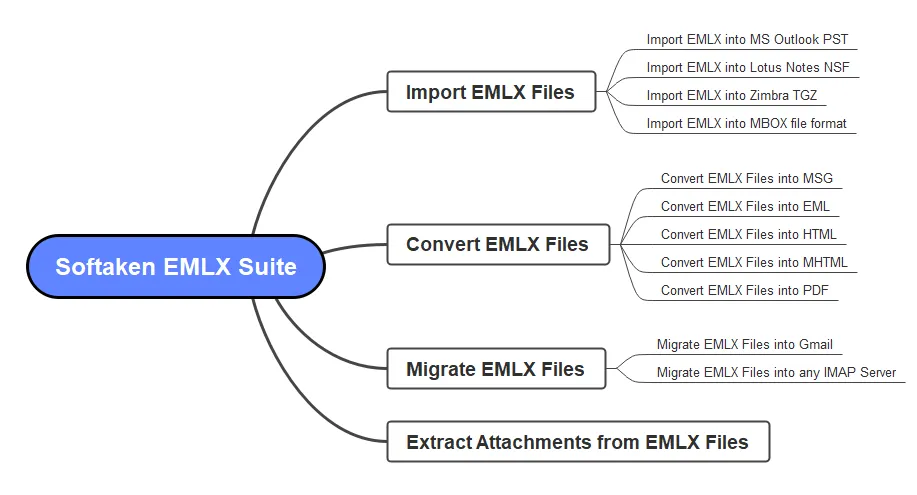
Screenshots from the Softaken EMLX Suite steps guide(choose EML under Export options).
1Load EMLX files;Folder mode adds an EMLX folder at once for batch conversion.
 2
2Loaded EMLX files are scanned with live data preview before export.
 3
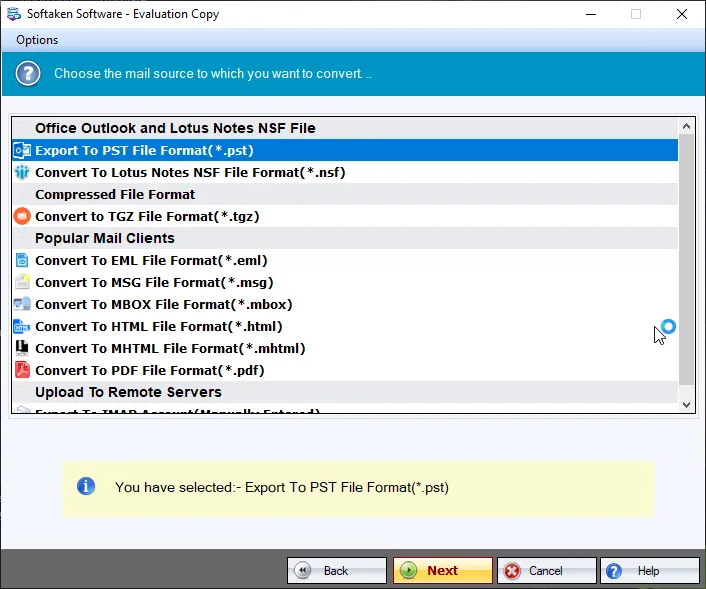
3Use Export options and select EML file format (Softaken EMLX Suite).
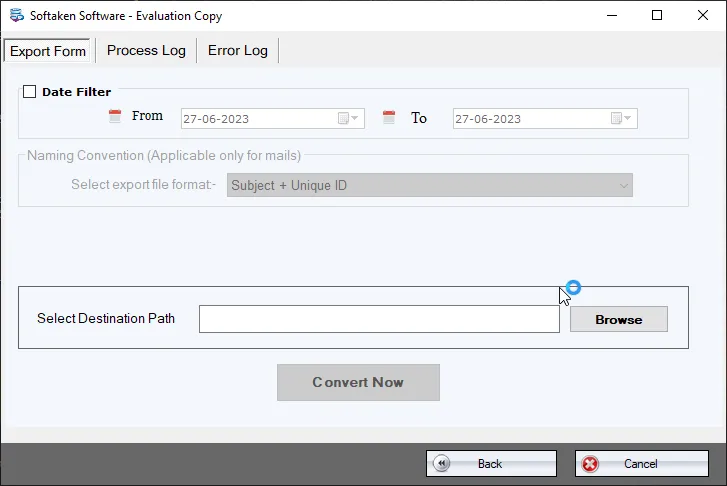 4
4Provide output file location using Browse,then hit Convert Now.
Click a screenshot to enlarge. Source:docs/emlx-suite/steps· screenshots.
Follow the steps sequentially to convert EMLX items to EML file format –
The software is designed to smoothly export single as well as multiple EMLX files to EML file format. There is no need for any supportive environment to convert EMLX data items to EML file format to open Apple Mail files in Windows Live Mail,Outlook Express,Thunderbird,etc.
The program is capable to load EMLX folder at once and export all their data to EML file format. Along with this,all email components like subject,date,time,from,to,cc,bcc,hyperlinks,signatures,and folder structure is maintained even after the conversion.
The conversion process of EMLX emails to EML is very simple that can be easily understood by all users without any inconvenience. The entire conversion process involves only 4 easy steps and users need no technical training to carry out them.
If you have attachments with EMLX emails,then don’t worry,this tool smoothly converts EMLX emails with attachments into EML file format. All attachments will be saved in their original format and remain embedded with emails.
The program can work smoothly on all Windows machines. It supports all the latest and older versions of Windows OS like Windows 11,10,8.1,8,7,XP,Vista,etc. Also,Windows 64bit and 32bit versions are supported by the application.
Download EMLX 2 EML Converter free trial and understand the complete working process of the software prior applying for the license edition. With the demo version,users can understand the complete working of the tool by exporting 10 EMLX files to EML format.
Free Demo converts 10 EMLX filesto EML (evaluation). A “10 to 25 emails per folder” range is not stated. Full unlimited license from $29(Softaken EMLX Suite engine used on this page). Softaken lists no email client configuration,attachments embedded,and open converted files in Windows Live Mail,Outlook Express,eM Client,Thunderbird,DreamMail,etc. Named .emlxpart stitching / byte-count header slogans,custom Subject/Date naming patterns,and “100% offline / zero telemetry” claims are not listed.
~/Library/Mail/V*) is not listed. Softaken states the software supports only Windows OS:browse and load EMLX after files are available on the PC.Engine Note
This landing page uses the Softaken EMLX Suitedownload and docs (EML among export options;buy-emlx-suite). Primary focus here is Apple Mail EMLX → EML. Softaken lists no email client configuration,attachments embedded,and opening converted files in Windows Live Mail,Outlook Express,Thunderbird,eM Client,DreamMail,etc. Exact Mac Library/Mailpaths,.emlxpartstitching / byte-count or plist-strip slogans,Subject/Date/Sender naming patterns,and “100% offline / zero telemetry” claims are not listedon this EMLX to EML page (see FAQs).
Product Info
Version1.0
Size19.5 MB
Starting Price$29
Full licenseUnlimited
Demo &License
Free demo:Converts 10 EMLX filesto EML. A “10 to 25 emails per folder” range is not stated. Full unlimited license from $29(Softaken EMLX Suite).
Demo limit10 EMLX files
EngineEMLX Suite
10–25 per folderNot stated
Licensed editionUnlimited from $29
Input &Output
InputApple Mail / Mac Mail EMLX
OutputEML file format
ModesFile / Folder / bulk
PrerequisiteNo email client required
System Requirement
ProcessorAny Pentium Class
Operating SystemWindows 11,10,8.1,8,7 &Other
Memory512 MB Minimum
Hard Disk100 MB of free space for software installation
Software Delivery
Interface Available
Softaken converts EMLX with attachments embedded in original format. Named .emlxpart stitching slogans are not listed.
Exact Library/Mail paths are not listed. Softaken supports Windows only;load EMLX on the PC.
No. Softaken states no email client configuration and no supportive environment is required.
Softaken lists Windows Live Mail,Outlook Express,eM Client,DreamMail,etc.,and Thunderbird.
Softaken preserves metadata properties and original formatting,including subject,date,time,from,to,cc,bcc,hyperlinks,and signatures.
Yes. Softaken lists batch mode,folder load,and no file number or size restrictions when licensed.
Softaken documents saving at a desired location. Subject/Date/Sender naming patterns are not listed.
Demo converts 10 EMLX files to EML. Full unlimited from $29. A 10–25 per folder range is not stated.
| Item | Details |
|---|---|
| Product | Softaken EMLX to EML Converter |
| Publisher | Softaken Software |
| Platforms | Windows |
| Version | 1.0 |
| Size | 19.5 MB |
| License | Demo 10 EMLX files;full unlimited from $29 |
| Scope | Convert Apple Mail EMLX to EML with attachments |
| Clients | Windows Live Mail,Outlook Express,eM Client,Thunderbird,DreamMail,etc. |
| Page | https://www.softaken.com/emlx-to-eml-converter |
