Privacy cleanup
Edit or clear sensitive fields such as Author one field at a time before you share a PDF — useful when you need to sanitize properties without a one-click wipe-all.
Benefit: Privacy cleanup — faster, local PDF workflow.
Edit PDF document properties — Title, Author, Subject, Keywords, and more — for privacy cleanup or SEO indexing.
100% Standalone — view and edit Portable Document Format (.pdf) metadata with Softaken PDF Champ; Adobe Acrobat is not required to run the tool.
Key Features at One Glance
Available for Windows, Mac, and Linux. Demo saves output with a PDF Champ watermark. Buy Now uses the same PDF Champ checkout for all platforms.
100% Safe & Verified Download Windows, Mac, and Linux installers are digitally signed with a trusted certificate, ensuring authentic publisher identity and zero tampering.
Follow the steps on the left. Use the arrows to switch screenshots — click a screenshot to enlarge.
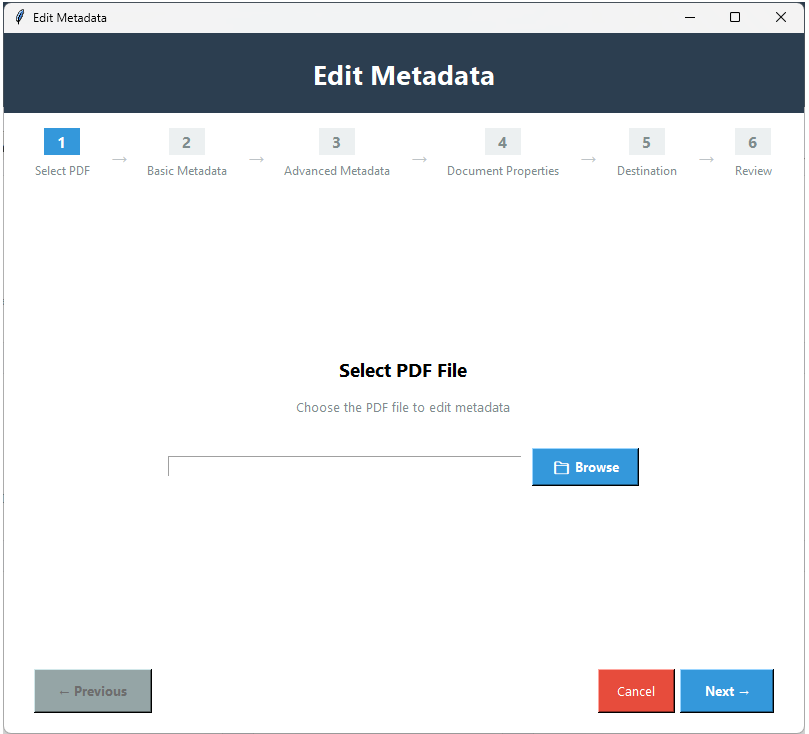
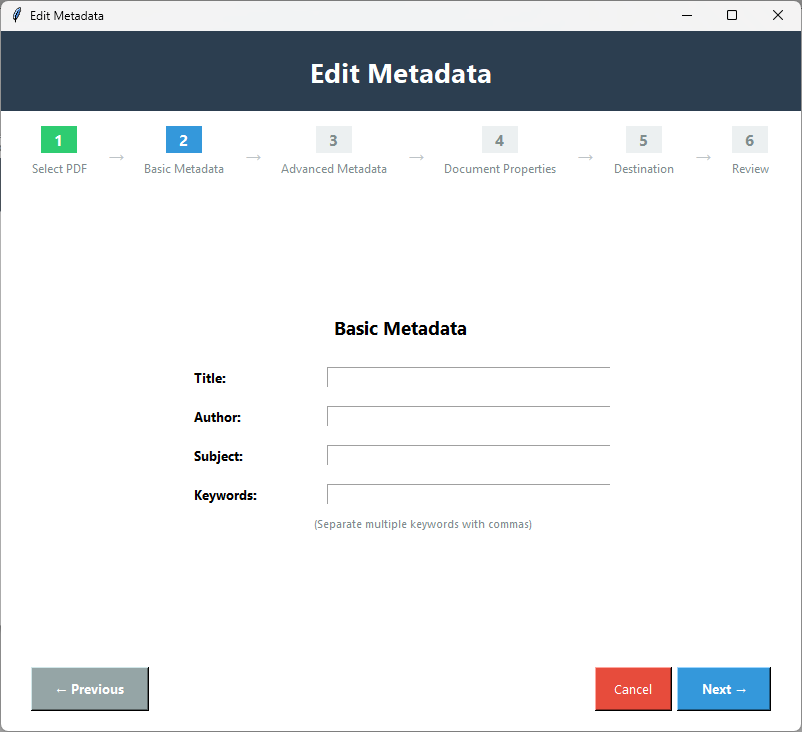
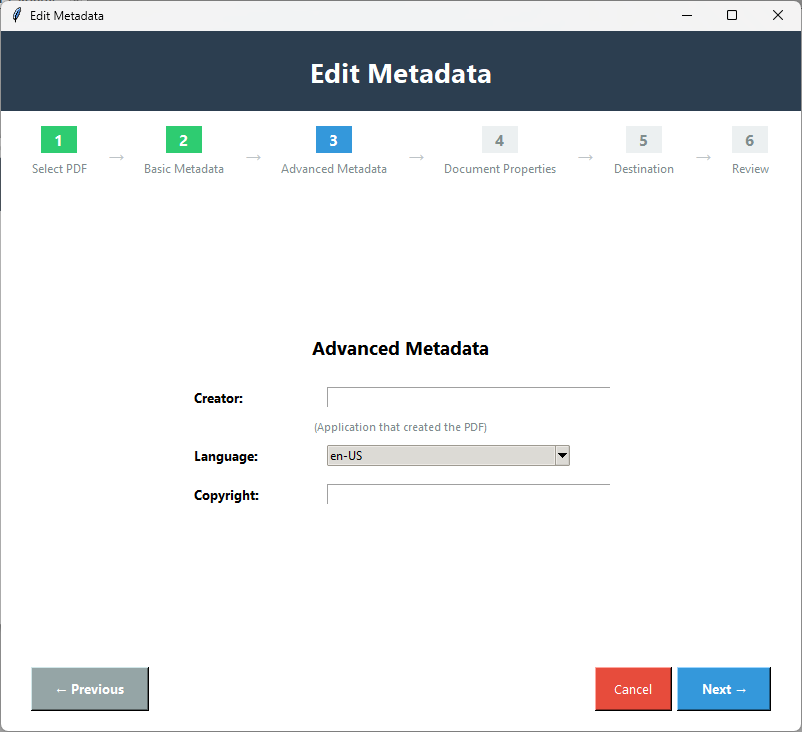
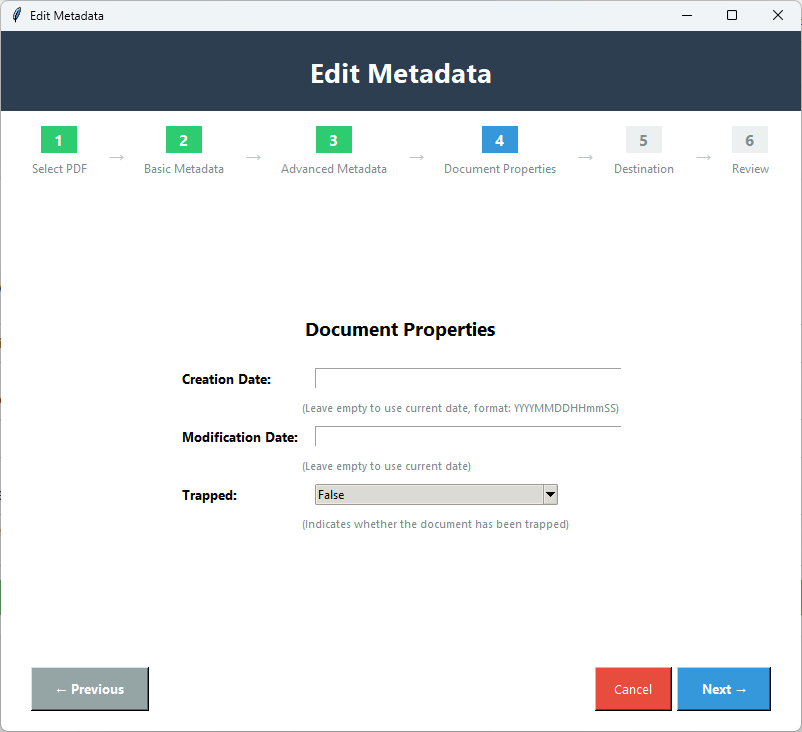
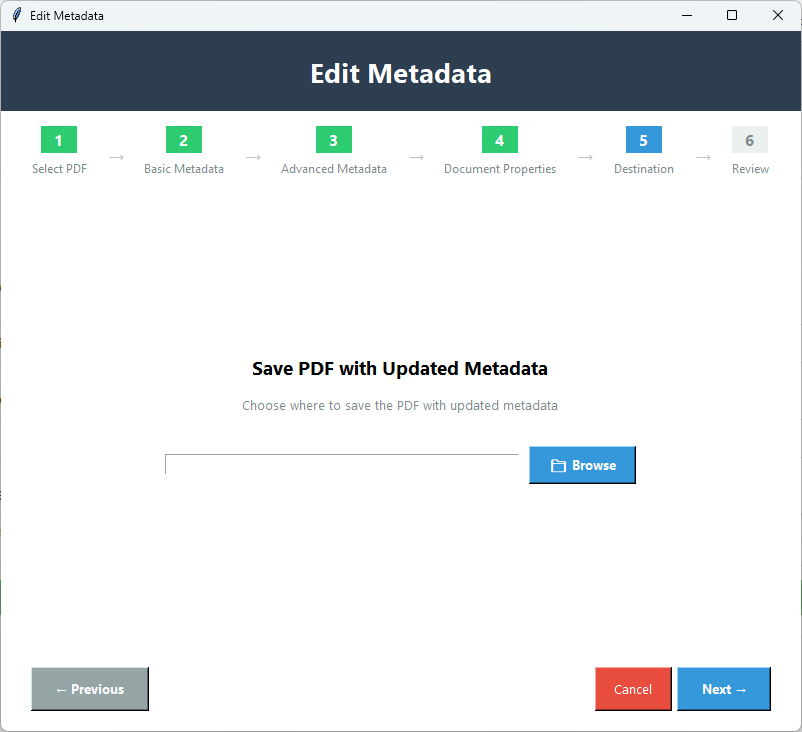
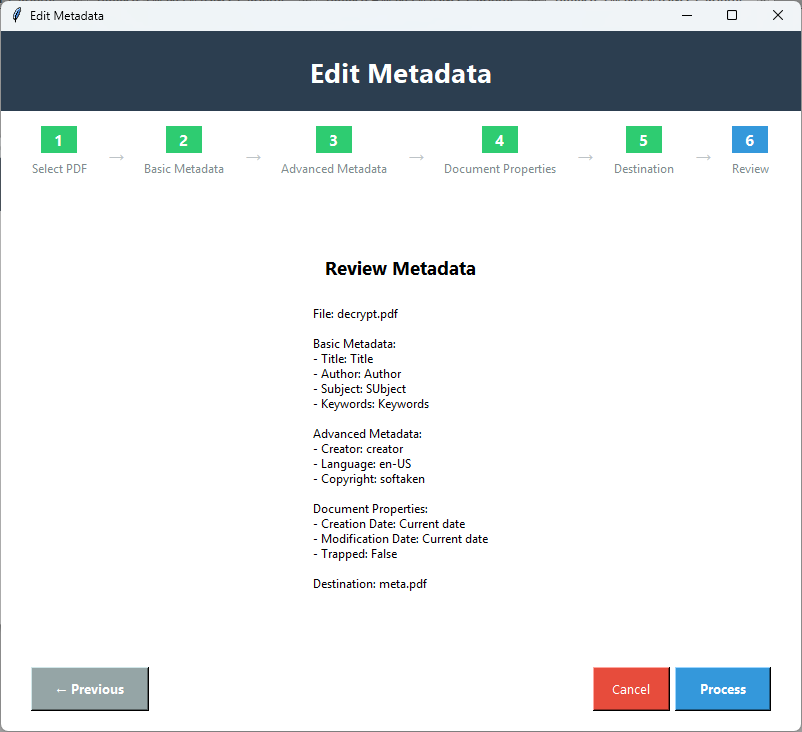
step 1 of 6 · click image to enlarge
See Softaken PDF Champ Edit Metadata load a PDF, update Title, Author, Keywords, and other properties, then save — without Adobe Acrobat to run the tool.
Edit or clear sensitive fields such as Author one field at a time before you share a PDF — useful when you need to sanitize properties without a one-click wipe-all.
Benefit: Privacy cleanup — faster, local PDF workflow.
Add or correct Title, Subject, Author, and Keywords so documents stay searchable in file systems and document libraries.
Benefit: SEO / indexing — faster, local PDF workflow.
Set clear titles, authors, and custom properties so large PDF collections stay easier to sort and identify.
Benefit: Document organization — faster, local PDF workflow.
Edit all PDF document properties including title, author, subject, keywords, creator, and more. Full control over PDF metadata fields. Perfect for organizing documents with comprehensive metadata information.
Benefit: Complete Metadata Control — faster, local PDF workflow.
Add keywords and metadata for better searchability. Optimize PDF documents for search engines and file systems by adding relevant keywords and metadata. Perfect for improving document discoverability and search optimization.
Benefit: SEO Optimization — faster, local PDF workflow.
Organize documents with proper metadata. Add titles, descriptions, and keywords to create a well-organized document library. Perfect for managing large collections of PDF documents with searchable metadata.
Benefit: Better Organization — faster, local PDF workflow.
Enhance document searchability through metadata. Improve search functionality by adding comprehensive metadata to PDF documents. Perfect for making documents easier to find through file system searches and document management systems.
Benefit: Search Improvement — faster, local PDF workflow.
Add custom properties and metadata fields. Create custom metadata fields beyond standard properties. Perfect for adding specialized information or custom properties specific to your document management needs.
Benefit: Custom Properties — faster, local PDF workflow.
Try PDF Metadata Editor completely free with the demo version. Test metadata editing before purchasing. The demo saves output with a PDF Champ watermark. No credit card required — download and test immediately.
Benefit: Free Trial to Test — faster, local PDF workflow.
Basic fields are Title, Author, Subject, and Keywords. Advanced fields in Champ docs include Creator, Language, and Copyright. You can also edit Creation Date and Modification Date, plus add custom properties. Producer shows up in older landing FAQ wording; Advanced docs list Creator, Language, and Copyright — not Producer as a documented Advanced control.
You can edit or clear individual fields (for example Author) for privacy cleanup. A one-click “Wipe All” / strip-everything button is not documented for Champ Edit Metadata, so that isn’t claimed here.
No. Metadata Editor is part of Softaken PDF Champ — a standalone app that runs without Adobe Acrobat. Available for Windows, Mac, and Linux. After saving, open the PDF in any reader you prefer.
The Champ Edit Metadata how-to focuses on one PDF at a time. Simultaneous multi-PDF / batch metadata cleaning in that wizard is not documented, so batch mode isn’t claimed here.
Landing materials describe editing properties while preserving document quality. Separate “zero visual alteration / completely untouched” claims beyond that wording are not made here.
Yes. You can edit the PDF Creation Date and Modification Date along with other metadata fields.
Password-protected / encrypted PDF support is not documented for the Champ Edit Metadata wizard. Unlock protected PDFs first if you need to edit their metadata with this module.
The free demo saves output with a PDF Champ watermark. Full license from $49 saves without that watermark. A “3–5 files only” trial cap is not documented for this module — the watermark is the stated demo note. Available for Windows, Mac, and Linux.
100% Standalone — Adobe Acrobat is not required to run. Independently scanned: VirusTotal Report.
Part of PDF Champ — open Edit Metadata in Softaken PDF Champ and start updating document properties right away. Demo output includes a PDF Champ watermark.
Fields: Title · Author · Subject · Keywords · Creator · Language · Copyright · Dates · Custom props.
No Adobe required: Install Softaken PDF Metadata Editor and process PDFs locally on Windows, Mac & Linux. Also on the Microsoft Store.
Windows 11, 10, 8.1, 8, 7 & Other · Mac · Linux
Edit Metadata (PDF Champ)
PDF Champ watermark
Full from $49
System requirements and installer packages for Softaken PDF Metadata Editor on each OS.
Desktop installer
Apple desktop build
AppImage & Debian package
| Specification | Details |
|---|---|
| Product Name | Softaken PDF Metadata Editor |
| Part of | PDF Champ Version 7.0 |
| Basic Fields | Title · Author · Subject · Keywords |
| Advanced | Creator · Language · Copyright · Dates · Custom |
| OS Supported | Windows 11, 10, 8.1, 8, 7 & Other · Mac · Linux |
| Prerequisite | No Adobe Acrobat required to run |
| Processor | 1 GHz or faster |
| Memory | 2 GB minimum |
| Hard Disk | 500 MB free space |
| Demo | “PDF Champ” watermark on output |
| Full License | No watermark |
| Delivery | Electronic · Via Email · Minutes: 15 |
| Language / Support | English · Emails, Chat & Skype |
| Platform | Windows · Mac · Linux |
| Microsoft Store | Official Store listing |
| Security scan | VirusTotal Report |
The demo version saves output with a “PDF Champ” watermark. The full version removes the watermark.
| Feature | DEMO Version | FULL Version |
|---|---|---|
| Edit Title, Author, Subject, Keywords | Available | Available |
| Creator, Language, Copyright | Available | Available |
| Creation & Modification dates | Available | Available |
| Custom properties | Available | Available |
| Save to a new path | Available | Available |
| Standalone PDF Champ — no Adobe Acrobat to run | Available | Available |
| Limitation | “PDF Champ” watermark | No watermark |
| Price | FREE | $49 |
Customer feedback from Softaken users who edit PDF document properties with Metadata Editor in PDF Champ.
Records · Title Author Keywords · United States · Windows
PDF Metadata Editor is exactly what I needed. I regularly work with PDFs that need proper Title, Author, and Keywords, and this Champ feature made that simple. Custom properties are useful for our filing system. Highly recommended.
Librarian · SEO keywords · Australia · Windows
The PDF Metadata Editor feature is fantastic for organizing PDFs. Complete metadata control and SEO-oriented keywords help our documents stay searchable. Editing is fast and easy — great tool.
Document Manager · Daily PDFs · Sweden · Windows
As a document manager who handles PDFs daily, PDF Metadata Editor has been invaluable. I can set author info and keywords without installing Adobe Acrobat. This feature alone makes PDF Champ worth it.
Office Admin · Custom properties · Canada · Windows
PDF Metadata Editor is incredibly easy to use. The interface is intuitive, and I love being able to edit Title, Author, Keywords, and custom properties. Excellent Softaken Champ module.
Update Title, Author, Keywords, dates, and custom properties — no Adobe Acrobat required to run.
Available for Windows, Mac, and Linux. Demo saves output with a PDF Champ watermark. Buy Now uses the same PDF Champ checkout for all platforms.
