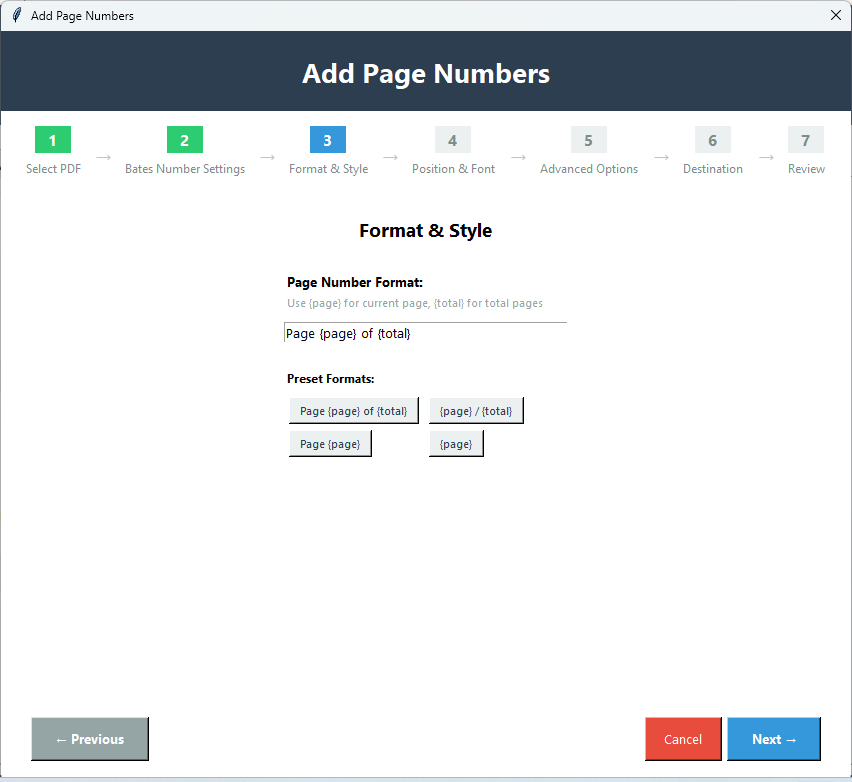
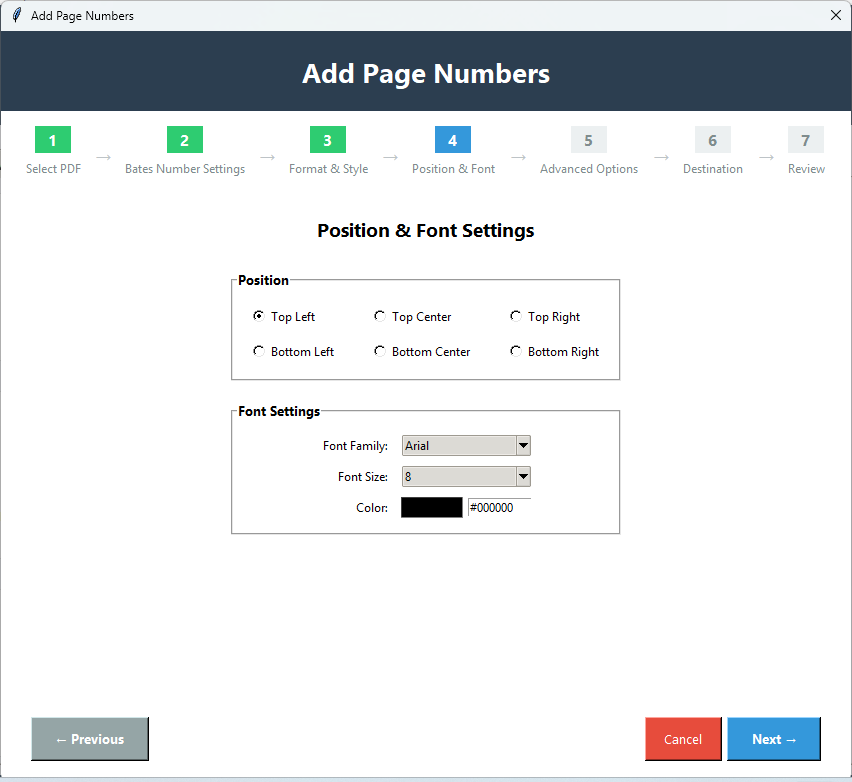
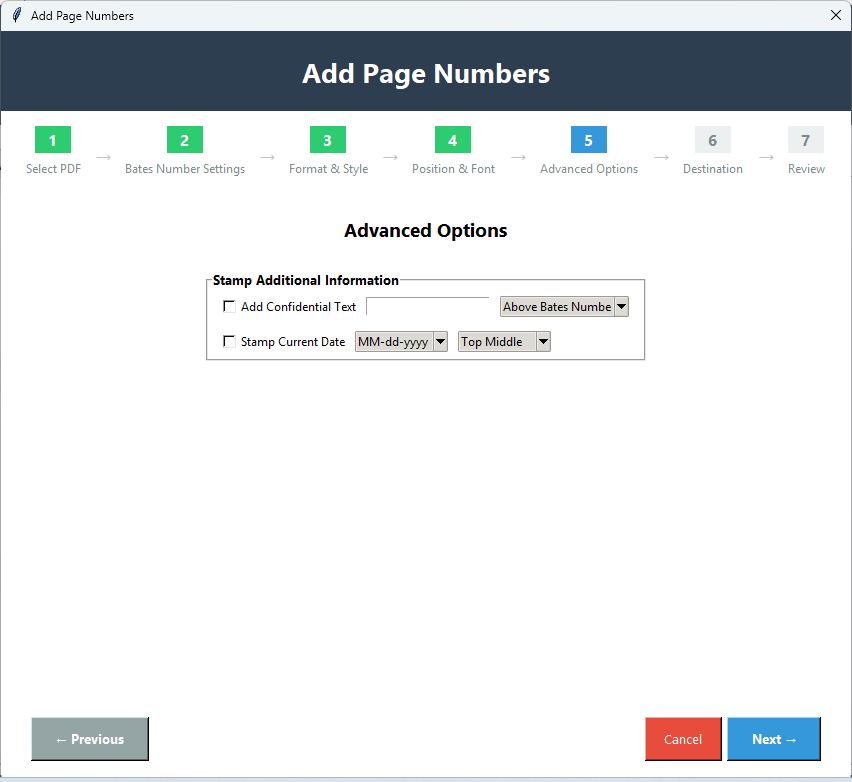
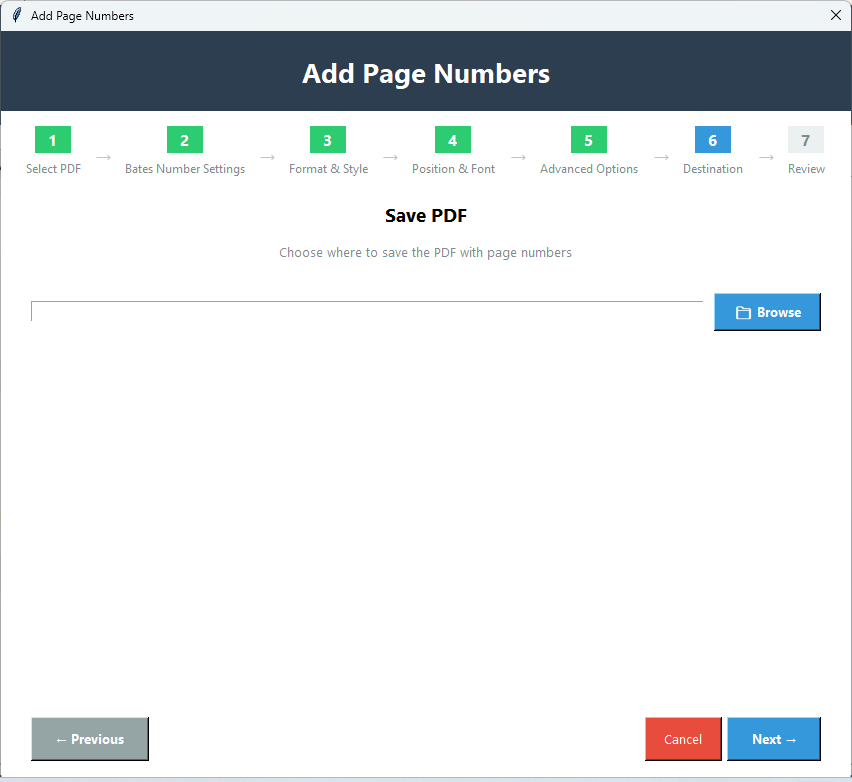
This PDF Page Numberer Tool allows adding Bates numbers or Bates stamps to PDF documents. Users can easily add Bates numbers in two ways:for pages &for files-pages with this app. In just a few clicks,users can assign Bates numbers to any PDF file.
Softaken PDF Numbering Software is a highly advanced and safe solution to add page numbers to PDF files. This utility offers adding Bates numbers to any PDF file without any restrictions. It comes with multiple formatting options to add Bates numbers and can easily add page numbers to protected PDF files as well. For PDF page numbering,you don’t require Adobe Acrobat when you have this powerful toolkit.
Note:This application is part of Softaken PDF Champ,a portable solution that doesn’t require a complicated setup and launches by double-clicking PDF Champ.exe.
See Softaken PDF Champ Page Numbers load a document,set Bates or page stamps,choose position and pages,preview,and save — without Adobe Acrobat to run the tool.

From PDF Champ Advanced Tools,open Page Numbers to start Bates or page stamping.

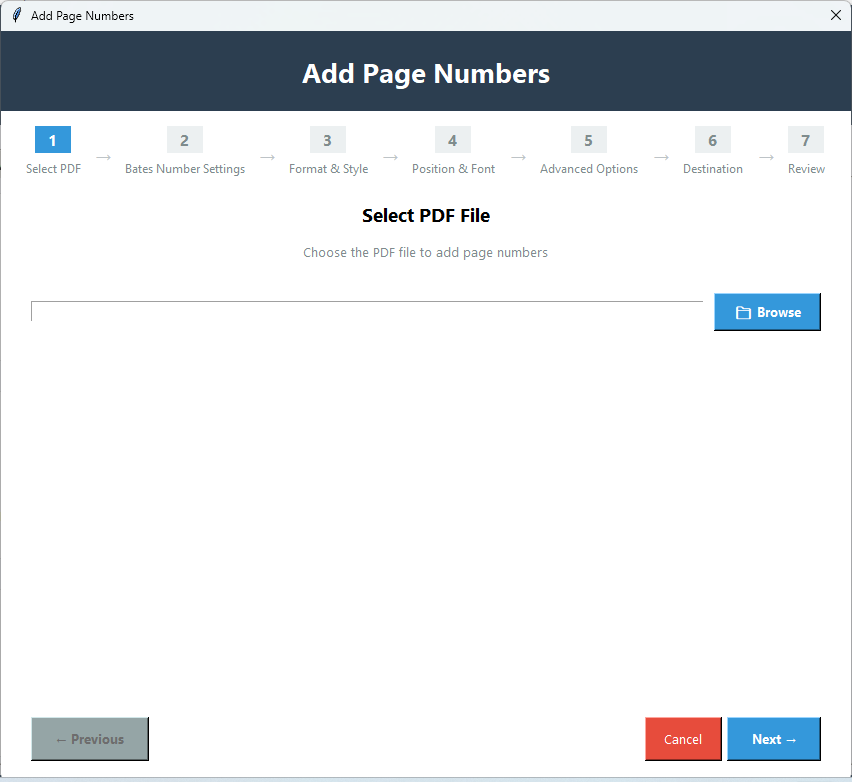
Browse and load the PDF you want to number. Champ how-to steps focus on selecting a PDF file.

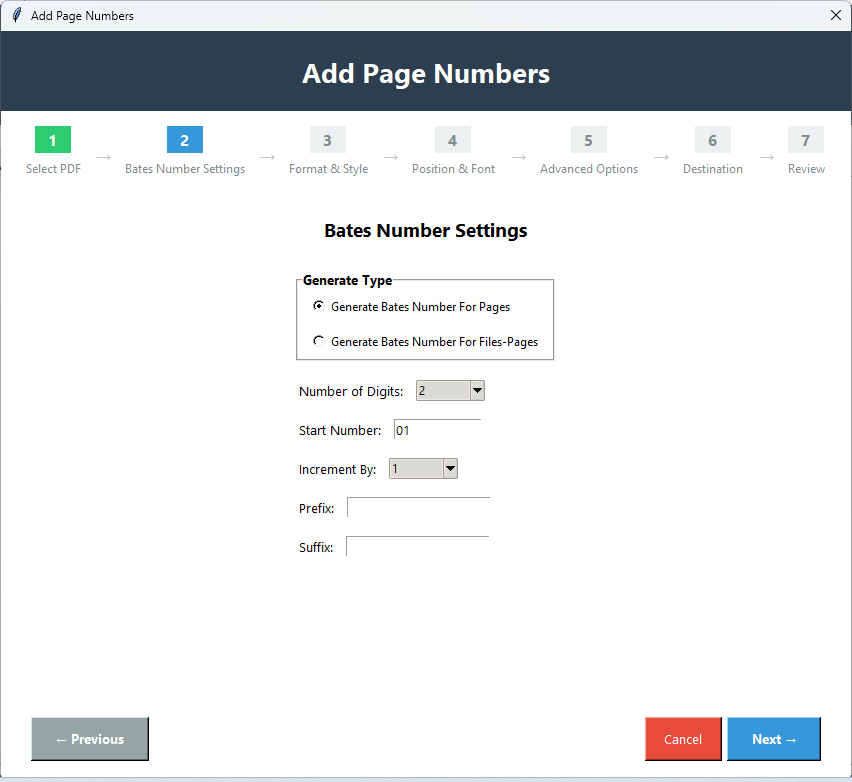
Set the first page number and how much to increase per page (for example start at 1,increment by 1).

Use All Pages,Specific (e.g. 1,3,5),Page Range (e.g. 1-10),or Skip First Page.

Place numbers at Top L/C/R,Bottom L/C/R,or set Custom X and Y coordinates.

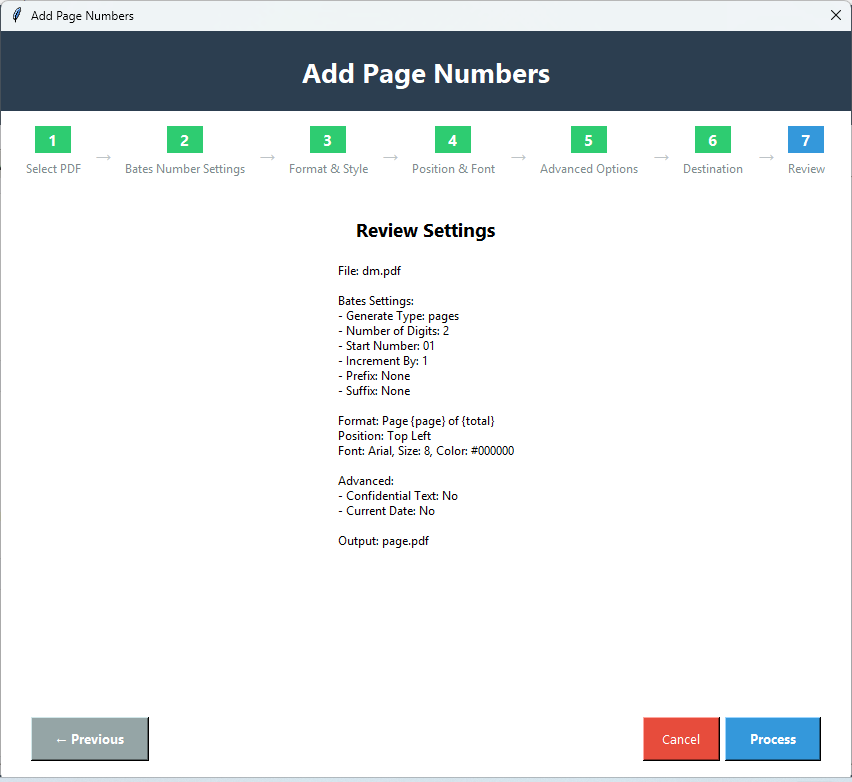
Set font,size,color,prefix/suffix (e.g. DOC-001-),optional confidential text,and Stamp Current Date.

Review how numbers will look,choose the output path,then apply and save the numbered PDF.
Full walkthrough:demo video· user guide· more screenshots.
This PDF Page Numberer Tool allows adding Bates numbers or Bates stamps to PDF documents. Users can easily add Bates numbers in two ways:for pages &for files-pages with this app. In just a few clicks,users can assign Bates numbers to any PDF file.
The program permits users to add page numbers in PDF files and deliver the output PDF file in three ways:You can choose ‘Save’ button to save PDF files or pressing the ‘Change’ button will change the output file location and with ‘Print’ option,print PDF file.
This PDF Bates Numbering Tool generates a preview of output PDF file that show how Bates will display in the output file so that users can still go back and make changes if needed. This option is highly useful for users to get the desired output PDF file.
Using this trouble-free program,one can alter the encryption settings of the added PDF file. Users can get various options with this tool – remove encryption,retain encryption,and set encryption for the output PDF file.
You can get the demo version of this tool for free and it helps you to better understand the software working. However,the demo edition saves the output with a watermark. To save the file without watermark,you need to purchase the license version.
This advanced program allows browsing multiple PDF files at once for page numbering. Without any trouble,users can add any number of PDF files for Bates numbering. Apart from this,the tool can work effortlessly on all editions of Windows operating system.
Using this marvelous tool,users can add Bates numbers to each page of the PDF file. Also,the program allows continuing the PDF page numbering series for all PDF files. For this,you can mark the ‘Continue Series for all files.’
This Free Bates Numbering Tool enables users to customize the font of the Bates numbers. You can easily set the desired font style,color,etc. from the provided options. Moreover,users can choose add a suffix or prefix and set the desired position for PDF Bates number.
Demo version saves output with a watermark. The full license ($49) saves without that watermark. A “3–5 documents only” demo limit is notdocumented for PDF Numbering — the watermark is the stated trial note.
Can I customize the numbering format (e.g.,"Page 1 of N",leading zeros like "0001") and font styles?
System Requirement
ProcessorAny Pentium Class
Operating SystemWindows 11,10,8,7 &Other
Memory512 MB Minimum
Hard Disk100 MB free space
Software Delivery
ElectronicVia Email
Minutes15
DemoWatermark on output
Full License$49
Interface Available
Language SupportedEnglish
Support OptionEmails,Chat &Skype
ModesBates · Prefix/Suffix · Positions
Adobe AcrobatNot required to run
Download Guides
Recent Blogs