Virus & file system issues
Virus infection and file system corruption can make database files inaccessible or damaged.
Recover corrupted and damaged databases—SQL Server, Access, MySQL, Oracle, SharePoint, SQLite, and DBF—with Softaken recovery utilities for Windows.
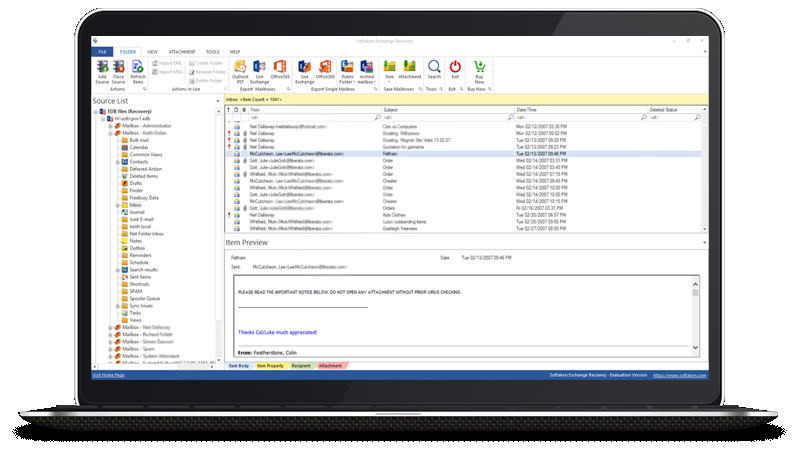
Database Recovery is the process of restoring the data to a consistent state. Generally, database deletion is not found. It is a rare case. However, the data of the user can be deleted due to software/hardware problems. Here are a few reasons behind the loss of database:
Know some of the reasons behind database corruption:
Virus infection and file system corruption can make database files inaccessible or damaged.
Unexpected system shutdown and excess database size often leave databases in an inconsistent state.
Damage in the internal structure of the database and bad sectors in the storage media can corrupt data files.
The database recovery cost depends on the following parameters:
Softaken can efficiently recover the given databases with their smooth tools. With several years of experience in database recovery, Softaken has gathered these tools for the safe recovery of databases.
Recover damaged SQL Server MDF/NDF database files with Softaken SQL Recovery.
Open SQL Recovery →
Extract and restore objects from damaged or inconsistent SQL .bak backup sets.
Open SQL Backup Recovery →
Repair and recover damaged SQLite database files used by apps and backends.
Open SQLite Recovery →
Recover corrupted Microsoft Access .mdb and .accdb databases.
Open Access Recovery →
Repair and recover corrupted MySQL database files with Softaken MySQL tools.
Open MySQL Database Repair →
Recover damaged Oracle database files and restore accessible data.
Open Oracle Database Repair →
Recover damaged SharePoint Server databases for IT and admin workflows.
Open SharePoint Server Recovery →
Recover corrupted DBF / dBASE database files and restore table data.
Open DBF Recovery →A quick technical reference across Softaken's database recovery utilities.
| Database Engine | Supported File Formats | Recoverable Objects | Preview Feature | Output Target |
|---|---|---|---|---|
| SQL Server | MDF, NDF | Tables, Keys, Triggers, Views, Functions | Free Full Item Preview | Live SQL Server or SQL Script (.sql) |
| SQL Backup | .BAK files | Full, Differential, Transaction Log backups | Free Full Item Preview | MDF database or Live Server |
| SQLite | SQLite, DB, SQLite3 | Tables, Columns, Blobs, Indices | Free Full Item Preview | Healthy SQLite DB / SQL Script |
| MS Access | MDB, ACCDB | Tables, Forms, Queries, Relations | Free Full Item Preview | New MDB / ACCDB database |
| MySQL | InnoDB (.ibdata1), MyISAM (.myd, .myi) | Tables, Views, Relations, Keys | Free Full Item Preview | Live MySQL or SQL Dump Script |
| Oracle | .DBF, .ORA data files | Tables, Views, Synonyms, Sequences | Free Full Item Preview | Oracle SQL Script dump |
| SharePoint Server | SharePoint MDF databases | Sites, Lists, Document Libraries | Free Full Item Preview | SQL Server or folder export |
| DBF / dBASE | .DBF (FoxPro, Clipper, dBASE) | Tables, Records, Schema | Free Full Item Preview | Clean DBF or CSV format |
| Category | Database Recovery |
|---|---|
| Publisher | Softaken Software |
| Platforms | Windows (11, 10, 8.1, 8, 7, and Windows Server) |
| Tools listed | 8 dedicated database recovery products |
| Demo | Available on each product page (Free scan & preview) |
| Page URL | https://www.softaken.com/database-recovery |
Common questions about Softaken Database Recovery software tools, supported platforms, and demo previews.
Softaken Database Recovery tools cover SQL Server (MDF/NDF), SQL Backup (.bak), SQLite, Microsoft Access, MySQL, Oracle, SharePoint Server, and DBF databases.
Yes. Softaken database recovery utilities are Windows desktop applications. Check each product page for supported Windows versions and system requirements.
Yes. Softaken provides free demos on product pages so you can preview recovery results and evaluate the tool before buying a license.
Common causes include virus infection, file system corruption, unexpected shutdown, excess database size, internal structure damage, and bad sectors on storage media.
Email [email protected] or use live chat. Include your order details and a short description of the database type you are recovering.

 ISO Certified
 Virus Free
 No Spyware
 Trusted Checkout