Address Book Converter
Professional software to convert and transfer contacts between different formats with 100% data integrity.
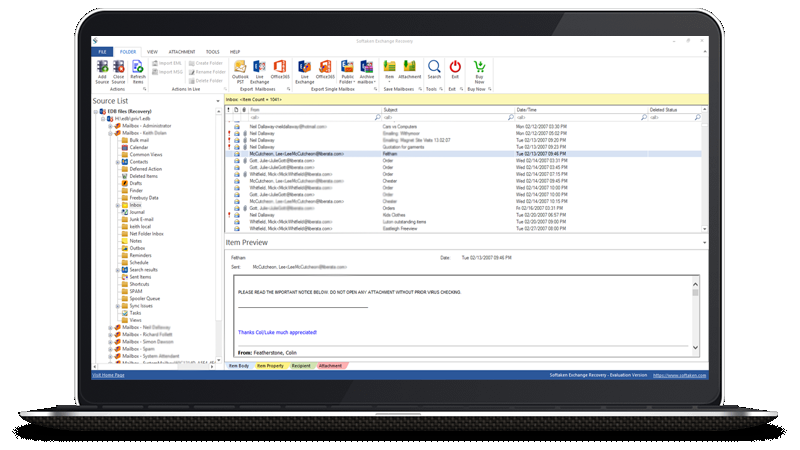
Professional software to convert and transfer contacts between different formats with 100% data integrity.





Tool to Convert MSG Contacts into VCF (vCard) file format


Software helps to convert Lotus Notes Contacts into PST, VCF and MSG Format

Tool to Extract Individual Contacts from Single VCF to Separate VCard Files
An Advanced Tool to Merge Multiple Vcard Files into Single VCard file format

An Advanced Tool to Convert Access MDB/ACCDB Database to Excel XLS & XLSX File
Address Book is a database where the information related to user's contacts is stored. It includes names, addresses, email addresses, images etc. Along with emails, the users save contacts in their email clients.
A contact may contain first name, last name, company name, telephone number, email address, fax number etc. VCF or CSV both are the formats used to store contacts. However, VCF or vCard is the standard format for saving contacts.
Address Book is required by the users to store contact information of their clients. Business users need contacts for their daily basis work.
It has been found many times that when the users change their email client, they find a need to move their contacts to their current email client. For this, they have to use Contacts Converter software.
Softaken has provided some applications by which the users can move their contacts from their system to Smartphones and other devices/platforms with 100% data integrity.
Address Book Converter is Softaken software for Windows and macOS that helps you complete this conversion or recovery with a preview before you export.
In most workflows Address Book Converter can process supported files without a specific Outlook build installed. Check the product page for format limits.
Yes. Softaken provides a demo of Address Book Converter so you can preview and test a limited export before purchasing a license.
Yes. Address Book Converter is designed to retain folders, attachments, and metadata during export whenever the target format supports them.
Address Book Converter supports current Windows desktop editions. Many Softaken tools also include a macOS edition; see the specifications on this page.
Email [email protected] or use live chat. Include your order details and a short description of the file type you are processing.
| Item | Details |
|---|---|
| Product | Address Book Converter |
| Publisher | Softaken Software |
| Platforms | Windows, macOS |
| Demo | Available before purchase |
| Page | https://www.softaken.com/address-book-converter |
