Restrict Lotus Notes on other platforms
Lotus Notes NSF file is accessible only in Notes application. It doesn't open in other email clients like Thunderbird, Apple Mail, and others. If you try to do this. You may lose your important files.
Specialized in converting IBM / HCL Notes desktop client that uses NSF databases. to macOS Mail app; exports often use EMLX or MBOX. — Apple Mail works with Apple Mail single-message file (.emlx).; export Notes Storage Facility — Lotus Notes / HCL Notes database file. emails and attachments accurately for Apple Mail and other EMLX-supportive clients.
Note: It is must for users to install Lotus Notes to run the app — it integrates with the email client to perform migration. A Windows tool (Windows 11, 10, XP, Vista, 8 & others) — Windows only.
NSF to EMLX Converter is specialized in converting Lotus Notes to Apple Mail and all EMLX supportive email clients. It is a wonderful solution to make Lotus Notes supported for various emailing platforms. The tool works systematically. It has been designed to fit the needs of both individual and commercial purposes.
Free trial converts 10 items. Windows only — Lotus Notes required.
Windows only. Softaken NSF to EMLX Converter needs Lotus Notes installed to convert NSF files. Free demo converts 10 items.
Convert NSF for Apple Mail and other EMLX-supportive clients — Softaken on Windows with Lotus Notes installed.
Common problems when moving Lotus Notes NSF data to Apple Mail / EMLX
Lotus Notes NSF file is accessible only in Notes application. It doesn't open in other email clients like Thunderbird, Apple Mail, and others. If you try to do this. You may lose your important files.
If you are moving to Apple Mail and trying to open NSF file in Apple Mail. It is an impossible task. Apple Mail works with EMLX file format. You have to make your NSF file accessible to view in Apple Mail.
If you have moved to a different email client other than Lotus Notes. NSF file stops working outside Lotus Notes. In this case, you need to convert your NSF file to the concerned email client file format to access NSF file.
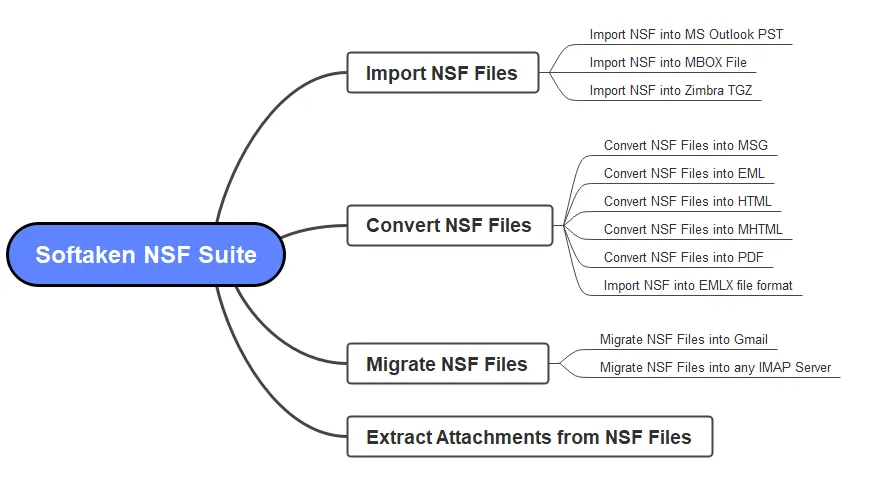
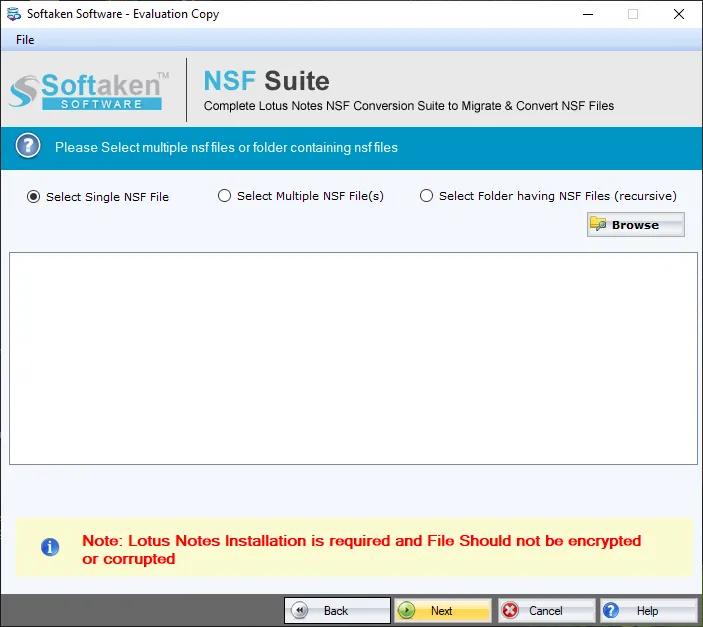
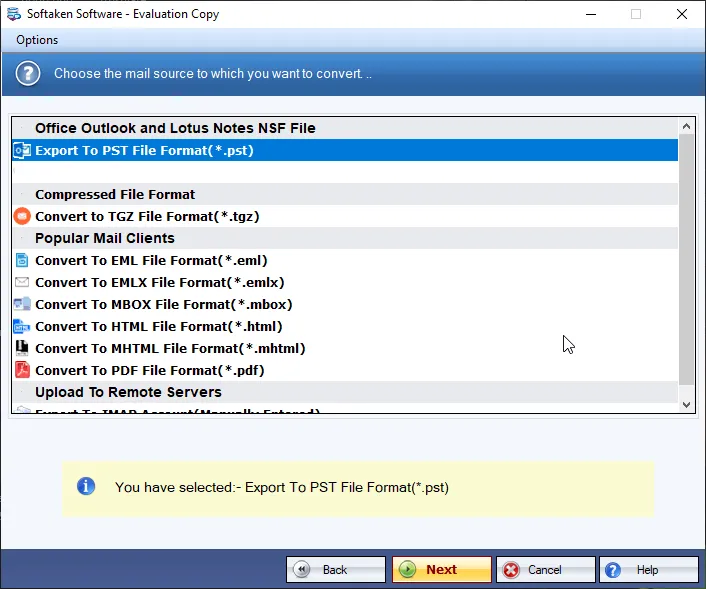
Real Softaken screens: launch NSF Suite, browse & preview folders, then export to EMLX. Click each step to enlarge.
step 1 of 3
See Softaken load NSF files, preview selected folders, and export to EMLX for Apple Mail — with Lotus Notes installed on Windows.
Browse archived or newly created NSF files, select folders, preview, then export EMLX with properties and attachments to your chosen path.
NSF to EMLX Converter export Lotus Notes to Apple Mail accurately and with full reliability. Entire data of NSF including all emails and attachments are exported. Selected folders are exported with no data loss.
Benefit: Export Lotus Notes to Apple Mail accurately.
Lotus Notes NSF to EMLX Converter provides you the flexibility to access NSF file in Apple Mail and other email clients. With NSF 2 EMLX Migration tool, you can safely convert NSF file and access it in Apple Mail.
Benefit: Flexibility to work on two different platforms.
With Lotus Notes to Apple Mail Converter, you can convert any Notes version NSF file without any issues. The software supports all versions. Moreover, you can download the application on all Windows operating systems.
Benefit: Unlimited data export on all Lotus versions.
EMLX is the format Apple Mail works with. This Windows tool converts Lotus Notes NSF into EMLX so you can use NSF mail in Apple Mail and other EMLX-supportive clients. Exported files save to a local path you choose. Step-by-step drag-and-drop import into macOS Apple Mail is not covered separately on this page.
Yes — Lotus Notes must be installed. The app integrates with Notes to run the migration. Windows only.
This page covers archived and newly created NSF files with Lotus Notes installed. Separate handling for orphaned, disconnected, or password-protected NSF is not described here.
Emails and attachments export in full, with complete properties including CC, BCC, To and From. Inline images and Domino doclinks are not listed as separate line items on this page.
Automatic naming patterns (Subject, Date + Subject, and so on) are not listed. You do get deep file filter, selected folders, remove empty folders, folder preview, and save to a local path you choose.
The tool exports complete properties including CC, BCC, To and From along with attachments, with no-data-loss export of selected folders. Sent/Received timestamps and a full RFC header checklist are not itemized separately here.
Date-range filters are not listed. You can use the deep file filter to pick specific NSF files, export only selected folders (inbox, sent items, messages, etc.), remove empty folders, and preview the selected NSF folder.
Free trial converts 10 items so you can test the workflow. The full license unlocks unlimited conversion from $99 via NSF Suite. Windows only; Lotus Notes required.
NSF to EMLX export: Output EMLX for Apple Mail and other EMLX-supportive clients. Lotus Notes required. Archived & newly created NSF; selected folders; deep file filter; remove empty folders.
Windows only: Supported on Windows 11, 10, 8.1, 8, 7 & others (also XP, Vista). Lotus Notes installation is mandatory.
Free demo: Converts 10 items so you can test the workflow. Full license unlocks unlimited conversion via NSF Suite.
Free trial converts 10 items so you can test the workflow. Full license unlocks unlimited conversion via NSF Suite.
| Features | Demo Version | Full Version |
|---|---|---|
| Export NSF to EMLX (Apple Mail & EMLX clients) | Available | Available |
| Archived & newly created NSF; selected folders | Available | Available |
| Lotus Notes installation required | Required | Required |
| Deep file filter; remove empty folders; folder preview | Available | Available |
| Properties CC, BCC, To, From with attachments | Available | Available |
| Save EMLX locally to decided location | Available | Available |
| Supported on Windows 11, 10, XP, Vista, 8 & others | Available | Available |
| Limitation | 10 items | Unlimited |
| Price | FREE | From $99 |
User experiences with the Softaken NSF to EMLX Converter.
Thailand
Your tool worked seamlessly for me. I have converted 50 plus different size NSF files to EMLX using this. The software works in a few minutes to export all your emails with full accuracy.
Netherlands
I have some doubts in my mind before utilizing this tool. I contacted the support team. They handled all my queries in a polite manner. I am very much impressed with their quick response. Great work done!
Spain
To clear my doubts, I used the demo of NSF to EMLX Converter and then apply for the paid version. Both have the same working. The only difference is 10 items conversion in demo version. I have found this tool amazing.
Try the free trial that converts 10 items, then unlock unlimited conversion with a full Softaken license via NSF Suite. Lotus Notes required.
Windows only. Softaken NSF to EMLX Converter needs Lotus Notes installed to convert NSF files. Free demo converts 10 items.
