You can upload Lotus Notes emails to G Suite account with associated attachments using this application. Users need Lotus Notes email client and correct login credentials of G Suite account to import NSF files into Google Apps account.

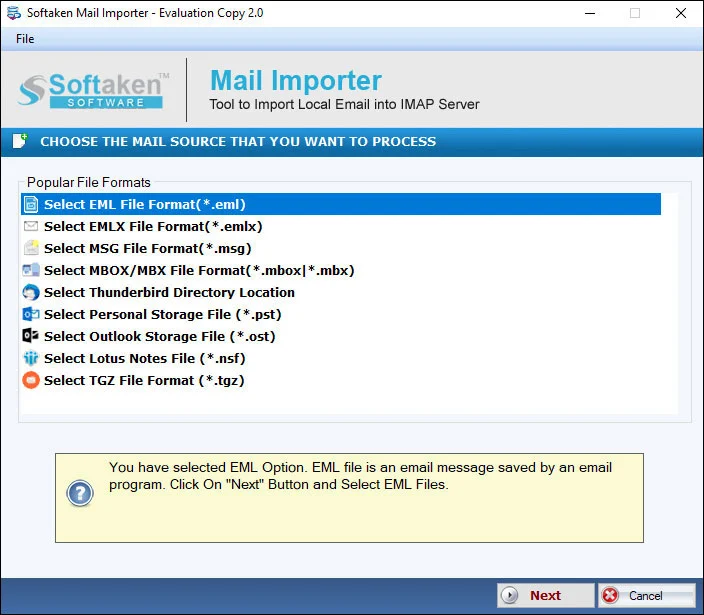
See Softaken Mail Importer (engine for NSF cloud import) load NSF files,provide G Suite login information,choose a destination folder,and upload — with Lotus Notes installed.

Load NSF files to import — or use Folder mode to import multiple NSF files at once to Google Apps.

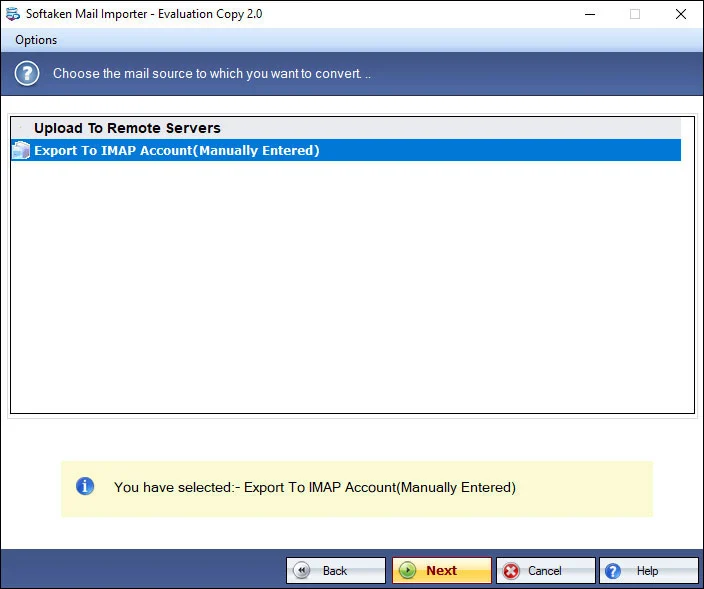
Review options before uploading Lotus Notes emails with associated attachments to the G Suite account.

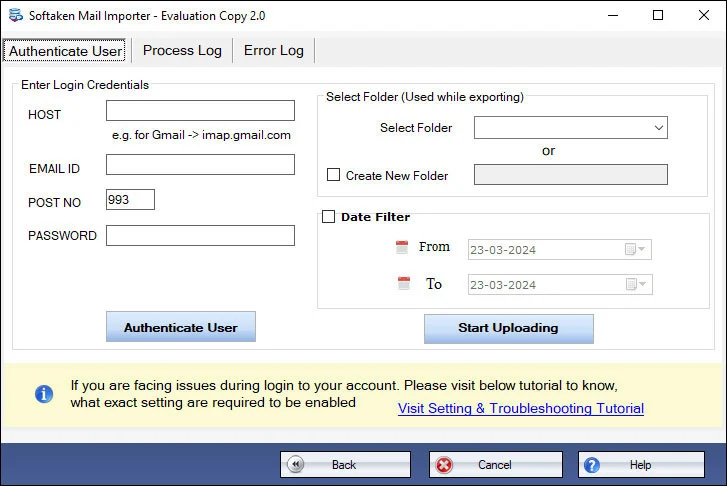
Provide G Suite login information,choose or create a folder for NSF files,then hit Upload Now. A text migration report is available after completion.
Free Demo imports 25 items from each NSF folder. Full license unlocks unlimited migration (from $49). Guide:user steps· demo video.
You can upload Lotus Notes emails to G Suite account with associated attachments using this application. Users need Lotus Notes email client and correct login credentials of G Suite account to import NSF files into Google Apps account.
Using the Folder mode,multiple NSF files can be imported at once to Google Apps account. There are no hurdles faced by users in uploading any number of NSF files to migrate into G Suite account. This will save a lot of valuable time &effort of users.
NSF files generated by all Lotus Notes versions are supported by the program including the latest IBM Notes 11.0,10.0,9.0,8.5,8.0,7.0,6.0,etc. Also,without any size barriers,any huge size healthy NSF files can be successfully imported to G Suite account.
Once the process of migration is completed,users can check the migration report that is saved into a text file. It shows the status of the migration,details like username,number of emails,attachments,etc. being imported from Lotus Notes to G Suite account.
The software permits users to import IBM Notes emails to G Suite account on all Windows platforms. The program can be installed on Windows 11,10,8.1,8,7,XP,Vista,etc. Along with this,Windows 64bit and 32bit versions are supported by the utility.
There is a direct and safe transfer of Lotus Notes files to G Suite account. All NSF email attributes,file structure,and attachments are well maintained throughout the migration. No chance of a single file misplacement with this smart application.
Free demo lets you check features and working. Trial imports only 25 items from each NSF folderinto G Suite. Full license unlocks unlimited migration.
System Requirement
ProcessorAny Pentium Class
Operating SystemWindows 11,10,8.1,8,7 &Other
Memory512 MB Minimum
Hard Disk100 MB of free space for software installation
Software Delivery
ElectronicVia Email
Minutes15
Demo25 items per NSF folder
Full LicenseFrom $49
Interface Available
Language SupportedEnglish
Support OptionEmails,Chat &Skype
PlatformWindows 32 &64-bit
ProductNSF to G Suite Importer
Migration Notes
TargetG Suite / Google Apps
AuthG Suite login credentials
PrerequisiteLotus Notes mandatory
BulkFolder mode (multiple NSF)
Data Integrity
PreservesEmail attributes,file structure,attachments
ReportText file (username,emails,attachments)
FoldersSelective or create folder
Notes versions11.0,10.0,9.0,8.5,8.0,7.0,6.0,etc.
Download Guides