Softaken OST to MHTML Converter

Softaken OST to MHTML Converter

Export Outlook offline OST files to MHTML format

100% Standalone Utility — export Outlook offline OST files to MHTML without Exchange Server connectivity or Microsoft Outlook installation.
  • Whole database conversion from OST to MHTML format
  • Batch migration of OST files to MHTML format
  • Broadcasting of all OST database in the left pane
  • No file size constraints to export MS Outlook OST file to MHTML
  • Provision to resume and stop the conversion task
  • Export selective or filtered database from OST file
  • User-desired destination path for saving MHTML files
  • Retrieve deleted emails from OST and export into MHTML
  • Convert all version Outlook OST file without trouble
  • Supportive tool for all Windows operating systems
MHTMLMHTWeb ArchiveAdvance Filter
MHTML web archive output — read converted OST email content as .mhtml/.mht files. A verified customer opened exported messages using Internet Explorer to view offline OST data without Outlook.
MHTML export with attachment of emails. Advance Filter by from,to,subject,and date range. Batch OST via Folder Mode. Demo exports 10 items;full license $49.

Watch OST to MHTMLDemo


Convert OST emails to MHTML web archives

See Softaken OST File Exporter add OST files,preview the mailbox in the left pane,and export emails to MHTML — part of the same OST File Exporter family used across Softaken OST conversion tools.

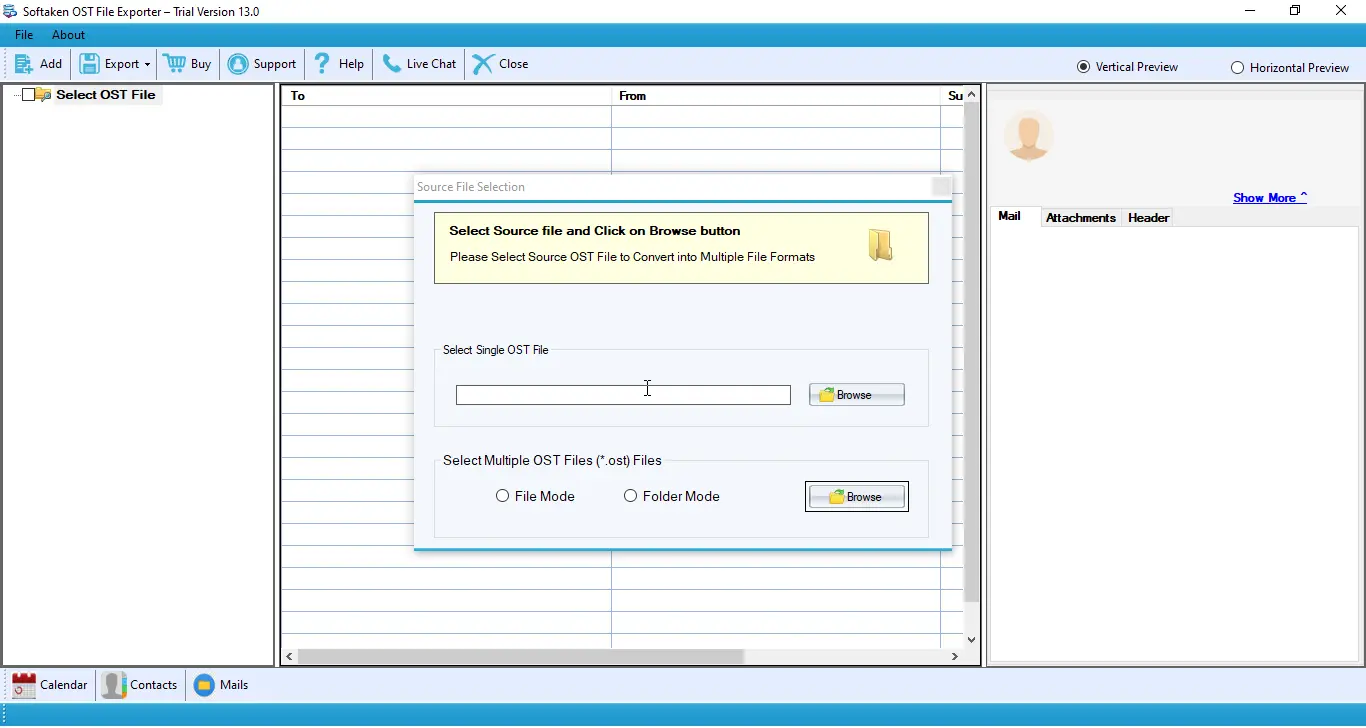
  • Browse and load offline OST files
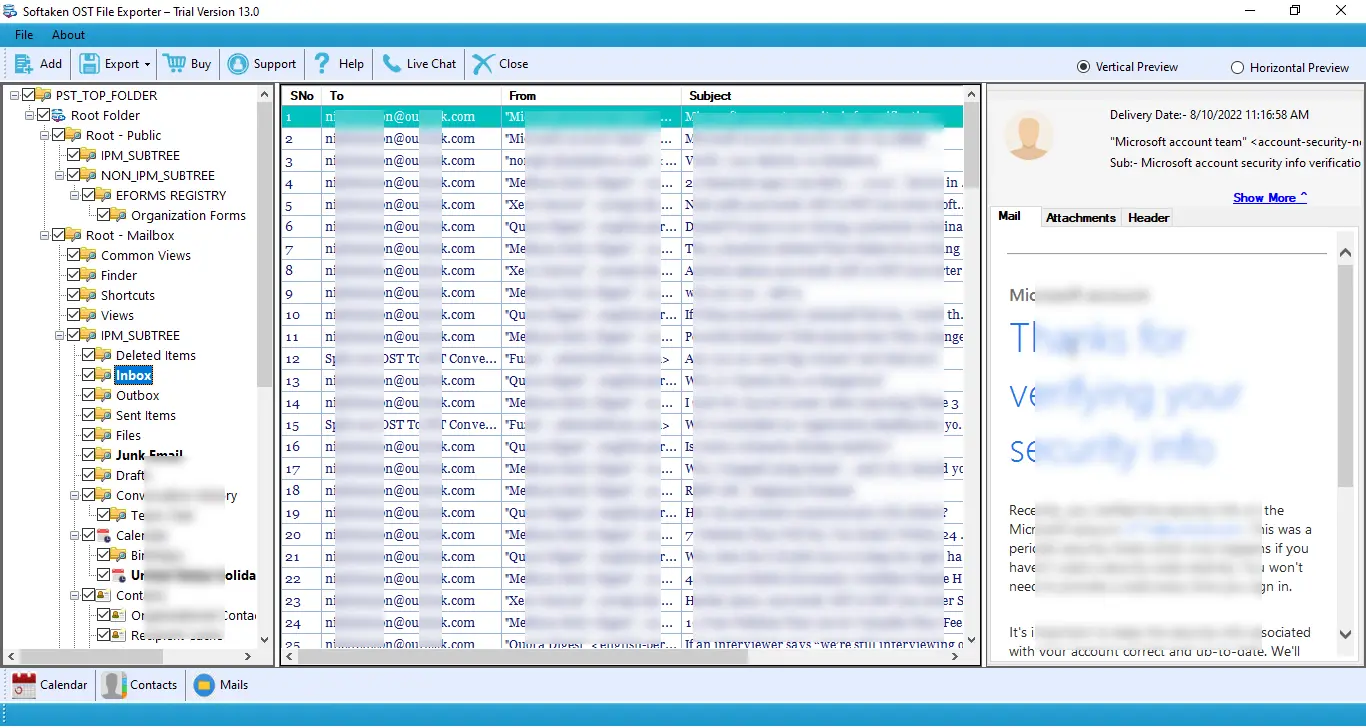
  • Preview all OST database folders in the left pane
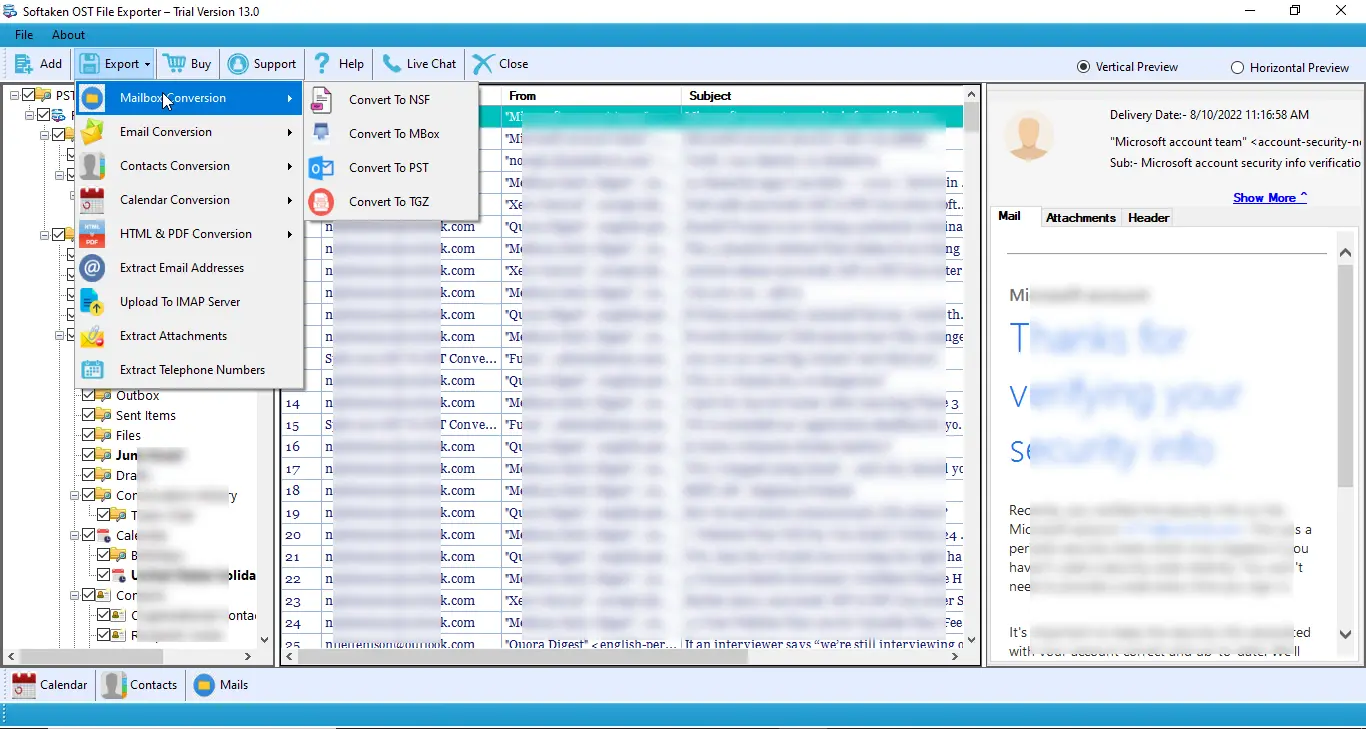
  • Choose Convert to MHTML from Email export options
  • Apply filters and save MHTML files to your chosen location

See the OST to MHTMLInterface


Browse and add Outlook OST files
1

Add OST Files

Browse offline OST files and load them for MHTML conversion.

Preview OST mailbox folders in left pane
2

Preview Mailbox

Broadcasting of all OST database in the left pane before exporting to MHTML.

Export OST emails to MHTML format
3

Export to MHTML

Choose Email export and Convert to MHTML,then save files to your destination path.

Demo exports 10 items. Full license is $49. Walkthrough:demo video· user guide.

List of Key Features Supported by OST 2 MHTML Converter


Export complete OST database

OST to MHTML Converter export complete database of OST file including email messages,contacts,notes,calendars,and many more. The application support entire conversion without any loss of information. Plus,any novice user can easily handle the utility.

Maintains Folder structure

OST 2 MHTML Converter takes care of every element while export OST emails to MHTML format. The application retains the complete folder structure along with metadata. No changes are made to the original database.

Facility to export selective folders

Once OST file is loaded on the software panel,users get preview of all the folder inside OST file in the left pane. Users can simply select required folders and exclude other folders from the conversion list. Moreover,multiple OST files are converted at a time with ease.

Provision for data filtration

If users want to filter the database deeply,then they can use 'Advance Filter Options' and can simply filter the database based on from,to,subject and date range criteria. By applying these filters,users will able to migrate MS Outlook OST messages to MHTML as per their choice.

Standalone application

OST to MHTML Migration App is a standalone tool that does not require Exchange Server Connectivity and Outlook installation to export Outlook offline OST files to MHTML format. The application works without any interruptions and errors in the conversion task.

Windows supportive application

It is totally a Windows-based utility. The program allows to export MS Outlook OST file to MHTML in all editions of Windows such as Windows 11,10,8.1,8,7,XP,Vista and others. Plus,the installation process is easy and fast.

Feature Comparison of OST to MHTML Converter – Trial and Licensed Version

Features
  • Export Outlook OST Emails to MHTML / MHT
  • Complete OST Database &Folder Structure
  • Selective Folders &Advance Filter (Date Range)
  • Batch Migration of Multiple OST Files
  • Standalone — No Outlook / Exchange Required
  • Mail Naming Convention (Subject / Date)
  • Support Windows 11/10/8/7 &Others
  • Limitation
  • Price
DEMO Version
  • 10 items
  • FREE
FULL Version
  • Unlimited
  • $49

The free demo exports 10 itemsso you can test OST to MHTML conversion. The full license is unlimited. Personal license is $49.

Frequently Asked Questions Regarding OST to MHTML Converter


MHTML (MIME HTML,often saved as .mhtml or .mht) is a web archive format used to store email content for offline viewing. Softaken OST to MHTML Converter exports Outlook offline OST emails into this format. A verified customer on this page opened converted files using Internet Explorer. Softaken does not publish a specific list of modern browsers (Chrome,Edge,Firefox) for OST MHTML output — use the demo to confirm viewing in your preferred MHTML-supported browser.
No. OST to MHTML Migration App is a standalone tool that does not require Exchange Server Connectivity and Outlook installation to export Outlook offline OST files to MHTML format. It runs as a Windows desktop utility from the Softaken OST File Exporter family.
Softaken OST to MHTML Converter is designed for offline Outlook OST files and does not require Exchange Server connectivity or Outlook installation — which covers disconnected or orphaned OST scenarios. The OST to MHTML product page does not specifically document corrupt OST recovery;OST File Exporter browse settings include recovery and deep scan options for damaged files. Preview OST items in the left pane or contact Softaken support if your file will not load.
Softaken describes MHTML export with attachment of emails on this product page. OST File Exporter also offers a separate Extract Attachments export for saving attachments outside the mailbox. Softaken documentation does not specify whether MHTML output embeds attachments inside each .mhtml file or saves them to a separate folder — use the free demo to verify attachment handling for your OST data.
Yes. OST File Exporter documentation lists a Naming Convention option on the export Options tab for mail files — for example by subject or date — so exported MHTML files are easier to find and sort. Choose naming rules when you configure MHTML export in the software.
Softaken OST 2 MHTML Converter retains the complete folder structure along with metadata and states that no changes are made to the original database during export. The OST to MHTML product page does not separately document inline images,hyperlinks,or individual RFC header fields — preview email items in the left pane before export to confirm the content you need is present.
Yes. Use Advance Filter Options to filter the database based on from,to,subject and date range criteria,or apply the Date Range (From / To) filter on the OST File Exporter export Options tab. Export selective or filtered database from OST file to MHTML as per your choice.
Download the free demo to test OST to MHTML conversion. Softaken demo exports 10 items so you can preview export quality before purchase. The full license unlocks unlimited MHTML export. Personal license is $49 through the OST File Exporter buy page.

OST to MHTML Converter Specifications


Windows desktop OST to MHTML export — no Exchange Server connectivity or Outlook installation required. Part of the Softaken OST File Exporter family.
Convert offline OST emails to MHTML/MHT web archives. Advance Filter &date range. Batch OST migration. Demo:10 items. Full license $49.
OST →MHTMLNo OutlookAdvance FilterBatch OSTWindows$49

System Requirement

ProcessorAny Pentium Class

Operating SystemWindows 11,10,8.1,8,7 &Other

Memory512 MB Minimum

Hard Disk100 MB of free space for software installation

Software Delivery

ElectronicVia Email

Minutes15

Demo10 items

Full License$49

Interface Available

Language SupportedEnglish

Support OptionEmails,Chat &Skype

PlatformWindows only

ProductOST to MHTML Converter

OST to MHTML Converter Reviews