Softaken OST to G Suite Importer

Softaken OST to G Suite Importer

Move Exchange OST into Google Apps directly

100% Standalone Solution:Upload OST data directly to Google Workspace cloud without installing Microsoft Outlook.
  • Convert OST files to G Suite without Outlook installation
  • Export OST mail to G Suite with attachments
  • Accurately import OST offline data to Google Apps
  • Simple and descriptive wizard
  • 3 steps simple import without affecting any file
  • Convert every dimension OST file without any trouble
  • Great Support to Outlook and Windows editions
  • Standalone utility to export OST file to Google Apps
  • Test the utility before you take the license version
  • User-stated folder of G Suite account to save OST file
  • No limitations on the number of OST files to import
  • Flawless migration of OST files to G Suite account of user choice
Google WorkspaceG SuiteGoogle AppsGmail
No OutlookApp PasswordOrphaned OSTDemo:10 items

 How to Access G Suite Account with Third Party Apps or Software?

Import to Google mail accounts
Google WorkspaceG Suite@gmail.comCustom domain

Outlook OST to Google Workspace / G Suite


Outlook .OST fileSoftaken Mail ImporterGoogle Workspace / G Suite

Watch OST to G SuiteDemo


Import OST files directly to Google Workspace / G Suite

See Softaken Mail Importer add OST files,preview folders,sign in to Google Workspace with Google App Password credentials,and upload emails — without Outlook or Exchange.

  • Add OST files and preview the mailbox folder tree
  • Optional date filter when you need a selective range
  • Sign in with Google Workspace / Gmail credentials / App Password
  • Import with folder hierarchy and attachments preserved

See the OST to G SuiteInterface


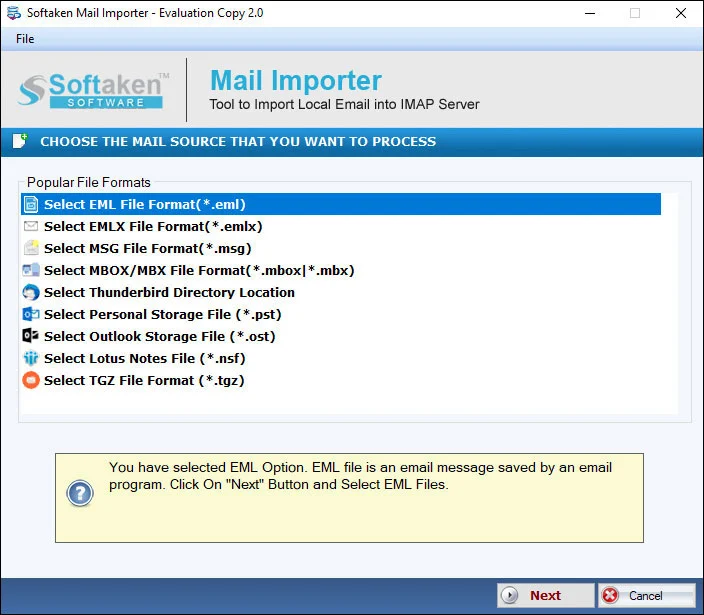
Softaken Mail Importer home for OST import
1

Open Mail Importer

Launch Softaken Mail Importer and choose OST as the source for Google Workspace / G Suite upload.

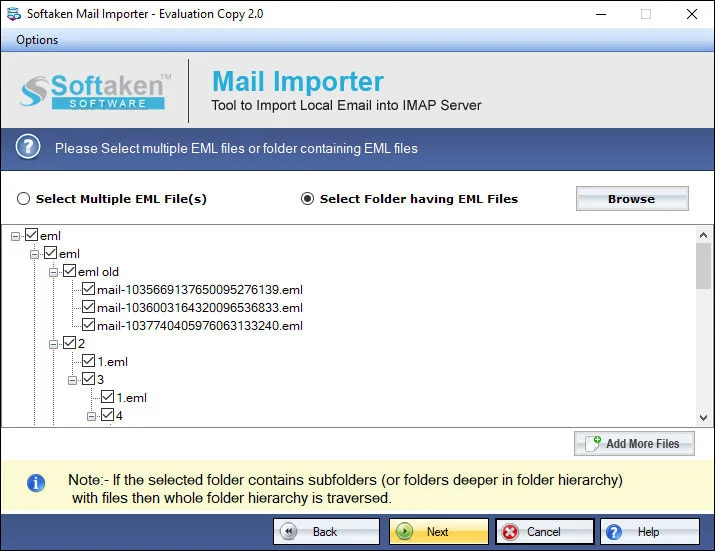
Preview OST mailbox folders before G Suite import
2

Preview OST Folder Tree

Load the OST file and review the mailbox folder tree before migration.

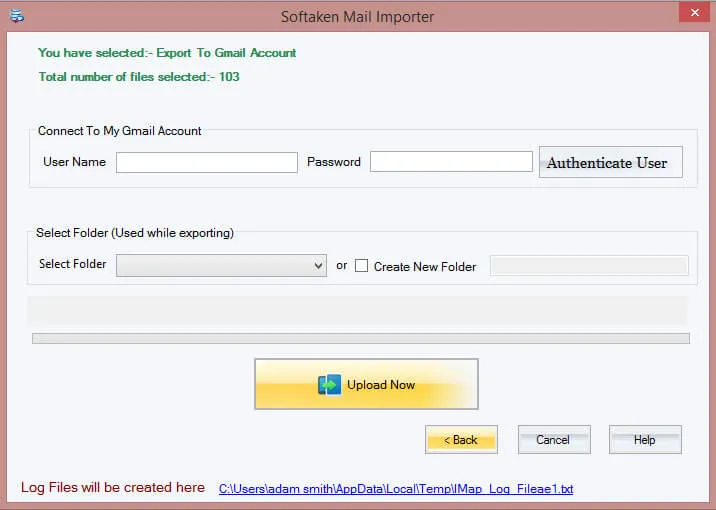
Google Workspace login with Google App Password
3

Google Workspace Login

Enter Google Workspace / Gmail credentials (App Password recommended). Softaken never saves login details.

Demo migrates 10 itemsfrom OST to G Suite. Full license $99. Guide:user steps· demo video.

Benefits of Outlook OST to Google Apps Importer


Direct import facility

OST to Google Apps Importer does not involve any external application to export OST mail to G Suite. You can directly import OST files by simply adding OST file and providing G Suite account login information. It hardly takes a few minutes.

Instant connection to G Suite

The program takes no time to connect with Google Apps account. Only valid G Suite username and password is required to enter and you can simply import any OST file and open it online on various platforms without any issues.

Easy import heavy OST files

The size of OST file does not create any hurdle for this import task. Every large OST file is permissible to import into G Suite account of user choice. Moreover,users get the facility to create a new folder to save OST emails in Google Apps account.

Verified application

Our experts have well tested this application so there are no chances of file damage and misplacement. It has been well examined on several parameters and it has been proved that this utility is one of the best solutions to import OST to G Suite.

Maintain metadata of OST file

Using this OST to Google Apps Converter,one can migrate OST emails and attachments by keeping the metadata like to,cc,bcc,hyperlinks,font styles,etc. intact even after performing the migration. 100% safe migration is done all the time.

Deal with all Outlook and Windows
Deal with all Outlook &Windows

The OST to G Suite Migration Tool exports OST file of all Outlook versions. There is no need of Outlook installation and Exchange connectivity to complete the migration. You can simply run the software on all Windows versions – latest &older versions.

Feature Comparison of OST to G Suite Importer – Trial and Licensed Version

Demo version previews all mailbox items and migrates up to 10 items per folder directly from OST to Google Workspace.

Features
  • Import OST to Google Workspace / G Suite
  • Orphaned OST direct cloud migration
  • Standalone — no Outlook / Exchange
  • Google App Password (2-Step Verification)
  • Preserve folders,formatting &attachments
  • Date range filter &batch OST
  • Support Windows 11/10/8/7 &others
  • Limitation
  • Price
DEMO Version
  • 10 items / folder
  • FREE
FULL Version
  • Unlimited
  • $99

With the free demo,you can preview all mailbox items and migrate 10 itemsfrom OST to G Suite. The full license unlocks unlimited import ($99).

Frequently Asked Questions Regarding OST to G Suite Importer


Google has retired Less Secure Apps for Gmail and Google Workspace. With 2-Step Verification enabled,create a Google App Password from your Google Account security settings,then enter your Google Workspace / Gmail email and that App Password in Softaken OST to G Suite Importer. Softaken never saves login details. See our guide:How to Access G Suite Account with Third Party Apps or Software?.
Yes. Softaken OST to G Suite Importer uploads OST data directly to Google Workspace without Outlook or Exchange Server presence. That means you can migrate OST files when the original profile or server is no longer available — select the OST file and import to your Google Workspace / G Suite account.
No. Convert OST files to G Suite without Outlook installation. Softaken OST to G Suite Importer is a standalone Windows utility to export OST file to Google Apps. Installation of Outlook is not mandatory and Exchange Server connectivity is not required.
Yes. Softaken OST to G Suite Importer supports Google Workspace,G Suite,@gmail.com,and custom domain Google accounts. Export to the desired Google Apps account of user choice.
Yes. Using this OST to Google Apps Converter,one can migrate OST emails and attachments by keeping the metadata like to,cc,bcc,hyperlinks,font styles,etc. intact. The program maintains the original folder hierarchy and formatting applied to emails during migration to Google Workspace.
Yes. Softaken Mail Importer (the engine behind OST to G Suite Importer) includes a date filter so you can set a From – To date range when needed,instead of migrating every message in the OST file. You can also import multiple OST files in a session with no limitations on the number of OST files to import.
Convert every dimension OST file without any trouble — there is no size barrier on the tool side. Every large OST file is permissible to import into G Suite account of user choice. Internet connectivity is required as data transfers from local to cloud;use a stable connection and enough space in your Google Workspace mailbox.
The free version of the application is capable to import only 10 items from OST file to G Suite account. Test the utility before you take the license version. The full license unlocks unlimited import ($99).

OST to G Suite Importer Specifications


Modern Cloud Supported:Direct OST migration to Google Workspace (formerly G Suite / Google Apps) and personal Gmail accounts.
🔒Secure Modern Authentication:100% compliant with Google 2-Step Verification and Google App Passwords. Zero account credential storage.
Direct Orphaned OST Upload:Import inaccessible,Exchange-disconnected,IMAP-cached,or corrupted OST files directly to Google Workspace without requiring Exchange Server connectivity or Outlook profile reactivation.
Preserves complete email formatting:Retains inline images,hyperlinks,nested attachments,folder hierarchy,and all standard RFC headers (To,From,CC,BCC,Sent/Received Dates).
📅Selective Cloud Migration:Apply date-range filters (From - To) to upload only relevant emails and migrate multiple OST files seamlessly.
OST →Google WorkspaceNo OutlookApp PasswordOrphaned OSTWindowsDemo:10 items$99

System Requirement

ProcessorAny Pentium Class

Operating SystemWindows 11,10,8.1,8,7 &Other

Memory512 MB Minimum

Hard Disk100 MB free space for installation

Software Delivery

ElectronicVia Email

Minutes15

Demo10 items

Full License$99

Interface Available

Language SupportedEnglish

Support OptionEmails,Chat &Skype

PlatformWindows only

ProductOST to G Suite Importer

OST to G Suite Importer Reviews