SoftakenPST Duplicate Remover

Remove duplicate emails, contacts, calendars, notes, etc. from Outlook PST file

100% Standalone Utility — Remove duplicates from orphaned or backup Outlook Personal Storage Table file (.pst). files without installing Microsoft Outlook desktop client. Standalone Softaken tools do not need it installed..

Smart Comparison Filters: Choose item types (Mails, Contacts, Calendars, Notes, Journals, Tasks) and match duplicates — Within Folder or Across Entire PST.

Key Features at One Glance

  • Deduplication of all items from Outlook PST file
  • Draw out duplicate items from any large Outlook PST file
  • Support removal of duplicates without MS Outlook
  • Option to fix duplicates from selected or all folders
  • Search duplicates within a folder or across the entire PST (same or different folders)
  • Support PST file of both Legacy ANSI PST format used by older Outlook versions. & Unicode PST/MSG encoding used by modern Outlook versions. formats (Outlook 2002/XP through Outlook 2024 / 2021 / 2019 / 2016 / 2013)
  • All Outlook versions (2024, 2021, 2019, 2016, 2013, etc.) are well supported
  • Outlook Offline Storage Table file (.ost). File will be saved into PST format
  • Save the data in new PST file after excluding duplicates
  • Retain email properties and email components
  • Free Outlook Duplicate Remover for evaluation
  • Supported on Windows 11, 10, 8.1, 8, and 7
  • No Outlook required
  • ANSI & UNICODE
  • Within / Across folders
  • Mails · Contacts · Calendars
  • Password & orphaned PST

Safe Cleanup: Save unique items to a new PST at your chosen output location — keep the original backup for review.

Free demo finds & counts duplicates so you can verify results. Full license unlocks unlimited duplicate removal. Windows only. No Outlook required.

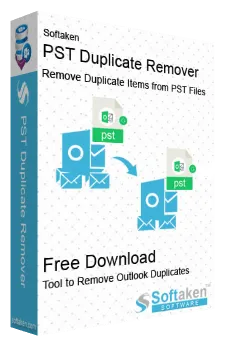
Softaken PST Duplicate Remover software box
✓
Safe & Secure DownloadIndependently scanned with multiple antivirus engines.
100% Safe

Quick Facts

Input
Outlook PST / OST
Output
New clean PST
Demo
Find & count only
Platform
Windows

What this tool does

Softaken PST Duplicate Remover finds all duplicate items like emails, contacts, notes, tasks, calendars, etc. and remove them from PST file without configuring MS Outlook. Duplicates are removed from the same folder or all selected folders.

Outlook 2024Outlook 2021Outlook 2019Outlook 2016Outlook 2013ANSI & UNICODE PSTOST → PST

Software interface

Follow the steps on the left. Use the arrows to switch screenshots — click a screenshot to enlarge.

Browse PST / OST — Softaken PST Duplicate Remover

step 1 of 3 · click image to enlarge

Watch PST Duplicate Remover Demo

See Softaken PST Duplicate Remover load PST/OST files, choose item types and within/across-folder scope, then save unique items to a new PST.

Find duplicates, pick scope, save a clean PST

  1. Add single or multiple PST/OST files
  2. Select item types and Within Folder or Across PST
  3. Review progress and the duplicate-removal summary
  4. Save unique items to a new PST (full license)

Features & Benefits of PST Duplicate Remover

Removal duplicate emails from Outlook

Outlook Duplicate Remover cleanup the duplicates from PST file. You can delete duplicate items from emails, contacts, calendars, notes, journals, tasks, etc. If needed, you can check or uncheck items for selective data deduplication.

Benefit: Removal duplicate emails from Outlook.

Suits all versions of MS Outlook

Outlook Duplicate Items Removal supports the latest and older versions of Outlook like Outlook 2024, 2021, 2019, 2016, 2013, 2010, etc. Easy elimination of duplicates from password-protected, ANSI, UNICODE, and orphaned PST files.

Benefit: Suits all versions of MS Outlook.

Rapid duplicates removal from all folders

Outlook Email Duplicate Remover program easily excludes duplicates from all selected folders or all folders. In a matter of few clicks, all duplicate items are successfully removed from PST file even without the installation of Microsoft Outlook.

Benefit: Rapid duplicates removal from all folders.

Retain originality of data items

The duplicate remover software does not affect any items of PST file while excluding duplicates. You will find the same structure of folders in PST file after processing and all the associated attributes remain intact while fixing duplicates.

Benefit: Retain originality of data items.

Save unique data in new PST

After removal of duplicates, the software provides users the option to save the unique data items by creating a new folder and at their desired location. By the removal of duplicates, managing Outlook becomes easy without slowing down its performance.

Benefit: Save unique data in new PST.

Swiftly install on all Windows OS

Outlook Email Duplicate Remover Program is designed to run on Windows OS. So, users can effectively install the software on all versions of Windows operating systems including the latest Windows 11, 10 and below versions like 8, 7, XP, etc.

Benefit: Swiftly install on all Windows OS.

Remove duplicates in bulk

The software easily process multiple PST files of Outlook at once. Users can add multiple Outlook PST files at once to fix all duplicate items without Outlook installation and MS Exchange Server connectivity.

Benefit: Remove duplicates in bulk.

Remove OST file duplicates

The application removes all duplicate items from OST files as well. Without connectivity to Exchange Server, all duplicates can be eliminated from Outlook Offline Storage Table (OST).

Benefit: Remove OST file duplicates.

Free Outlook Duplicate Remover

You can assess the performance and get aware of all features of the software by downloading a free demo version. The free version is similar to licensed one but you can only find duplicates with free version. To export the items, go for the licensed version.

Benefit: Free Outlook Duplicate Remover.

Frequently Asked Questions Regarding PST Duplicate Remover

1. How does the software detect duplicate items inside an Outlook PST file?

It scans the item types you select — Mails, Contacts, Calendars, Notes, Journals, and Tasks — and flags duplicates for removal. You also pick the scope: within the same folder, or across the entire PST.

2. Does the tool remove duplicate contacts, calendar entries, and tasks along with emails?

Yes. Check or uncheck item types for selective cleanup — emails, contacts, calendars, notes, journals, and tasks — so only the categories you want are cleaned.

3. Can I choose to move duplicate items to a separate folder instead of permanently deleting them?

The flow is safe: after excluding duplicates, unique items are saved to a new PST at a location you choose. Your original PST/OST backup stays available for review.

4. Does the software detect duplicates across different folders or only within the same folder?

Both. Use “Search Duplicate Item within the folder” for one folder, or “Search Duplicates Across PST File” to catch duplicates even when they sit in different folders.

5. Do I need to have Microsoft Outlook installed on my PC to remove PST duplicates?

No. It is a standalone Windows utility. You can clean orphaned or backup PST/OST files without installing or configuring Outlook.

6. Does this tool support both ANSI and UNICODE Outlook PST file formats?

Yes. ANSI PST (older Outlook 2002/XP-era archives) and UNICODE PST for modern Outlook — including Outlook 2024, 2021, 2019, 2016, and 2013 — are both supported.

7. Can I process password-protected, encrypted, or oversized (50 GB+) PST files?

Yes. Password-protected and orphaned PST files work (enter the password when prompted). There is no artificial size cap for typical large multi-gigabyte archives — just make sure you have enough RAM and free disk space.

8. What are the limitations of the free trial version of PST Duplicate Remover?

The free demo lets you find and count duplicate items so you can verify detection and scope. The full license unlocks unlimited duplicate removal and saving cleaned unique data from $29. Windows only.

Software Specifications

100% Standalone: Remove duplicates from orphaned or backup PST/OST files without installing Microsoft Outlook.

Free demo: Find and count duplicates so you can verify detection and scope. Full license unlocks unlimited duplicate removal and saving cleaned unique data.

Safe output: Unique items are saved to a new PST at a location you choose. Original backup remains for review. ANSI & UNICODE · Within / Across folders.

Supported

Windows 11, 10, 8.1, 8, 7

Formats

ANSI & UNICODE PST · OST

Demo

Find & count only

Pricing

Full from $29

Key Specifications

SpecificationDetails
Product NameSoftaken PST Duplicate Remover
Version1.0
InputOutlook PST / OST (ANSI & UNICODE)
OutputNew PST with unique items
Item typesMails, Contacts, Calendars, Notes, Journals, Tasks
Outlook Supported2024, 2021, 2019, 2016, 2013, 2010, 2007 · older ANSI archives
PrerequisiteNo Microsoft Outlook required
OS SupportedWindows 11, 10, 8.1, 8, 7 & Other
PlatformWindows only
DemoFind & count only
ProcessorAny Pentium Class
Memory512 MB Minimum
Hard Disk100 MB of free space for software installation
DeliveryElectronic · Via Email · Minutes: 15
Language / SupportEnglish · Emails, Chat & Skype

Free demo vs. full version

Free demo finds and counts duplicates so you can verify results. Full license unlocks unlimited duplicate removal and saving cleaned unique data.

FeatureFree demoFull version
Find & count duplicates in PST / OSTAvailableAvailable
Mails, Contacts, Calendars, Notes, Journals, TasksAvailableAvailable
Within folder or across entire PSTAvailableAvailable
Standalone — No Outlook RequiredAvailableAvailable
ANSI & UNICODE · password / orphaned PSTAvailableAvailable
Save unique items to a new PSTNot availableAvailable
Supported on Windows 11 / 10 / 8 / 7AvailableAvailable
LimitationFind & count onlyUnlimited remove & save
PriceFREE$29
Softaken Reviews

What Our Users Say

Customer feedback from Softaken users who remove duplicate items from Outlook PST files.

Jim CodyCustomer feedback

United States · Windows

Thanks to the developers who developed this Outlook Duplicate Remover…

Thanks to the developers who developed this Outlook Duplicate Remover so that Outlook data management become much easier. Removal of duplicates from PST folder is done quickly without affecting original items, which is much appreciated about the utility.

Gianpaolo CerratoCustomer feedback

Italy · Windows

It leads a big confusion when I discovered that emails in my Outlook …

It leads a big confusion when I discovered that emails in my Outlook 2010 account were replicated. Thanks to Softaken PST Duplicate Remover which cleans all duplicates from Outlook by consuming a few minutes.

Beatriz UbiernaCustomer feedback

Spain · Windows

This is the best application I have ever found to remove duplicate it…

This is the best application I have ever found to remove duplicate items from PST file with ease and provides me an option to save resultant PST at my location.

Show more reviews
Luca ZaghiniCustomer feedback

San Marino · Windows

Softaken PST File Duplicate Remover is a worth buying software!

Softaken PST File Duplicate Remover is a worth buying software! It has successfully eliminated all duplicate emails from PST file even without installing MS Outlook.

Review

Remove PST duplicates on Windows

Find duplicates within a folder or across the PST, then save unique emails, contacts, and calendars to a new PST — no Outlook required.

  • Windows
  • PST · OST · ANSI & UNICODE
  • Demo: find & count

Free demo finds & counts duplicates so you can verify results. Full license unlocks unlimited duplicate removal. Windows only. No Outlook required.