
Joe A. Shofner Verified
United States
★★★★★
PST to Hotmail easily imports large size Outlook files without any hurdles. I have tried this application a week ago and found amazing results.
See Softaken Mail Importer load PST data, preview folders, and connect to Hotmail / Outlook.com over IMAP — without installing Microsoft Outlook.
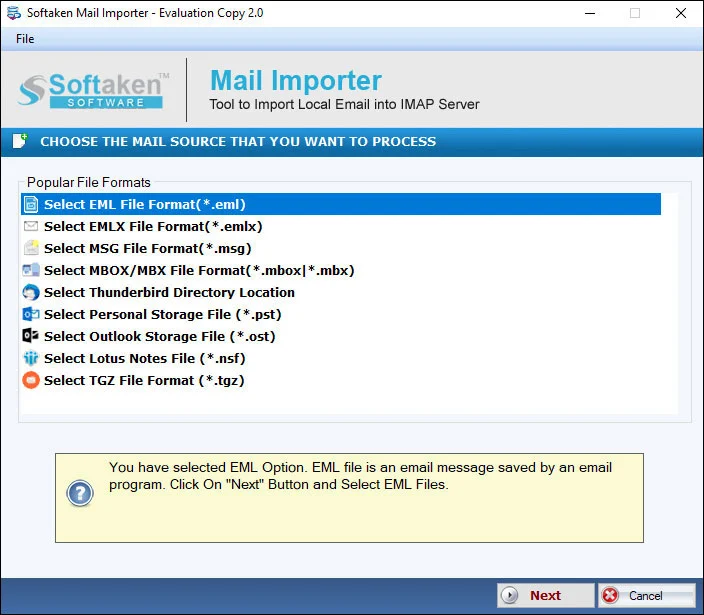
Open the PST file and review the folder tree (Inbox, Sent, Contacts, Calendars, custom folders) before import.
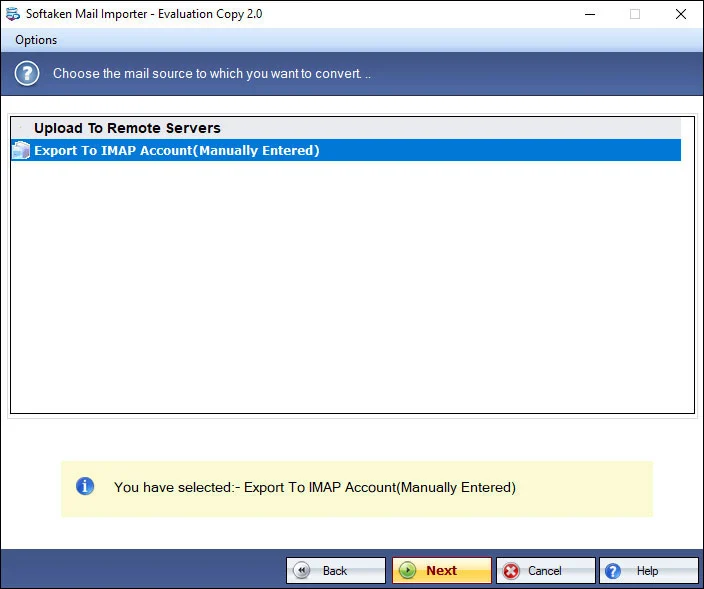
Select folders and options for migrating Outlook data to Hotmail / Outlook.com.
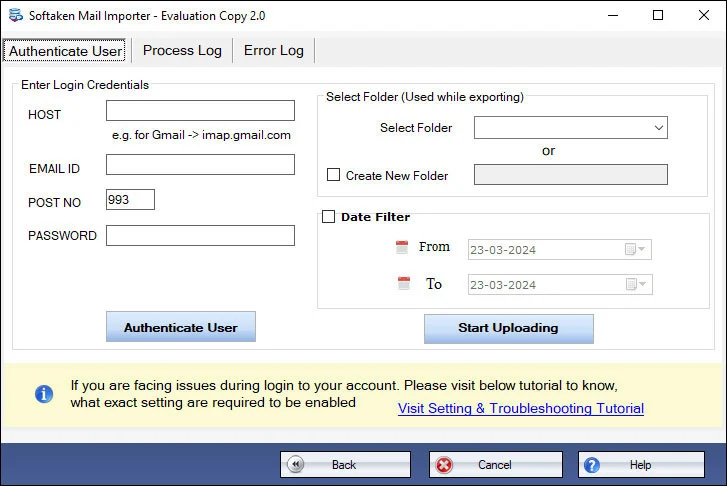
Enter Hotmail / Outlook.com credentials (App Password recommended) and choose the target folder — not stored by the tool.
Click any screenshot to enlarge. Full gallery: Mail Importer screenshots.

The Outlook to Hotmail tool maintains all email components during the migration process like date, time, attachments, email signatures, links, from, to, cc, subject, etc. so users can complete the migration without loss of any information.
One can directly import PST file to Outlook.com account with just 3 steps. Instant import of various Outlook files is performed by the tool. One can easily import PST files to multiple Hotmail accounts one by one. Only the correct login details of Hotmail are required for it.
Every heavy Outlook PST file can be flawlessly imported to Hotmail account. Due to the size of file, there will be no effect on the performance of the application. One by one, multiple PST files are easily imported to Hotmail account of user choice.
PST to Outlook.com Importer comfortably run on all Windows platforms. You can install the utility on every Windows edition including the latest and older versions like Windows 11, 10, 8.1, 8, 7, XP, Vista, and others. No disturbance to already running tasks.
Demo version uploads first 10 emails directly to Hotmail / Outlook.com. Full license unlocks unlimited import.
System Requirement
ProcessorAny Pentium Class
Operating SystemWindows 11, 10, 8.1, 8, 7 & Other
Memory512 MB Minimum
Hard Disk100 MB of free space for software installation
Software Delivery
ElectronicVia Email
Minutes15
Interface Available
Language SupportedEnglish
Support OptionEmails, Chat & Skype
Download Guides
Microsoft typically requires an App Password for IMAP login with desktop tools when basic password sign-in is blocked. Softaken does not store personal account credentials. See the Softaken KB guide for Hotmail third-party access.
No. Softaken PST to Hotmail Importer is a standalone engine and does not require Microsoft Outlook to be installed.
Yes. Supported with @hotmail.com, @outlook.com, @live.com, and @msn.com personal Microsoft accounts.
Yes. Both ANSI and UNICODE PST files are supported, including older Outlook 2002/XP ANSI and modern Outlook UNICODE editions.
Orphaned and archived PSTs work without an Outlook profile. Unlock or remove a PST password first if the file is password-protected, then import.
Yes. Attachments, email properties, formatting, and folder structure are maintained during migration to Hotmail.
Yes. Multiple PST files can be imported, including to multiple Hotmail accounts one by one when needed.
The free demo uploads the first 10 emails directly to Hotmail / Outlook.com. The full license unlocks unlimited import (from $99).
| Item | Details |
|---|---|
| Product | PST to Hotmail Importer |
| Publisher | Softaken Software |
| Platforms | Windows 11, 10, 8.1, 8, 7 & others |
| Demo | First 10 emails to Hotmail / Outlook.com |
| Page | https://www.softaken.com/pst-to-hotmail-importer |
