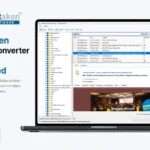
Softaken proudly announces the release of Softaken OLM to PST Converter Version 8.0, introducing significant improvements in performance, PST export accuracy, large file handling, and overall user experience.
The latest update is designed to provide a smoother, faster, and more reliable conversion experience for users migrating OLM files to PST and other formats.
Improved User Interface & Layout Flexibility
Version 8.0 brings a cleaner and more professional interface with improved usability:
- Option to switch between Horizontal and Vertical layout
- Better organized panels and controls
- Folder tree now fully visible without hidden sections
- Dedicated placement for “Show Subfolders” and “Show All Folders” options
- Improved spacing and consistent message display
These updates make navigation easier and more comfortable for users.
Download NowEnhanced Email Preview & Attachment Handling
The updated version improves how emails and attachments are displayed and managed:
- Complete email body displayed correctly
- Clear viewing of Internet Headers and HTML Source
- Attachments listed with name and size details
- Right-click options to Open or Save attachments
- Resolved previous issues where attachments showed file access errors
Users can now access and manage attachments without interruptions.
More Accurate PST Export
Version 8.0 ensures better accuracy during conversion:
- Calendar items now retain correct date and time
- Proper timezone handling for Outlook and Office 365
- Attachments are fully included in exported PST files
- Smart timezone selection shown only when required
- Improved reliability for large mailbox conversions
The result is a PST file that closely mirrors the original mailbox and is ready for direct import.
Better Performance with Large OLM Files
Handling large OLM files is now smoother and more stable:
- Folders load progressively for better responsiveness
- Messages load in stages instead of all at once
- “Load More” option available for additional items
- Clear progress indicators during file loading
- Reduced chances of freezing while opening large files
These improvements provide a seamless experience even with heavy mailboxes.
Smarter Folder & Filter Options
Version 8.0 also enhances folder navigation:
- Folders containing data are highlighted
- Default view shows main folders and folders with content
- Option to display all folders when needed
- Expand All / Collapse All feature
- Filter buttons for Mail, Calendar, Contacts, etc.
- Built-in search box for quick item lookup
- Filter option for emails with or without attachments
Navigation is now more organized and user-friendly.
Improved Stability & Clear Error Messages
If an OLM file is corrupted, incomplete, or unsupported:
- Clear and helpful error messages are displayed
- Users receive guidance on possible causes
- Detailed logs help identify file-related issues
This ensures better transparency and easier troubleshooting.
Key Highlights of Version 8.0
- Enhanced User Experience
- Accurate PST & Calendar Export
- Improved Large File Support
- Faster Performance
- Greater Stability