Softaken, a well-known brand for email migration, has officially launched its latest product, DBX to PST Version 3.0. This version is updated according to the user’s requirements to provide better performance and more effective results. In this version, users can notice technical improvements in the tool, improved messaging, and a better interface. It focuses on smarter processing, making conversion tasks easier for users.
Version 3.0 resolves common challenges that users face during email conversion and help them complete their conversions without delay.
Updated Features in Version 3.0:
This updated version offers several key improvements that made the email migration easier, faster and effective to manage.
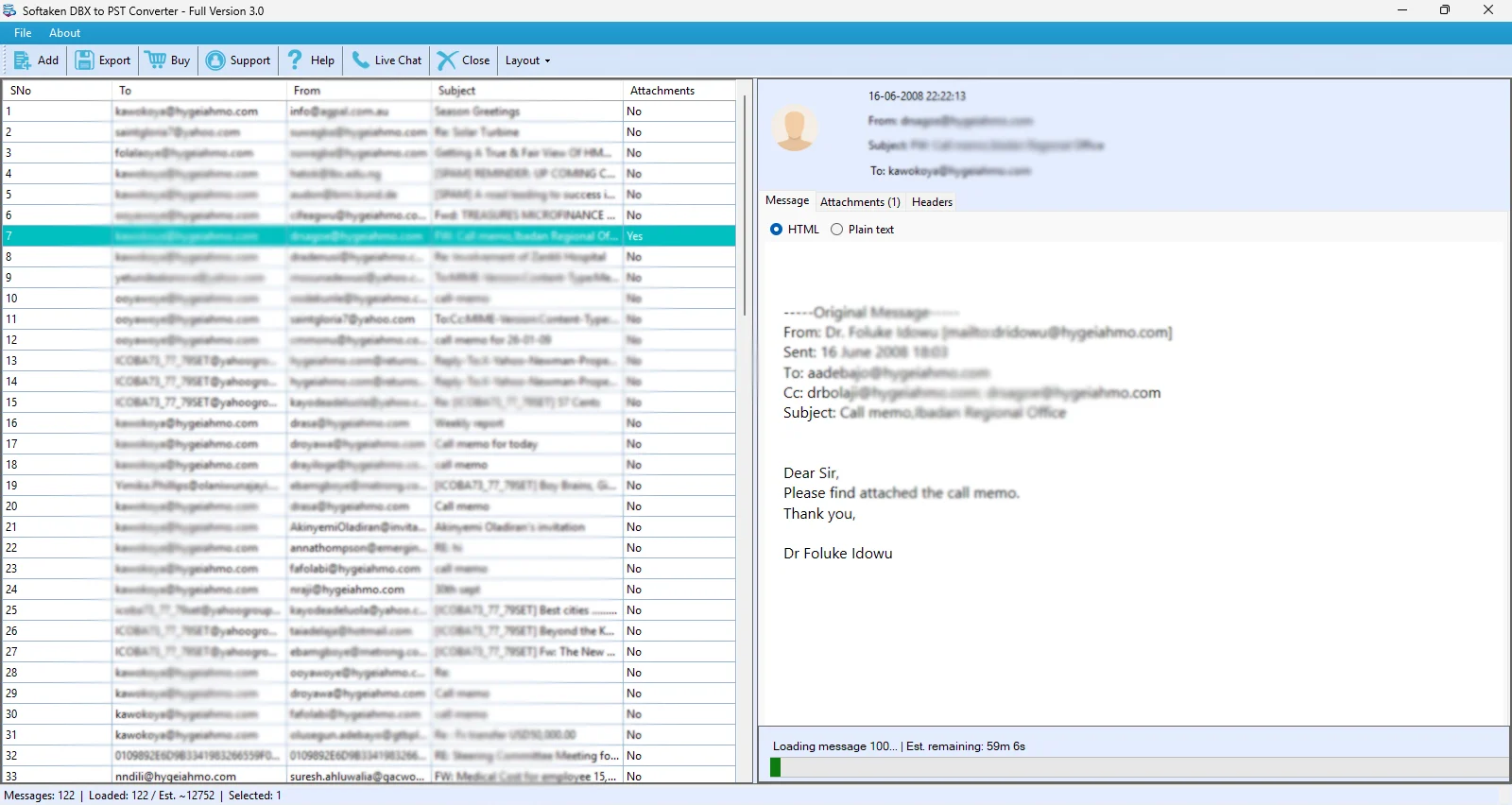
Export without Waiting for Full Loading
This feature helps users to start the export process at any time, even while the preview is still building. In this version, users don’t need to wait for the entire data to load before exporting, which is helpful in reducing waiting time and the user can work easily.
Guaranteed Complete Export with Backup Feature
Email migration tasks need accuracy and completeness. To handle this, Version 3.0 includes a backup system that fully scans the emails. This will help users to provide a complete analysis during export, even if the preview process is incomplete. Users receive a secure PST file output without missing emails.
Easy, Fast and Efficient Trial Experience
The demo feature in this software offers a quick export workflow, where only the first set of messages is exported. Trial version helps users to understand the working of the software quickly and clearly shows how to upgrade to the full version to access all features.
User-friendly Interface and Improved Messaging
In previous versions, when a user previewed a file, a pop-up message appeared that showed reading complete, which was unnecessary for users because the file was already visible. Now, this feature removes such messages to make the interface more user-friendly and easier to use.
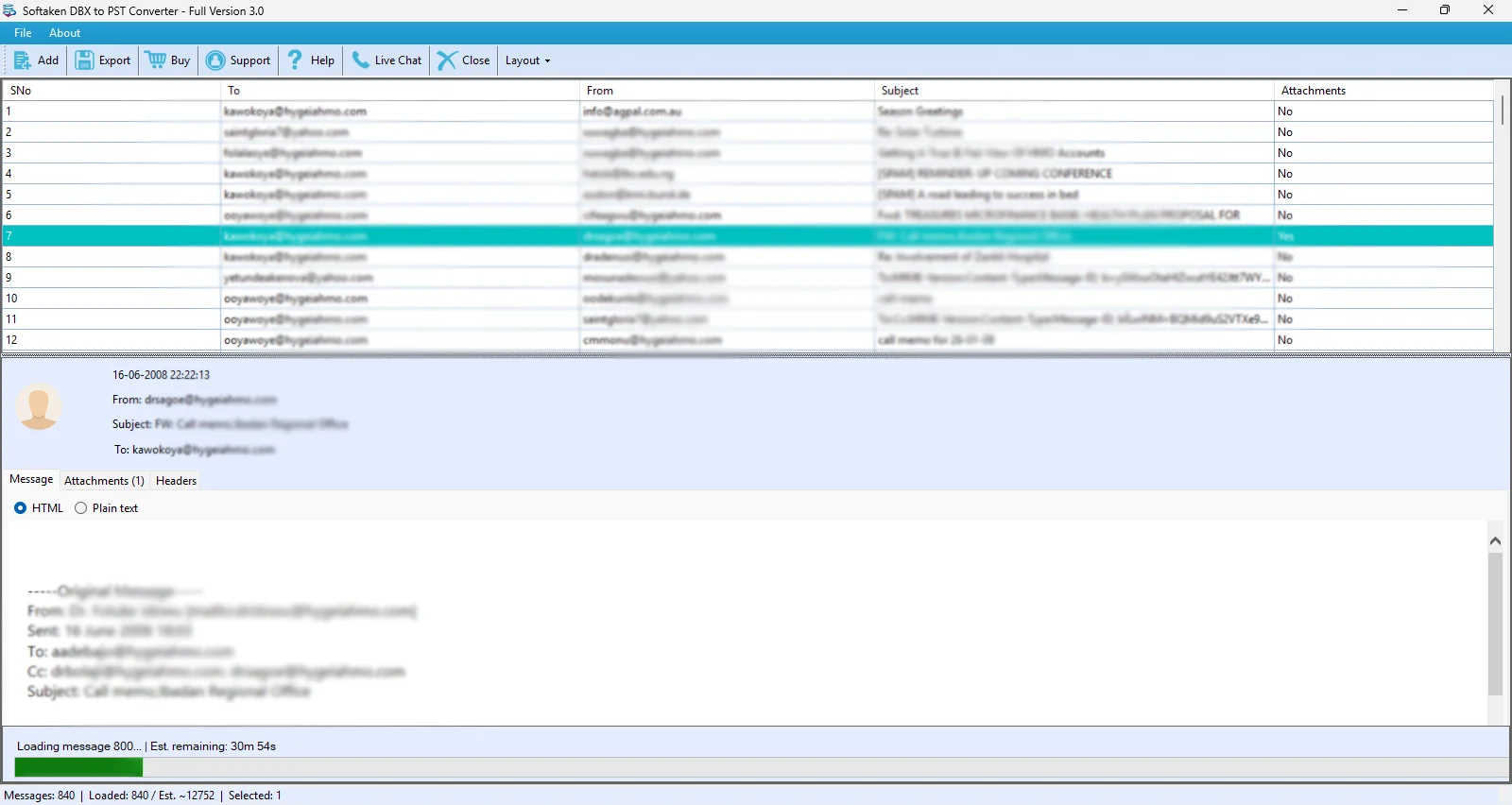
Software Improvements in Version 3.0
The software also includes technical improvements, which are important for users. Let’s take a brief look at these improvements:
Real Time UI Processing
With the help of this feature, users can easily see and check messages in real time without waiting for the program to load. It is developed to track and manage progress. This feature is helpful for users who work with large folders, making email checking more convenient and faster.
Backup Export Option
The Backup Export Option allows users to export all email correctly, even if the preview or indexing process is not working properly. It provides a secure backup to export data, so users don’t lose their work during conversion. This feature is especially useful for complex and corrupted DBX files.
Easier Trial Version
Now, the trial version is simpler and easier to use. By using the trial versions, users can easily see the exported messages after converting emails. It helps them to upgrade to the full version and makes the process simple for new users.
Smooth Export Process
Large files can slow down the process but Version 3.0 makes the export process easy and smooth and prevents the software from freezing and slowing down during heavy and large conversions. Users can see instant feedback while working, making the software more efficient.