Since AWS has announced that it will discontinue Amazon WorkMail on March 31, 2027, it is fairly important to look for an alternative. If you are confused about which platform to choose, a comparison table of five alternative platforms is here, and we have also suggested how to move from Amazon WorkMail. Read it to find details.
AWS WorkMail: Key Timelines & Details
AWS WorkMail functions similarly to Microsoft Exchange Online or Google Workspace. It allows you to create a custom email address, which means you can create an email ID using your brand name. In addition to email management, AWS WorkMail offers support for calendars, contacts, and meetings.
AWS WorkMail was launched in 2015 for businesses. However, AWS has announced that the service will be discontinued on March 31, 2027, without specifying a detailed reason. AWS has stopped accepting new customer registrations for WorkMail as of April 30, 2026.
Why Amazon WorkMail is Discontinued?
AWS has announced that it will discontinue WorkMail, but it has not confirmed the exact reasons for the discontinuation. There is no public announcement explaining why this business email service is being discontinued. Some possible reasons include:
- Like WorkMail, there are several other business email service providers, such as Microsoft 365 and Google Workspace. Competition in the market is increasing. AWS may have experienced tough competition from its competitors.
- The product strategy may have changed. AWS may have decided to focus on its other resources, products, or services.
- The costs of operating WorkMail might have increased, potentially forcing AWS to discontinue the service.
Top 5 Alternatives to Amazon WorkMail
We have listed the top 5 alternatives to Amazon WorkMail that you can use. All of them offer alternatives to WorkMail in terms of features and security.
Microsoft Office 365
This Microsoft application is more than a business email service. By integrating with Outlook through Exchange Online, emails, contacts, and calendars can be managed offline. It allows you to use Teams, OneDrive, and other Microsoft applications. One of the primary advantages of Microsoft Office 365 is that it is an integrated productivity suite designed for businesses using Outlook, Word, and Excel.
Google Workspace
You can replace WorkMail with Google Workspace, as it combines Gmail with Google Drive, Calendar, Meet, Sheets, Chat, and Docs. Teams can collaborate on work in real time and connect for meetings through video calls.
Zoho Mail
For centralised administration, Zoho offers a bundle of features like business email, contacts, calendars, and email aliases. Migrating from WorkMail to Zoho is easy because Zoho offers a dedicated migration feature, allowing you to transfer mailboxes, calendars, contacts, and archived email data.
Zoom Mail
Zoom is a popular platform used by several organisations for video meetings. It also offers email and calendar services for smooth communication and work management. Like AWS, it offers end-to-end encryption for eligible email communications between active Zoom Mail users.
Proton Mail
Custom-domain email, encrypted communication, administrative controls, and several other privacy-focused business tools make Proton Mail one of the alternatives to WorkMail. In addition, Proton offers migration tools for transferring emails, contacts, and calendars.
Comparison of Top 5 Alternatives of AWS WorkMail
Here is a quick overview of all five platforms to help you find the best one according to your requirements.
| Business Requirement | Recommended Option | Main Reason |
| Compatible with Outlook and Microsoft Office | Microsoft 365 | Offers multiple features: email, document management, online meetings, etc. |
| Video Meetings, Cloud Storage, and Docs | Google Workspace | Provides access to Google’s full suite of productivity tools. |
| Direct Migration from Amazon WorkMail | Zoho Mail | Includes built-in migration support and advanced email management. |
| Group Video Calls and Business Email | Zoom Mail | Seamlessly integrates with Zoom Workplace. |
| Advanced Email Privacy and Security | Proton Mail | Focuses heavily on end-to-end encryption and data privacy. |
What to Do as an AWS Mail User Now?
New customers can no longer register for AWS WorkMail. Existing customers can use the email service until March 31, 2027. This means that before the service is discontinued, you need to migrate your data to a reliable platform like Microsoft 365, Google Workspace, Zoho, or Zoom Mail. The choice is yours. If your AWS account holds multiple folders and emails, the best solution is to use a expert tool.
Softaken IMAP to IMAP Migration Tool can be an ideal and safer solution for migrating AWS WorkMail data to Office 365 or any IMAP-supporting email client. This is an advanced application that makes the AWS WorkMail account migration smooth.
Quick Steps to Back Up AWS Mail Emails
With the recommended migration tool, you can achieve your goal in a few simple steps.
- Download and launch the software on your system.
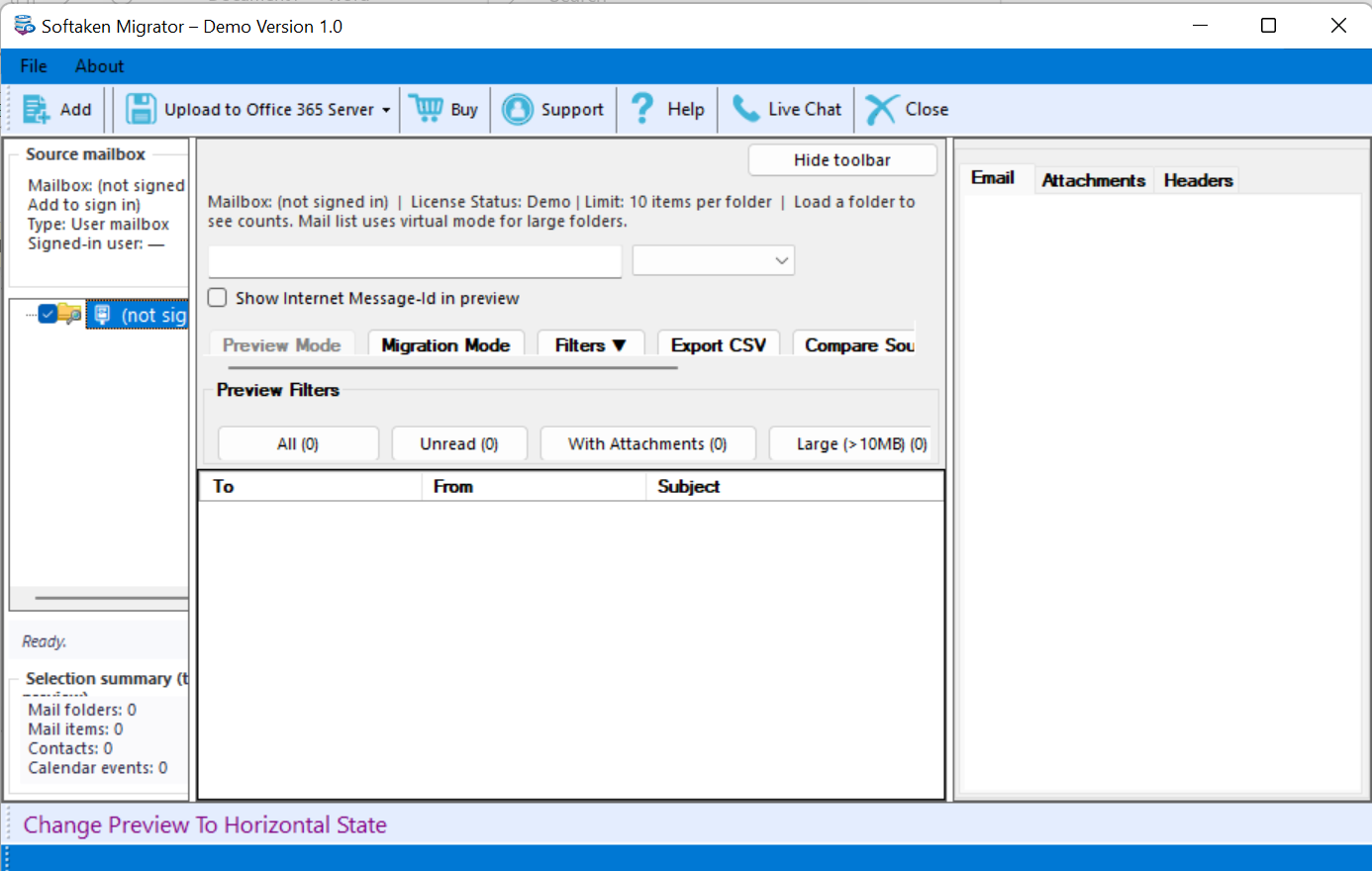
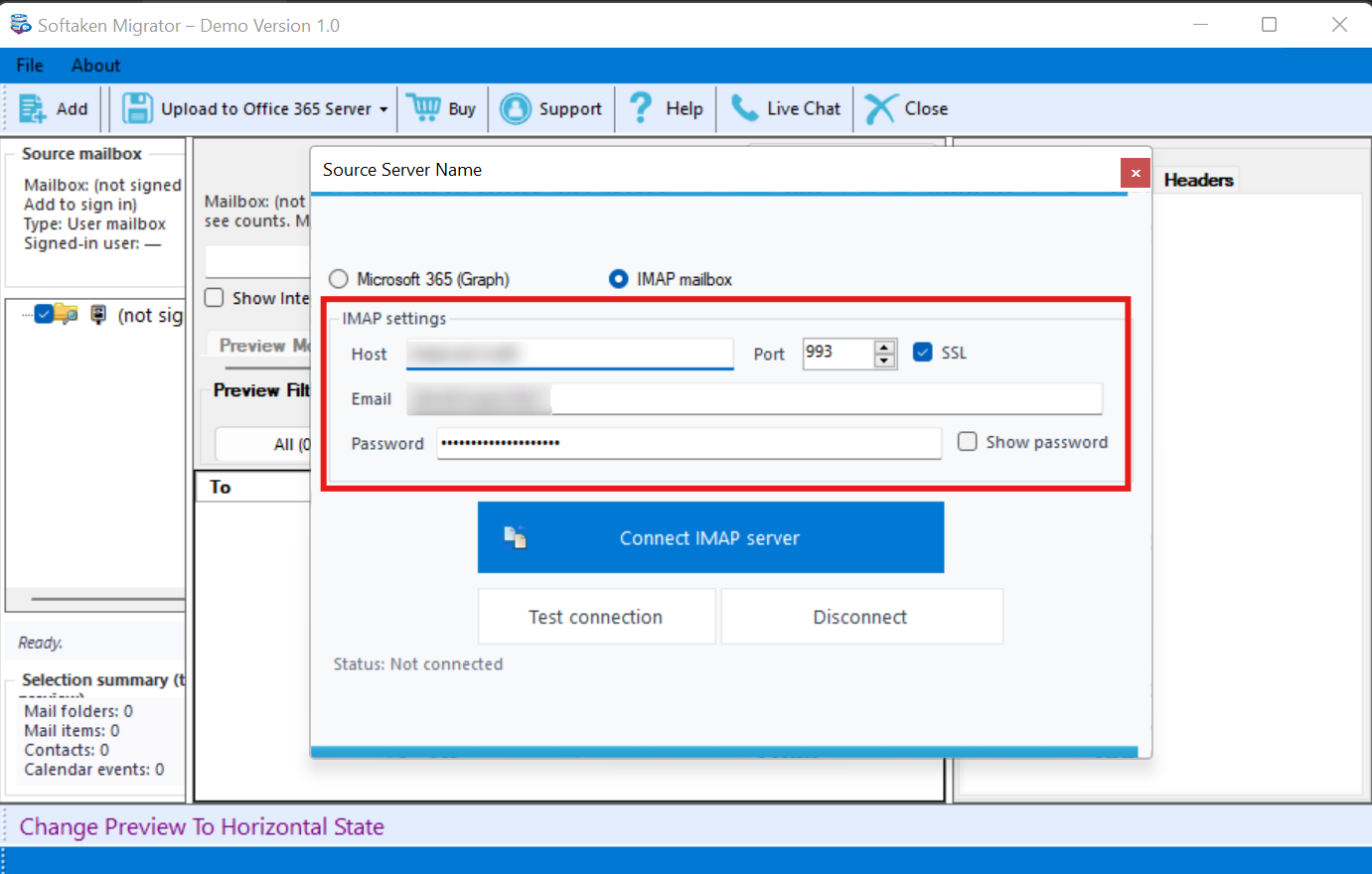
- Now, enter your AWS account credentials, including your username, password, host, and port details, then press the “Authenticate Me” button.
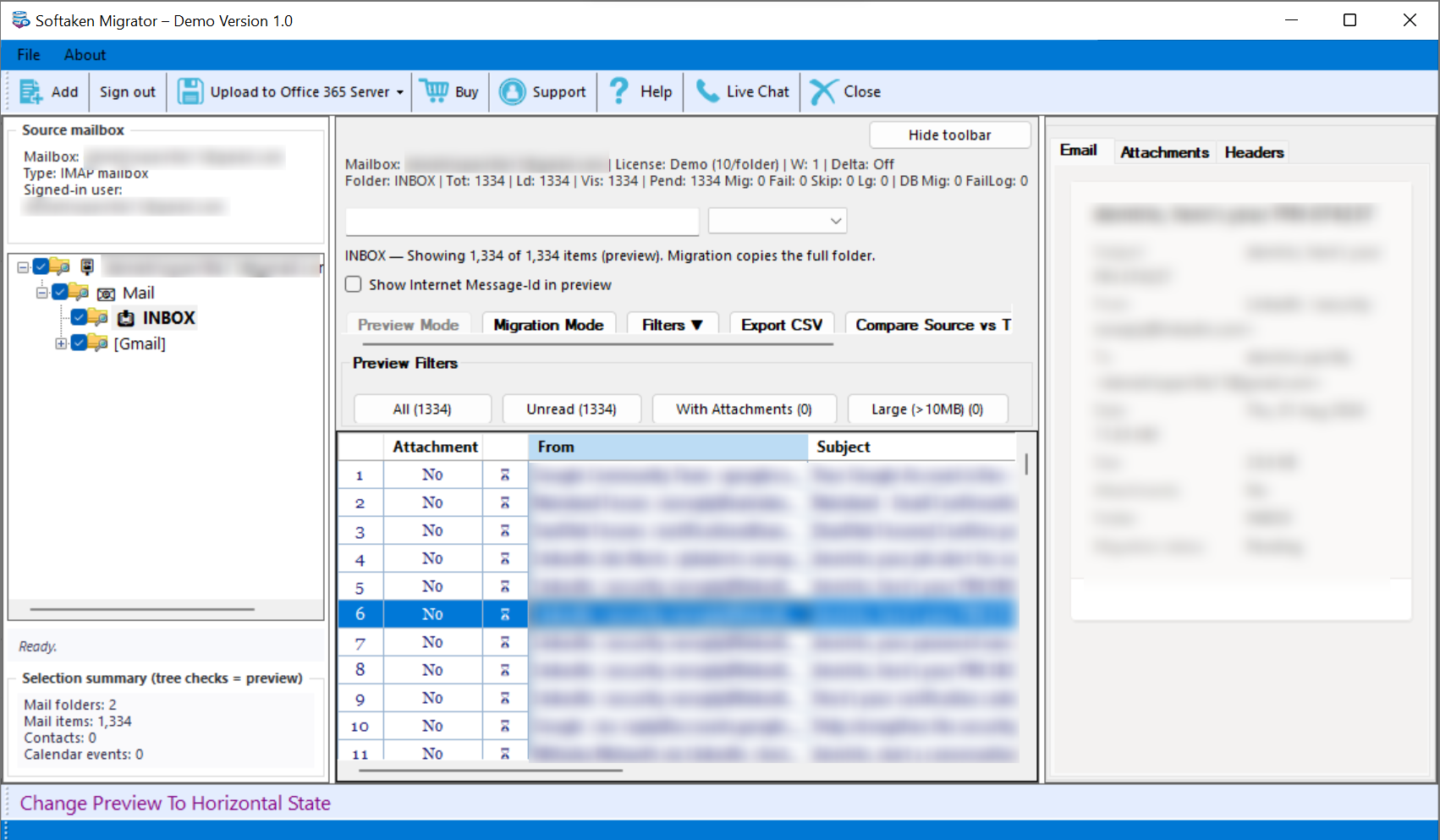
- Next, take a full preview of the Mailbox items.
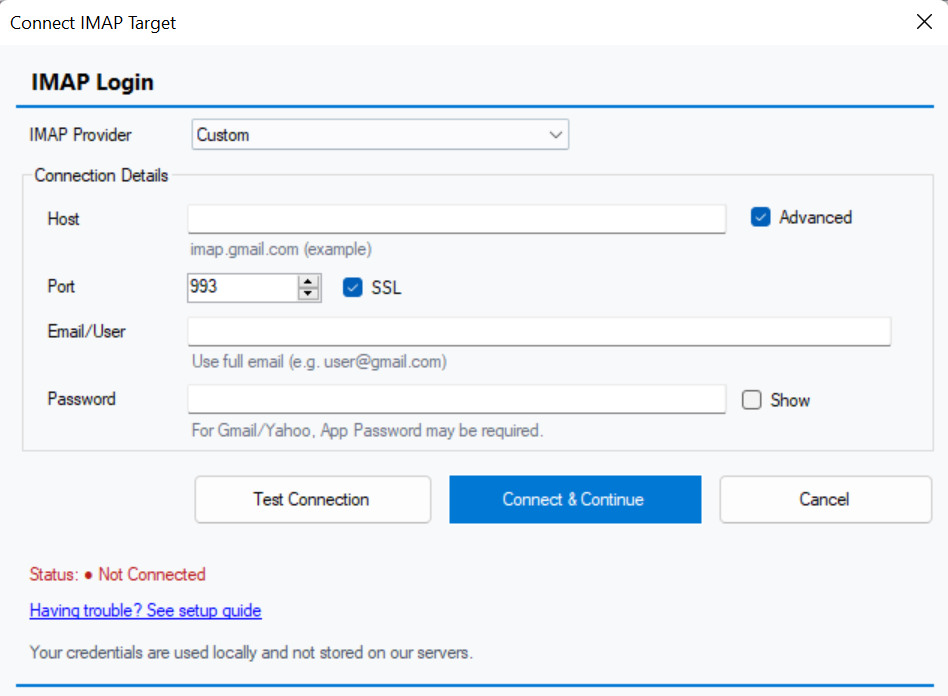
- Now, enter the target IMAP account details and press “Authenticate Me.”
- Now, choose the destination folder, which could be a new or existing folder.
- Press “Start” to begin the process.
Note: If you want to create a complete backup or download your Amazon WorkMail emails locally before the shutdown deadline, explore our specialised solutions, like the AWS WorkMail Backup Tool, to simplify your migration process and prevent data loss.
What Happens If the Deadline is Missed?
In case you miss the AWS WorkMail shutdown date (March 31, 2027), you may lose access to your data stored on this platform because AWS has already announced that WorkMail will no longer be accessible after its shutdown deadline. In other words:
- You will no longer be able to sign in to WorkMail.
- Your stored emails may become inaccessible.
- Your email ID may stop receiving messages.
- Your business email address will not automatically transfer to another email provider.
Conclusion
As you can see, Amazon WorkMail is going to be discontinued in 2027. The best time to migrate or create a backup is at least one month before the shutdown, especially when you have multiple accounts and data to transfer. Manual migration can be time-consuming and lengthy. We have suggested an automated solution to safely export data for migration to Google Workspace, Office 365, Zoho Mail, Zoom Mail or any desired one.
FAQs (Frequently Asked Questions)
When is the Exact Shutdown Date of WorkMail?
The shutdown date of AWS WorkMail has already been announced by AWS. It is on 31st March 2027.
Can I Still Recover Data After March 31st, 2027?
No, you cannot enjoy the service of WorkMail after its shutdown date.
Can I Still use Amazon WorkMail?
You can use Amazon WorkMail till 31st March 2027, but you cannot create a new account on this platform, as new registration is no longer allowed.
How Long does it take to Migrate from Amazon WorkMail to an Alternative?
It depends on your user count and data volume:
- Small teams (under 10 users): A few hours to a single day.
- Medium-to-large organisations: Several days to a few weeks.