Using De-Mail? It’s time to switch from this digital communication tool because the German-made De-Mail service is scheduled to shut down officially on December 31, 2026. It was introduced for individuals and businesses to make their digital communication safer and faster, but the service didn’t perform as well as expected. Now, the German government has decided to discontinue it.
If you still use De-Mail for personal or professional communication, it is high time to plan to switch. Backing up important emails and attachments can help prevent data loss, as once the service is discontinued, it may be difficult or almost impossible to retrieve your data.
In this article, we provide details on how to switch from De-Mail both manually and automatically. In addition, you will learn about the official shutdown timeline and the reasons for its failure.
German De-Mail Shutdown Timeline
De-Mail, a digital communication service, was introduced in 2011 with the intention of offering a secure and legally reliable communication service among businesses, individuals, and public authorities. Unlike other common digital communication services, De-Mail supports only verified sender and recipient identities and generates evidence of electronic delivery.
Unfortunately, this secure digital communication service is scheduled to shut down at the end of 2026. Existing accounts will work until the shutdown date, but new account registration has stopped. This news has affected its users, especially those who have been using the service for a longer duration. Now, they need to look for the best alternative to De-Mail because data privacy is one of the biggest priorities.
Why De-Mail is Shutting Down and Has Failed?
Several reasons contributed to the decision to shut down De-Mail. Here, we have outlined the most common reasons.
1. De-Mail Failed to Gain Popularity
De-Mail was introduced to serve individuals, businesses, and government authorities. However, it didn’t gain much popularity among Germans. Some users also found it less convenient.
2. Complex Registration and Usage
Unlike conventional email service providers, De-Mail required users to verify their identities before creating an account. The primary intention was to provide a high level of security, but these extra steps made the registration process complex. Users who wanted to use email services occasionally found maintaining a separate account unnecessary for official document communication. Thus, De-Mail gradually lost its popularity.
3. Paid Service
Many conventional email services are available for free, but De-Mail charged fees for some services while offering additional security and legal benefits. Users who rarely exchanged legally significant messages may have found maintaining a separate account unnecessary.
4. Criticism of Security and Delivery Features
De-Mail was introduced to provide a safer data communication experience, but it did not provide end-to-end encryption by default. This raised concerns among people who expected only the sender and recipient to be able to read their messages.
5. Discontinuation of Services by Major Providers
Gradually, several major De-Mail providers withdrew from the service, including Deutsche Telekom, United Internet, and 1&1. This contributed to a loss of confidence among users and made the service less attractive.
6. Government Decision to End the Service
Maintaining De-Mail required ongoing administrative work, technical infrastructure, and compliance with legal requirements. As the service struggled to gain widespread adoption, the decision was made to discontinue it.
Manual Solutions to Migrate from De-Mail
Luckily, several manual solutions are available to export data from De-Mail. We have provided you with some popular methods.
Method 1: Download and Save De-Mail Messages
You can use this method to preserve important messages on your system.
Steps to Follow:
- Access the De-Mail website and sign in to your account.
- Now, locate the important messages by browsing folders like Inbox and Sent Items.
- Now, select the target message and look for the Download, Export, or Save option
- Save the exported data in a local folder in EML format, as it is compatible with several email clients.
- You can repeat the same process for other emails.
Note: You have another option available if the De-Mail provider doesn’t offer a download option. Save each message as a PDF file using the “Print” option.
Method 2: Download Email Attachments
If you are concerned about attachments in your De-Mail account, you can store attachments separately.
Steps to Follow:
- Locate the De-Mail message containing an attachment.
- Press the attachment’s Download option.
- Select a folder where you want to save the attachment.
- Rename the attachment if you want.
- Repeat the same process for attachments you want to download locally.
Method 3: Forward Messages to Another Email Account
Another option is to forward each email to an email account where you want to restore data.
Steps to Follow:
- Access the target De-Mail message.
- Now, press the Forward tab.
- Provide the alternative email address.
- You can add a note before sending
- Now, check the exported email.
Note: De-Mail was legally significant precisely because of its cryptographically signed delivery receipts (Versandbestätigung and Abholbestätigung). When warning users about manual methods, emphasise more strongly that neither PDFs nor forwarded emails retain legal validity, making them insufficient for official court or government correspondence archives where proof of delivery is legally required.
Method 4: Save Messages as PDF Files
Since PDF is a universally accepted file format, you can save emails in PDF format.
Steps to Follow:
- Access the target message in your De-Mail account.
- Hit Ctrl + P on your system.
- Press Save as PDF.
- Now, press Save and define the output location.
- Rename the file if you wish.
Risks Behind Manual Switch from De-Mail
The above-mentioned manual methods may sound easy, but they have some hidden disadvantages that you cannot ignore before selecting any manual method.
- All the recommended manual methods are time-consuming, especially if you have hundreds or thousands of emails.
- Any of these manual methods can lead to accidentally skipping important messages or folders.
- You may lose metadata while saving messages in PDF format. This practice can make it difficult to verify the messages.
- There are cases of attachment download failures.
- De-Mail supports legally reliable communication, but forwarding emails or copying data into PDF files may not retain the original delivery evidence.
How to Safely Migrate Data Before De-Mail is Shutdown?
Manually migrating De-Mail emails is risky and may affect your data, so the safer and more secure option is to choose a dedicated tool that offers fast and secure migration. Softaken IMAP to IMAP Migration Tool is one of the available applications for migrating De-Mail to an IMAP account of your choice, such as Gmail, Office 365, and Yahoo. This solution is straightforward, meaning it requires no additional tools. The export process is simple and fast. It claims 100% conversion accuracy.
Steps to Migrate De-Mail Data Using Expert Tool
- Download and launch the app on your Windows system.
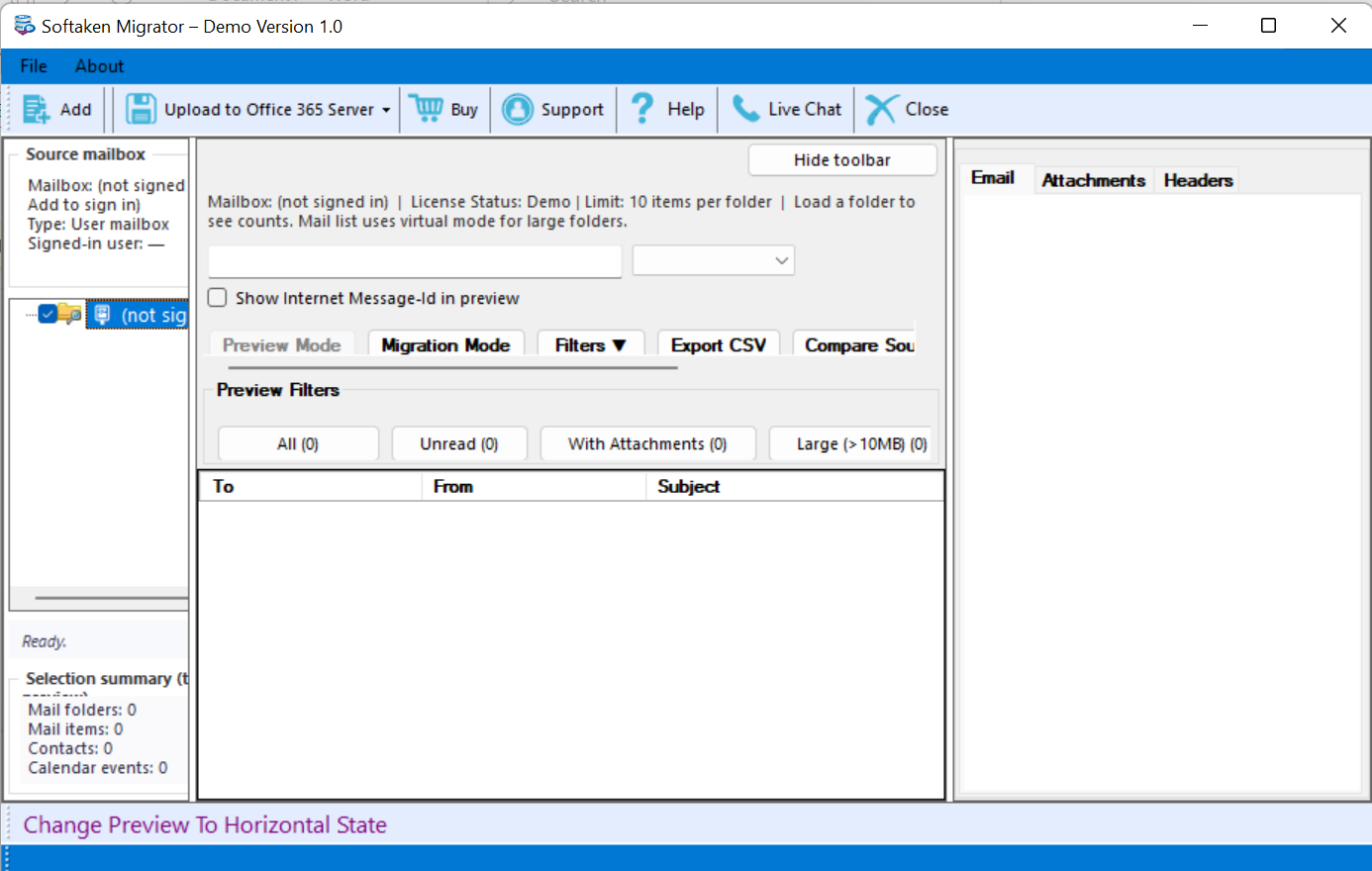
- Provide the username, password, port, and host details for the source email account, and then click the “Authenticate Me” button.
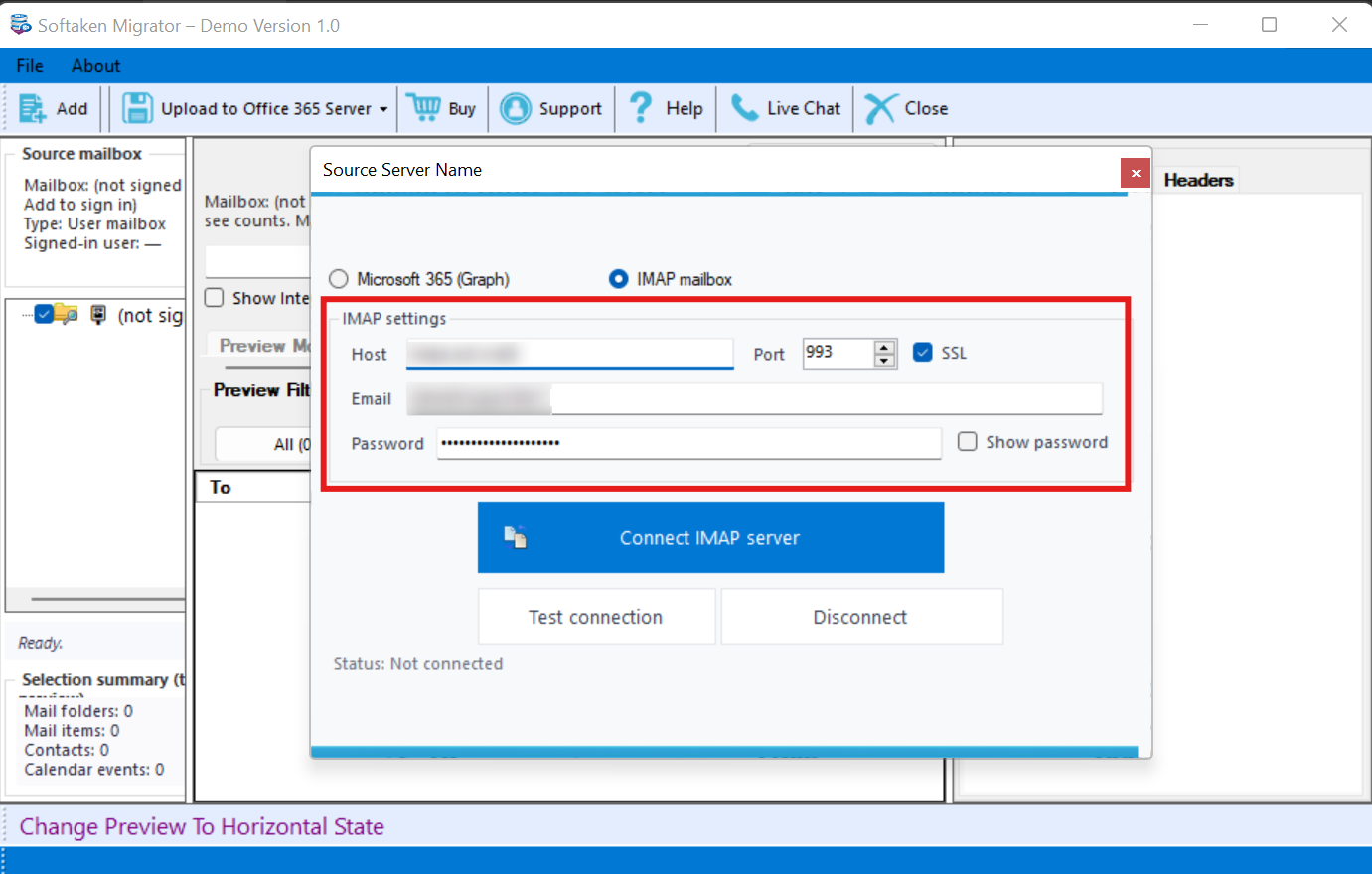
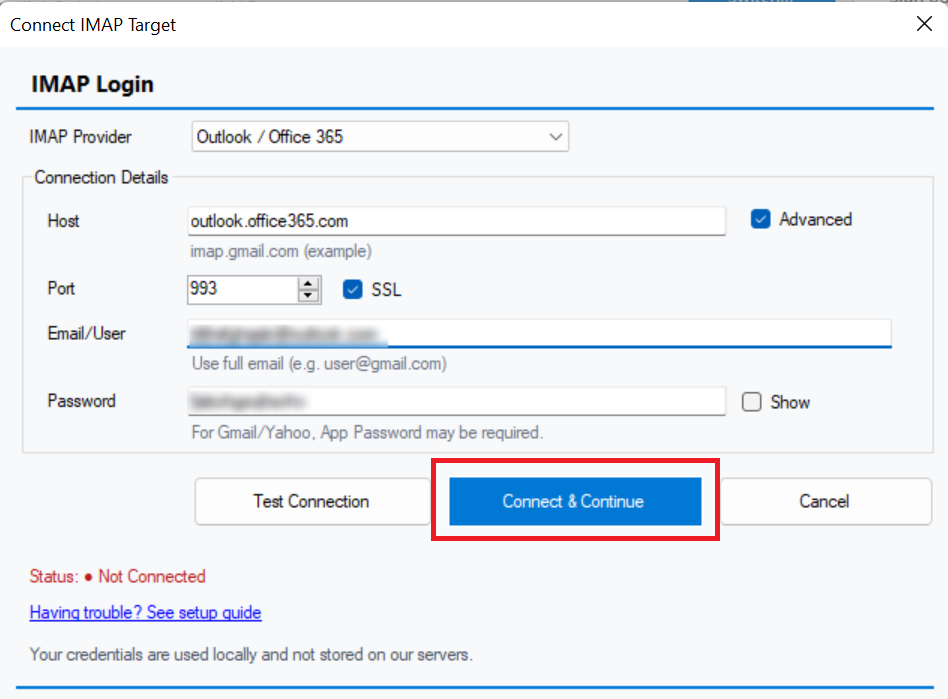
- Next, provide the destination account (Office 365) details, including the host, port, username, and password. Press the “Authenticate Me” button.
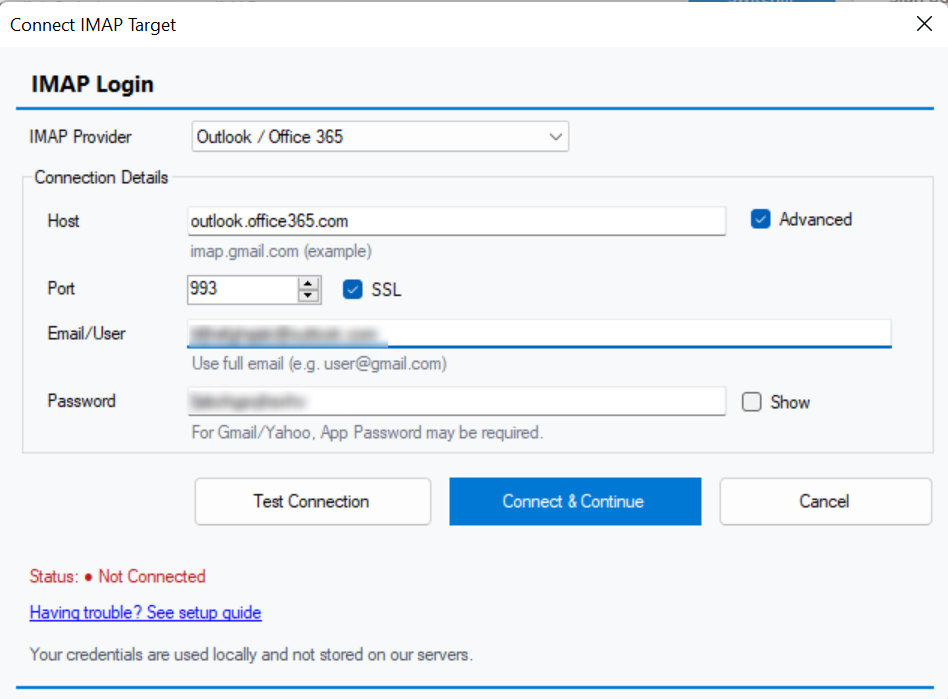
- Select the mailbox you want to export or choose “All” to export all data.
- Choose an existing mailbox to save the migrated data or create a new mailbox.
- Press “Conversion” to complete the process.
Conclusion
You have two options to consider for exporting De-Mail to an IMAP account. The manual solutions are suitable when you want to export a limited number of items. When it comes to bulk conversion while preserving metadata and attachments, a third-party tool can meet your needs. Carefully assess your requirements before selecting either a manual or an automated solution.