The latest version introduces an updated workspace, detailed email preview tabs, multiple export formats, and additional conversion settings.
Softaken has introduced Version 3.0 of its Maildir Converter, featuring a redesigned interface and improvements to the way users inspect and export email data. The update brings email preview tools, multiple output formats, language options, and advanced export settings into a more organised workspace.
“With version 3.0, we listened directly to IT administrators who wanted more granular control over complex email migrations,” said the product manager at Softaken. We are reducing troubleshooting time by half with features such as hex analysis and multi-tab previews.
What’s New in New Converter 3.0
Redesigned User Interface
The updated interface organizes mailbox browsing, message selection, email preview, and export controls into a single workspace.
- Dedicated panels for folders, messages, and email previews
- Search and filter options to locate specific messages
- Customizable message-list columns
- Direct access to Help, Pricing, and Live Chat
Detailed Email Preview
Version 3.0 includes multiple tabs for reviewing email content and technical information before conversion.
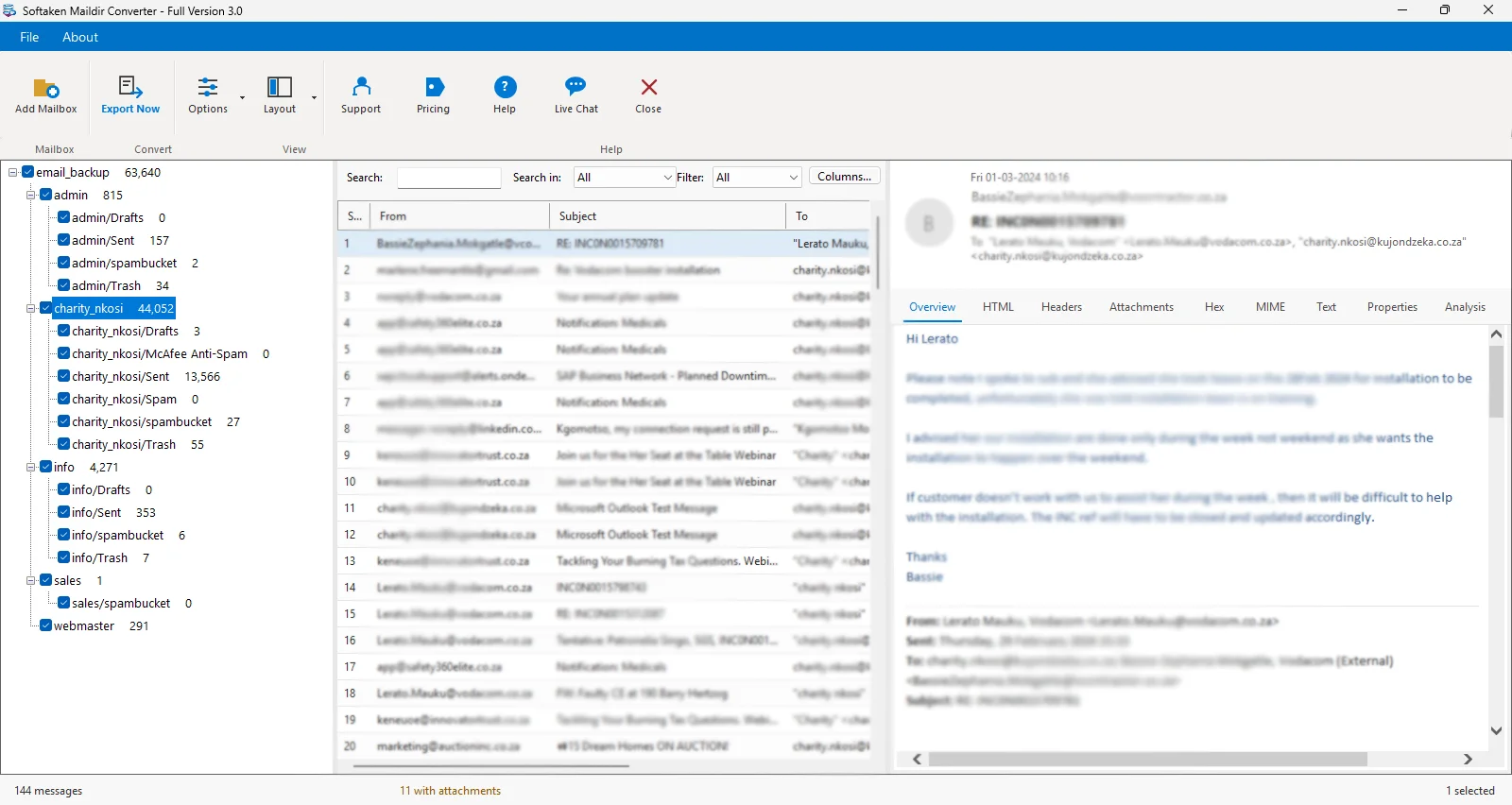
- Overview – Read the selected email in a familiar layout.
- HTML – Inspect the available HTML message content.
- Headers – Review sender, recipient, timestamp, and other available header information.
- Attachments – Examine files associated with the message.
- Hex – View message data in hexadecimal form.
- MIME – Inspect the email’s MIME structure.
- Text – View the plain-text version where available.
- Properties – Review available email properties and metadata.
- Analysis – Access the application’s analysis view for the selected message.
These tabs help users examine different aspects of an email without switching between separate applications.
Export in Different Formats
The redesigned Export Options window provides multiple output formats to suit various needs.
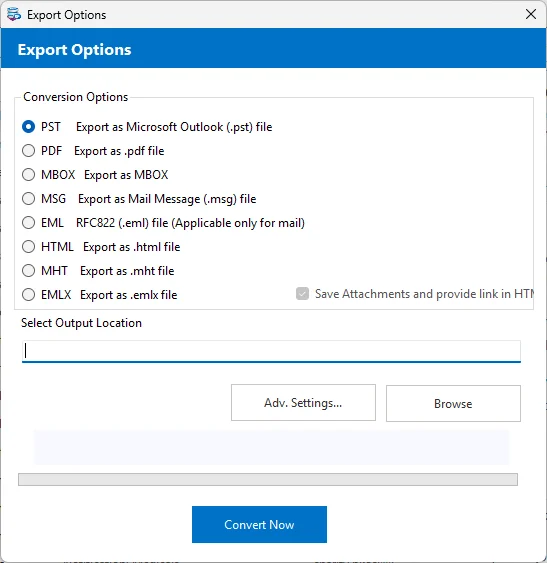
- Microsoft Outlook PST
- PDF for document based access
- MBOX for compatible email clients like Thunderbird and Others
- MSG for Outlook messages
- EML for single email messages
- HTML for viewing on the web
- MHT for single file web archives
- EMLX for compatible email clients
Users can also specify the output location and start the conversion from the same window.
Advanced Export Options
The Advanced Settings option gives users more control over the conversion before exporting. Rather than simply using the defaults, users can set up what options are available for their chosen export workflow.
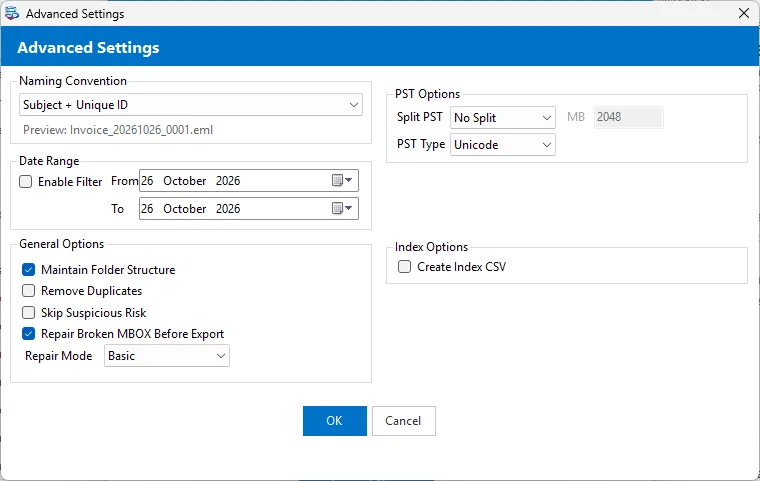
- File Mode — Select specific Maildir files.
- Folder Mode — Select a folder with a number of Maildir files in it.
- Selective conversion — Choose the Maildir data you wish to export.
- Output format and destination — Choose a supported format and a destination to store the converted data.
Multiple Language support
The application supports a multilingual interface, including:
- English, Spanish, French, German and Italian
- Brazilian Portuguese, Russian, Japanese, and Korean
- Dutch and Swedish, Simplified Chinese, Traditional Chinese
- Arabic, Turkish, Polish, Vietnamese
Maildir & Maildir++ Compatibility
Software supports Maildir and Maildir++ data including the standard cur, new and tmp directory structure.
Main capabilities are:
- File Mode and Folder Mode to select source data
- Support for single or multiple Maildir files
- Handling of Maildir subdirectories
- Export to supported output formats
- Standalone Windows application – no need to have Microsoft Outlook installed
This software is for users who want to convert Maildir email data to other supported formats for access, migration or archiving.