 1
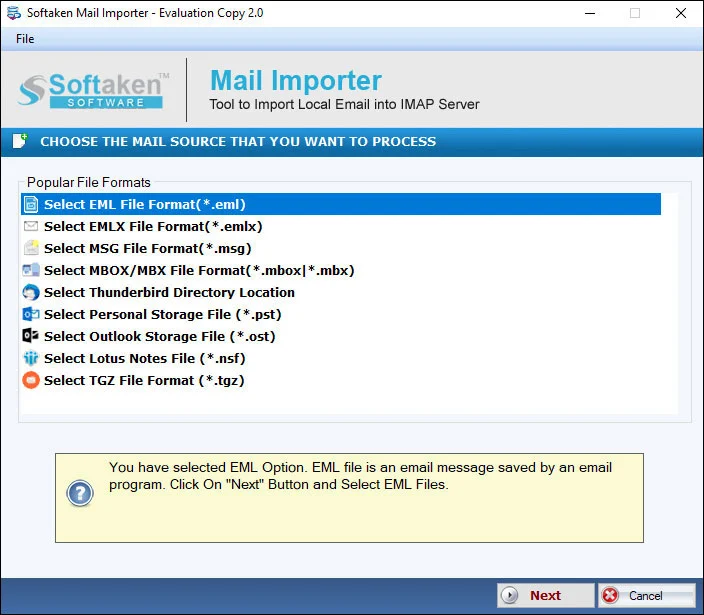
1Add EMLX file or folder
Select Folder or File mode and browse Apple Mail EMLX files for Google Workspace / G Suite import.
Independently scanned with multiple antivirus engines.
100% SafeLibrary/Mailpaths,Workspace “label” slogans beyond choose/create folder,multi-user admin bulk runs,and zero-proxy / TLS staging claims are not listedon this page (see Softaken Less Secure Apps KB).Softaken EMLX to G Suite Importerimports Apple Mail EMLX emails and attachments to a Google Workspace / G Suite (Google Apps) account on Windows. Softaken lists bulk / batch import,File or Folder mode,username &password connect,choose a folder or create a new folder,conserved folder series,intact meta properties (to,cc,bcc,subject,from,date,time,etc.),and that a smooth internet connection is required.
Add local files (including EMLX),preview,sign in to the cloud destination,then choose or create a folder (Softaken Mail Importer UI).
1Select Folder or File mode and browse Apple Mail EMLX files for Google Workspace / G Suite import.
 2
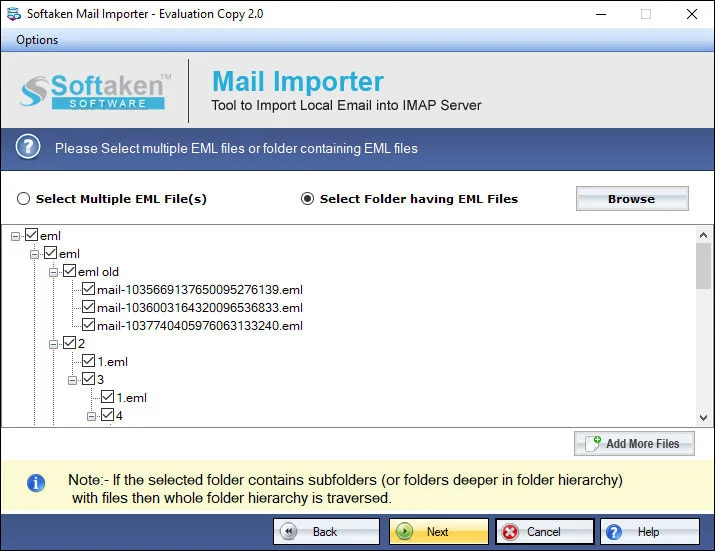
2Import selected EMLX files to the G Suite account after reviewing them in the interface.
 3
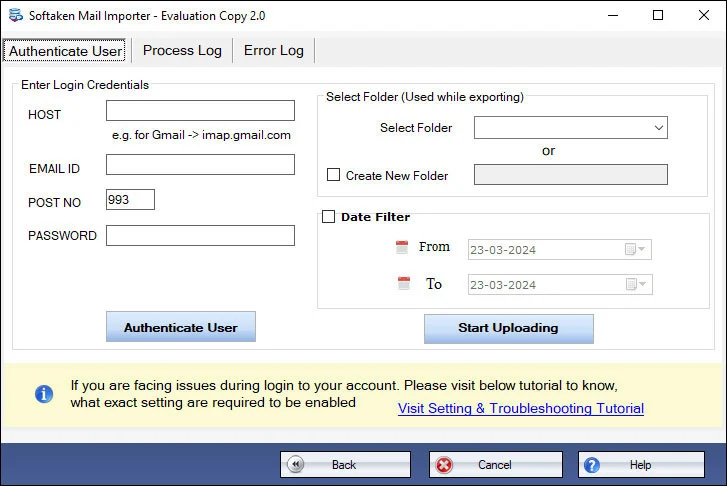
3Provide G Suite username and password and connect to the G Suite account (IMAP &Less Secure Apps pre-setting on this Softaken page).
 4
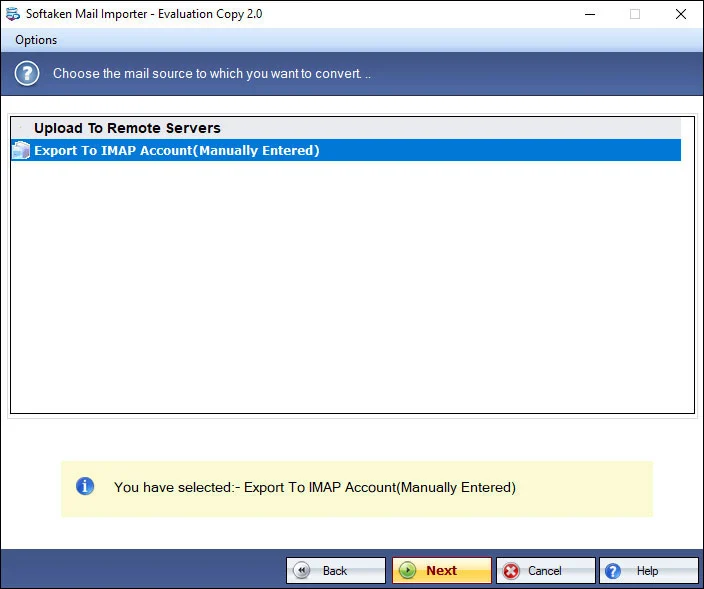
4Choose a folder or create a new folder in the G Suite account,then start the Process / upload.
Click a screenshot to enlarge. Guides:how-to steps· screenshots.
Only a few steps are there to import Apple Mail EMLX files to G Suite.
Original Softaken heading used “Google Apps”;Google Workspace is the current Google branding for G Suite.
EMLX to G Suite Importer fulfills the conversion task by exporting all emails and attachments. The conversion task can be simply completed without any data losses and harm to any file. Selective EMLX files import is done by the utility.
Having a simple interface,one can easily export Apple Mail emails to G Suite account. Its simple and guiding wizard does not confuse users and they can simply follow the steps with full ease without facing any kind of trouble.
Batch Import feature is one of the prime features of this application. The software is capable to migrate multiple Apple Mail EMLX files to Google Apps account. There is no need to import the files one by one &save valuable time.
During the export of Apple Mail files to Google Apps account,the utility maintains all meta properties like to,cc,bcc,subject,from,date,time,etc. No change is done to the sequence of EMLX files. You will find all the details original.
EMLX to G Suite Exporter can be simply installed on every Windows version. You can easily run this utility on all Windows edition including Windows 11,10,8.1,8,7,XP,Vista,and others. No obstacles to any Windows edition.
Without considering the EMLX file size,the software completes the migration without having any kind of issues. No effect is there on the conversion process due to the number and size of Apple Mail emails. Only valid G Suite account details are needed for it.
This Softaken page offers a free demo for evaluation (no numeric limit stated here). Softaken Mail Importer docs (same download) state the trial imports the first 25 local files. A “10 to 25 emails per folder” range is not stated. Full unlimited from $99. Softaken documents G Suite username &passwordand pre-setting IMAP &Less Secure Apps—named OAuth 2.0 / App Password USPs are not listedon this page.
~/Library/Mail/V*) is not listed. Softaken documents a Windows workflow:launch the importer on Windows,then use File or Folder mode to browse EMLX files after they are available on the PC. Named .emlxpartsupport is also not listed.Engine Note
This landing page uses the Softaken Mail Importerdownload and docs (EMLX among sources → G Suite / Google Workspace among destinations;buy-mail-importer). Primary focus here is Apple Mail EMLX → Google Workspace / G Suite. Softaken documents G Suite username &passwordand pre-setting IMAP &Less Secure Apps—named OAuth 2.0 / App Password USPs are not listed. Exact Mac Library/Mailpaths,.emlxpart,Workspace label slogans beyond choose/create folder,multi-user admin bulk runs,and zero-proxy / TLS staging slogans are not listed(see FAQs). Related:Softaken Less Secure Apps KB.
Product Info
Version2.0
Size19.4 MB
Starting Price$99
Full licenseUnlimited
Demo &License
Free demo:This page — free version to analyze the utility (no numeric limit stated here). Softaken Mail Importer docs (same download) list trial first 25 local files. A “10 to 25 emails per folder” range is not stated. Full unlimited license from $99.
This page demoEvaluate (no number stated)
Mail Importer docsFirst 25 local files
10–25 per folderNot stated
Licensed editionUnlimited from $99
Input &Output
InputApple Mail / Mac Mail EMLX
OutputGoogle Workspace / G Suite
ModesFile / Folder mode
AuthUsername &password · IMAP &Less Secure Apps
System Requirement
ProcessorAny Pentium Class
Operating SystemWindows 11,10,8.1,8,7 &Other
Memory512 MB Minimum
Hard Disk100 MB of free space for software installation
Software Delivery
Interface Available
This page documents G Suite username and password plus IMAP &Less Secure Apps. Named OAuth 2.0 / App Password USPs are not listed.
Exact Library/Mail paths are not listed. Softaken documents browsing EMLX on Windows.
Softaken does not list Apple Mail or another email client as required on this page.
Yes:choose a folder or create a new folder in G Suite. Named label slogans beyond that are not listed.
Softaken preserves attachments and meta properties such as to,cc,bcc,subject,from,date,time. RFC 822 slogans beyond that are not listed.
Batch import of multiple EMLX files to a G Suite account is listed. Multi-user admin bulk runs are not listed.
Internet is required for Google Apps cloud. Mail Importer docs:Softaken does not save login details. Proxy/TLS staging slogans are not listed.
Free evaluate on this page. Mail Importer docs:first 25 local files. Full from $99. A 10–25 per folder range is not stated.
| Item | Details |
|---|---|
| Product | Softaken EMLX to G Suite Importer |
| Publisher | Softaken Software |
| Platforms | Windows |
| Version | 2.0 |
| Size | 19.4 MB |
| License | Free evaluate (this page);Mail Importer docs first 25 local files;full unlimited from $99 |
| Scope | Import Apple Mail EMLX to Google Workspace / G Suite with attachments |
| Auth | G Suite username and password;IMAP and Less Secure Apps (as documented) |
| Page | https://www.softaken.com/emlx-to-gsuite-importer |
