 1
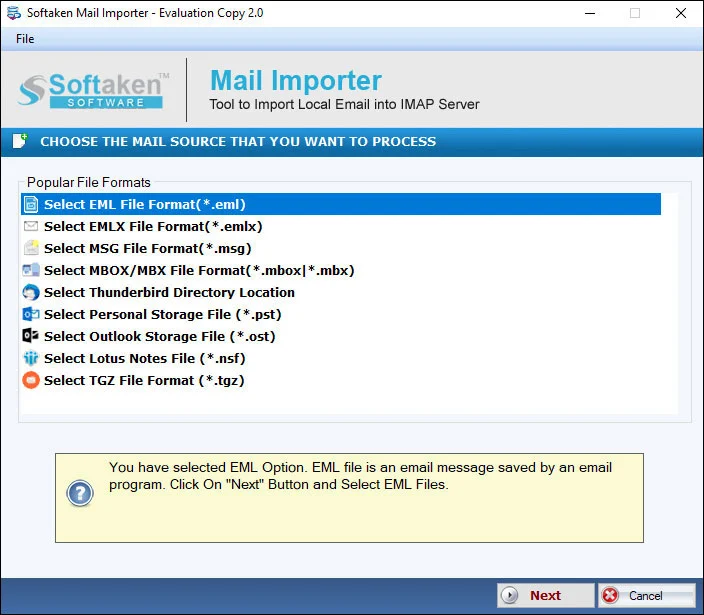
1Add EMLX file or folder
Add an EMLX file or an EMLX folder with multiple files at once for Office 365 import.
Independently scanned with multiple antivirus engines.
100% SafeSoftaken EMLX to Office 365 Importeris an amazing solution to open Apple Mail EMLX emails to an Office 365 account—bulk import EMLX files with attachments and formatting,without size restrictions on the licensed workflow,and without requiring Apple Mail or another supportive client on Windows.
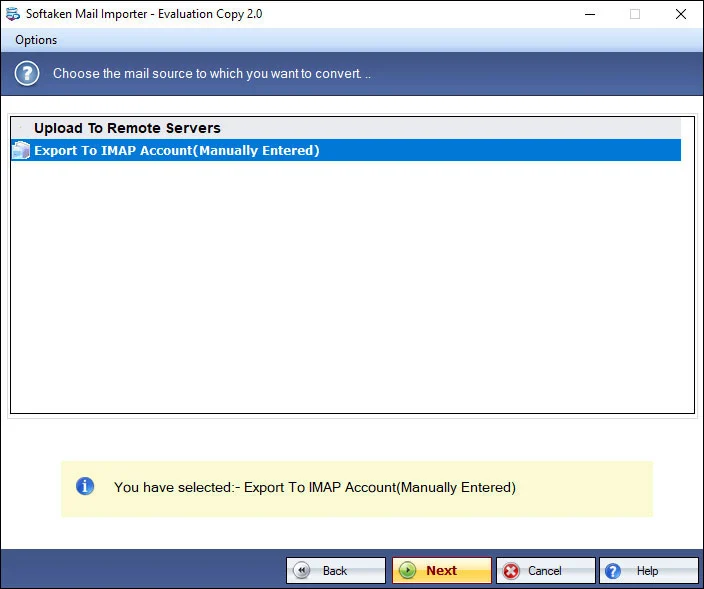
Add local files (including EMLX),preview,sign in to the cloud destination,then choose or create a folder (Softaken Mail Importer UI).
1Add an EMLX file or an EMLX folder with multiple files at once for Office 365 import.
 2
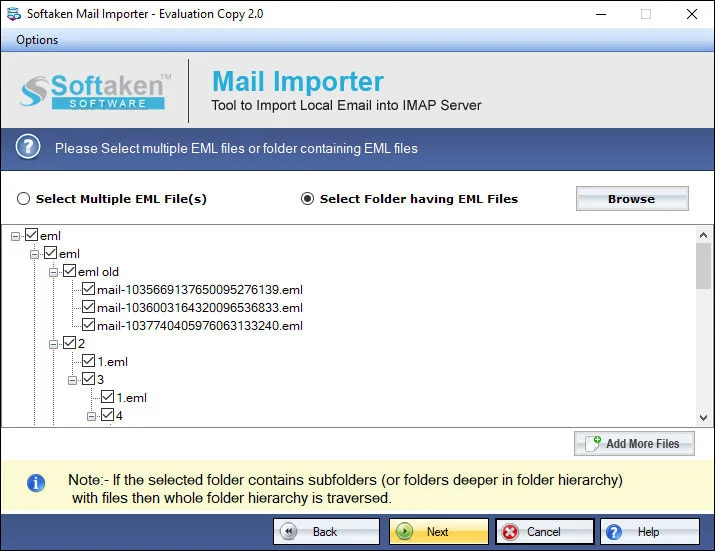
2Import selected EMLX files to the O365 account after reviewing them in the interface.
 3
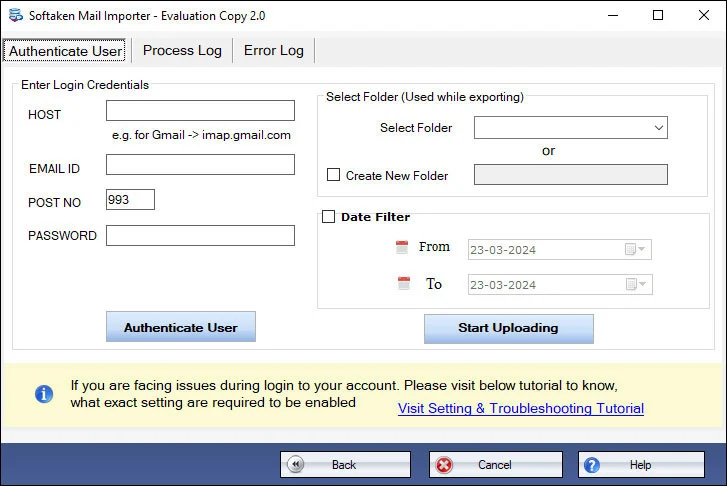
3Provide Office 365 account username &password (as documented on this Softaken page).
 4
4Select an existing Office 365 folder or create a new folder with the desired name,then Upload Now.
Click a screenshot to enlarge. Guides:how-to steps· screenshots.
Find out the complete steps to open EMLX files in O365 account.
The software renders you a direct solution to import Apple Mail EMLX data items to Office 365 account. Without any hurdles,all users can easily operate the tool. Moreover,no technical assistance is required to perform the migration with this professional solution.
No need to add EMLX files one by one. You can add EMLX folder having multiple files in it at once and transfer them to Office 365 account. Users can import Mac Mail EMLX files to the existing folders or can create a new folder in Office 365 with the desired name.
The program import EMLX messages to Office 365 account without Apple Mail email client or other supportive tools. It is completely independent program and considers all attachments with EMLX emails import to Office 365 mail account.
Users can perform the migration of EMLX emails to Office 365 account on all editions of Windows operating system. It comfortably supports the latest Windows 11,10,8.1,8,and below versions. Also,Windows 64bit and 32bit editions are supported by the tool.
The program offers 4 steps easy process to upload EMLX to Office 365 account. The installation process is very simple with this tool and then you need to add EMLX files,provide login details of Office 365 account,select a folder to import,and click on Upload Now button.
It is a fully risk-free utility so no worries for data loss at all. Although,the login details of Office 365 account are limited only to the user itself and are not leaked anywhere. You can self-examine all features and working functions of the software by its demo edition free of cost.
This Softaken page offers a free demo for evaluation (no numeric limit stated here). Softaken Mail Importer docs (same download) state the trial imports the first 25 local files;older features table — 10 items. A “10 to 25 emails per folder” range is not stated. Full:unlimited from $99.
~/Library/Mail/) is not listedon this Softaken page. Softaken documents a fully Windows-based application:add EMLX file or folder after files are available on the PC. Named .emlxpartsupport is also not listedhere.Engine Note
This landing page uses the Softaken Mail Importerdownload and docs (EMLX among sources → Office 365 among destinations). Primary focus here is Apple Mail EMLX → Office 365. Softaken documents username &passwordlogin—not OAuth 2.0 / MFA / Azure App Registration. Exact Mac Library/Mailpaths,.emlxpart,multi-mailbox IT admin bulk runs,“RFC 822 / inline graphics” beyond listed attachments &formatting,and “direct client-to-tenant / zero proxy staging” slogans are not listedon this EMLX to Office 365 page (see FAQs).
Product Info
Version2.0
Size19.4 MB
Starting Price$99
Full licenseUnlimited
Demo &License
Free demo:Self-examine features with the demo edition. Softaken Mail Importer docs (same download) state the trial imports the first 25 local files;older features table lists 10 items. A “10 to 25 emails per folder” range is not stated. Full unlimited license from $99.
Docs trial limitFirst 25 local files
Older features table10 items
10–25 per folderNot stated
Licensed editionUnlimited from $99
Input &Output
InputApple Mail / Mac Mail EMLX
OutputOffice 365 mailbox
ModesFile / Folder (batch)
AuthUsername &password
System Requirement
ProcessorAny Pentium Class
Operating SystemWindows 11,10,8.1,8,7 &Other
Memory512 MB Minimum
Hard Disk100 MB of free space for software installation
Software Delivery
Interface Available
This page documents Office 365 username and password login. OAuth 2.0,MFA,and Azure App Registration slogans are not listed here.
Exact Library/Mail paths are not listed. Softaken documents adding EMLX on Windows after files are available.
No. Softaken states no Apple Mail or other supportive tools are required. Outlook is not listed as required.
Yes. Softaken lists existing folders or create a new folder with the desired name.
Softaken lists attachments and formatting preserved. Named RFC 822 or inline graphics slogans beyond that are not listed.
Batch folder upload to an Office 365 account is listed. Multi-mailbox tenant admin bulk runs are not listed.
Softaken states login details are limited to the user and not leaked. Softaken does not save login details per Mail Importer docs. Proxy-staging slogans are not listed.
Free demo for evaluation. Mail Importer docs:first 25 local files;older table:10 items. Full from $99. A 10–25 per folder range is not stated.
| Item | Details |
|---|---|
| Product | Softaken EMLX to Office 365 Importer |
| Publisher | Softaken Software |
| Platforms | Windows |
| Version | 2.0 |
| Size | 19.4 MB |
| License | Free demo:first 25 local files (Mail Importer docs);older features table 10 items;10–25 per folder not stated;full unlimited from $99 |
| Scope | Import Apple Mail EMLX to Office 365 with attachments |
| Auth | Office 365 username and password (as documented) |
| Page | https://www.softaken.com/emlx-to-office-365-importer |
